DomainsFind and register your ideal domain name instantly.
 Web HostingEasy-to-use hosting powered by cPanel — ideal for managing websites in Nigeria.
 Windows HostingRun .NET apps with Windows-optimized hosting
 Affiliate ProgramMake money promoting our services
 Reseller HostingMake money by reselling our hosting products under your own brand
 .COM Domains
 All DomainsExplore all supported tld domains in Nigeria
 WhoisFind out who owns any domain, as well as verify your registration details
 Dedicated ServersReimagine your site speed with your own complete server
 AI Website BuilderDesign your site with drag-and-drop tools
 Online Shop BuilderStart your online shop without code
 Support PortalFind answers or get expert help
 Contact UsReach our team via chat or email
 BlogRead our extensive guides on web hosting and more
To register a .org domain in Nigeria, choose a name your organisation can control, search the complete address on our .ORG page, select the exact result, configure the term and nameservers, enter the registrant details, review the renewal cost, and complete checkout.
A standard .org registration does not require proof that you run a nonprofit. Public Interest Registry (PIR), the registry operator, presents .org as a home for individuals, nonprofits, social enterprises, businesses and other groups.
The extension carries a strong association with organisations and public-interest work, but the name and website still have to earn people’s confidence.
With us, a new .org currently costs 13500.00 NGN to register. Renewal is ₦18,000.00.
Compare both before choosing the registration term.
I tested the current Truehost journey from the public .org page to Review & Checkout. I searched an available synthetic address, selected the exact result, checked the configuration choices, continued to checkout and then removed the domain from the cart.
I did not enter personal details, accept the terms, pay or create an order.
Is .org the right extension for you?
Choose .org when the name supports the identity you want people to recognise: an association, foundation, professional body, community project, faith group, research initiative, open resource, campaign or mission-led business.
Anyone can buy a standard .org, so the extension does not certify legal registration, charitable status or honesty.
That distinction is important if your site will collect donations, publish impact reports or represent members. Use the website to show the organisation’s registered name, leadership, contact information, programmes, governance and financial accountability where relevant.
Do not confuse .org with .org.ng. They are different extensions with different addresses and pricing.
This guide follows yourname.org; use our .ORG.NG page if you specifically want yourname.org.ng.
If you have not settled on an extension, the broader domain guide compares the decisions that apply across our catalogue.
What you need before registration
Prepare these details before opening checkout:
Item | What to prepare |
|---|---|
Domain name | Your first choice plus two concise alternatives |
Account owner | An organisation-controlled email address where possible |
Registrant contact | Accurate name, email, phone number and address |
Nameservers | Your host’s nameservers if the website lives elsewhere |
Payment | A method available on the live checkout |
Renewal owner | The person or role responsible for future renewals |
For a team, decide who controls the Truehost account and recovery inbox before paying. A founder’s personal address may work today but create an access problem after a staff or leadership change. Use a durable organisational contact, protect it with multi-factor authentication where available, and record the renewal owner internally.
1) Choose an ownable .org name
Start with the name people already associate with the organisation. A strong choice usually uses the organisation’s full name, recognised acronym, campaign name or a clear combination of mission and location.
Use this quick test:
Can someone hear the address once and type it correctly?
Does it still make sense without a slogan beneath it?
Can the organisation use it for several years without outgrowing it?
Does it avoid another organisation’s trademark or identity?
Will an email such as
[email protected]look clear and credible?
Shorter often helps, but clarity comes first. Do not remove important letters merely to save one character. Avoid a chain of hyphens, unexplained numbers and spellings that force you to correct people every time you say the address.
Check the matching name on the web, social platforms and relevant trademark records before registration. Buying the domain does not give you the right to trade under someone else’s protected name.
2) Open our .ORG page
Open our .ORG page. It keeps the search focused on the standard .org extension and leads into our current registration flow.
The page also explains the extension for readers who still need to assess fit. Once you have chosen the name, use the domain-search control near the top.
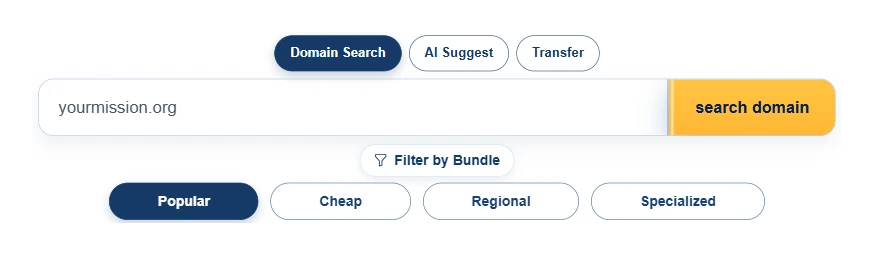
Enter the full address, including .org. For example, type yourmission.org, not only yourmission. The complete address makes your intended extension explicit when the result screen also presents bundles and related alternatives.
3) Search the complete address
Select search domain and wait for the result cards to load. The search can return three kinds of offer:
the exact
.orgaddress you entered;a bundle containing several extensions; and
the same label under another extension such as
.comor.com.ng.
These offers solve different problems. The exact card registers one .org. A bundle protects the same label across multiple extensions. An alternative gives you a different web address.
If your first choice is unavailable, change the distinctive part of the name before adding filler. Try a recognised acronym, programme name, location or mission term. A precise address such as brightfuturesabuja.org usually works better than a vague name followed by random digits.
4) Select the exact .org result
Find the card that repeats your complete address and shows .org, then select its Buy Now button.
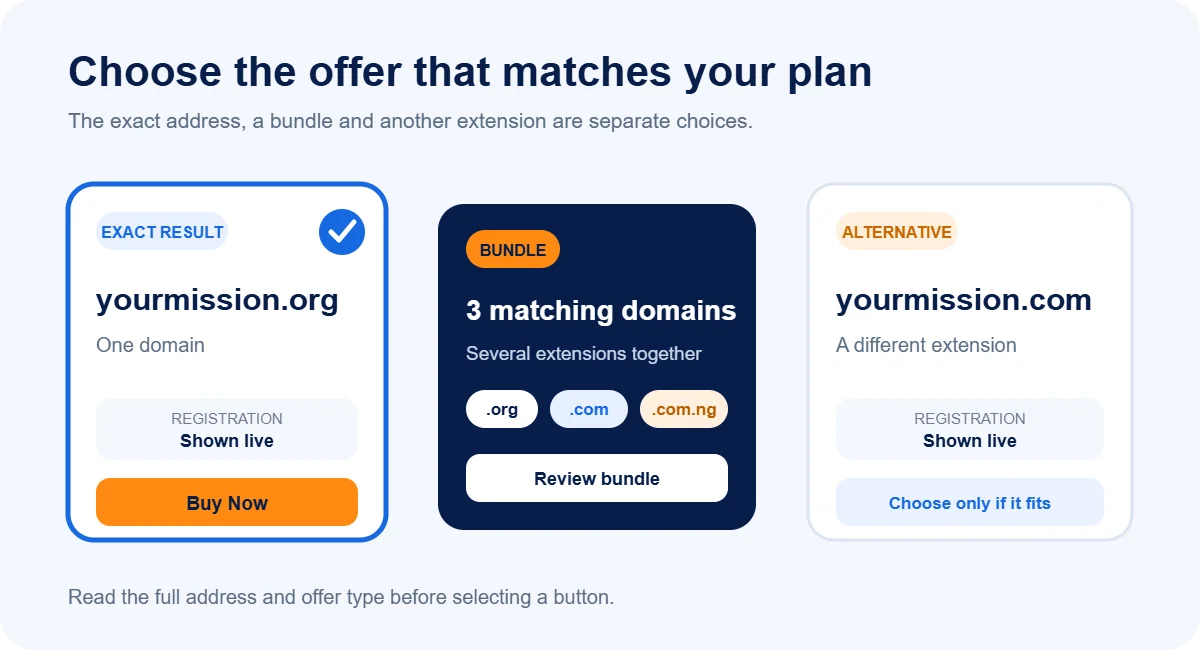
Read the full card first. The bundle may sit beside the exact result and use the same root name, but its button adds several domains. Choose it only when you deliberately want the extra extensions and have reviewed the combined total.
You can also pause before checkout and review safer buying practices if another person selected the provider, controls the account or asked you to send payment outside the official order flow.
5) Choose the term and options
The Domains Configuration screen showed registration terms from one to five years during my test. Select the period that suits your operating budget and continuity plan.
A longer term reduces the number of annual renewal actions, but it does not make the organisation immune to account-access problems. Keep the account email, payment process and ownership record current regardless of term length.
The same screen displayed optional services including ID Protection, Email Forwarding and Domain Vault. Review an option in relation to a real need:
privacy can reduce unnecessary exposure of eligible registration data;
forwarding can redirect messages without creating a full mailbox; and
stronger account controls may suit a valuable or high-risk name.
The order total should reflect only the services you intend to buy. If a colleague prepared the basket, review every selected option before continuing.
6) Set the nameservers
Nameservers tell the domain where to find its DNS records. Those records connect the address to a website, email service and other internet services.
Our configuration screen prefilled these nameservers during the test:
ns1.cloudoon.comns2.cloudoon.netns3.cloudoon.org
Keep the defaults when you plan to use the relevant service on our network. If another host will run the website or DNS, replace them with the exact nameservers that provider supplied. Copy the values carefully; one missing character can prevent the domain from reaching the correct service.
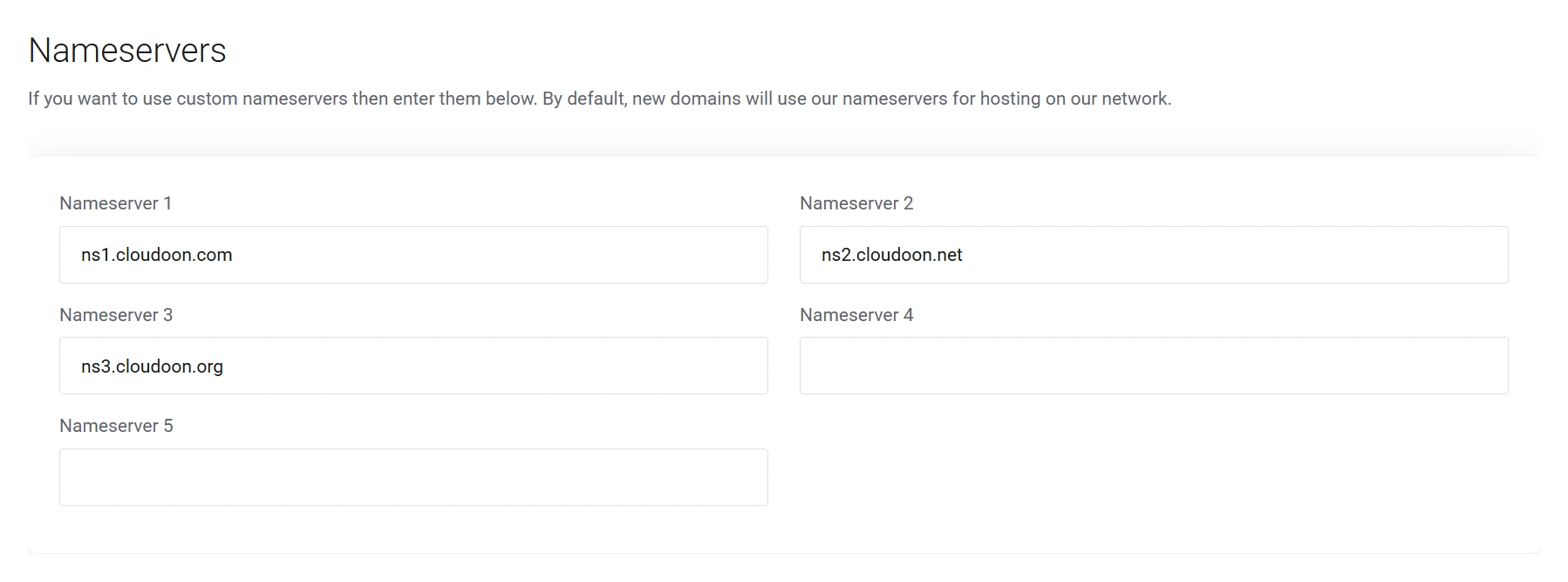
If the website plan remains undecided, you can keep the defaults and update DNS later from the account. For a mission-led website that needs local hosting, our NGO hosting route covers the next infrastructure decision.
7) Review registration and renewal
Select Continue to reach Review & Checkout. The tested order displayed the domain registration amount and a separate renewal line.
Read four figures or cost areas before paying:
the registration amount for the selected term;
the current renewal amount;
the cost of any optional services; and
the final amount due today.
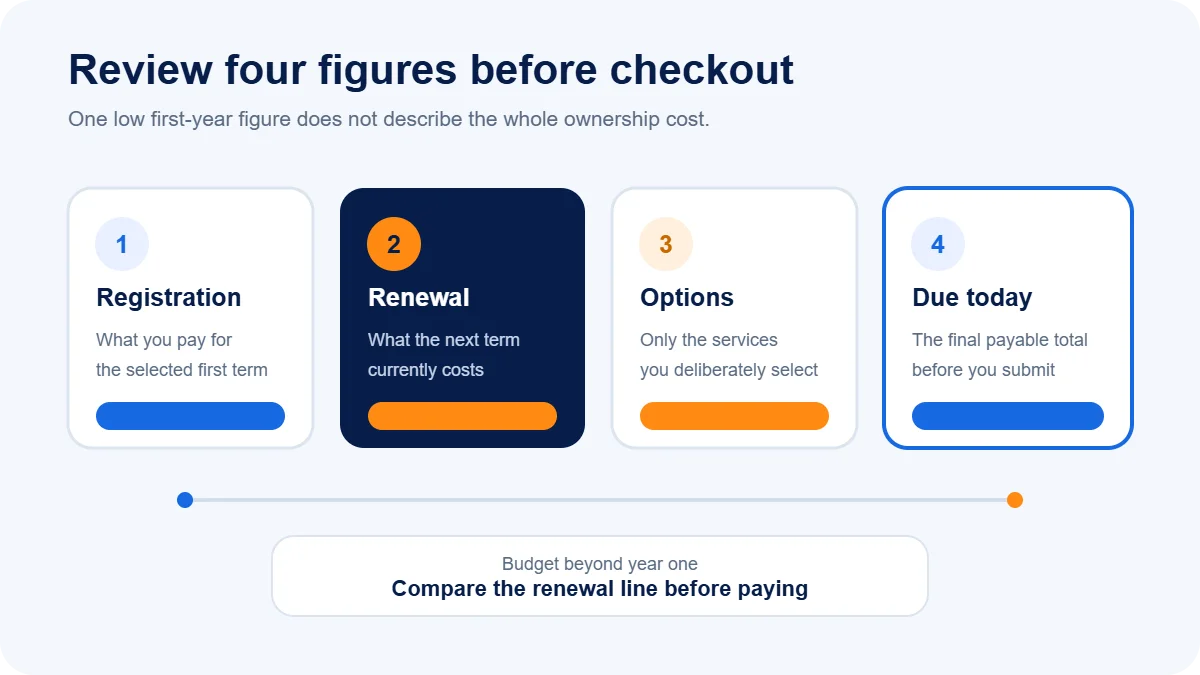
For the standard one-year route, the current registration price is 13500.00 NGN and renewal is ₦18,000.00. A promotion may change the first amount without changing the second, so plan beyond the initial payment.
Confirm the spelling one more time in the Product/Options row. Domain registrations rely on the exact character string you selected; a typo creates a different address.
8) Enter the account and registrant details
At checkout, sign in to an existing Truehost account or create a new one. The current new-account route asks for contact and billing details, account security information and the registrant contact for the domain.
Enter accurate, monitored information. ICANN requires registrants to maintain reliable contact details, and we may contact that address to verify the registration or communicate changes.
When one person pays on behalf of an organisation, separate the payer from the long-term domain owner in your internal records. Use the Domain Registrant Information selector if the domain needs a different contact from the default account details.
Before moving on, confirm:
the organisation knows which Truehost account contains the domain;
the registrant email can receive verification and renewal notices;
at least one authorised colleague knows the recovery process; and
the entered legal or contact identity matches the party that should control the registration.
Do not share the account password through an open group chat. Use a password manager or another controlled handover method if several authorised people need access.
9) Pay and verify control
The checkout displayed Paystack for Visa and Mastercard debit or credit cards, plus PayPal, during my test. Choose one of the payment routes visible on your live checkout, review the final total, read the terms and submit the order.
I stopped before this action because payment and order creation require the buyer’s authority and real details. After you pay, use the invoice, receipt and account status to confirm the transaction rather than relying only on a browser success message.
Then check the registrant inbox. ICANN rules allow a registrar to suspend a domain when the registrant fails to complete required contact verification. Open the message carefully, confirm that it relates to the address you bought, and complete the requested verification through the official route.
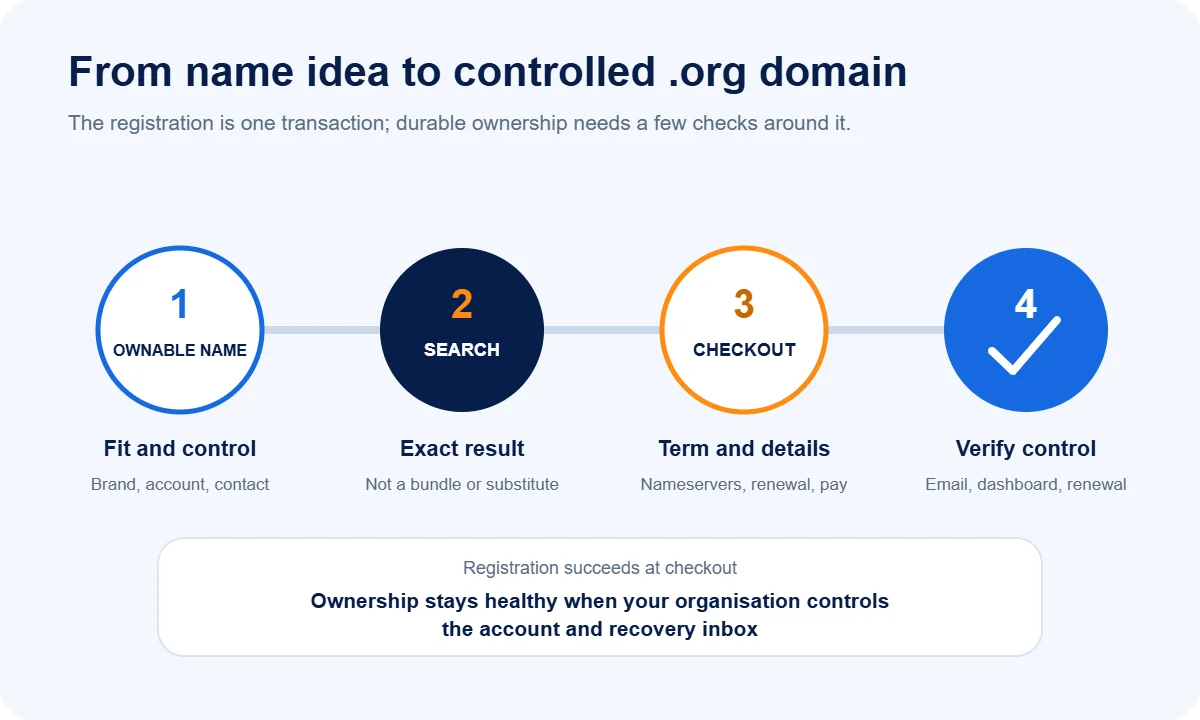
What to do after registration
Confirm these items while the transaction is still fresh:
Account: the domain appears in the intended Truehost account.
Spelling: the registered address exactly matches the approved name.
Contact: the organisation controls the registrant and recovery inboxes.
Nameservers: the domain points to the planned DNS provider.
Website: the correct site loads after the DNS change reaches your network.
Email: addresses such as
[email protected]send and receive successfully.Security: HTTPS works after the website and certificate configuration finish.
Renewal: the responsible person knows the date, current cost and payment process.
Our business email guide can help you choose the mailbox service after the domain is under control. Add the renewal date to the organisation’s calendar and keep more than one authorised person aware of it; the renewal guide covers the lifecycle steps.
Fix common registration problems
a) The name is unavailable
Return to the mission or organisation name instead of adding random characters. Try an approved acronym, programme, place or action word. Recheck the result as a complete .org address before buying.
b) Checkout shows more than expected
Review the selected term, bundle and optional services. Remove anything you did not choose deliberately, then compare registration, renewal and due-today lines again.
c) The website does not load
Check the nameserver spelling and confirm that the destination host has created the correct DNS zone. DNS changes can take time to reach different networks, but waiting will not repair an incorrect record.
d) Payment succeeded but the order looks pending
Check the invoice and payment status in the account, then look for a verification request in the registrant inbox and spam folder. Contact our support team with the invoice or order reference if the status remains unclear. Never send a full card number, password or one-time code to support.
Keep the domain under organisational control
The most expensive domain problem often starts after registration: nobody knows which account owns the name, the renewal email belongs to a former volunteer, or a web developer controls the only login.
Record the domain in the organisation’s asset register with:
the exact address;
Truehost as the account provider;
the account and registrant email addresses;
the renewal date and responsible role;
the DNS and hosting provider; and
the approved access and recovery procedure.
Do not publish passwords or recovery codes in that register. Store secrets separately with controlled access.
When you are ready, open our .ORG page, search the complete name and follow the tested route from the exact result to checkout.