Domain NamesFind and register your ideal domain name instantly.
 Web HostingEasy-to-use hosting powered by cPanel — ideal for managing websites in Nigeria.
 Windows HostingRun .NET apps with Windows-optimized hosting
 Affiliate ProgramMake money promoting our services
 Reseller HostingMake money by reselling our hosting products under your own brand
 .COM Domains
 All DomainsExplore all supported tld domains in Nigeria
 WhoisFind out who owns any domain, as well as verify your registration details
 VPS Hosting in Nigeria
 Dedicated ServersReimagine your site speed with your own complete server
 AI Website BuilderDesign your site with drag-and-drop tools
 Online Store BuilderStart your online shop without code
 Support PortalFind answers or get expert help
 Contact UsReach our team via chat or email
 BlogRead our extensive guides on web hosting and more
Business servers are the heart of any serious business in 2026.
They keep your emails flowing, files safe, websites running, and your team working without chaos.
Many small businesses only realize their need for a server when something breaks power goes off, laptops crash, or important files disappear.
That’s when work stops and money stops too.
A small business server gives you one secure place for everything. It handles email, stores files, runs your website, and lets staff access data from anywhere.
In Nigeria, where power cuts are common and hardware repairs are expensive, hosted servers are the smarter choice.
In this guide, you’ll learn:
- What business servers do for your business
- How to know when your business needs one
- Why hosted servers work best in Nigeria
- The top server options for small businesses in 2026
- How Truehost makes setup simple and stress-free
Let’s get into it.
Why Business Servers
Most small businesses start the same way.

Files are saved on personal laptops. Emails run on Gmail or Yahoo. Staff send documents on WhatsApp. Everyone has their own version of the same file.
It works at the beginning.
Then the business grows.
Now files get lost. Someone edits the wrong document. A laptop crashes. A staff member leaves with important data.
Customers complain because emails bounce or the website is slow.
This is where business servers change everything.
A business server is a secure computer that runs 24 hours a day, connected to fast internet, storing your files, emails, and systems in one safe place.
It gives your business:
- One central place for files
- Professional email like
[email protected] - Strong security and backups
- Faster websites and apps
- Access for staff working from anywhere
For Nigerian businesses, this matters even more because of power issues, device damage, and internet instability.
When Does a Small Business Need a Server?
You don’t have to wait until your business is “big” to think about a server.

In fact, the sooner you get one, the less likely you are to face stressful breakdowns, lost files, or unhappy customers.
A small business server becomes essential when your daily operations start depending on shared data, emails, and digital tools. Here are some clear signs:
- More than 5 people need the same files: If multiple staff are constantly emailing documents back and forth, editing spreadsheets, or sharing photos and invoices, it’s easy for mistakes to happen. One wrong version, one deleted file, and work stops. A server keeps everything in one central, up-to-date location so everyone sees the same information.
- You send customer emails every day: Professional communication matters. Using Gmail or personal accounts is fine at first, but once you have dozens of orders or client requests daily, an email server makes your messages reliable, branded with your company domain, and secure. No more lost emails or bouncing messages.
- You sell online or manage orders digitally: If your shop, delivery system, or online store depends on spreadsheets or apps that only run on one laptop, one crash can freeze the business. A server keeps your website, payments, and inventory running smoothly, even if a device fails.
- You store customer data or payment records: When customer trust is on the line, losing records is not an option. A server ensures data is backed up, secure, and accessible only to the right people. It protects both your business and your clients.
- Your business stops working when one laptop fails: If one person’s laptop going offline causes delays or lost work, it’s a red flag. A server removes this single point of failure. Staff can log in from anywhere, and your business keeps running.
Read also: Ultimate Website Reliability Guide 2026
What a Business Server Actually Does (In Simple Terms)
A business server is like a secure office storage room that never closes.
Unlike personal laptops or phones that can crash, get lost, or run out of space, a server is always on, always available, and keeps everything organized in one place.
Here’s what it can do for your business:
- Business email: Instead of using Gmail or Yahoo, you get professional email addresses like
[email protected].No more spam, bounced mails, or lost messages. Customers see you as serious and reliable. - File sharing: All your documents, spreadsheets, photos, and invoices live in one place. Everyone in your team accesses the same version, so there’s no confusion about which file is the latest. No more “I didn’t get that file” or “wrong version sent.”
- Website hosting: Your website, online store, or booking system runs smoothly. Even during peak hours, your customers won’t experience slow pages or downtime.
- Customer systems: From invoicing apps to stock tracking and simple CRMs, a server can handle all your tools in one secure place. Your business data stays connected and organized.
- Automatic backups: Files and emails are automatically backed up. If a laptop fails or is attacked by ransomware, your data isn’t lost you can recover quickly.
- Secure remote access: Your staff can work from anywhere home, Lagos, Abuja, or abroad without risking security. They log in safely and access the files and tools they need.
Instead of each team member relying on personal laptops, which can fail, everything runs from one strong, reliable system.
It saves time, reduces errors, and keeps your business running even when technology or power fails.
On-Premise vs Hosted Business Servers
There are two main ways to use business servers.
On-Premise Servers (Office Servers)
This means buying a physical server and keeping it in your office.
Problems most Nigerian businesses face:
- Power cuts damage hardware
- Heat and dust reduce lifespan
- Generator fuel costs keep rising
- No expert watching it 24/7
- Repairs take time and money
One breakdown can stop work for days.
Hosted Business Servers (Data Center Servers)
Hosted servers live in professional data centers with:
- Constant power
- Backup generators
- Strong cooling
- Fast internet
- 24/7 monitoring
You rent the server instead of buying it.
Truehost hosts your business servers in secure data centers, manages the hardware, and lets you focus on running your business.
For most Nigerian businesses in 2026, hosted servers are the smarter choice.
Read also: Website Restore Process: A Step-by-Step Guide
Why Hosted Business Servers Win in Nigeria
Let’s be honest.
Power is not stable. Fuel is expensive. Hardware prices keep rising.
Hosted small business servers solve real Nigerian problems:
- No generator stress
- No inverter setup
- No hardware repair costs
- No waiting for technicians
- Easy upgrades when business grows
You pay monthly, but you save on:
- Electricity
- Maintenance
- Downtime
- Lost customers
Truehost also supports NGN billing, so you don’t struggle with dollar payments or failed cards.
Types of Business Servers You Can Choose
You don’t need the biggest server to start.
Here are the main options explained simply:
Cloud or VPS Servers
- Shared hardware
- Flexible pricing
- Easy to upgrade
- Best for most small businesses
Dedicated Servers
- One full server for your business
- Strong performance
- More control
- Best for growing teams or busy websites
Hybrid Setup
- Mix of cloud and dedicated
- Use cloud for files
- Dedicated for critical systems
Truehost offers all these options, so you can start small and grow without moving your data later.
How to Choose the Right Small Business Server
Don’t guess. Follow this simple process.
1) Know What You’ll Use It For
Email only?
Website and files?
Online store and payments?
Write it down.
2) Count Users
Add current staff + future hires.
Always add extra space for growth.
3) Set a Real Budget
- Starter servers: ₦8,000 – ₦25,000/month
- Growing business: ₦50,000 – ₦120,000/month
- Heavy use: ₦120,000+/month
Truehost offers flexible plans so you don’t overpay.
4) Choose a Trusted Provider
Look for:
- Local support
- Fast setup
- Clear pricing
- Proven uptime
This is where Truehost stands out for Nigerian businesses.
Best Business Servers for Small Businesses in 2026
Starter Business Server (Truehost VPS Plans)
Perfect for businesses just starting to centralize operations.
Truehost VPS plans provide a small but powerful server that handles the essentials without breaking the bank.
Handles professional emails like [email protected], smooth file sharing so your team always works on the same documents, and small websites that stay up even during traffic spikes.
Supports 5–10 staff easily, is affordable, reliable, and can scale as your business grows.
Upgrading RAM or storage is quick, so you’re ready for expansion without downtime.
Value Business Server (Truehost Mid-Range VPS or Entry Dedicated Servers)
Designed for growing businesses that need more power and flexibility.
These servers run multiple apps simultaneously, store large amounts of customer data securely, and keep online stores running smoothly.
Ideal for teams of 10–25 staff, they offer strong performance for websites and business tools, ensuring fast access for both staff and customers.
Truehost provides 24/7 support, so technical issues never slow your business down.
High-Performance Business Server (Truehost Dedicated Servers (H2 / H3 Class))
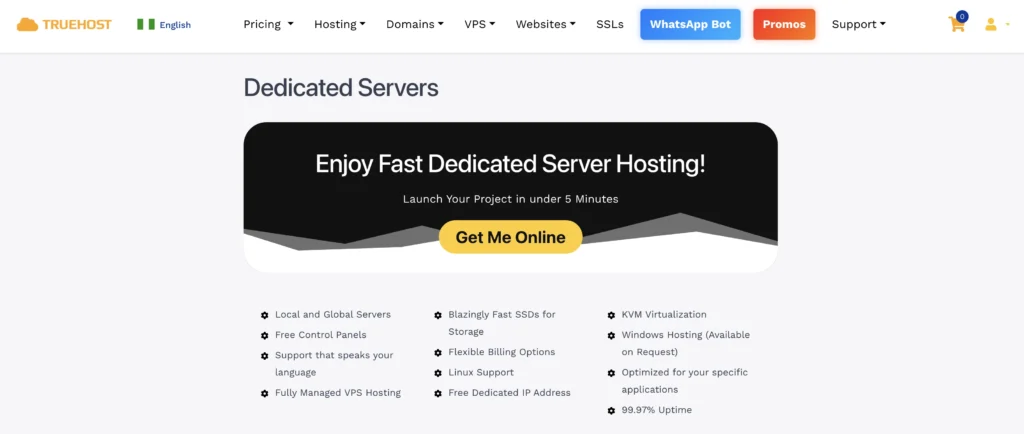
Built for large teams or businesses with heavy workloads, these servers deliver enterprise-level performance without the stress of managing hardware onsite.
Perfect for 25+ staff, high-traffic websites, and businesses with compliance or security requirements.
Store thousands of files, images, videos, and backups safely.
Truehost handles maintenance, updates, and security, giving you full control without needing an in-house IT team or worrying about power cuts.
Read also: Essential Hosting Upgrade Checklist
How Long Does Setup Take?
With hosted business servers from Truehost, getting your systems up and running is fast and hassle-free. Unlike traditional office servers, there’s no need to wait for hardware delivery or spend hours setting up equipment in your office.
- Server ready: Truehost can have your server live the same day or within 24 hours. That means you can start using it almost immediately after signing up.
- Data migration: Moving your files, emails, and applications from old systems usually takes 1–3 days, depending on how much data you have. Truehost’s team ensures everything transfers safely without losing anything important.
- Full setup: From user accounts to security settings, website hosting, and email configuration, your server can be fully ready in less than a week.
Truehost handles all the technical details, so you focus on running your business.
Linux or Windows Server?
Choosing the right operating system can make a big difference in cost, security, and ease of use.
Most small businesses in Nigeria decide between Linux and Windows. Here’s what you need to know.
Linux Servers
Linux is free to use, which makes it cheaper than Windows.
You won’t pay expensive licenses, and that can save thousands of naira every year.
It is also very secure, less likely to be attacked by viruses or malware, and extremely stable.
Linux can run for months without crashes, which means your email, files, and website stay online even when power or the internet fluctuates.
For most small businesses, especially those running websites, e-commerce stores, or cloud-based tools, Linux is the most practical choice.
Windows Servers
Windows servers have a familiar interface, especially if your team already uses Microsoft tools like Outlook, Word, or Excel.
Some business software is designed to run only on Windows servers, so this can be a deciding factor if you rely on those tools.
The downside is the higher license cost you’ll pay for the operating system in addition to your server plan.
It also requires more attention to updates and security patches, which can take extra time or professional help.
Truehost supports both Linux and Windows servers, so you can pick what fits your team and business needs.
Final Thoughts
Running a business is tough enough without system failures. Business servers aren’t a luxury; they’re essential.
Finding the right small business servers gives you stability, security, room to grow, and peace of mind.
Truehost makes it easy with affordable NGN plans, local support, and reliable setup. Start small, scale when ready, and avoid costly disasters.
Take action today by moving your business to a Truehost server and keeping your operations running smoothly.