Domain NamesFind and register your ideal domain name instantly.
 Web HostingEasy-to-use hosting powered by cPanel — ideal for managing websites in Nigeria.
 Windows HostingRun .NET apps with Windows-optimized hosting
 Affiliate ProgramMake money promoting our services
 Reseller HostingMake money by reselling our hosting products under your own brand
 .COM Domains
 All DomainsExplore all supported tld domains in Nigeria
 WhoisFind out who owns any domain, as well as verify your registration details
 VPS Hosting
 Dedicated ServersReimagine your site speed with your own complete server
 AI Website BuilderDesign your site with drag-and-drop tools
 Online Store BuilderStart your online shop without code
 Support PortalFind answers or get expert help
 Contact UsReach our team via chat or email
 BlogRead our extensive guides on web hosting and more
Yes, web hosting can affect SEO.
But not in the way many people assume.
Google doesn’t simply rank a website higher because it uses a particular hosting company. Instead, aspects of hosting can influence factors that count toward SEO.
That includes website availability, performance, security, and how reliably search engines can access your pages.
This article walks through exactly how that connection works.
We’ll cover website speed, uptime, server performance, security, server location, crawlability, traffic and resource limitations, HTTPS, and what happens to your SEO when you migrate hosts.
By the end, you’ll know precisely which parts of hosting genuinely feed into your rankings.
And which parts get blamed for SEO problems they don’t actually cause.
How Exactly Does Web Hosting Affect SEO?
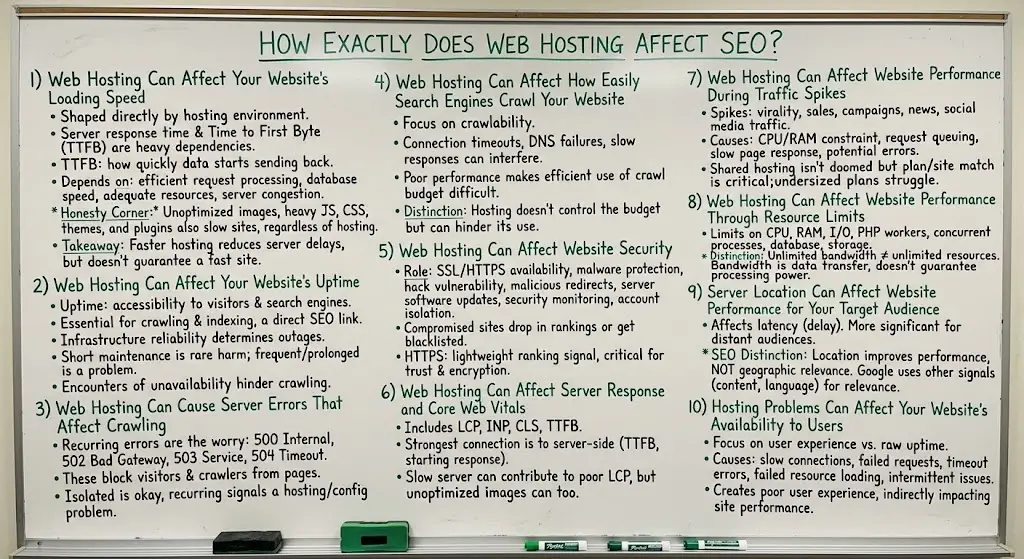
1) Web Hosting Can Affect Your Website’s Loading Speed
The hosting environment your site runs on shapes several pieces of loading speed directly.
Server response time and Time to First Byte (TTFB) both depend heavily on the hosting infrastructure underneath your site.
TTFB is simply how quickly your server starts sending data back after a request.
So does how efficiently your server processes requests, how fast your database responds to queries, whether adequate resources are actually available when needed, and how congested the server is with other accounts competing for the same resources.
That said, hosting isn’t the only factor affecting speed.
It’s worth being honest about that.
Unoptimized images, heavy JavaScript, bloated CSS, poorly coded plugins, and unoptimized themes can all slow a site down regardless of how good the hosting is underneath it.
Caching and a CDN (content delivery network) can meaningfully offset some of these issues too.
The key takeaway, a faster hosting environment can help reduce server-side delays.
But better hosting alone doesn’t automatically make every website fast.
2) Web Hosting Can Affect Your Website’s Uptime
Uptime is simply the percentage of time your website stays accessible to visitors and search engines.
Search engines need to reach your site reliably to crawl and index it properly.
So this connects directly to SEO health.
Server outages, whether occasional and brief or repeated and prolonged, come down largely to the reliability of the hosting infrastructure behind your site.
There’s a real difference worth drawing here.
An occasional short outage, a few minutes during scheduled maintenance, rarely causes lasting harm.
Frequent or prolonged unavailability is a different story entirely.
The SEO connection is straightforward. If search engines repeatedly encounter an unavailable website when trying to crawl it, that can create real crawling and availability problems over time.
3) Web Hosting Can Cause Server Errors That Affect Crawling
This is where things get a bit more technical.
A handful of server errors show up repeatedly in hosting-related SEO problems: 500 Internal Server Error, 502 Bad Gateway, 503 Service Unavailable, and 504 Gateway Timeout.
These errors can prevent both regular visitors and search engine crawlers from successfully accessing your pages.
An isolated instance, say during a brief server hiccup, generally isn’t a major concern.
Recurring server errors are considerably more worrying.
They signal an underlying hosting or configuration problem that’s actively interfering with access, rather than a one-off glitch.
4) Web Hosting Can Affect How Easily Search Engines Crawl Your Website
This section focuses specifically on crawlability rather than the errors themselves.
Hosting-related problems can contribute to connection timeouts, DNS failures, server errors, slow responses, and resources that simply can’t be reached.
Search engines have limited resources allocated for crawling any given website.
This is generally referred to as crawl budget.
A consistently unreliable server can make that crawling process less efficient, since crawlers may back off or crawl less frequently if they keep encountering problems.
Here’s an important distinction worth holding onto.
Hosting doesn’t control your entire crawl budget. But poor server performance can genuinely interfere with how efficiently that budget gets used.
5) Web Hosting Can Affect Website Security
The hosting environment plays a real role in your site’s overall security posture.
This covers SSL and HTTPS availability, protection against malware, how vulnerable your site is to being hacked, exposure to malicious redirects injected by attackers, how up to date the underlying server software is kept, whether the provider actively monitors for security threats, and how well your account is isolated from other accounts on a shared server.
Compromised websites can create serious SEO problems.
These range from a manual security action from Google to a sharp, sudden traffic drop if the site gets blacklisted or flagged as unsafe for visitors.
Does HTTPS Affect SEO? Yes, though it’s worth keeping this in proportion.
HTTPS is a lightweight ranking signal on its own, not a major one.
Its more important role is providing a secure, encrypted connection for your visitors, which supports trust and overall site credibility.
6) Web Hosting Can Affect Server Response and Core Web Vitals
This goes a bit further than the general speed discussion above.
Core Web Vitals include LCP (Largest Contentful Paint, how quickly the main content loads), INP (Interaction to Next Paint, how responsive the page feels), CLS (Cumulative Layout Shift, how visually stable the page is while loading), and TTFB, which ties back directly to server response.
Here’s the important distinction.
Hosting has the strongest connection to the server-side part of performance, particularly how quickly the server begins responding in the first place.
It doesn’t control every part of Core Web Vitals.
A slow server can genuinely contribute to a poor LCP score.
But a huge, unoptimized image sitting at the top of a page can cause the exact same poor LCP result, even when the hosting underneath is excellent.
7) Web Hosting Can Affect Website Performance During Traffic Spikes
This is one that a lot of generic SEO content misses entirely.
When traffic suddenly increases, several things can happen at once on the server side. CPU becomes constrained.
RAM becomes constrained.
Requests start queuing up rather than processing immediately.
Pages take noticeably longer to respond. In more severe cases, server errors can start appearing.
This shows up around events like a blog post going viral, an ecommerce sale driving a rush of shoppers, a marketing campaign performing better than expected, a news story picking up unexpected attention, or a sudden spike in social media referral traffic.
Shared hosting can still handle traffic spikes reasonably well when the website and plan are appropriately matched to each other.
It isn’t automatically doomed the moment traffic increases. But resource limits genuinely count here.
A plan that’s undersized for its actual traffic will struggle, regardless of how well the site itself is built.
8) Web Hosting Can Affect Website Performance Through Resource Limits
This is a related but distinct concept from traffic spikes specifically, worth separating out on its own.
Resource limits cover CPU allocation, RAM, I/O (input/output) capacity, the number of PHP workers available for processing requests, how many concurrent processes the server allows, database resources, and the underlying storage technology’s performance.
Here’s a distinction worth remembering clearly.
A hosting plan can advertise unlimited bandwidth and still have real, hard limits on CPU, memory, and other resources entirely separate from bandwidth.
Bandwidth describes data transfer. It says nothing about how much processing power your site actually gets.
That’s exactly why a site with generous bandwidth can still slow to a crawl under load if CPU or RAM becomes the actual bottleneck.
9) Server Location Can Affect Website Performance for Your Target Audience
The physical and network location of your server can influence latency, the delay between a visitor’s request and your server’s response.
This shows up most for audiences located far from wherever your server actually sits.
For a Nigerian audience specifically, a server hosted closer to Nigeria or the broader African region can reduce that latency compared to a server sitting on another continent entirely.
The same logic applies for European or any other regionally concentrated audience.
But here’s an important SEO distinction to keep very clear. Server location is not a shortcut for ranking in a particular country.
A server closer to your audience can potentially improve network performance and loading speed for that audience.
Meanwhile, Google uses many other signals entirely, content relevance, local business information, language, and more, to determine geographic relevance in search results.
10) Hosting Problems Can Affect Your Website’s Availability to Users
This is slightly different from the uptime discussion earlier, since it focuses specifically on the real user experience rather than raw availability percentages.
Poor hosting can contribute to slow connections, failed requests, timeout errors, resources on the page that fail to load correctly, and intermittent, hard-to-diagnose availability issues that don’t show up as full outages but still frustrate visitors.
Poor hosting in this sense can create a genuinely poor user experience.
And that experience can indirectly affect how well the site performs overall, both in terms of visitor behavior and in the broader signals search engines pick up on over time.
Does the Hosting Provider You Choose Directly Improve SEO?
No, and this is worth being direct about.
Google doesn’t award rankings simply because you use a particular hosting company.
Moving from one reputable host to another reputable host doesn’t automatically improve your rankings on its own.
Expensive hosting isn’t automatically better for SEO than a more affordable plan.
VPS hosting isn’t automatically better for SEO than shared hosting either.
What actually counts is whether the hosting environment provides the performance, reliability, security, and resources your specific website actually needs.
A well-configured shared hosting plan on a reasonably sized site can outperform an oversized, mismanaged VPS setup in practice.
How to Choose Hosting That Supports SEO
Rather than chasing a specific brand name or an imaginary SEO score, look for the fundamentals that genuinely support good technical performance.
That means reliable uptime, good server response times, adequate CPU and RAM for your site’s actual traffic, SSD or NVMe storage rather than older drives, SSL and HTTPS included, real security features rather than an afterthought, regular backups, plans that scale as your site grows, a server location appropriate for your audience, and genuinely responsive technical support when something goes wrong.
There isn’t a meaningful universal SEO score attached to any single hosting provider.
It’s worth being skeptical of anyone selling hosting on that exact promise.
What actually counts is whether the specific plan you choose covers these fundamentals well.
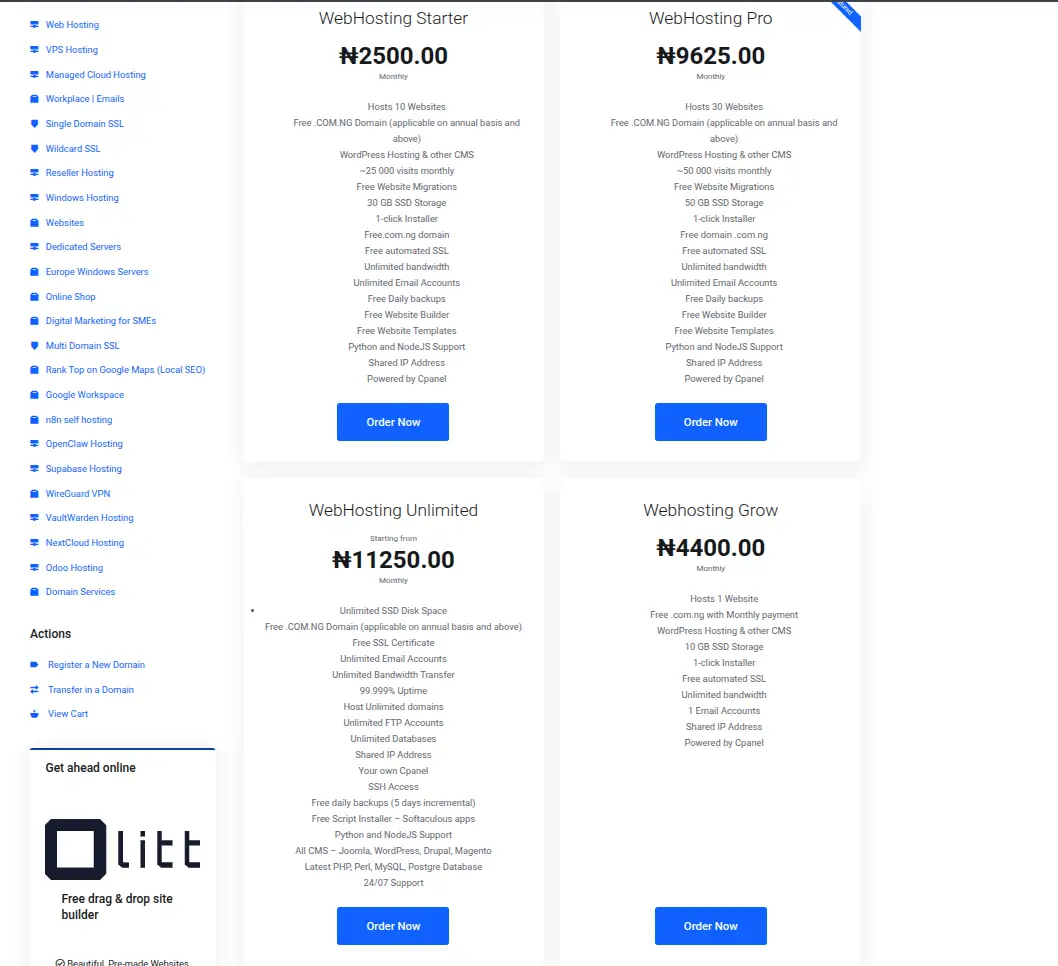
If you’re looking for hosting built around exactly that kind of reliability, Truehost Nigeria offers fast, secure infrastructure with solid uptime and the resources your site needs to stay consistently accessible to both visitors and search engines.
Choose Truehost hosting and give your website’s technical foundation the reliability it deserves.
Frequently Asked Questions
Does changing web hosting affect Google rankings?
It can, temporarily, particularly if the migration introduces downtime, broken URLs, or slower performance during the transition. A clean migration with proper redirects and minimal downtime generally has little to no lasting effect.
Is VPS hosting better for SEO than shared hosting?
Not automatically. VPS offers more dedicated resources, which can help larger or higher-traffic sites perform better. But a small site on well-configured shared hosting can perform just as well for SEO purposes, without needing that extra resource allocation.
Does cheap hosting hurt SEO?
Not inherently because of the price itself. But cheap hosting sometimes comes bundled with weaker performance, less reliable uptime, or thinner support. Those underlying issues are what could indirectly affect SEO, not the low price on its own.
Does unlimited bandwidth improve SEO?
No, bandwidth and SEO aren’t directly connected. What counts more is server response time, uptime, and available CPU and RAM, none of which “unlimited bandwidth” as a label actually guarantees.
Does hosting in Nigeria improve local SEO?
It can help with loading speed for a Nigerian audience specifically, which supports a better user experience. But it isn’t a ranking shortcut on its own. Google relies on many other signals for local relevance beyond server location alone.
Can poor hosting cause a website to disappear from Google?
In extreme cases, yes. Prolonged downtime, persistent server errors, or a serious security compromise like malware infection can lead to pages being dropped from the index or flagged as unsafe. This typically requires sustained, serious problems rather than an isolated incident.
How can I tell if my hosting is causing slow website performance?
Testing your site’s TTFB and overall load time with a tool like Google PageSpeed Insights or GTmetrix is a good starting point. If server response time specifically is high even on a lightweight page, that points toward hosting rather than page-level bloat as the cause.
Should I change hosting if my website rankings suddenly drop?
Not immediately, and not without first checking whether hosting is actually the cause. A sudden ranking drop has many possible explanations. Algorithm updates, content changes, technical SEO issues, or lost backlinks are all common culprits. It’s worth diagnosing the actual cause before assuming hosting is to blame.