Domain NamesFind and register your ideal domain name instantly.
 Web HostingEasy-to-use hosting powered by cPanel — ideal for managing websites in Nigeria.
 Windows HostingRun .NET apps with Windows-optimized hosting
 Affiliate ProgramMake money promoting our services
 Reseller HostingMake money by reselling our hosting products under your own brand
 .COM Domains
 All DomainsExplore all supported tld domains in Nigeria
 WhoisFind out who owns any domain, as well as verify your registration details
 VPS Hosting in Nigeria
 Dedicated ServersReimagine your site speed with your own complete server
 AI Website BuilderDesign your site with drag-and-drop tools
 Online Store BuilderStart your online shop without code
 SSLs
SSLs Support PortalFind answers or get expert help
 Contact UsReach our team via chat or email
 BlogRead our extensive guides on web hosting and more
OpenClaw can do much more than answer questions. By connecting to your files, apps, browser, and messaging platforms, it can automate everyday tasks, send reminders, manage emails, monitor information, and even perform actions on your behalf.
These OpenClaw personal assistant ideas will help you save time, reduce repetitive tasks, and get more from your self-hosted AI assistant.
1) Morning/Evening Briefings
A briefing agent pulls your calendar, unread email, weather, news headlines, wearable health data from devices like WHOOP or Garmin, and open tasks into a single digest, then pushes it to you over WhatsApp rather than waiting for you to go looking for it. Variants extend the same pattern to a family or school deadline digest, or a weekly review built from your meeting notes.
None of the underlying data points are hard to find on their own; the value is in the synthesis, one paragraph that tells you what actually counts today instead of five apps you have to open and cross-reference yourself.
Over a year, replacing that ritual with a single push notification adds up to real hours reclaimed and considerably less morning context-switching.
2) Email & Communication Management
Pointed at Gmail, Outlook, or Fastmail, OpenClaw can work toward inbox zero: sorting incoming mail, drafting replies in your voice, summarizing long threads, and flagging what’s genuinely urgent versus what can wait.
It can watch for messages from specific people, such as your manager, and nudge you the moment one lands, or auto-send a follow-up if a contact goes quiet for too long.
Email is the single biggest source of shallow, reactive work for most professionals, and an agent that triages and pre-drafts turns an hour of active reading into a few minutes of review-and-approve.
3) Calendar & Task Management
Beyond simple event creation, this use case has the agent catch and resolve scheduling conflicts, time-block your task list directly onto your actual calendar, and set reminders that follow through.
It can pull from multiple calendar sources at once and run an evening review of what got done that day versus what was planned.
Most people’s task lists and calendars live in separate mental universes; merging them is what actually turns intentions into scheduled, protected time, and the evening review creates a feedback loop most productivity systems never build in.
4) Reminders & Life Admin
This is the unglamorous “mental load” category: tracking recurring bills, building aisle-sorted shopping lists with weather-aware meal planning (soup on a cold night, a salad when it’s hot), managing travel logistics like flights, check-ins, and visas, maintaining a household inventory, and coordinating family schedules and meal plans.
None of this shows up on a resume, but it consumes real cognitive bandwidth every week.
Automating it frees up attention for the things that actually matter to you rather than the maintenance work of simply keeping a household running.
5) Unified Inbox Across Apps
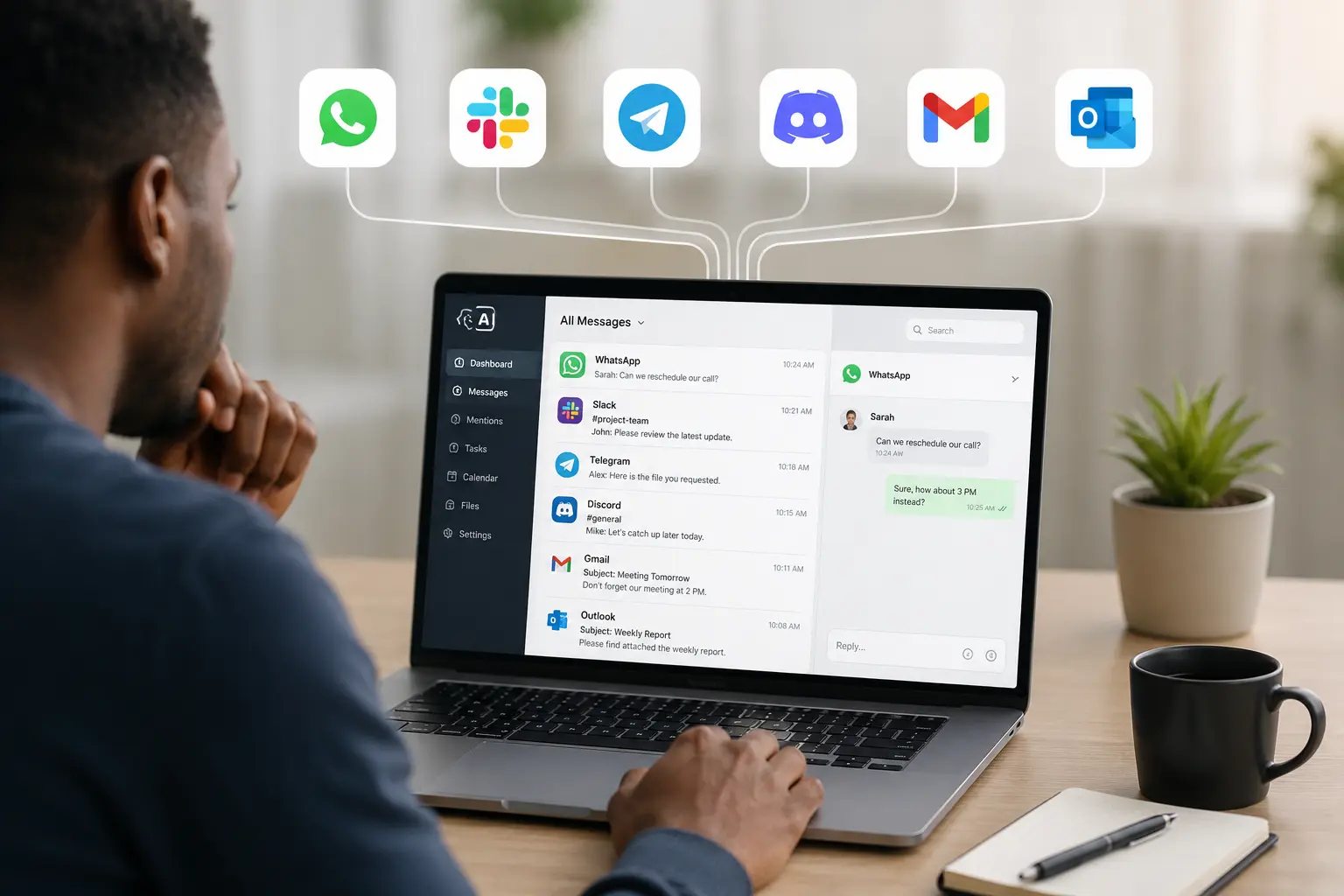
Because OpenClaw’s gateway architecture supports channel plugins for Telegram, WhatsApp, Discord, Beeper, iMessage, Slack, Signal, Matrix, Microsoft Teams, Google Chat, and Zalo, it can route all of them into one agent so you have a single place to interact regardless of which app a message arrived on.
It can also handle voice calls and SMS through a service like Twilio. Fragmented messaging is its own hidden tax, checking five apps just to confirm you haven’t missed anything, and a unified surface means one thing to check and consistent agent behavior no matter which channel someone uses to reach you.
6) Voice-Enabled Assistant
Adding real-time voice interaction, for example through GPT-Realtime, plus phone-based interaction through calls and SMS, makes the assistant genuinely hands-free for walking the dog, driving, or cooking, and reachable even when you don’t have the app open.
Typing isn’t always available or safe, and voice unlocks the in-between moments, commutes, chores, exercise, as usable interaction time instead of dead time.
7) Team/Family Multi-Agent Setup
Rather than one generalist agent trying to be everything to everyone in a shared chat, this setup puts dedicated, specialized agents- a strategy agent, a research agent, and so on- directly into group chats.
Memory is shared across agents where it makes sense, with appropriate isolation between contexts such as work versus family.
A single generalist has to serve every audience in a shared thread, which produces worse answers and awkward bleed between contexts; specialized agents with the right memory boundaries give sharper answers and keep a family logistics conversation from accidentally surfacing in a work thread, or vice versa.
8) Deep Research Agent
A research-focused agent can run competitor analysis, deep-dive a topic across many sources, ingest and synthesize X/Twitter threads, and save structured output to files on your desktop instead of dumping a wall of text into chat.
Real research is inherently iterative and multi-source, exactly the kind of work that’s tedious to do well by hand and well-suited to an agent that can run many searches, cross-reference findings, and produce a durable artifact you can actually keep and reference later rather than a chat message that scrolls away.
9) Content Creation
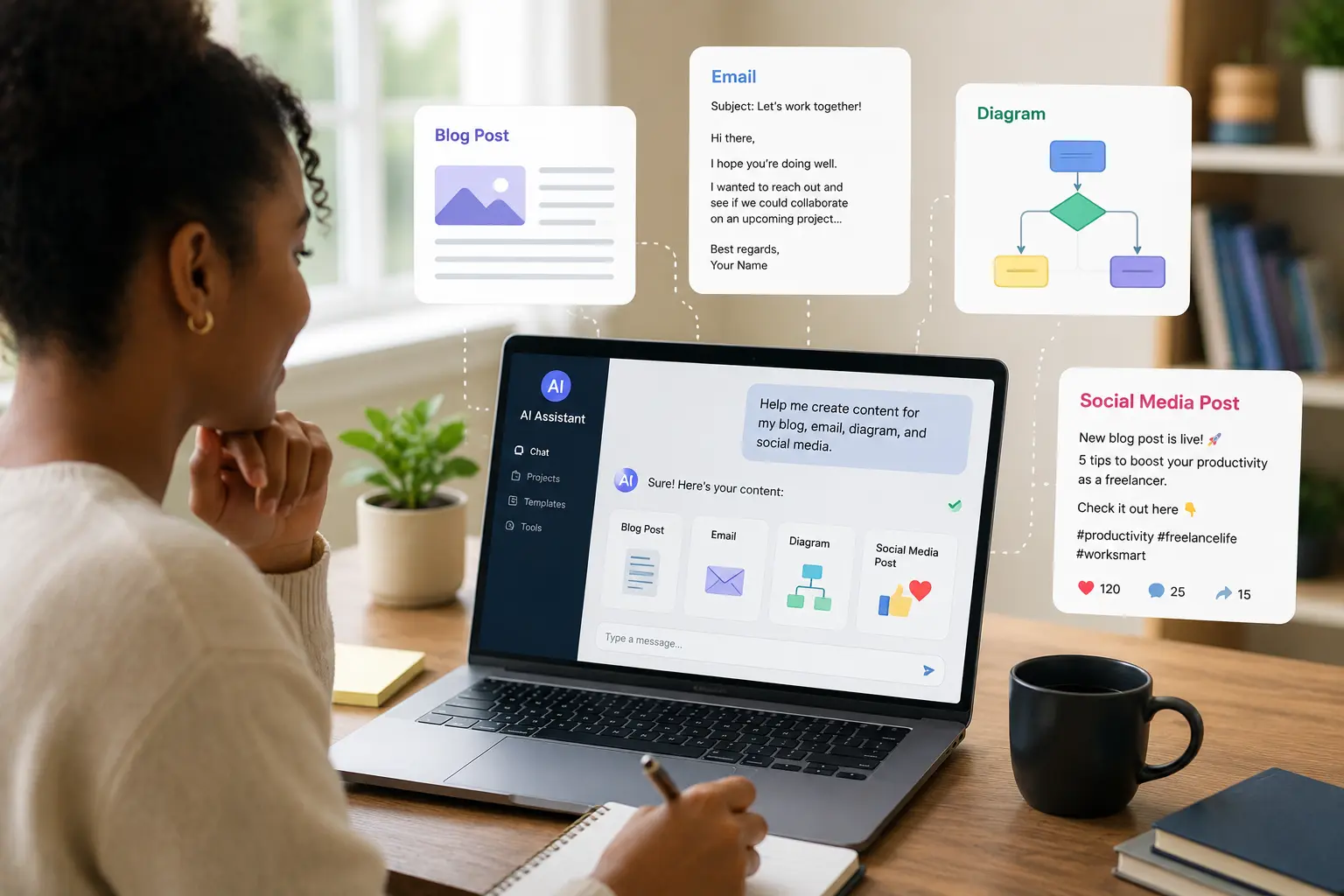
OpenClaw can draft emails, blog posts, and social content, repackage existing PDFs or HTML into new formats, generate diagrams (in a tool like Excalidraw), and edit images and code.
Most content work is repackaging existing thinking into a new shape, formatting a set of ideas for a different audience or channel, which is a task well suited to automation.
That frees you to spend your own time on the ideas themselves rather than the mechanical work of reformatting them.
10) Learning Pipelines
Here the agent summarizes newsletters and books, tracks your progress on skill-building or fitness programs, and generates study plans that adapt as you go.
Learning intentions usually fail from a lack of structure and tracking, not a lack of motivation.
An agent that keeps the plan alive and proactively checks in on your progress addresses the actual bottleneck rather than just handing you more content to get through.
11) Monitoring & Ops
An operations agent watches your servers and home lab for issues, monitors external events like earthquakes, and can respond to or fix build failures automatically.
Monitoring is a job that benefits from never sleeping and never getting bored; an agent that watches continuously and takes first-pass action catches problems long before a human would otherwise notice them.
12) Smart Home Integration
By connecting to Home Assistant, OpenClaw can control devices directly and trigger actions based on presence, for example turning on lights and music the moment you walk in.
This ties the digital agent to the physical world, so automation isn’t limited to your screen; your home responds to context and presence rather than only to a fixed schedule.
13) Health & Personal Tracking
Beyond passively logging workouts and sleep, this use case has the agent proactively reach out, for example flagging that you haven’t worked out in three days, instead of waiting to be asked. Passive tracking apps require you to remember to go check them.
A proactive agent closes that loop by initiating contact at the right moment rather than sitting silently until you happen to open it.
14) Creative Experiments
This is the playground category: rebuilding an entire website from a chat conversation, generating new apps or UIs on the fly, writing short stories, or coming up with music or meal ideas.
The stakes are lower, and the fun factor is higher, and it’s often where people stumble onto genuinely practical use cases by accident while experimenting.
15) Business/Executive Assistant
For freelancers and executives, an agent can generate invoices, build expense reports, draft performance reviews, and optimize ad campaigns.
These are exactly the recurring, format-heavy admin tasks that eat into a week without requiring much unique judgment, so handing them off returns high-value time for a comparatively modest amount of setup.
Tips for Building an Effective OpenClaw Personal Assistant
- Start with one workflow. Get a single use case working reliably before layering on more.
- Keep permissions minimal. Grant only the file, channel, and shell access each agent actually needs.
- Review Skills before installing. Skills can run code on your machine, so audit them the way you would any third-party script.
- Use schedules instead of manual prompts. Recurring jobs (like OpenClaw’s heartbeat) turn a one-off request into a standing routine.
- Organize memory carefully. Treat the workspace files as the assistant’s long-term memory and keep them structured and, ideally, version-controlled.
- Test automations before trusting them. Confirm an action’s behavior in a low-stakes context before letting it touch anything irreversible, like sending mail or deleting files.
- Regularly update OpenClaw and Skills. A fast-moving open-source project ships fixes and security patches often; staying current counts more than usual here.
Start Automating Your Daily Tasks with OpenClaw
OpenClaw makes it easy to automate repetitive tasks, manage your daily workflow, and get more done with a self-hosted AI assistant. Start with a few simple automations, then add more as your needs grow.
Ready to deploy OpenClaw on reliable infrastructure? Get started with Truehost OpenClaw Hosting and launch your AI assistant in minutes.
OpenClaw Personal Assistant FAQs
What can an OpenClaw personal assistant do?
It can manage your inbox, calendar, and tasks, deliver proactive briefings, track bills and travel, control smart home devices, run research, monitor servers, and hold a conversation across whichever chat app you already use, all while running from your own machine.
Is OpenClaw free to use?
OpenClaw itself is free and open source. You still pay for whatever AI model API you connect it to (for example, an Anthropic or OpenAI API key), and for any paid services its skills integrate with.
Can I build multiple personal assistants with OpenClaw?
Yes. You can run multiple agents with distinct personalities, memory, and permissions, for example a personal assistant, a sales agent, and a research agent, each scoped to its own context.
Does OpenClaw remember previous conversations?
Yes. It maintains a workspace of memory and configuration files that persist across sessions, so an agent can recall your preferences and past instructions rather than starting fresh every time.
Can OpenClaw replace Google Assistant or Siri?
For voice-triggered smart home commands and quick lookups, those assistants remain more polished out of the box. OpenClaw’s strength is deeper, more autonomous task execution, drafting, scheduling, research, and monitoring, which general-purpose voice assistants aren’t built to do.
Is OpenClaw safe to use?
It can be, if configured carefully. Because it can run shell commands and access real accounts, safety depends on restricting permissions, locking down which contacts or channels can send it commands, and reviewing any skill before installing it. Misconfigured setups have caused real damage, including at least one reported case of an agent deleting a user’s inbox, so conservative defaults matter.
Can OpenClaw run on my personal computer?
Yes, it’s designed to run as a local, self-hosted process on your own machine (or a personal server), requiring a supported Node.js runtime and an API key from your chosen model provider.
Is OpenClaw worth using as a personal assistant?
For people willing to spend time on setup and permission management, it offers a level of autonomy and cross-channel reach that hosted consumer assistants don’t match. For someone who wants a fully managed, zero-configuration experience, the setup overhead may outweigh the benefit.
What Skills should I install for an OpenClaw personal assistant?
Start with the ones matching your highest-friction task, commonly email triage, calendar management, or a briefing skill, then add browser automation, smart home, or research skills as needs arise. Review each one’s code and required permissions before installing.
How much RAM do I need to run OpenClaw as a personal assistant?
Requirements scale with how many agents and skills you run simultaneously; a modest personal setup runs comfortably on typical modern laptop or small home-server hardware, since the heavy computation happens on the model provider’s servers rather than locally.
Can OpenClaw automate my daily tasks?
Yes, that is its core design intent, moving from reactive question-answering to standing, proactive automation across email, calendar, admin, health, and more.