Domain NamesFind and register your ideal domain name instantly.
 Web HostingEasy-to-use hosting powered by cPanel — ideal for managing websites in Nigeria.
 Windows HostingRun .NET apps with Windows-optimized hosting
 Affiliate ProgramMake money promoting our services
 Reseller HostingMake money by reselling our hosting products under your own brand
 .COM Domains
 All DomainsExplore all supported tld domains in Nigeria
 WhoisFind out who owns any domain, as well as verify your registration details
 VPS Hosting in Nigeria
 Dedicated ServersReimagine your site speed with your own complete server
 AI Website BuilderDesign your site with drag-and-drop tools
 Online Store BuilderStart your online shop without code
 Support PortalFind answers or get expert help
 Contact UsReach our team via chat or email
 BlogRead our extensive guides on web hosting and more
You cannot fix what you cannot see. That is the simple truth of running servers.
Without monitoring, you are flying blind, hoping nothing breaks.
When something does break, you find out from angry customers instead of from your tools.
Server monitoring tools change that.
They collect metrics, watch for problems, and send alerts before small issues become disasters.
Some tools focus on CPU and memory. Others specialize in logs, uptime, or containers.
The right tool depends on your infrastructure and your team’s preferences.
This list covers twenty monitoring tools, from open‑source favourites to paid SaaS platforms.
Take a look!
The Open-Source Champions (Self-Hosted)
These tools give you full control. You run them on your own infrastructure, and your data stays with you.
1) Prometheus
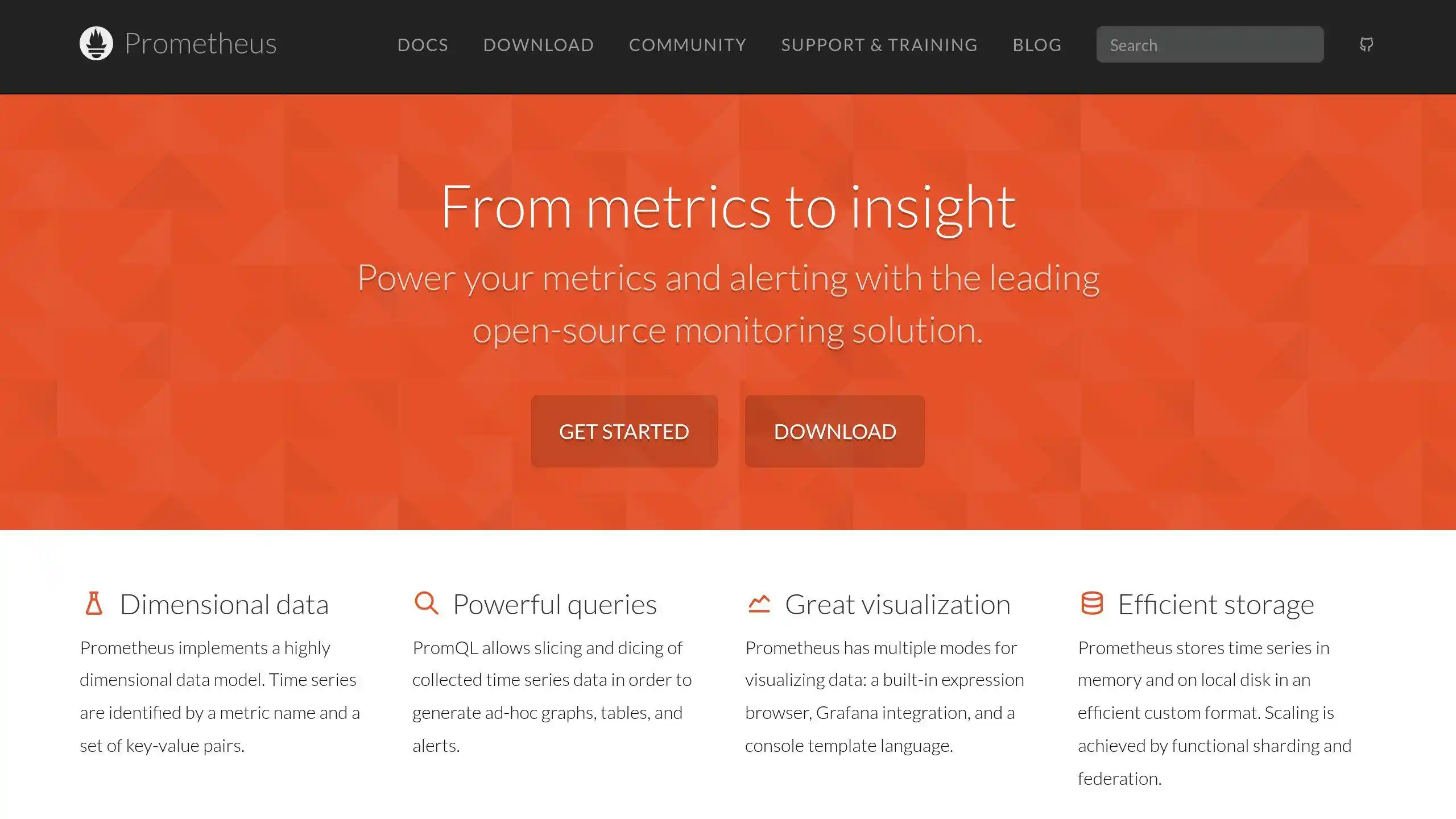
Prometheus started at SoundCloud in 2012 and has since become the standard for cloud‑native monitoring.
It joined the Cloud Native Computing Foundation as the second hosted project, right after Kubernetes.
That tells you something about its importance.
The core idea is simple. Prometheus scrapes metrics from your services over HTTP.
You define targets, and Prometheus pulls data from them on a schedule.
This pull‑based approach makes it easy to tell when a target has gone silent.
If Prometheus stops getting data, you know something is down.
Prometheus stores everything as time‑series data. Each metric comes with a timestamp and optional labels.
Those labels let you filter and aggregate in powerful ways.
PromQL, the query language, lets you ask questions like give me the 95th percentile of request latency for all production servers in the last hour, grouped by endpoint.
Prometheus is not the easiest tool to learn, but it is worth the effort.
Once it is running, it is stable and reliable. The single‑node version can handle millions of time series.
2) Grafana
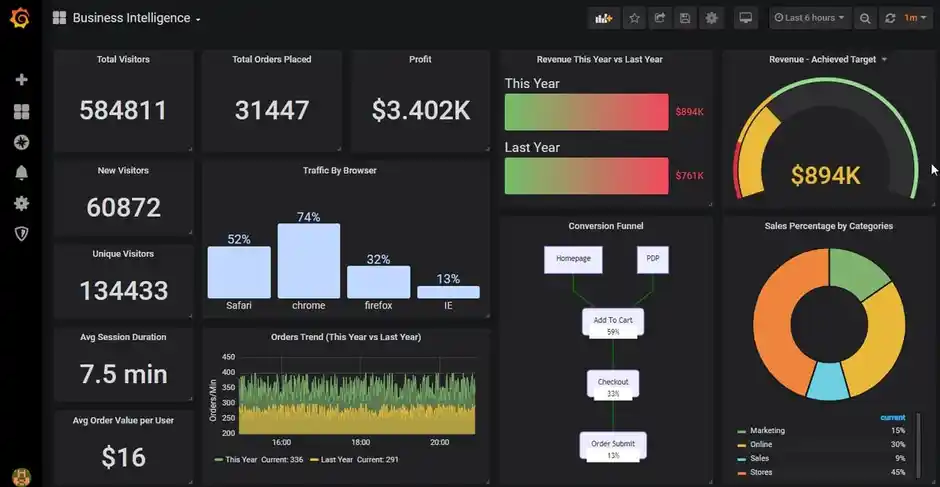
Grafana is the visualization layer that makes monitoring data beautiful.
It takes the raw numbers from Prometheus, Loki, Elasticsearch, or dozens of other data sources and turns them into dashboards that actually help you understand what is happening.
The platform supports querying, visualization, and alerting all in one place.
You build panels using a query editor, choose a chart type, and arrange them on a dashboard.
The options are extensive. Line graphs, bar charts, heat maps, pie charts, and even world maps for geographic data.
Grafana’s alerting system is powerful. You can set conditions based on any query.
For example, send an alert to Slack if CPU usage stays above 90 percent for five minutes.
You can also route alerts to different channels depending on severity. Critical issues go to PagerDuty. Warnings go to a team chat.
Annotations let you mark events on your graphs. Deployed new code at 2 PM? Add an annotation.
Changed a database configuration? Add another one. Seeing those marks next to performance changes helps you spot patterns over time.
3) Zabbix
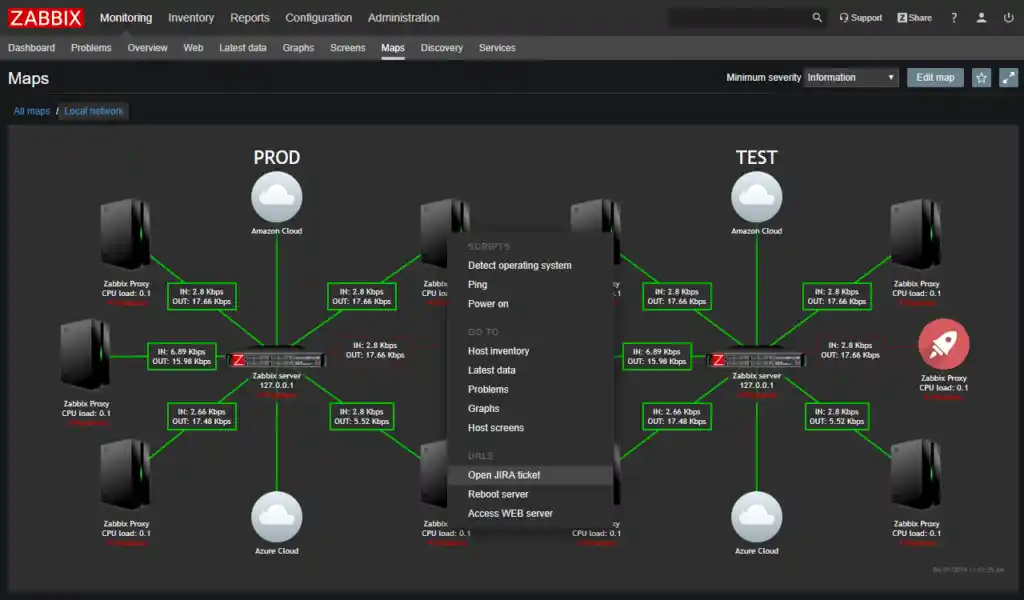
Zabbix has been around since 2001.
Zabbix remains one of the most complete monitoring solutions available, especially for traditional infrastructure.
Unlike tools that assume you are running containers in the cloud, Zabbix works happily with physical servers, virtual machines, network switches, and even environmental sensors.
If it has an IP address, Zabbix can monitor it. The system uses both polling and trapping.
Polling means Zabbix asks for data. Trapping means targets send data when interesting events occur.
The web interface is functional rather than beautiful.
But it gives you access to reports, statistics, and configuration from any browser. The notification system is robust.
You can set up email alerts, SMS alerts, or integrations with chat platforms.
For capacity planning, Zabbix tracks resource usage over months and years.
You can see when you will run out of disk space or when CPU usage is trending upward.
Templates let you apply the same configuration to hundreds of servers with a few clicks.
The learning curve is real. Zabbix has its own terminology and its own way of doing things.
But once you learn it, you get a system that scales from five servers to five thousand without changing how you work.
4) Nagios Core
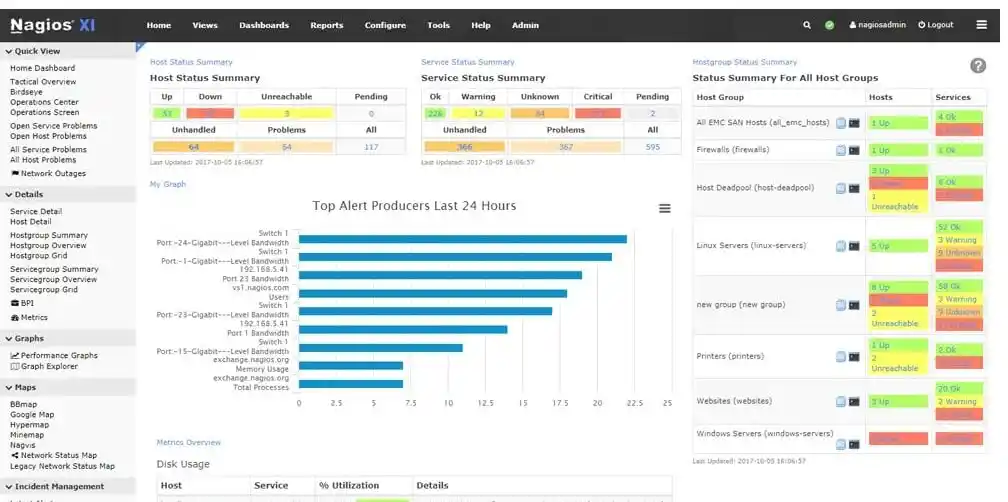
Nagios Core is the grandparent of server monitoring. It has been keeping systems online since 1999.
The interface looks like it came from that era, but the reliability is beyond question. Nagios does one thing and does it well.
It checks whether hosts and services are up or down, and it sends alerts when they are not.
The system works by running plugins.
Each plugin returns a status code: OK, WARNING, CRITICAL, or UNKNOWN.
Thousands of community plugins exist. Want to check if your SSL certificate expires soon? There is a plugin for that.
Want to monitor the temperature of your server room? Someone wrote a plugin for that too.
The alerting system supports escalations.
If a junior admin does not acknowledge a warning within ten minutes, Nagios can escalate it to a senior admin.
If that person also ignores it, Nagios can escalate to a manager. This ensures that critical issues eventually reach someone who can fix them.
The main downside is manual configuration. You edit text files to define every host and service.
There is no auto‑discovery. For people who value control over convenience, that is a feature. For everyone else, it feels like work.
5) Netdata
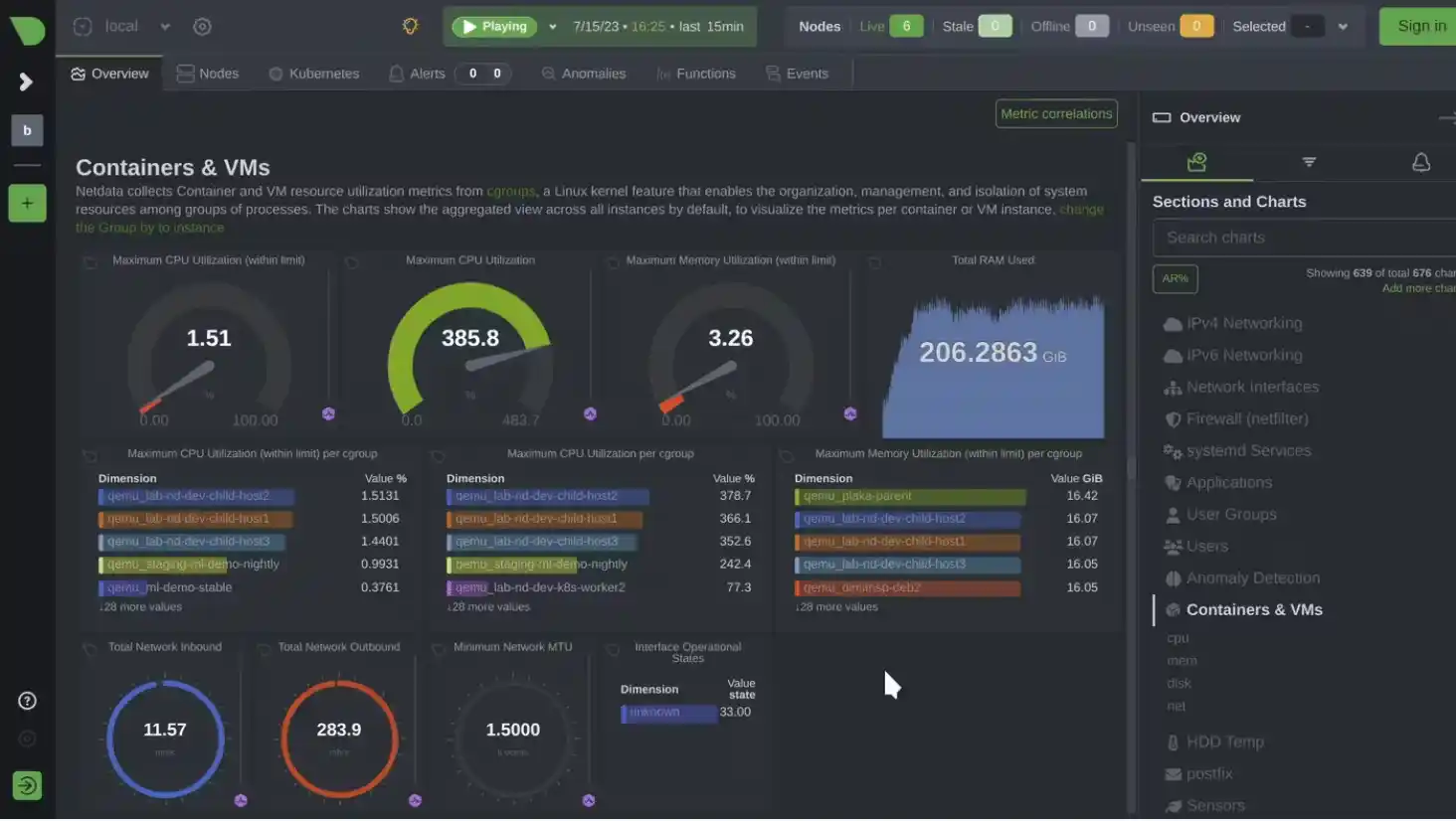
Netdata takes a completely different approach to monitoring. You install it, and within seconds you have a dashboard showing everything.
CPU, memory, disk, network, processes, containers, even application‑specific metrics. No configuration required.
The real‑time performance is stunning. Netdata collects data at per‑second granularity, and the charts update instantly.
You can watch a process consume CPU in real time. You can see network traffic spike the second a backup job starts.
Netdata achieves this efficiency by keeping data local. Each server runs its own Netdata agent, and the agent stores metrics in memory.
For historical data or aggregation across many servers, you set up a Netdata Parent. The Parent collects from multiple children and stores longer retention.
The platform includes machine learning for anomaly detection.
Netdata learns what normal looks like for each metric and alerts you when behavior deviates.
The false positive rate is low because Netdata trains multiple models per metric and requires all of them to agree before flagging an issue.
For teams without dedicated observability engineers, Netdata is a gift.
It gives you deep visibility without requiring you to become a monitoring expert.
The dashboard is beautiful, the metrics are useful, and the setup time is measured in minutes.
6) Checkmk
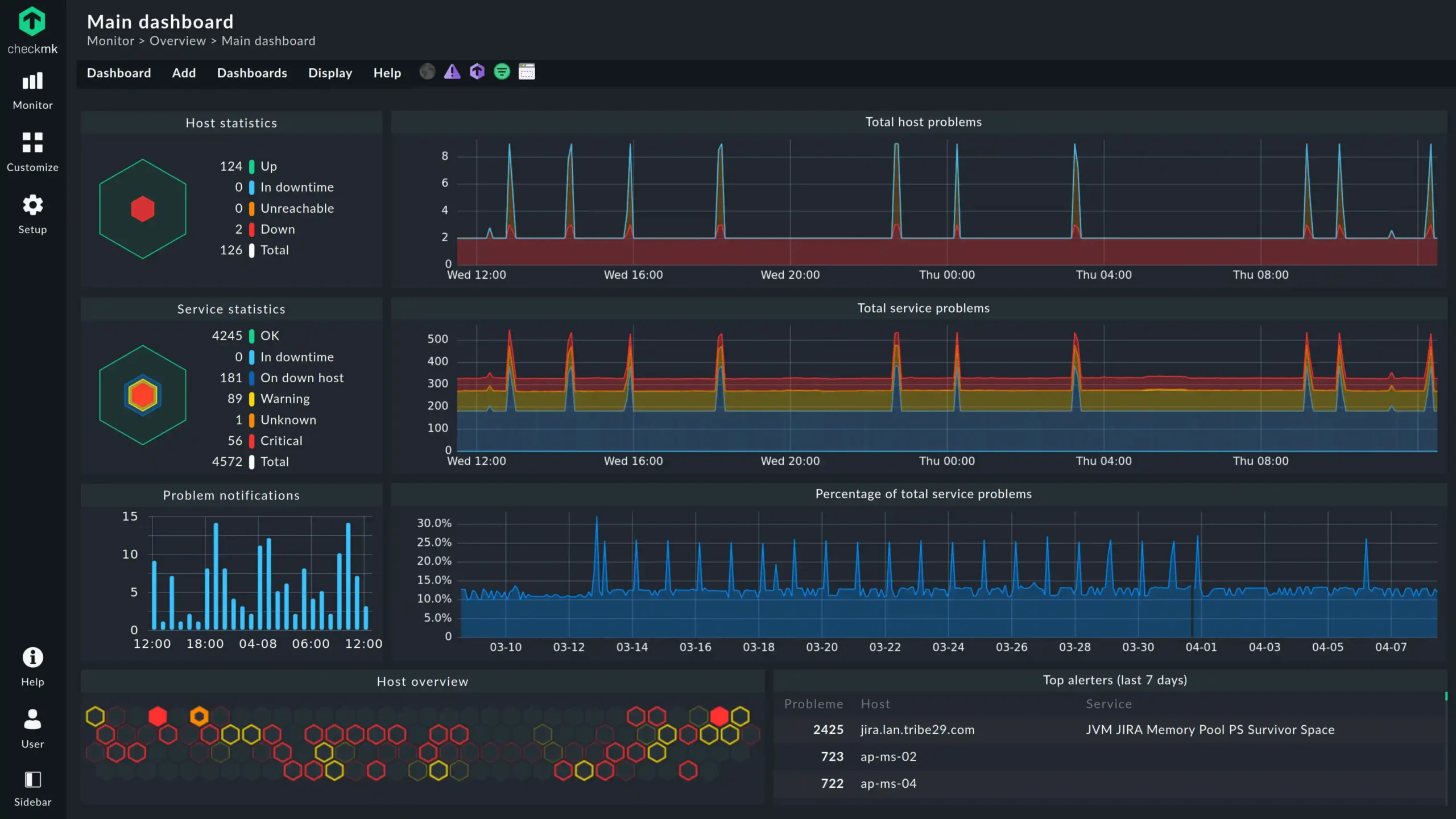
Checkmk started as a Nagios fork, but it has grown into something much more capable.
It keeps the reliability of Nagios while adding a modern web interface, better performance, and easier configuration.
The Raw edition is free and open source. The Enterprise edition adds business intelligence, reporting, and ticketing integration.
The auto‑discovery feature saves days of work.
Point Checkmk at a network range, and it will find all your servers, detect what services are running on each one, and start monitoring them.
No manual configuration required. For large environments, this is transformative.
Checkmk also handles complex hybrid setups well.
You can monitor on‑premise servers, cloud instances, and containers from a single interface.
The performance is impressive. A single Checkmk instance can monitor thousands of hosts.
The web interface includes customizable dashboards, dependency graphs, and detailed availability reports.
You can drill down from a high‑level summary to the specific service that is failing.
The reporting engine is particularly strong for compliance use cases.
Checkmk is less well‑known than Prometheus or Zabbix, but it deserves more attention.
It strikes a good balance between power and usability.
For teams that found Nagios too bare‑bones and Prometheus too complex, Checkmk is worth a serious look.
The Lightweight Agents & Simplicity Tools
These tools are for when you want a quick answer without building a whole monitoring platform.
They install fast, use few resources, and give you immediate visibility.
7) Glances
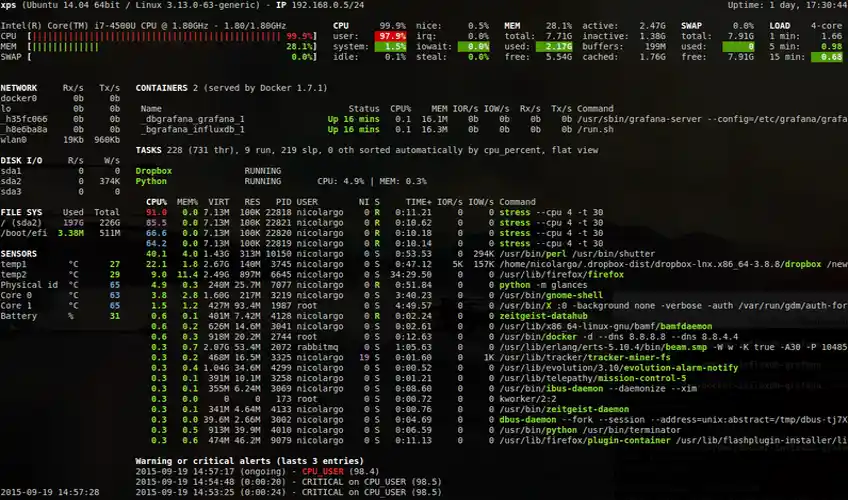
Glances is a Python tool that shows you everything happening on your server in one terminal window.
CPU, memory, load, disk I/O, network traffic, running processes, even GPU usage if your server has one.
The display updates in real time and uses colors to show problems. Red means critical. Yellow means warning. Green means you can relax.
What makes Glances special is that it can run as a web server.
You can access the monitoring interface from your phone or any browser, no SSH required.
This is great for quick check‑ins when you are away from your desk.
Glances can also export metrics to Prometheus, InfluxDB, or CSV files if you want to keep history.
The resource usage is tiny. Glances typically uses less than one percent of a modern CPU.
You can run it on a production server without worrying about performance impact.
For anyone running a VPS, this is often the first tool to install. It gives you instant visibility with zero configuration.
Glances works on Linux, Windows, macOS, and FreeBSD. The installation is a simple pip install glances.
Once it is running, you get a complete overview of your system health.
It will not replace a full monitoring stack, but for quick health checks, it is perfect.
8) htop / btop++
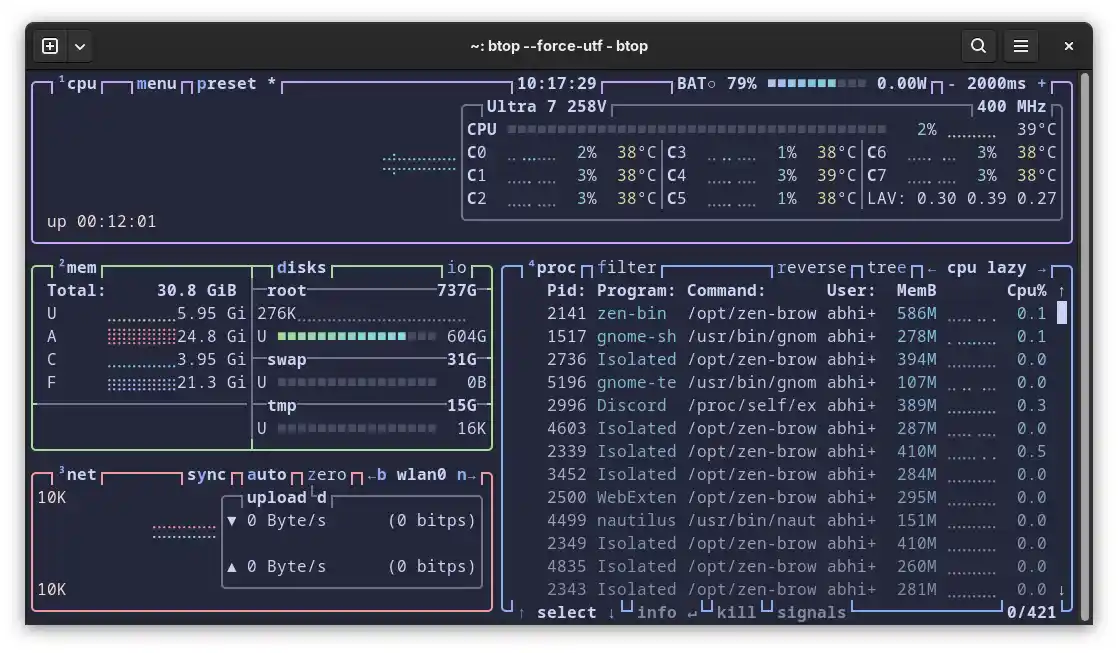
These are not full monitoring suites. They are better described as scalpels for real‑time troubleshooting.
htop replaces the old top command that has been around since the 1980s.
It adds colors, mouse support, and the ability to scroll through process lists.
You can kill a stuck process with a few keystrokes instead of remembering a complex command.
btop++ takes things even further.
It turns your terminal into something that looks like a desktop application. CPU cores appear as individual meters.
Memory usage shows up as color‑coded sections. Network traffic graphs move in real time.
Disk activity lights up as files are read and written. The whole thing updates at 60 frames per second.
When your site feels slow, these tools answer the question immediately.
Is it a runaway PHP script? A database query gone wrong? A backup job running at the wrong time? You see the culprit in seconds.
Every system administrator should have these installed on every server.
htop is available in most package managers.
On Ubuntu, it is apt install htop. btop++ requires a few more steps but is worth the effort.
Once you use them, you will never go back to plain top.
9) Uptime Kuma
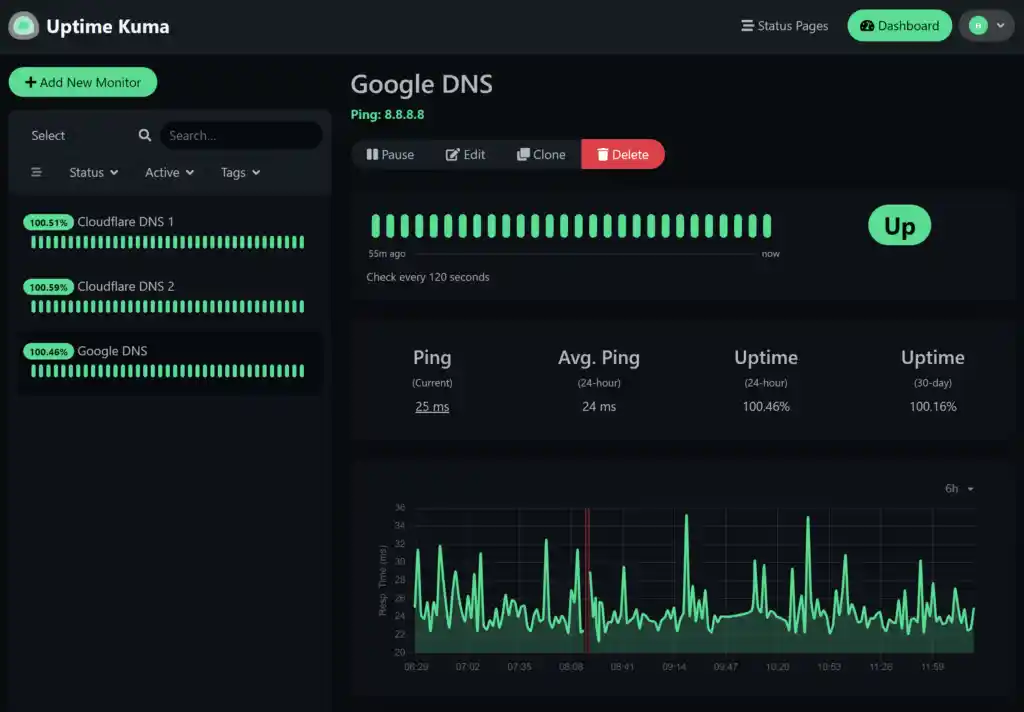
Uptime Kuma is the tool you set up once and then forget about until something breaks.
It monitors your services from the outside, checking every few seconds to make sure they are still responding.
When something goes down, Uptime Kuma sends you a notification through Telegram, Discord, Slack, email, or any of ninety other services.
The interface is surprisingly beautiful for a self‑hosted tool.
You get status pages that show uptime percentages, response time graphs, and certificate expiry dates.
You can create multiple status pages for different audiences. One for your team. One for your customers. One for your investors.
Installation takes about five minutes using Docker. One command gets Uptime Kuma running on port 3001.
For anyone running a customer‑facing website, this is the bare minimum. You should know about downtime before your customers do.
Uptime Kuma also supports monitoring intervals as frequent as twenty seconds.
It can check HTTP/HTTPS endpoints, TCP ports, ping responses, and DNS records. The project is actively maintained, with new features added regularly.
The SaaS & Commercial Platforms (Agent‑Based)
These tools are for teams that want to pay for convenience.
You do not manage the monitoring infrastructure. You just install an agent and start collecting data.
10) Datadog
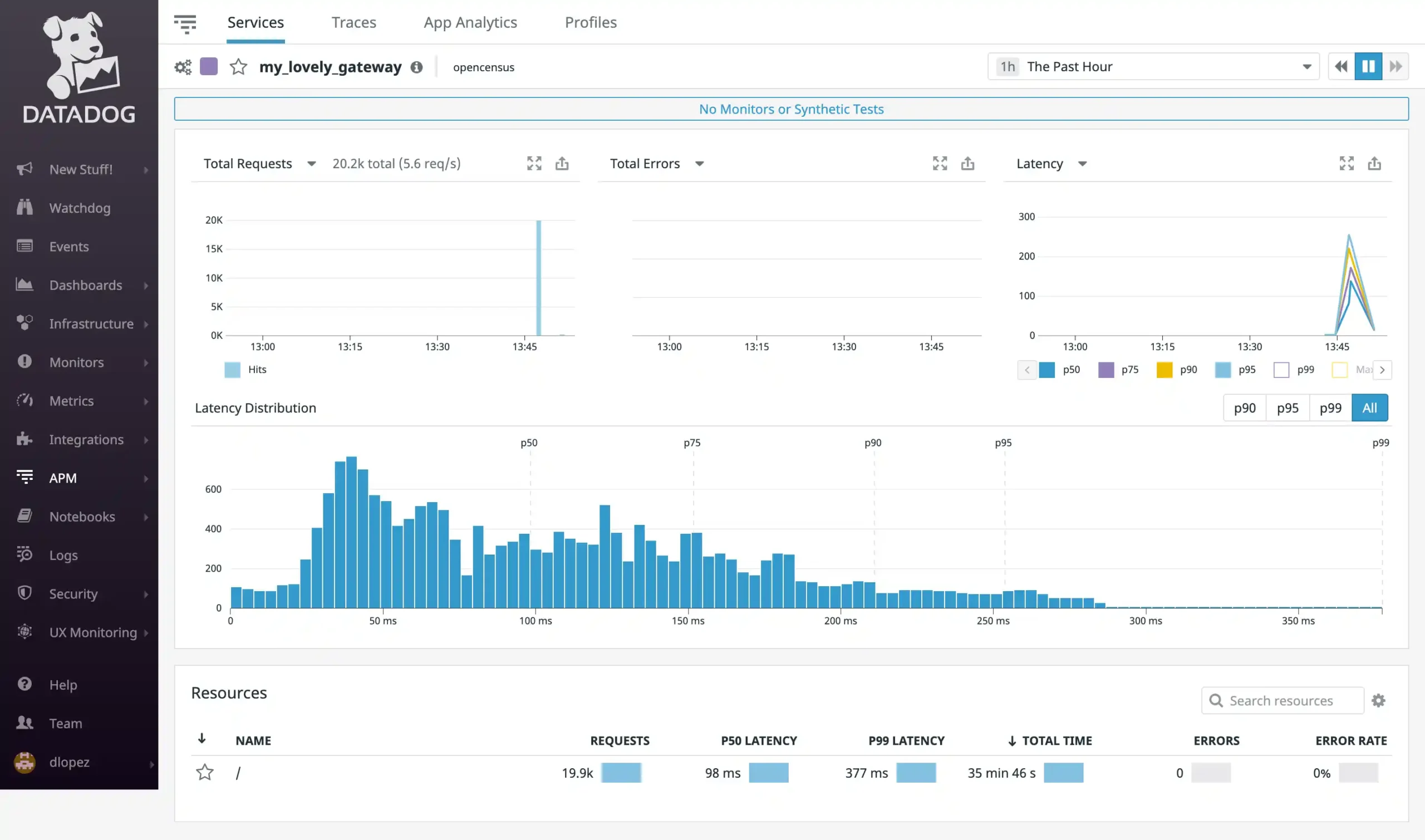
Datadog is the luxury car of monitoring. It looks beautiful, works seamlessly, and costs more than you want to admit.
The platform integrates with over six hundred technologies.
You install one agent, and Datadog starts collecting metrics, logs, and traces from everything.
The superpower is correlation.
When a metric spikes, Datadog can show you the related logs and traces automatically.
You do not have to jump between different tools trying to piece together what happened. The time to resolution drops dramatically.
Datadog’s infrastructure monitoring covers CPU, memory, disk, network, and process‑level metrics.
The APM traces requests through your entire stack, from the frontend browser to backend services and database queries.
Log management aggregates logs from all your servers and applications, with powerful search and pattern detection.
The platform also includes real user monitoring, synthetic monitoring, and security monitoring.
Pricing scales with usage and can get expensive fast.
But for teams where developer time is expensive, the productivity gains often justify the cost.
The free trial gives you a chance to see if it fits your workflow.
11) New Relic
New Relic started as an APM tool and expanded into infrastructure monitoring. The APM is still the star.
It traces requests from the browser down to database queries, showing you exactly where time is being spent.
That slow page load? New Relic tells you it is a specific SQL query on line 42 of a specific file.
The infrastructure monitoring covers CPU, memory, disk, and network.
It is not as deep as Datadog, but it is more than enough for most teams.
New Relic also includes browser monitoring and mobile monitoring.
The platform offers a freemium model. The free tier includes 100 GB of data ingest per month and one full‑platform user.
For nonprofits, New Relic offers an Observability for Good program with three free full‑platform seats and 1 TB of monthly data ingest.
For teams running custom applications, this level of visibility is invaluable.
New Relic’s interface is clean and approachable. The learning curve is shallow compared to some open‑source alternatives.
For teams that want to start monitoring quickly without a lot of setup, New Relic is a solid choice.
12) Dynatrace
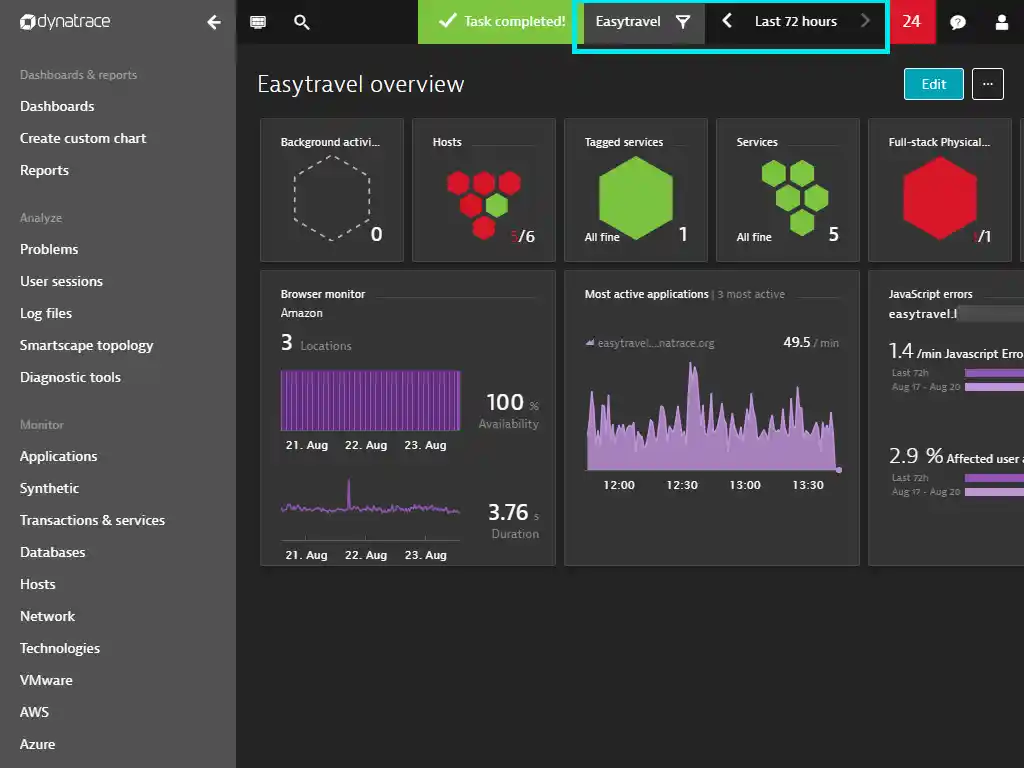
Dynatrace uses AI to do the work for you. You install the agent, and it automatically discovers everything.
Every server, every service, every dependency. It maps relationships in real time. The AI learns what normal looks like and alerts you when things deviate.
When something breaks, Dynatrace does not just tell you that CPU is high.
It tells you that a specific code deployment caused a memory leak in a specific function, which then caused the CPU spike.
Root cause analysis happens automatically.
The platform includes real user monitoring, synthetic monitoring, log monitoring, and cloud automation.
The setup is minimal, often requiring just a single agent installation. The AI does the rest.
Dynatrace is expensive and aimed at enterprises. The cost reflects the sophistication.
For large organizations with complex environments where outages cost thousands of dollars per minute, Dynatrace pays for itself quickly.
For smaller teams, the price is likely too high.
13) SolarWinds Server & Application Monitor (SAM)
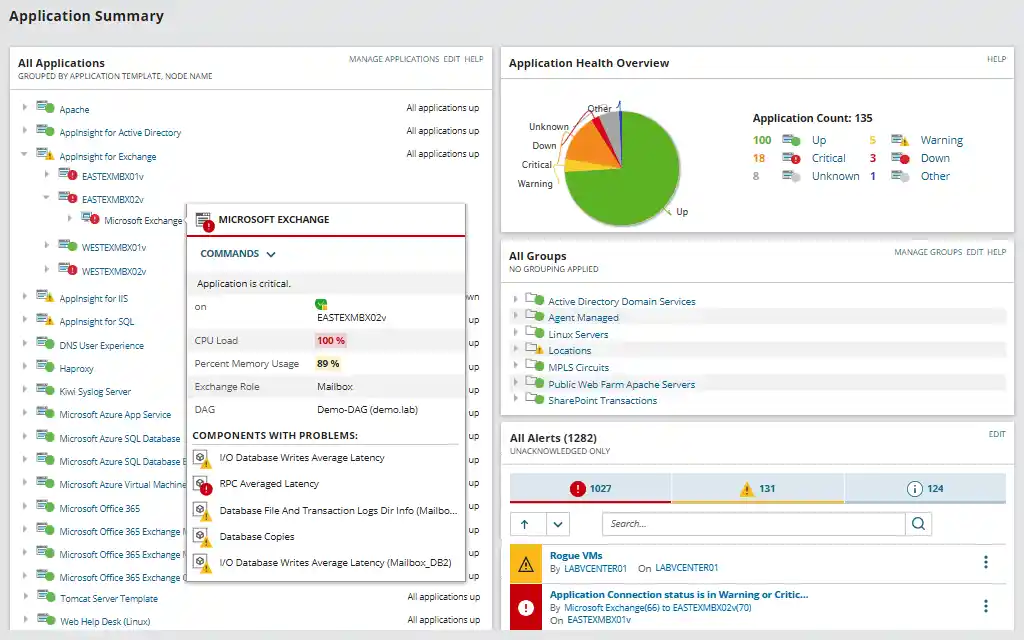
SolarWinds SAM is the choice for traditional IT operations.
It works without installing agents on your servers, using WMI, SSH, or SNMP instead.
This is useful in locked‑down environments where installing software is a bureaucratic nightmare.
The application monitoring is deep. SolarWinds comes with templates for Exchange, SQL Server, SharePoint, and IIS.
You get detailed dashboards for each.
For custom applications, SAM includes application templates that can monitor specific performance counters, log files, and Windows services.
The reporting engine is particularly strong, with over one hundred pre‑built reports for capacity planning, SLA compliance, and historical analysis.
The alerting system supports escalation policies, maintenance schedules, and integration with ticketing systems.
The price tag is high. SolarWinds is not for hobbyists or small startups.
But for IT teams that need compliance‑ready reports and enterprise features, it is a proven solution.
Specialized & Log Management
These tools focus on logs rather than metrics. Metrics tell you what happened. Logs tell you why.
14) ELK Stack (Elasticsearch, Logstash, Kibana)
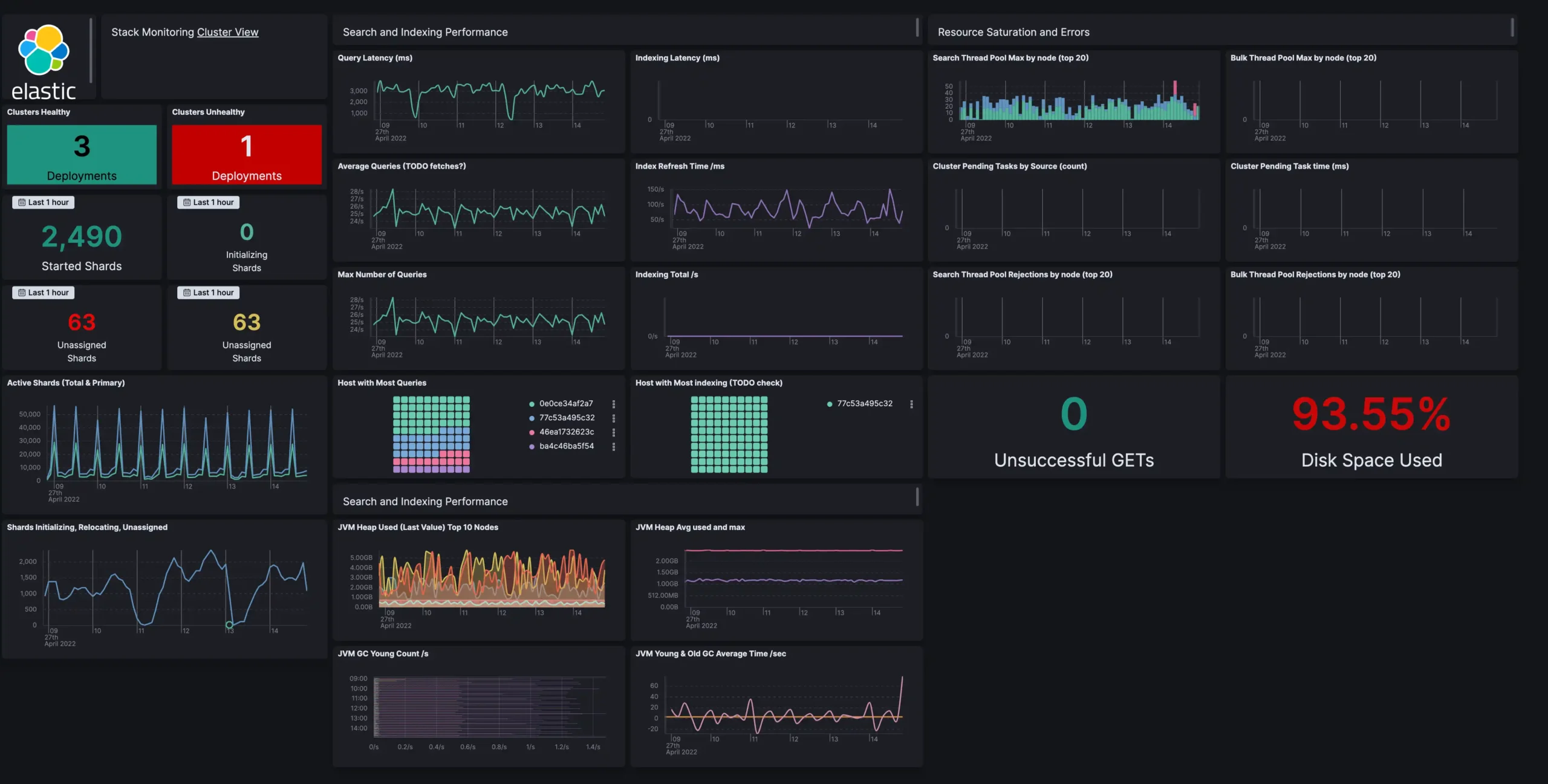
The ELK Stack is the heavyweight champion of log aggregation. Elasticsearch stores and indexes your logs.
Logstash processes and transforms them. Kibana lets you search and visualize everything. The stack has been around for years and has a huge community.
You can feed it syslog, application logs, web server logs, and custom logs from your own code.
Elasticsearch’s search is incredibly fast. You can query terabytes of log data in seconds.
The platform includes machine learning for anomaly detection and SIEM capabilities for security use cases.
The stack has expanded over time. Beats are lightweight data shippers that send data directly to Elasticsearch or Logstash.
The acronym no longer fits, so the project is now called the Elastic Stack.
The downside is resource usage. ELK is hungry. It wants CPU, memory, and disk space. A separate server is often needed for larger deployments.
But for teams that need serious log analysis, ELK is worth the investment.
The open‑source distribution is free, though Elastic also offers commercial features.
15) Loki
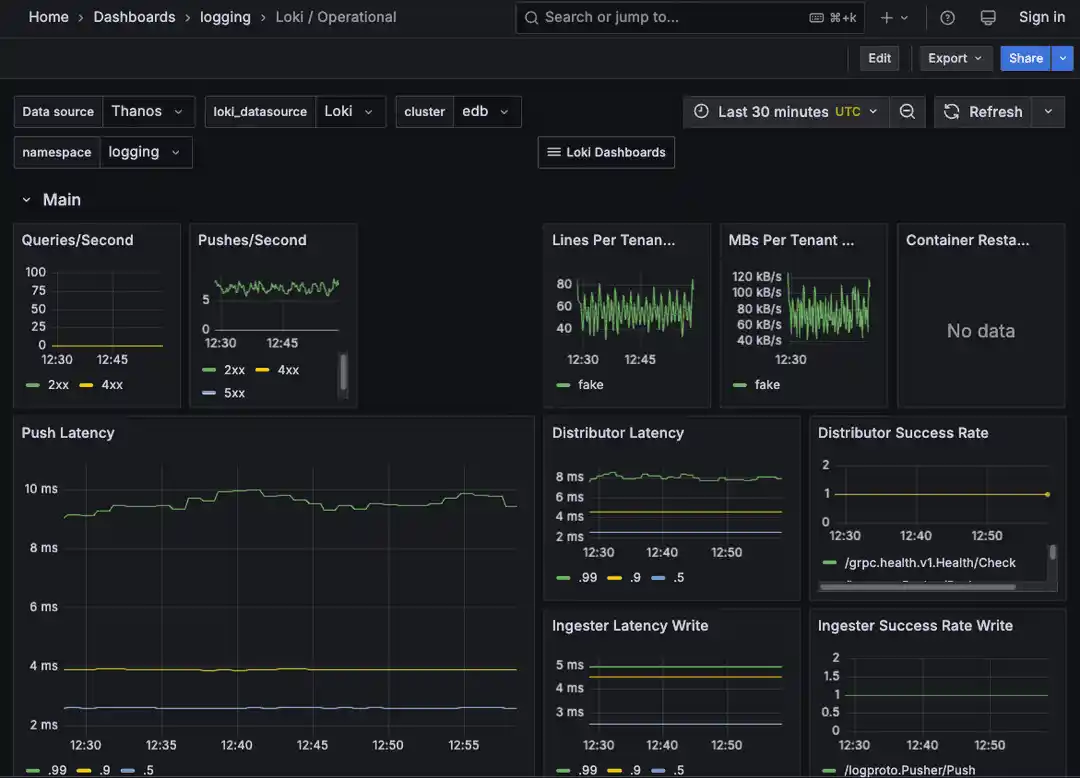
Loki is the lightweight alternative to ELK. It was built by the same team that made Grafana, and it shows.
Loki does not index the full content of your logs. It only indexes labels, similar to how Prometheus indexes metrics. This approach saves a ton of storage space.
Loki integrates directly with Grafana. You can view logs and metrics side by side in the same dashboard.
Switching from a metric spike to the relevant logs takes one click.
The query language, LogQL, is similar to PromQL, so there is almost no learning curve if you already know Prometheus.
The system works by having agents called Promtail collect logs and add labels. Promtail then pushes the logs to Loki.
Loki stores the compressed log content in object storage like S3 or the local filesystem.
For teams already running Grafana, Loki is a no‑brainer. It adds log management without adding a second complex system to maintain.
The storage savings are significant. Some users report that Loki uses one‑tenth the storage of comparable log aggregation systems.
16) Sematext
Sematext is the all‑in‑one option. It does infrastructure monitoring, log management, and real‑user monitoring in a single platform.
The pricing is usage‑based and more affordable than buying separate tools for each function.
The infrastructure monitoring covers CPU, memory, disk, and network.
The log management component uses a tool called Logagent to parse and structure logs before shipping them to Sematext’s cloud.
The real‑user monitoring tracks page load times, JavaScript errors, and user interactions from actual visitors to your website.
Sematext supports open‑source agents and integrates with common tools like Docker, Kubernetes, and AWS.
The platform includes anomaly detection, alerting, and interactive dashboards. A free tier is available for small deployments.
For teams that want a single platform for metrics, logs, and user monitoring, Sematext is worth evaluating.
It is less well‑known than Datadog or New Relic, but it offers similar capabilities at a lower price point.
Cloud‑Native & Container Monitoring
These tools are essential for anyone running containers. They understand ephemeral workloads and dynamic scheduling.
17) cAdvisor (Container Advisor)
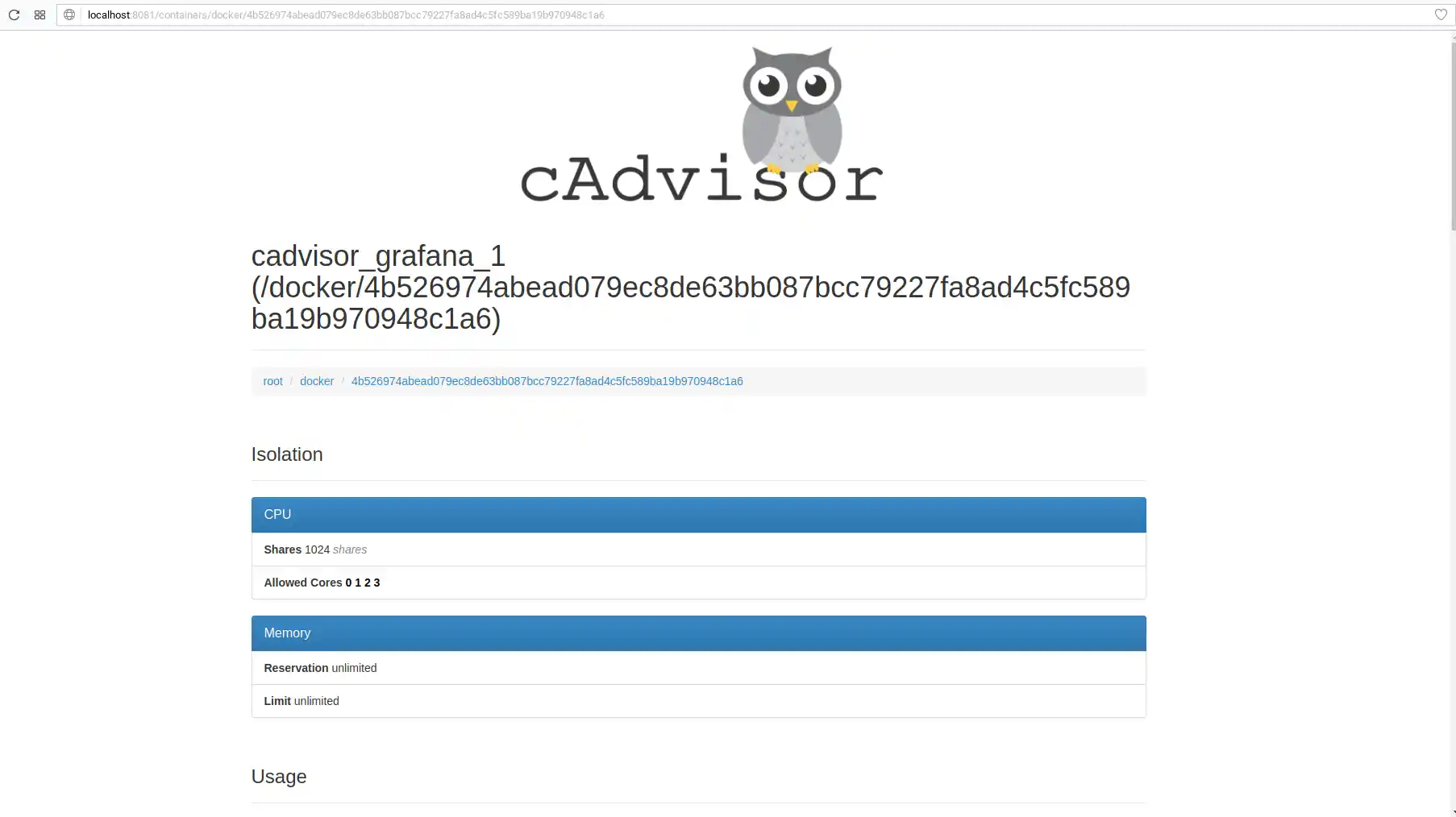
cAdvisor is a small agent that runs alongside your containers. It watches each container’s CPU, memory, network, and filesystem usage.
You can access its web UI on port 8080 for a quick view into what your containers are doing.
For long‑term storage, cAdvisor exports metrics to Prometheus. It exposes an endpoint at /metrics that Prometheus can scrape.
The metrics are detailed, including per‑container CPU usage, memory usage, network traffic, and disk I/O.
In Kubernetes, cAdvisor runs as part of the kubelet by default. You probably already have it installed without knowing it.
The metrics endpoint is at /metrics/cadvisor. You can point Prometheus there and start collecting container metrics immediately.
cAdvisor is not a complete monitoring solution on its own. It is a component.
But it is an essential component for anyone running containers at scale. The tool is lightweight and adds minimal overhead to the container runtime.
18) Kube‑Prometheus‑Stack
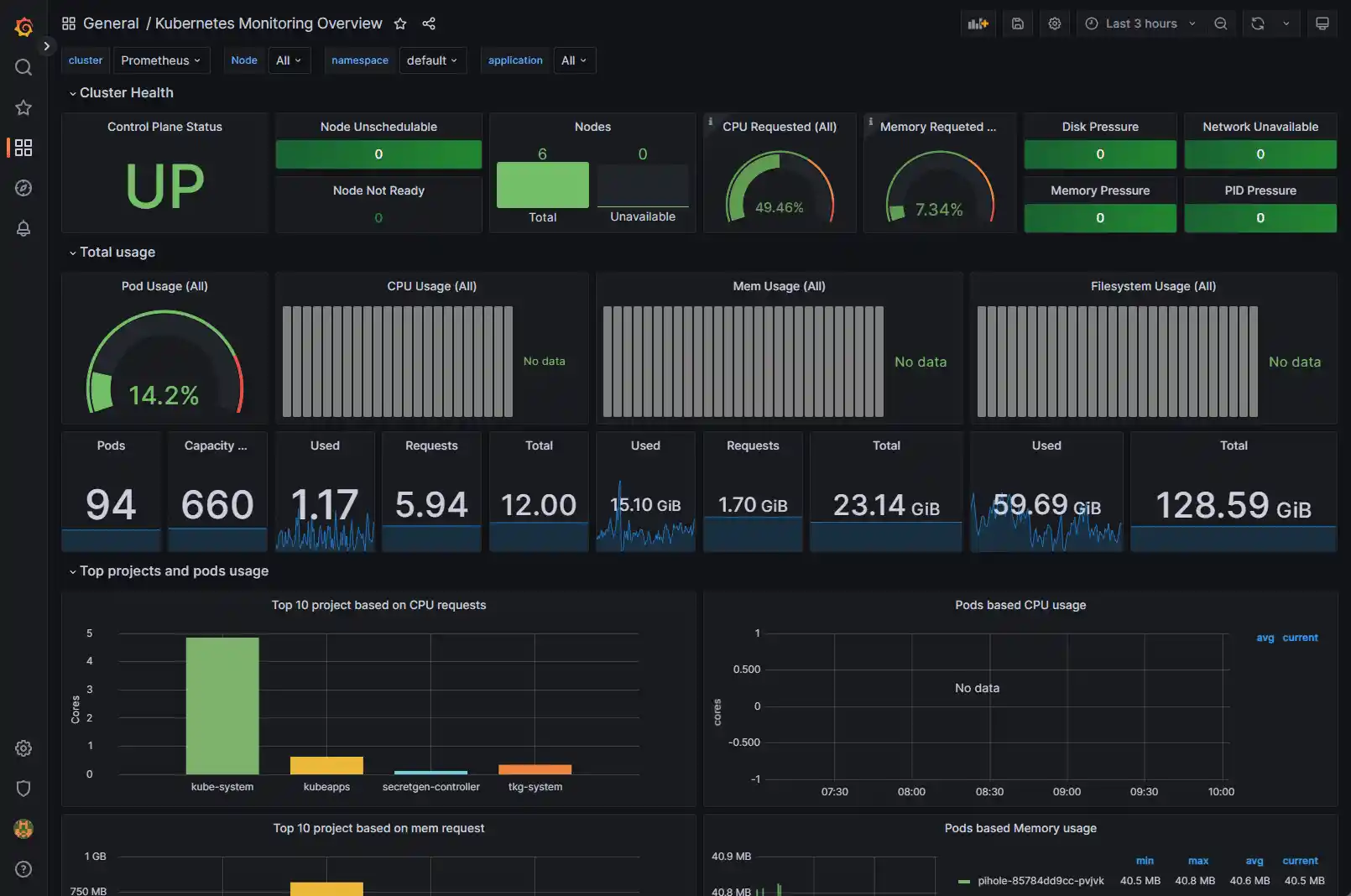
This is the standard way to monitor Kubernetes. It bundles Prometheus, Grafana, and Alertmanager with pre‑configured dashboards and alerts for container orchestration.
The stack includes node exporters for hardware metrics from each node and kube‑state‑metrics for cluster‑level data.
The dashboards are production‑ready. You get views for cluster health, resource usage, pod performance, and API server latency.
The alerts are pre‑configured for common Kubernetes problems like pods stuck in CrashLoopBackOff or nodes running out of disk space.
Installation uses a Helm chart. The configuration is complex, but the community provides excellent documentation.
Once installed, you get a complete monitoring solution without having to piece together individual components.
For anyone running a production Kubernetes cluster, this stack is the starting point. It is battle‑tested, well‑supported, and free.
19) VictoriaMetrics
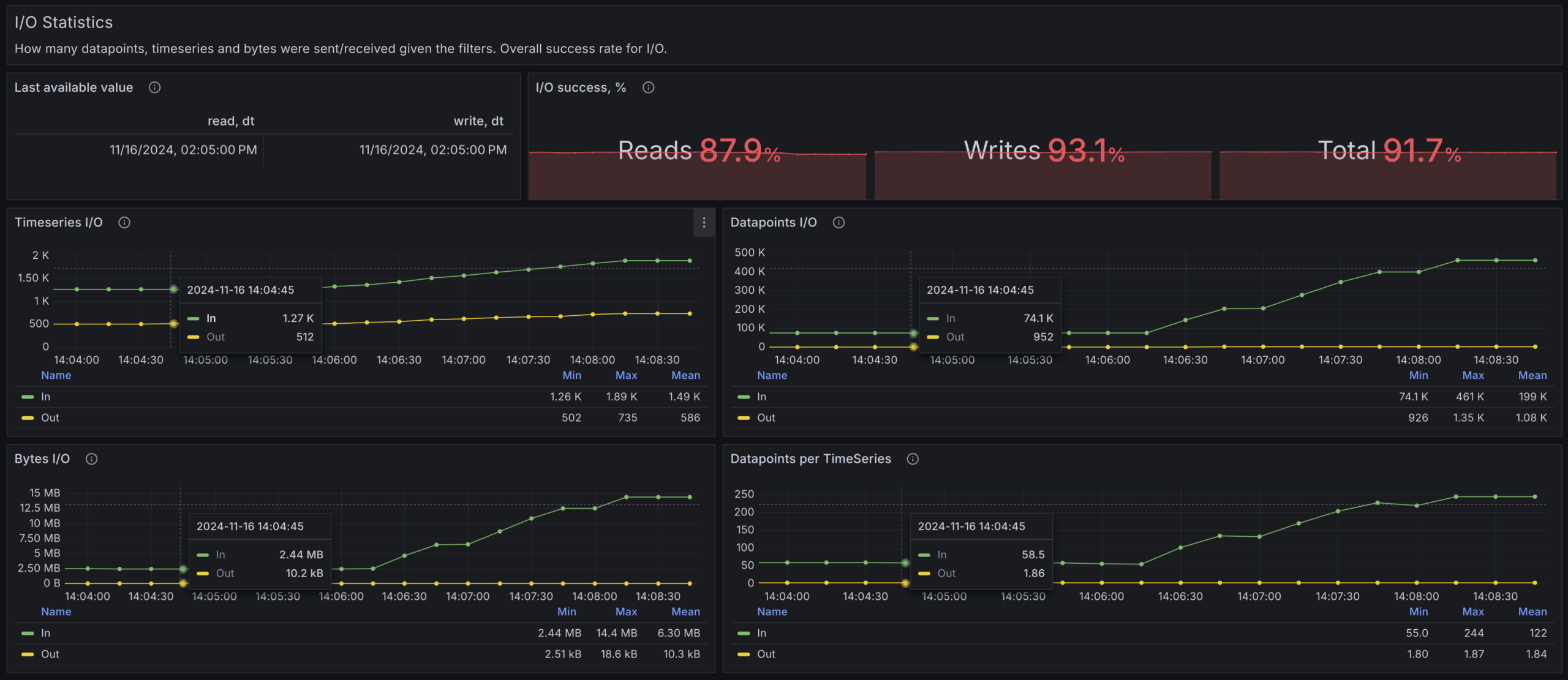
VictoriaMetrics is a faster, cheaper replacement for Prometheus. It speaks PromQL, so your existing Grafana dashboards and alerts keep working.
The storage is much more efficient. Some users report saving five to ten times on disk space compared to Prometheus.
VictoriaMetrics handles high cardinality better than Prometheus. If you have many unique label values, this matters.
Prometheus can struggle when the number of unique label combinations grows large. VictoriaMetrics keeps performing.
The system can run as a single binary for small deployments or in a cluster for large ones.
It also works as long‑term remote storage for Prometheus.
You can keep Prometheus for short‑term metrics with fast queries and use VictoriaMetrics for historical data.
The performance is impressive. Single‑node instances have been tested handling millions of metrics per second.
For teams that have outgrown Prometheus or want to reduce storage costs, VictoriaMetrics is worth a serious look.
The Simple SaaS Monitors (Uptime & Status)
These tools are for when you just need to know if your site is awake. They are simple, cheap, and easy to set up.
20) UptimeRobot / Better Stack
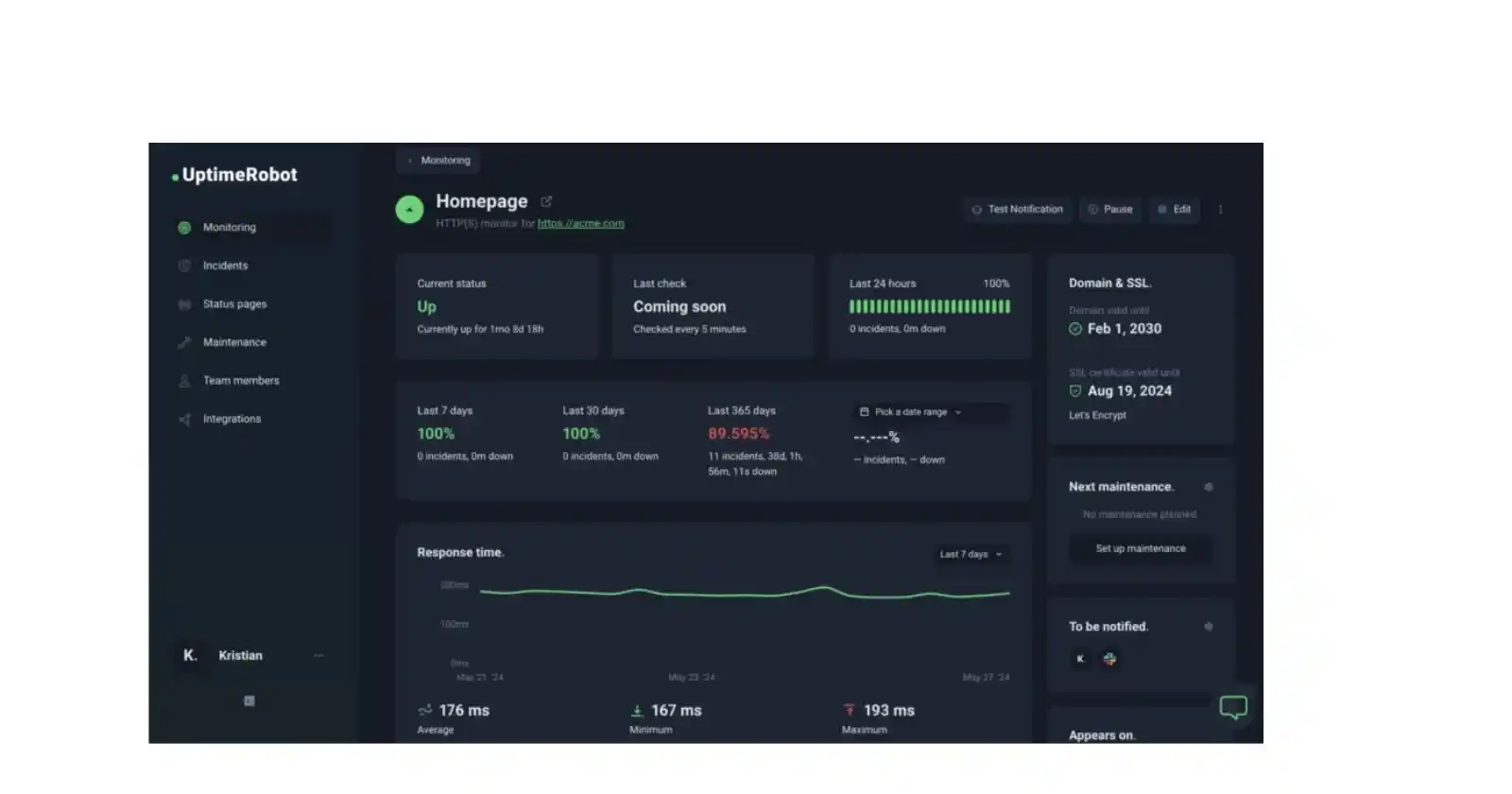
These services ping your website from locations around the world.
If your site stops responding, they send you an alert via SMS, phone call, or email. The free tiers cover basic monitoring for several services.
You can set monitoring intervals as frequent as one minute.
When a check fails, they retry from a second location to confirm the outage, reducing false alarms.
Both services also provide public status pages. You can customize them and share the link with your customers.
During an incident, you update the status page so everyone knows you are working on the problem.
Better Stack (formerly Better Uptime) adds heartbeat monitoring, on‑call scheduling, and a nicer interface.
UptimeRobot is simpler and has been around longer.
Setting one of these up takes five minutes. It is the minimum investment for anyone running a customer‑facing website.
In Conclusion
You do not need to use all twenty tools.
Most people will never touch half of them.
A solo developer running a few WordPress sites probably just needs Uptime Kuma and Glances.
A growing e‑commerce business with a cluster of servers will want Prometheus and Grafana. A Kubernetes shop likely needs the full kube‑prometheus‑stack.
Start with something simple. Install a lightweight uptime monitor today.
Add Glances for real‑time visibility. When that stops being enough, bring in Prometheus and Grafana.
The goal is not to have the most tools. The goal is to know what is happening inside your servers before your customers tell you.
Pick one tool from this list and start monitoring today. Your future self will thank you.
Ready to start monitoring? Truehost’s dedicated servers give you full root access, so you can install any of these monitoring tools without restrictions.