Domain NamesFind and register your ideal domain name instantly.
 Web HostingEasy-to-use hosting powered by cPanel — ideal for managing websites in Nigeria.
 Windows HostingRun .NET apps with Windows-optimized hosting
 Affiliate ProgramMake money promoting our services
 Reseller HostingMake money by reselling our hosting products under your own brand
 .COM Domains
 All DomainsExplore all supported tld domains in Nigeria
 WhoisFind out who owns any domain, as well as verify your registration details
 VPS Hosting in Nigeria
 Dedicated ServersReimagine your site speed with your own complete server
 AI Website BuilderDesign your site with drag-and-drop tools
 Online Store BuilderStart your online shop without code
 Support PortalFind answers or get expert help
 Contact UsReach our team via chat or email
 BlogRead our extensive guides on web hosting and more
You run a business. You answer calls, reply to messages, chase payments, and still try to look professional.
Then an email comes in from a serious client. They check your email address and see something like [email protected].
That small detail can quietly ruin trust.
In Nigeria, first impressions are a big deal. People judge fast. A personal email makes you look like you are still testing the waters, even when your business is solid.
A professional email like [email protected] sends a clear message: this business is real, organized, and ready.
That is why a professional email is no longer optional. It is part of doing business the right way.
By 2026, online scams are rising fast. Nigerian businesses are losing money to fake invoices, phishing emails, and hacked accounts.
A free email account was never built to protect a business. A business email gives you better security, better control, and a clean way to separate work from personal life.
In this guide, you will learn how to set up a Business Email Setup step by step using Truehost.
Here is what you will get:
- How to choose the right professional email plan
- How to get a .ng domain that builds trust
- How to create and manage business email accounts
- How to secure your email against scams
- How to use your email on phone and computer
By the end, you will have a professional email that works every day, looks serious, and helps you close more deals.
How to Get a Business Email
A professional email works in three basic parts:
- Email hosting
- A domain name
- Email accounts for you and your team
Once these three are in place, your professional email is ready to send, receive, and protect your business conversations.
We’ll use ourvTruehost guide because it is built for Nigerian businesses.
Our servers are in Nigeria, support responds fast, and you pay in Naira. No dollar stress. No timezone delays.
This setup works whether you are a solo business owner, a growing startup, or a company with a full team.
Here’s the simple path we’ll follow:
- Choose an email hosting plan
- Register a custom domain
- Create your business email address
- Connect it to your phone and computer
- Secure it against scams
- Manage it as your business grows
Each step builds on the last. Skip one, and problems show up later.
Let’s start with the most important foundation.
1) Choose an Email Hosting Plan
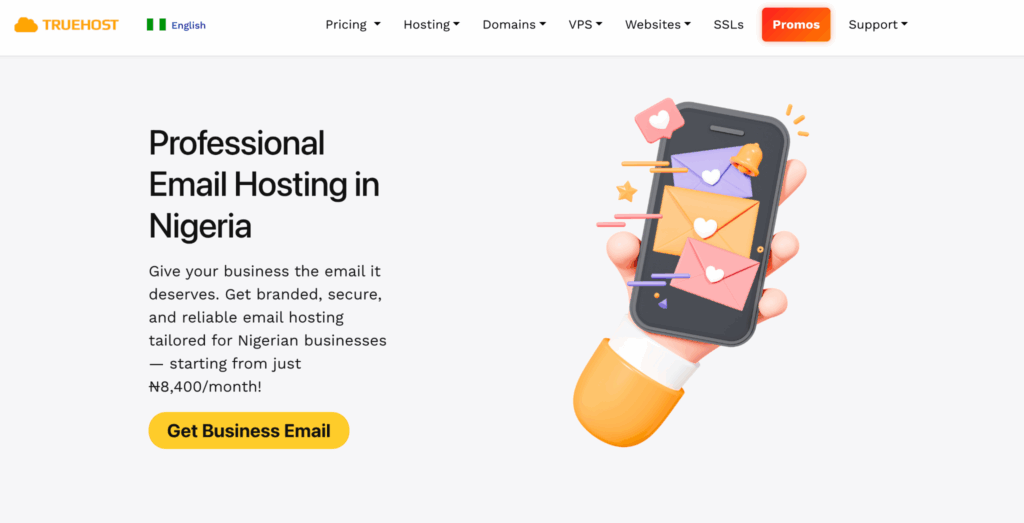
Your email hosting is where your messages live. It decides how fast emails send, how safe your data is, and how reliable your inbox feels.
Bad hosting feels frustrating. Emails delay. Attachments fail. Sometimes messages never arrive. Clients do not complain. They just stop replying.
That is why your professional email needs hosting that works well in Nigeria.
Truehost runs its email servers locally. That means faster delivery and fewer errors.
Your emails do not travel halfway across the world before reaching Lagos or Abuja.
Here’s how their plans are structured for businesses in 2026:
| Plan | Mailbox | Storage |
| Workplace Starter | 1 mailbox | Drive Storage |
| Workplace Pro | 3 mailbox | 15 GB Storage |
| Workplace Business | 5 mailbox | 50GB Storage |
Each plan includes:
- 2FA protection
- Anti-virus check
- Advance anti-spam
- Drive Storage
- Collaboration Tools
- Docs, Sheets & Presentations
Once your plan is active, the next step is giving your email a real identity.
2) Register a Custom Domain Name
Your domain name is the name that comes after the @ in your professional email.
It is your business name on the internet.
Without a domain, your professional email cannot exist.
An email like [email protected] says nothing about your business.
An email like [email protected] tells people exactly who you are.
That small detail builds trust fast.
In Nigeria, a .ng domain works best for most businesses. It shows you are local, serious, and easy to reach.
It also helps your business show up better in Nigerian searches.
Truehost lets you buy your domain and manage your business email in one place.
Here’s how to do it.
Pick the Right Domain Name
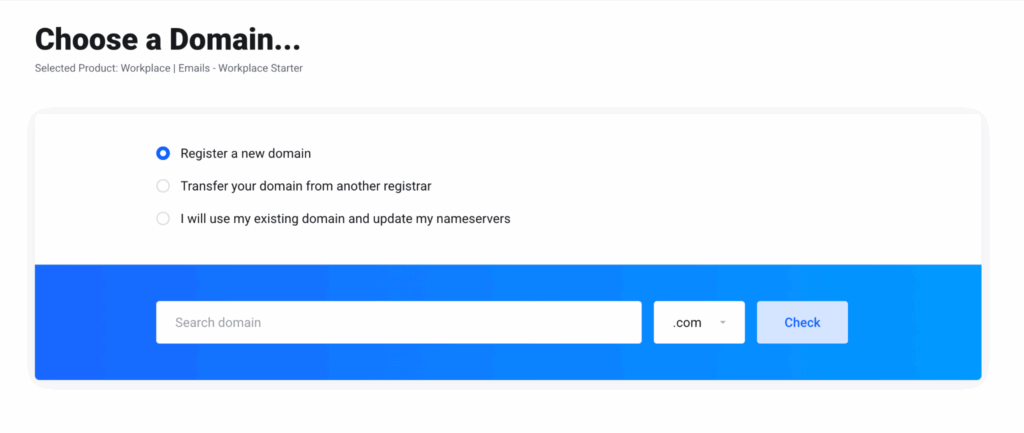
Your domain should be simple and easy to remember.
Good domain names:
- Match your business name
- Are short and clear
- Avoid numbers and symbols
Examples that work well:
fastmove.nggreenfarm.nglegaldesk.ng
If the name you want is taken, add something natural like your service or location.
For example: brightcleanlagos.ng
Check and Buy the Domain
Log in to your Truehost dashboard and search for the name.
If it is available, you can buy it right away.
For registered businesses, you will upload your CAC documents. Approval usually takes one to two days.
Once approved, the domain is yours.
3) Create a Business Email Account
Now that you own your domain, it’s time to create the actual inbox.
This is where your professional email starts to feel real.

A business email account is the full address people will contact you on, like:
These addresses help your business look organized and easy to reach.
Choose the Right Email Names
Keep your email names clean and clear.
For personal use:
For team or public use:
- info@
- sales@
- support@
Avoid nicknames or casual words. An email like bossman@ or prettygirl@ can hurt trust without you noticing.
Create the Email in Truehost
Inside your Truehost dashboard:
- Open Email Accounts
- Click Create New
- Choose the email name
- Set a strong password
- Save
That’s it. No coding. No stress.
Each account gets its own storage space and security settings.
Use Email Aliases to Stay Organized
Aliases are extra email names that send messages to one inbox.
For example:
- info@ → goes to
yourname@ - sales@ → goes to sales team inbox
This keeps communication clean without paying for extra users.
Add Team Members Safely
If you have staff, you can create separate accounts for each person.
Everyone gets their own login. No password sharing.
You can also control storage limits so one person does not fill the entire space with large files.
A small logistics company in Enugu moved from WhatsApp to proper email accounts. Orders stopped getting lost. Replies became faster. Work felt calmer.
That is what structure does.
Once your email exists, the next step is making sure you can access it anywhere.
Read also: Dedicated Server for Email: Boost Marketing
4) Connect Your Business Email to Apps and Devices
Creating your email is only half the job. Now you need it on your phone, laptop, and any other devices you use.
This way, you never miss an important message, even when moving between meetings, markets, or client visits.
Truehost makes it simple. You can use your email on:
- Android or iPhone
- Desktop apps like Outlook or Apple Mail
- Webmail through any browser
How to Set It Up
For mobile:
- Open your email app
- Select Add Account
- Enter your full email (like [email protected])
- Use IMAP for syncing across devices
- Add the password and save
For desktop:
- Open Outlook or Apple Mail
- Go to Add Account
- Enter your email and password
- Input server details:
- Incoming: mail.yourbusiness.ng, port 993, SSL
- Outgoing: mail.yourbusiness.ng, port 465, SSL
- Test sending a message
With your email everywhere, the next step is keeping it safe.
5) Implement Email Security Measures

A professional email is only useful if it’s safe. One wrong click, and your inbox could be hacked.
In 2026, Nigerian businesses lose billions to scams like fake invoices, phishing, and account takeovers.
A free email simply cannot protect you the way a business email does.
Truehost builds security into every plan, but you can take extra steps to keep your email safe.
Start with Basic Protections
- SPF, DKIM, DMARC: These settings tell other servers your emails are real and block fake senders.
- Strong Passwords: Mix letters, numbers, symbols. Change passwords regularly.
- Two-Factor Authentication (2FA): Adds a second check via SMS or app, like a bouncer at your inbox door.
Extra Layers
- AI Spam Filters: Pro plans catch almost all scam messages.
- Auto-Archiving: Keeps old emails safe for audits or legal purposes.
- Backups: Weekly backups prevent data loss. Truehost’s cloud storage makes this easy.
Train Your Team
Everyone should know how to spot phishing attempts. Simple rules:
- Hover over links before clicking
- Don’t open suspicious attachments
- Verify urgent requests by phone
Compliance
Truehost’s local hosting helps with NDPR rules. Your data stays in Nigeria, reducing fines and keeping client information safe.
Security Checklist
- Enable SPF/DKIM/DMARC
- Use 2FA for all accounts
- Turn on AI spam protection
- Back up weekly
- Monitor login logs
- Train your team
With security in place, your professional email is not just credible it’s bulletproof. Next, we’ll look at keeping it organized and efficient for your business.
Read also: Is VPS Hard to Manage? What to Expect in 2026
6) Manage and Optimize Your Business Email
Your professional email is live. Now it’s about keeping it useful, organized, and working for you, not the other way around.

Keep Your Inbox Organized
- Folders & Labels: Sort messages by client, project, or priority.
- Rules & Filters: Automatically flag VIP clients or move newsletters to a separate folder.
- Archive Old Emails: Free up storage without deleting important data.
Track Performance
Email isn’t just for sending messages. You can measure how it helps your business:
| Metric | Goal | Tool |
| Open Rate | 25%+ | Built-in trackers |
| Response Time | Under 2 hours | Auto-reminders |
| Storage Use | <80% | Alerts + auto-clean |
This insight tells you which messages work and which need improvement.
Scale With Your Team
As your business grows, adding new users is easy. Truehost lets you:
- Upgrade plans without downtime
- Add multiple team members with proper access
- Create templates for quick onboarding
By managing your professional email well, it becomes more than just a tool; it becomes a growth engine.
Read also: Hosting Cost Optimisation: 5 Pro Tips
Conclusion
By now, your professional email is more than just an address. It is a business tool that:
- Builds trust with clients
- Keeps communication organized
- Protects your company from scams
- Helps your team work efficiently
Truehost makes the process easy: local servers, Naira pricing, AI spam protection, and simple upgrades. Why settle for generic when you can have a setup built for your business?
FAQ
What is the difference between a professional business email and a personal email account?
A professional business email uses your custom domain, like [email protected]. It shows credibility, keeps your brand consistent, and adds security features. Personal emails, like Gmail or Yahoo, mix work and personal messages, lowering trust and risking NDPR non-compliance.
How do I choose the right business email provider in 2026?
Look for reliability, security, and Nigerian-specific features: local servers, Naira payment, and 24/7 support. Truehost stands out with AI spam protection, unlimited aliases, and easy scaling for teams.
Can I create multiple email addresses under one plan?
Yes. Truehost allows aliases like info@ or sales@ for free. Full user accounts can be added per plan. This keeps communication organized and cost-effective in Nigeria.
What naming conventions should I use for team emails?
Keep it clean: [email protected] or role-based addresses like sales.lagos@. Avoid nicknames or numbers, as they reduce professionalism and consistency.