Domain NamesFind and register your ideal domain name instantly.
 Web HostingEasy-to-use hosting powered by cPanel — ideal for managing websites in Nigeria.
 Windows HostingRun .NET apps with Windows-optimized hosting
 Affiliate ProgramMake money promoting our services
 Reseller HostingMake money by reselling our hosting products under your own brand
 .COM Domains
 All DomainsExplore all supported tld domains in Nigeria
 WhoisFind out who owns any domain, as well as verify your registration details
 VPS Hosting in Nigeria
 Dedicated ServersReimagine your site speed with your own complete server
 AI Website BuilderDesign your site with drag-and-drop tools
 Online Store BuilderStart your online shop without code
 Support PortalFind answers or get expert help
 Contact UsReach our team via chat or email
 BlogRead our extensive guides on web hosting and more
Launching a website is a big milestone. It’s the payoff for weeks, months, or even years of planning, building, tweaking, and second-guessing. And a website launch prep checklist helps you keep that event on the rails.
No matter how experienced you are, mistakes can happen.
And if a launch doesn’t go as planned, it can quickly chip away at trust and hurt your professional reputation.
Alternatively, a smooth website launch builds client confidence and demonstrates your expertise.
So, you want to lay a solid foundation through careful planning and preparation.
A thorough pre-launch checklist covers the crucial steps you need to take to own your launch, avoid the rookie mistakes, and get a site that actually supports your business goals long after you go live.
In this guide, I carefully compiled this checklist with that in mind to help you ensure a smooth launch and catch any missed points.
I’ve broken the checklist into clear phases to help you follow easily and thoroughly.
Let’s begin.
Phase 1: Content and Design Review
Before anyone clicks buy, contact, or even scrolls, they’re already judging your site. Is it well polished or just patched together?
Fair or not, your content is your first impression, and messy content quietly tells visitors your business isn’t ready yet.
So, to tighten things up:
1) Proofread Everything
Start with the words on your site. Go through every page and look for typos, awkward sentences, and grammar issues.
Run everything through Grammarly, then read it out loud; you’ll catch things tools miss, especially local quirks like “lorry” vs “truck.”
One small typo can break confidence.
2) Remove All Placeholder Content
If you still have lorem ipsum, stock images, or “coming soon” text anywhere, it’s time to clear them out.
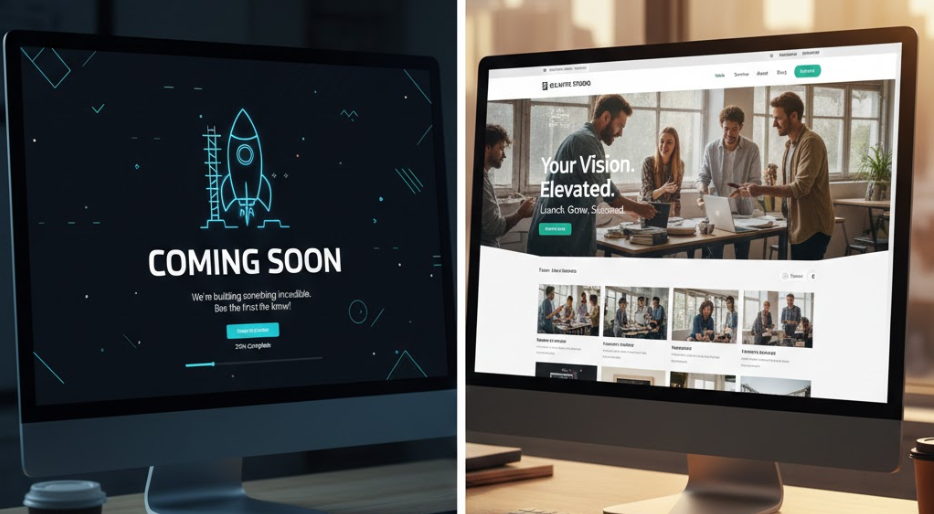
Placeholders make a site feel unfinished.
Replace them with real photos, real offers, and real copy to feel like a real business, not a template.
3) Keep Your Branding Consistent
Your site should look and feel the same everywhere. Check that your logo, colors, and fonts match across all pages.
Stick to your brand colors and use them consistently for headers, buttons, and links.
Tools like Coolors can help here.
4) Don’t Skip the Legal Basics
It’s not exciting, but it’s non-negotiable.
Make sure your privacy policy, terms & conditions, and NDPR/GDPR notices are in place.
You can start with free generators like Termly, then customize them for Nigerian data laws.
Add the links to your footer to help build trust, especially if you’re using Paystack or collecting customer data.
5) Test Navigation Like a Real Visitor
Click everything. Menus, buttons, images, and even your logo (it should always link back to the homepage).
Test on mobile too, because that’s where most users are.
Dead links and confusing menus frustrate visitors fast.
Phase 2: Functionality and User Experience (UX)
Now that your site looks good, test if it feels good too.
About 74% of web traffic comes from Android phones, and if your site feels slow, awkward, or broken, people won’t struggle; they’ll just leave.
In fact, over half of visitors bounce if a page drags or acts funny.
This phase is all about smoothing out the experience so visitors actually convert.
1) Test Mobile Responsiveness
Your site should work smoothly on phones, tablets, and desktops without pinching, zooming, or weird layouts.
Use Google’s Mobile-Friendly Test, and preview your site on real devices to see what everyday Naija users see.
2) Check Browsers People Actually Use
Next, open your site in different browsers, like Chrome, Safari, Firefox, and Edge.
Free tools like BrowserStack help you test without owning every device.
That said, focus on Chrome first; it accounts for about 70% of browsing in Nigeria. Still, don’t ignore the others.
3) Test Every Form
Forms are where business happens, from contact forms, sign-ups, and checkouts. Test every single one.
Submit dummy entries and make sure:
- Confirmation messages appear
- Emails land in the inbox (not spam)
- WhatsApp-linked forms actually notify you
If you’re collecting payments, test with Naira gateways like Flutterwave.
4) Create a Helpful and Friendly 404 Page
People will hit broken links, it’s normal. What matters is what happens next.
Instead of a cold “Page Not Found,” create a custom 404 page that gently guides users back.

Something playful like, “Lost in traffic? Take a quick detour to our homepage.”
Plugins like Custom 404 Pro make this easy and help keep bounce rates low.
5) Speed Things Up
Speed can make or break your site. Aim for load times under 3 seconds, especially on mobile.
Compress images with tools like TinyPNG and optimize your site with plugins like WP Rocket.
On Truehost, our LiteSpeed servers already shave off up to 40% of load time across all plans, so you’re starting ahead.
6) Final Check
With free daily backups and free migrations on Truehost, you can test and tweak without stressing about breaking anything.
And if you want expert eyes on your UX, our Website Management service keeps your site smooth even on spotty 4G connections.
Phase 3: SEO and Analytics
Here’s the hard truth: a great website that no one can find is basically invisible.
And in 2026’s crowded digital space, visibility is everything.
This phase makes sure search engines understand your site and that you can clearly see what visitors are doing once they arrive.
1) Write Meta Titles That Make People Click
Every page on your site needs its own title tag and meta description.
Keep titles under 60 characters, and naturally include your keyword.
Plugins like Yoast SEO make this almost foolproof, and it works smoothly on our cPanel setups at Truehost.
2) Install Analytics
Next, plug in Google Analytics (GA4). This is how you know what’s working and what isn’t.
Track things like where visitors are coming from, what pages they spend time on, and whether they’re filling forms or bouncing.
Set goals for form submissions and pay attention to Nigeria-specific data, like device types and network performance.
3) Help Google Index Your Site Faster
You don’t want Google guessing what pages to crawl. So, submit your sitemap directly through Google Search Console.
Yoast can generate the sitemap in one click, then you just verify site ownership using your free SSL and DNS (included with Truehost).
This step speeds up indexing, especially useful for .ng domains.
4) Add a Favicon
That tiny icon in the browser tab matters more than you think.
Upload a 16×16 PNG of your logo as your favicon.
It makes your site instantly look more professional and easier to recognize when users have multiple tabs open.
Our site builder tools handle this automatically if you’d rather not touch settings.
5) Layer in Local SEO Early
If you serve a specific location, don’t wait.
Claim and optimize your Google Business Profile so you show up in map results and “near me” searches.
And with Truehost’s unlimited bandwidth, you won’t panic when organic traffic starts spiking.
Phase 4: Security and Launch
You’re almost there. The site looks good, works well, and can be found. Now it’s time to secure it and launch with confidence.
1) Turn On SSL
First things first: activate SSL so your site runs on HTTPS.
That little padlock in the browser tells visitors (and payment gateways) that your site is safe.
At Truehost, our free Let’s Encrypt SSL is automated and takes seconds to activate.
2) Take a Full Backup Before Launching
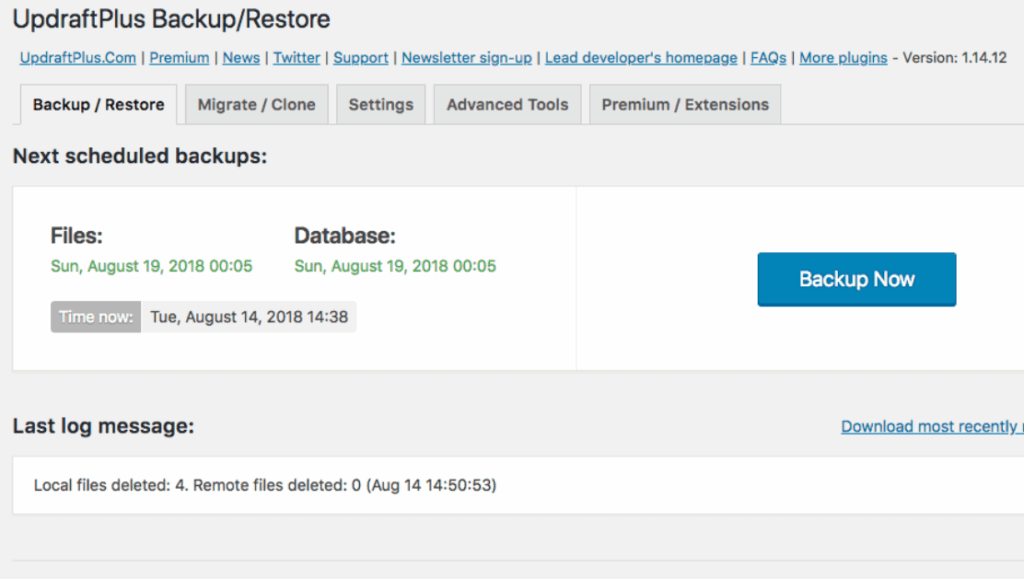
Before you flip the switch, make a full site backup. Think of this as your safety net.
Tools like UpdraftPlus let you store backups in the cloud, and on our plans, you can retain up to 30 days of backups.
3) Do a Final “Go-Live” Check
Now, confirm that your site is truly ready for the world.
Double-check that:
- Maintenance mode is turned off
- Search engines can access your site
- No noindex tags are accidentally blocking Google
Share a staging or live link with a fresh set of eyes for one last review, then ping Google so indexing kicks off quickly.
Post-Launch: What to Do After You Hit “Publish”
Launching isn’t the finish line. It’s Day 1.
This is where you smooth out real-world issues and start building momentum.
1. Re-test key forms and payments on the live site, especially on mobile and in incognito mode. Small issues often show up only after launch.
2. Then tell people you’re live. Announce it on social media, send an email blast, and run small targeted ads to Lagos or Abuja to kickstart traffic. Early visibility builds stability.
3. Watch your site’s performance using GA4 dashboards, and scale smoothly as traffic grows.
Conclusion
When website launch prep is done right, it gives your site a chance to be secured, seen, and ready to grow.
It’s your entry ticket into Nigeria’s fast-growing e-commerce space.
You only need to take your time to go through it thoroughly to avoid the rushed mistakes that derail most launches.
At Truehost, we support you all the way, with affordable Naira plans from ₦1,275/month, free .com.ng domains on annual plans, unlimited features on higher tiers, and 24/7 local support when you need it.
If you got all these checked, you’re ready to launch with confidence.
All the best!