Domain NamesFind and register your ideal domain name instantly.
 Web HostingEasy-to-use hosting powered by cPanel — ideal for managing websites in Nigeria.
 Windows HostingRun .NET apps with Windows-optimized hosting
 Affiliate ProgramMake money promoting our services
 Reseller HostingMake money by reselling our hosting products under your own brand
 .COM Domains
 All DomainsExplore all supported tld domains in Nigeria
 WhoisFind out who owns any domain, as well as verify your registration details
 VPS Hosting in Nigeria
 Dedicated ServersReimagine your site speed with your own complete server
 AI Website BuilderDesign your site with drag-and-drop tools
 Online Store BuilderStart your online shop without code
 Support PortalFind answers or get expert help
 Contact UsReach our team via chat or email
 BlogRead our extensive guides on web hosting and more
Is your website running slowly? Are you having problems with your current hosting company? You might be thinking about changing your web hosting.
It’s normal to feel a little unsure about moving your site. But changing your hosting provider is not as complicated as it seems. In fact, it’s a process that anyone can manage with the proper guidance.
This article will show you how to change your web hosting in simple steps. We’ll help you move your website safely and efficiently, so you can enjoy better service without the stress. You’ll also get to know why you should transfer your hosting to Truehost.
Is It Easy to Change a Hosting Provider?
Changing a hosting provider is not a single-click operation, but it is also not the technical nightmare many people imagine. The process is much more about being methodical and careful than it is about being a coding expert.
If you can navigate a file manager on your computer, basically, if you can find, copy, and paste files, and you can follow a clear set of steps, you have the fundamental skills to manage a hosting transfer.
It is similar to assembling furniture from a manual; if you skip steps or force pieces together, you’ll run into problems.
But if you follow the instructions in order, everything fits together as it should.
Preparation for Hosting Transfer
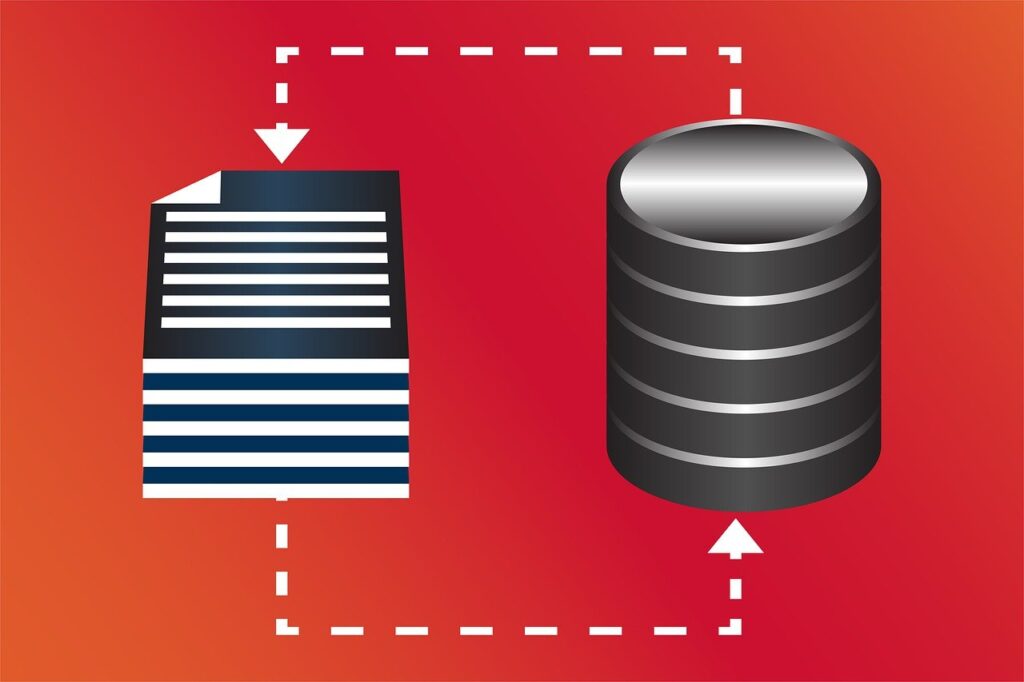
When you want to move to a new physical house, you wouldn’t just walk out of your old home and hope your stuff magically appears in the new one. Instead, you:
- Pack Everything Up: This is creating a complete backup of your website’s files, its database (which holds all your posts, pages, and settings), and your emails.
- Move the Boxes: You transport all those packed-up files to your new house, the new hosting server.
- Update Your Address: Finally, you file a change of address with the post office. In website terms, this means updating your domain’s nameservers to point to your new host, so visitors are directed to the right place.
The best part? Most reputable hosting providers, like Truehost, offer free migration services. This means our support team can handle steps 1 and 2 for you.
We essentially send professional movers to pack and transport your website safely, leaving you just to handle the final “change of address” form.
Reasons to Change or Transfer a Hosting Provider
People change hosts for many different reasons. It’s rarely just a whim; it’s usually a practical decision driven by a need for something better. Some common reasons include:
a) Poor Performance and Frequent Downtime
If your website loads slowly, visitors get impatient and leave, which hurts your credibility and your search engine rankings.
Even worse is frequent downtime when your site is unavailable. Every minute your site is down is a potential customer lost.
If your current host can’t provide a fast, stable foundation for your website, it’s like trying to run a shop in a building with a shaky foundation and frequent power cuts.
b) Inadequate Customer Support

When something goes wrong with your website, you need help, and you need it quickly.
There’s nothing more frustrating than dealing with slow, unhelpful, or outsourced support that doesn’t truly understand your problem or seems to be reading from a generic script.
Your hosting provider should be your partner, and if you dread contacting their support, that’s a clear sign the relationship isn’t working.
c) Outgrowing Your Current Plan
Outgrowing a hosting plan means your website is successful and attracting more traffic. You started with a basic plan, and now you’re hitting your limits on storage or the number of websites you can host.
If your current host doesn’t offer a clear, affordable path to upgrade, or if their more advanced plans aren’t much better, moving to a new provider can give you the room you need to grow without restrictions.
d) Security Concerns
Your website’s security is non-negotiable. If your host has frequent security breaches, doesn’t offer easy-to-install free SSL certificates, or doesn’t provide regular backups, your site and your visitors’ data are at risk.
A good host proactively provides the tools and infrastructure to keep you safe.
e) Cost and Value
Sometimes, you simply find a better deal. This isn’t just about a lower price tag; it’s about getting more for your money.
You might see a plan with another provider that offers more resources, better features, or superior support for the same price you’re paying now.
It’s smart business to ensure you’re getting the best value for your investment.
Step-by-Step Guide on How To Transfer Your Hosting Provider
Here’s the easiest way to do a hosting transfer:
Step 1: Choose and Set Up Your New Hosting Account
Before you cancel anything with your old provider, sign up for your new hosting plan. This gives you a destination for your website’s data.
During sign-up, you’ll have the option to specify that you are transferring an existing site.
Step 2: Back Up Your Entire Website from the Old Host
Create a complete backup of all your website files, databases, and email accounts from your current host.
Most control panels, like cPanel, have built-in backup tools. Download these backup files to your personal computer for safekeeping.
Step 3: Move Your Website to the New Server
You have two main options here:
Do It Yourself: Using an FTP client like FileZilla or the new host’s file manager, upload all your website files. You will also need to create a new database and import your old database file.
Use a Migration Service: This is the easier path. Many hosts provide free migration assistance. At Truehost, for instance, our team can handle a cPanel-to-cPanel transfer for you once you give the login details for your old account.
Step 4: Update Your Domain’s Nameservers
Your domain name has settings called nameservers that tell the internet where your website lives.
Once your site is fully copied and working on the new server, you need to log in to your domain registrar and change the nameservers to the ones provided by your new hosting company.
For example, if you move to Truehost, you would update your domain’s nameservers to:
- ns1.cloudoon.com
- ns2.cloudoon.net
- ns3.cloudoon.org
Step 5: Wait for DNS Propagation
After you update the nameservers, the change needs to spread across the internet. This can take anywhere from a few hours to 48 hours.
During this time, some visitors might see your old site while others see the new one. This is normal.
Step 6: Cancel Your Old Hosting Plan
Only after you are entirely sure that your website is running perfectly on the new server for at least 48 hours should you cancel your old hosting service.
Does Hosting Transfer Cost Money?

Moving your website to a new host is free. Many providers, including us at Truehost, offer a free migration service.
We can handle the technical side of moving your files and databases for you at no extra charge.
If you’re a do-it-yourself person, you can also move the files yourself, which also doesn’t have a direct cost.
Will a Site Go Down During Hosting Transfer
With a careful plan, you can expect little to no downtime.
From our steps on hosting transfer, the secret is in the order of operations. You don’t just turn off the old site. Instead, you first set up your new hosting account and copy your entire website over to the new server.
Your original site stays live and untouched throughout this process.
The actual switch happens when you update your domain’s nameservers, essentially changing the address in the Internet’s phone book.
This update doesn’t take effect instantly everywhere. It goes through a gradual global rollout called DNS propagation, which can take 24-48 hours.
During this time:
Some visitors will see your site on the new server.
Others will still see it on the old one.
Crucially, both locations will show your complete, working website. For your audience, it’s a seamless experience with no interruptions.
Once the propagation is finished and everyone is directed to the new host, you can then confidently cancel your old service.
How to Transfer Hosting To Truehost
If you are looking for a reliable hosting partner, Truehost has your needs in mind. Our goal is to provide a service that is powerful, secure, and easy to use without being expensive.
Here’s what you can expect with us:
- Experienced Customer Support: Our team of experts is available 24/7 through live chat, WhatsApp, tickets, and phone calls. We have real people ready to help you solve problems quickly.
- Cost-Effective Plans: Everyone should be able to host a website. Our plans are designed to be affordable, starting from just ₦500 per month, so you don’t have to overspend.
- Strong Security and Privacy: We take your security seriously. All our plans include free automated SSL certificates to keep data safe, and we are committed to upholding your privacy.
- Built for Nigeria: With local expertise and a 99.9% uptime guarantee, we ensure your website is available for your customers when they need it.
- Free Features: We include free website migration, a free .com.ng domain on annual plans, unlimited email accounts, and daily backups on many plans, so you get a complete package.
Our hosting plans are meant to grow with you:
- WebHosting Starter (NGN 1,275/month): Perfect for getting started, it hosts 10 websites, includes 30 GB SSD storage, and a free .com.ng domain.
- WebHosting Pro (NGN 6,125/month): Ideal for growing businesses, supporting ~50,000 monthly visits, 50 GB SSD storage, and more power.
- WebHosting Unlimited (NGN 9,300/month): Our most powerful shared hosting, offering unlimited websites, unlimited SSD storage, and enhanced resources.
Pros and Cons of Hosting Transfer
The advantages of hosting transfer are:
- Improved Performance: A faster server means a better experience for your visitors.
- Better Support: Access to responsive and knowledgeable support staff.
- Enhanced Features: You can get more storage, bandwidth, and free tools for the same price.
- Cost Savings: Switching can often get you a better deal, especially with introductory offers.
The disadvantages are:
- If something goes wrong during the file transfer, it can be technically challenging to fix.
- The waiting period can be confusing, and you might need to answer questions from users during the switch.
- If backups are not created correctly, you could lose data. This is why the backup step is non-negotiable.
Hosting Transfer Best Practices
When changing your hosting provider, here are some tips you can apply to make the transition smooth:
Keep Your Old Host Active
Don’t cancel your old hosting until you’re sure the transfer is complete. Leave it running for at least a week after switching nameservers as a safety net during the transition.
Test Everything First
Use the temporary URL from your new host to check your site thoroughly. Test all links, forms, and features while it’s still private to catch any issues early.
Choose the Right Timing
Make the final switch during low-traffic hours, like late nights or weekends. This minimizes potential impact on your visitors if any minor issues arise.
Notify Your Audience
For busy sites, a brief maintenance notice builds trust and manages expectations. Let users know you’re working to improve their experience.
Ask for Help
Your new host’s support team is migration experts. Don’t hesitate to contact them with questions; that’s what they’re there for. Many providers offer free migration assistance if you need it.
FAQs
Will I lose my emails if I transfer hosting?
Not if you plan correctly. Your emails are stored on the server, so you need to back them up before moving or using a migration service that includes email accounts. If you use third-party email like Gmail or Outlook, your hosting change won’t affect them.
How long does a hosting transfer take?
The file transfer itself can take a few hours, but the whole process usually takes 24-48 hours. This includes DNS propagation, the time it takes for the internet worldwide to recognize your new site address.
What happens when you cancel hosting?
Your website and emails become inaccessible immediately. Always make sure your site is successfully running with a new host, and you have full backups before canceling.
Conclusion
You see? Switching your web host is more straightforward than it seems. It’s a step-by-step process that anyone can manage, especially with a bit of guidance.
If your current host is letting you down with slow speeds, poor support, or high costs, moving to a new provider can solve these issues quickly.
If you’re ready for a better hosting experience, let Truehost make it easy for you. We offer free website transfers, 24/7 support, and affordable plans designed to help your site thrive.