Domain NamesFind and register your ideal domain name instantly.
 Web HostingEasy-to-use hosting powered by cPanel — ideal for managing websites in Nigeria.
 Windows HostingRun .NET apps with Windows-optimized hosting
 Affiliate ProgramMake money promoting our services
 Reseller HostingMake money by reselling our hosting products under your own brand
 .COM Domains
 All DomainsExplore all supported tld domains in Nigeria
 WhoisFind out who owns any domain, as well as verify your registration details
 VPS Hosting in Nigeria
 Dedicated ServersReimagine your site speed with your own complete server
 AI Website BuilderDesign your site with drag-and-drop tools
 Online Store BuilderStart your online shop without code
 Support PortalFind answers or get expert help
 Contact UsReach our team via chat or email
 BlogRead our extensive guides on web hosting and more
Running an online store is not just about looking good; it’s about being in control.
A beautiful homepage might attract attention, but it’s what happens behind the scenes that actually makes sales happen.
That behind-the-scenes power lives inside your ecommerce admin panel.
This is where your store truly runs. You add products, monitor orders, track sales, respond to customers, and make smart decisions that grow your business. When this panel works well, everything flows. When it doesn’t, even simple tasks feel frustrating.
If you’re new to online selling, setting up your ecommerce admin panel can feel overwhelming. You might worry about clicking the wrong button or breaking something important. That feeling is completely normal. We at Truehost understand this to the core, and that’s exactly why we’ve made the setup process simple, guided, and beginner-friendly.
Think of your admin panel like the cockpit of an airplane. Without it, you’re just along for the ride. With it, you’re the pilot, choosing the direction, controlling the speed, and deciding how far your business can go.
In this guide, I’ll walk you through setting up your ecommerce admin panel step by step, to help you take control and start selling with confidence.
What Is an Ecommerce Admin Panel?
An ecommerce admin panel is your store’s private control room.
It’s the part of your website that customers never see, but you use every day to keep things running.
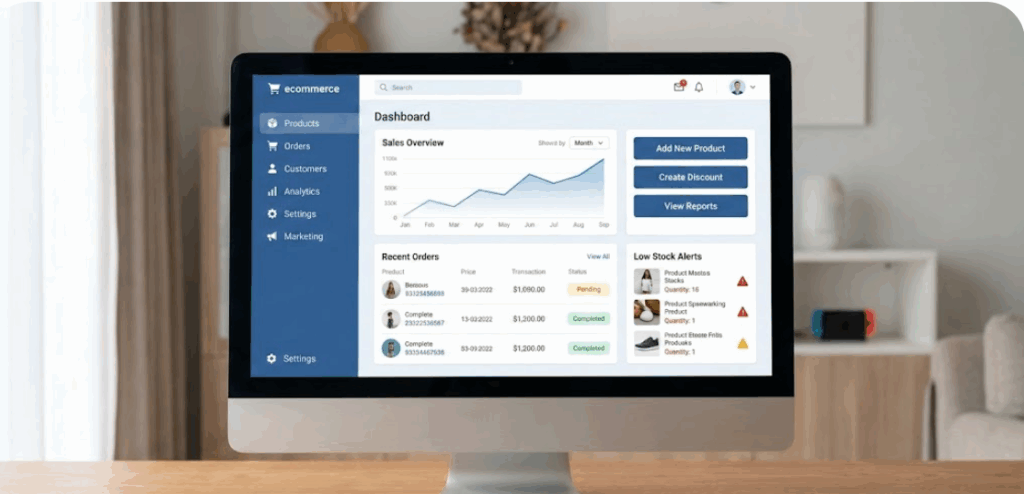
This is where you handle the real work, updating prices, managing stock, processing orders, and seeing who’s buying from you. Everything that makes your online shop function smoothly happens here.
The good news? You don’t need to be good at using technology and gadgets or know how to code. Modern ecommerce admin panels are built to be user-friendly, with clear menus and simple buttons that help you get things done quickly and confidently.
Once you get comfortable with your admin panel, managing your store starts to feel easy, even enjoyable.
Why Your Ecommerce Admin Panel Matters
Your online store is only as strong as the system powering it behind the scenes.
No matter how great your products are, a weak or confusing ecommerce admin panel will slow you down and limit your growth.
A well-built admin panel works quietly in the background, making everyday tasks feel effortless instead of stressful.
Here’s why it matters so much:
- You save time every single day
Simple actions like updating prices, adding products, or confirming orders take just a few clicks. Less time on admin work means more time focusing on marketing and sales.
- You avoid costly mistakes.
Clear dashboards and alerts help you spot issues early, like low stock, failed payments, or shipping errors, before they turn into lost money or unhappy customers.
- You scale your business with confidence
As orders increase, a strong admin panel keeps everything organized. You can handle more customers, more products, and more transactions without feeling overwhelmed.
- You understand what’s really selling
Built-in reports show you which products perform best, when customers buy the most, and where your revenue comes from. This insight helps you make smarter business decisions instead of guessing.
When your admin panel is hard to use or unreliable, growth becomes a struggle. Tasks pile up, errors slip through, and running your store starts to feel exhausting instead of exciting.
That’s why choosing the right hosting and setup from the beginning is so important, especially in Nigeria, where speed, uptime, and local reliability directly affect customer trust. A fast, stable hosting environment ensures your ecommerce admin panel stays responsive, secure, and ready to support your business as it grows.
Key Features to Look For
Before you start the setup, you should know what makes a dashboard effective. Not all panels are created equal.
| Feature | Why it Matters |
| Inventory Management | Helps you avoid selling items that are out of stock. |
| Order Tracking | Let’s you see exactly where a package is at any time. |
| User Roles | Allows you to give staff access without sharing your master password. |
| Analytics | Shows you your daily, weekly, and monthly revenue. |
| Payment Integration | Connects your shop to banks and mobile money services. |
Top 4 Platforms for Your Ecommerce Admin Panel
Choosing the right platform is one of the most important decisions you’ll make when setting up your ecommerce admin panel. This choice affects how easy your store is to manage today, and how well it can grow tomorrow.
Here are the most popular options used by Nigerian entrepreneurs, explained in a simple, no-pressure way.
1) WooCommerce
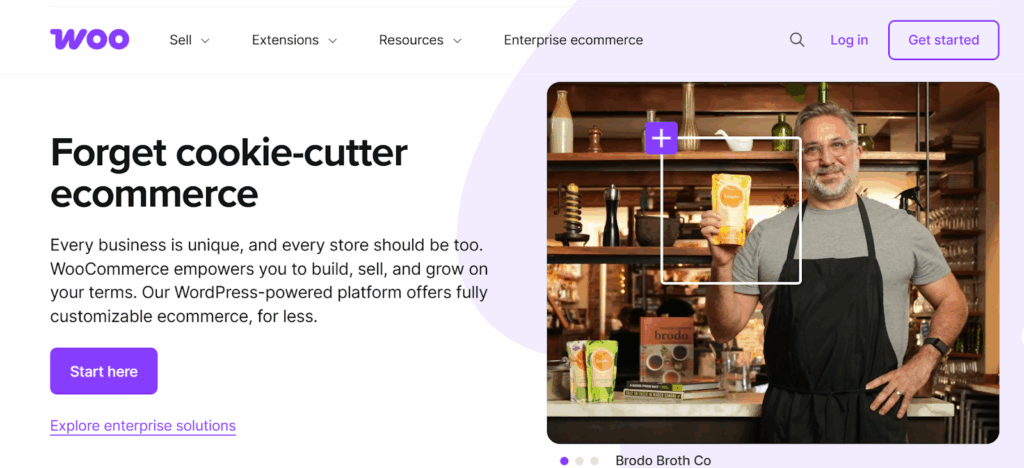
WooCommerce is one of the easiest ways to get started.
It’s a plugin that runs on WordPress, which makes it perfect if you’re already familiar with WordPress.
It’s popular because:
- You can start for free
- It’s beginner-friendly
- You can customize it as your store grows
For small to medium businesses, WooCommerce feels comfortable and flexible. You don’t need advanced technical skills to manage products, orders, or customers.
If you want control without complexity, WooCommerce is a solid choice.
2) Magento (Adobe Commerce)
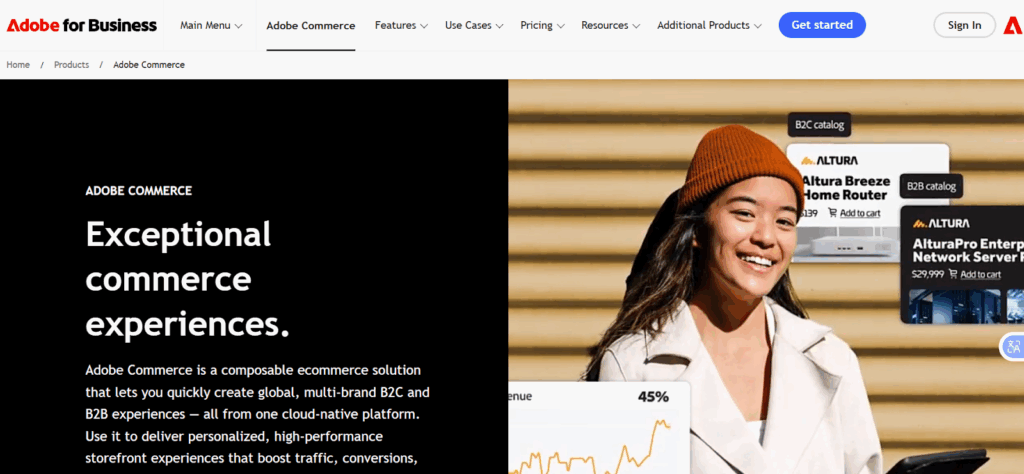
Magento is built for serious scale.
It’s designed for large stores with thousands of products and high traffic.
What makes Magento powerful:
- Deep customization options
- Advanced inventory and order management
- Strong performance for big stores
That said, Magento requires more technical knowledge. Most businesses using it work with developers or technical teams.
If you’re planning for massive growth and have the resources, Magento delivers power.
3) PrestaShop
PrestaShop sits nicely between simplicity and power.
It’s open-source, easy to understand, and packed with useful ecommerce features.
Why many store owners like it:
- Clean admin interface
- Large community support
- Wide range of themes and add-ons
It’s a great option if you want more control than basic platforms offer, without the heavy technical demands of Magento.
4) Laravel (Custom Build)
If you want something truly unique, a Laravel-based admin panel gives you full freedom.
This option is best when:
- Your business has special workflows
- You need custom tools or features
- You want full control over how everything works
Developers love Laravel because it’s flexible and powerful. The downside is that it requires development time and a higher budget.
This route is ideal when off-the-shelf platforms no longer meet your needs.
How to Set Up Your Ecommerce Admin Panel
Setting up your dashboard is a step-by-step journey. Follow these stages to get your store live.
Step 1: Choose a Reliable Hosting Provider
Your admin panel lives on a server. If that server is slow, your dashboard will lag, making it hard to manage your shop. For most shops, a Standard Web Hosting plan is a great place to start.
If you expect a lot of traffic, you might want more power.
[Try VPS Hosting]
Step 2: Install Your Platform
Most hosting providers offer “One-Click Installs.” This means you can set up WordPress or PrestaShop with just a few clicks from your hosting account.
- Log in to your hosting control panel (cPanel).
- Find the “Softaculous” or “App Installer” section.
- Select your chosen ecommerce platform.
- Click “Install” and follow the prompts.
Step 3: Configure Your Basic Settings
Once installed, log in to your new ecommerce admin panel. Usually, the link looks like https://www.google.com/search?q=yourstore.com/admin.
Your first task is to set your currency to Naira and choose your time zone. This ensures your sales reports are accurate.
Step 4: Set Up Payment Gateways
You want to get paid, right? You need to connect your panel to a payment processor. In Nigeria, options like Paystack and Flutterwave are excellent choices.
They integrate directly into most admin panels, allowing you to accept cards and bank transfers instantly.
Setting Up Products the Right Way
Products are the heart of your store.
1) Add Your First Product
Inside the Products section:
- Click Add New
- Enter product name
- Add a short, clear description
- Upload quality images
Keep descriptions simple and honest.
Customers don’t read essays.
2) Set Pricing and Stock
Always:
- Enter correct prices
- Track inventory if you sell physical goods
- Enable low-stock alerts
This helps you avoid selling what you don’t have.
3) Organize with Categories
Categories make navigation easy.
Examples:
- Men’s Clothing
- Electronics
- Beauty Products
A clean structure improves user experience and SEO.
Payment Gateway Setup (Nigeria-Friendly)
Your ecommerce admin panel lets you connect payment gateways.
For Nigerian businesses, popular options include:
- Paystack
- Flutterwave
- Bank transfers
Inside your admin panel:
- Go to Payments
- Enable your preferred gateway
- Enter API keys (provided by the payment provider)
Always test payments before going live.
Shipping and Delivery Settings
Shipping is one of the biggest decision-makers for your customers.
If delivery feels confusing or expensive, many people will leave without completing their purchase.
Your ecommerce admin panel gives you full control over how shipping works. From one place, you can:
- Set flat shipping rates so customers know exactly what to expect
- Enable location-based pricing for different cities or regions
- Offer free shipping to attract more buyers or boost order value
If you focus on local deliveries, keep your setup simple and transparent. Complicated rules only frustrate customers and slow down checkout.
Clear delivery options and upfront costs build trust, and they significantly reduce cart abandonment.
When customers know how and when their order will arrive, they’re more likely to click Buy Now without hesitation.
Managing Orders Like a Pro
Your Orders section is where your ecommerce business comes to life.
This is the space where clicks turn into real sales and real customers.
Inside this section, you can easily see:
- New orders as they come in
- Payment status, so you know what’s been paid for
- Delivery status, from processing to completed
Handling orders well is all about speed and clarity.
Best practices that make a real difference:
- Confirm orders quickly so customers know their purchase went through
- Update order statuses as items are processed, shipped, or delivered
- Communicate with customers if there are delays or questions
Customers feel more confident when they’re kept in the loop.
A fast, clear response doesn’t just close a sale, it builds trust and keeps people coming back.
Securing Your Admin Panel
Your dashboard contains sensitive customer data and your hard-earned money. You must keep it safe from hackers.
- Use Strong Passwords: Avoid “password123.” Use a mix of letters, numbers, and symbols.
- Enable Two-Factor Authentication (2FA): This sends a code to your phone every time someone tries to log in.
- Get an SSL Certificate: This encrypts the data moving between your computer and the server. Most Truehost plans include this for free.
- Limit Login Attempts: This blocks anyone who tries to guess your password too many times.
Common Ecommerce Admin Panel Mistakes to Avoid
Many beginners make the same errors.
Avoid these:
- Ignoring updates
- Using weak passwords
- Uploading low-quality product images
- Overloading the panel with unnecessary plugins
Keep your system clean and simple.
Conclusion
Your ecommerce admin panel is more than just a dashboard.
It’s the control center of your entire online business. When it’s simple, fast, and reliable, managing your store feels easier, decisions become clearer, and growth feels possible.
Starting with the right setup saves you time, reduces mistakes, and helps you scale with confidence. That’s why your hosting choice matters just as much as the platform you use.
We at Truehost understand what growing an online business in Nigeria really takes. From reliable servers to beginner-friendly tools and local support, we’ve built our ecommerce hosting solutions to help you succeed from day one.
If you’re ready to launch your store or upgrade your current setup, choose Truehost for a faster, safer, and smoother ecommerce admin panel experience.