Domain NamesFind and register your ideal domain name instantly.
 Web HostingEasy-to-use hosting powered by cPanel — ideal for managing websites in Nigeria.
 Windows HostingRun .NET apps with Windows-optimized hosting
 Affiliate ProgramMake money promoting our services
 Reseller HostingMake money by reselling our hosting products under your own brand
 .COM Domains
 All DomainsExplore all supported tld domains in Nigeria
 WhoisFind out who owns any domain, as well as verify your registration details
 VPS Hosting in Nigeria
 Dedicated ServersReimagine your site speed with your own complete server
 AI Website BuilderDesign your site with drag-and-drop tools
 Online Store BuilderStart your online shop without code
 Support PortalFind answers or get expert help
 Contact UsReach our team via chat or email
 BlogRead our extensive guides on web hosting and more
Server storage is simply where your data lives when it’s not actively being used.
Thank you for reading this post, don't forget to subscribe!When data is “in motion,” it sits in RAM, fast, yes, but temporary. The moment a server shuts down, whether planned or not, that data disappears.
That’s why anything important, like your website files, customer records, and app data, has to be saved to a more permanent storage solution.
So in this case, server storage is the foundation holding up your website, app, or online business.
In 2026, you need to choose the right setup since at some point your customers will have data that needs to be stored at rest, from operating system data to configuration files, databases, and product inventory.
Data that is not backed up can be lost anytime due to hardware failure, malware infection, or breach.
That means all data should be backed up regularly, preferably off-site of the server where the original data is stored.
And this is where server storage gets important.
In this guide I’ll walk you through the main server storage technologies, explain how they work, and compare the architectures behind them.
I’ll also show how our setups at Truehost make modern, high-performance server storage accessible and practical for local users.
What Server Storage Really Means in 2026
When people talk about server storage, they’re really talking about the drives and systems inside, or connected to, a hosting server that hold everything your site or app needs to function.
This includes your files, databases, emails, images, and more.
This storage isn’t just sitting there quietly either. It’s being accessed constantly, often by hundreds or thousands of users at the same time, and sometimes under serious pressure.
So what actually matters when choosing server storage? A few key things:
- Speed – how fast large files are read and written
- IOPS – how many small tasks can be handled per second (this is a big deal for databases, logins, and search queries)
- Latency – how quickly the storage responds when it’s asked for data
- Durability – whether it can survive heavy, 24/7 usage without breaking down
- Cost per GB – because performance still has to make financial sense
Here’s the reality in 2026: the industry has gone flash-first for anything that needs to be fast.
SSDs, especially NVMe, are now the standard for active workloads. With AI-powered tools, mobile-first users, and always-on e-commerce, people expect instant responses, not spinning wheels.
Traditional HDDs haven’t disappeared, but their role has changed. They’re now best suited for cheap, bulk storage like backups and archives.
For performance-focused hosting, though, they’re no longer the default, and for most modern websites and apps, they shouldn’t be.
The Main Server Storage Media Technologies (The Drives)
These are the different options for server storage:
1) HDD (Hard Disk Drives)
These are the old-school, spinning disks that have been around forever.
Their biggest advantage is price; you get a lot of storage for very little money, and modern versions can reach massive capacities.
The downside, though, is speed. HDDs are slow, struggle with many users at once, and rely on moving parts that can wear out over time. They also use more power and make more noise.
That makes them best only for backups, archives, or very low-traffic sites where budget matters more than speed.
The 2026 reality check is to avoid HDDs for anything performance-related.
2) SATA SSDs
This is where things start to feel modern.
SATA SSDs replace spinning disks with flash memory, which means faster speeds and better reliability right away.
For many sites, switching from HDD to SATA SSD is a night-and-day improvement.
That said, SATA uses an older connection design, so there’s a performance ceiling it simply can’t break through.
It works best for everyday web hosting, blogs, small online shops, and medium-sized websites in Nigeria that need reliability without premium costs.
3) NVMe SSDs
If SATA SSDs feel modern, NVMe SSDs feel instant.
These drives connect directly to the server’s PCIe lanes, unlocking extreme speeds, massive IOPS, and ultra-low latency.
This is the kind of storage that keeps databases snappy, search results fast, and checkout pages loading without delay.
They do cost more per GB, but prices keep falling, and the performance gains are often worth it.
They work best for growing e-commerce stores, SaaS apps, developers, and any site where speed directly impacts conversions and SEO.
4) SAS SSDs
SAS SSDs are built for enterprise environments that run non-stop.
They’re designed for durability, work well in complex RAID setups, and handle constant heavy workloads without blinking.
For most small or mid-sized Nigerian businesses, though, they’re more than you need, and more than you want to pay for.
They are best for large dedicated servers and mission-critical enterprise systems.
Quick Comparison of the Storage Drives
| Feature | HDD | SATA SSD | NVMe SSD | SAS SSD |
| Speed | Very slow | Fast | Extremely fast | Fast |
| IOPS | Low | Moderate | Very high | High |
| Latency | High | Low | Very low | Low |
| Cost per GB | Cheapest | Moderate | Higher (but falling) | High |
| Durability | Lower (moving parts) | High | Very high | Very high |
| Best for (2026) | Backups & archives | General hosting | High-performance sites | Enterprise setups |
Server Storage Architectures: How the Storage Connects and Delivers
Choosing the right drive is only half the story.
Just as important is how that storage is connected and delivered to your server, because this affects speed, scalability, and how easily your setup can grow over time.
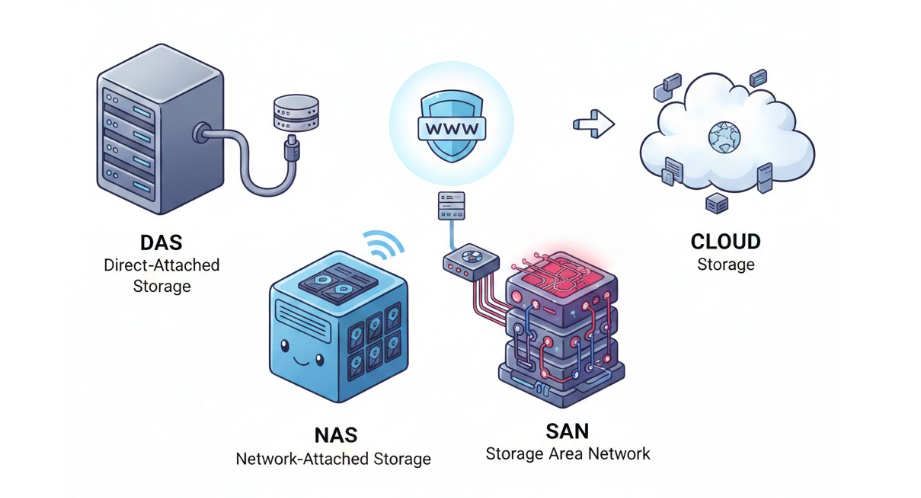
1) Direct Attached Storage (DAS)
This is the simplest setup. The drives live right inside the server itself, connected directly to the machine that’s using them.
There’s no network in between, which means fewer moving parts, lower cost, and the fastest possible access for that one server.
DAS is perfect for single-server setups or dedicated hosting where you want raw performance without any extra complexity. If speed is your top priority, this is hard to beat.
2) Network Attached Storage (NAS)
NAS takes a different approach. Instead of living inside one server, storage is shared over your network at the file level.
This makes it great for backups, media libraries, or teams that need shared access to files.
It’s easy to manage and works well for small businesses, but it’s not the best choice for high-performance databases or applications that need ultra-low latency.
3) Storage Area Network (SAN)
SAN is the heavyweight option. It delivers block-level storage over a dedicated, high-speed network, offering very low latency and excellent reliability.
This is why SANs are common in virtualization environments, large databases, and mission-critical systems like VMware clusters.
The trade-off is the cost and complexity. SANs are powerful, but they’re usually overkill unless you’re running enterprise-scale infrastructure.
4) Cloud Storage
Cloud storage lives off-site and scales on demand. You pay for what you use, making it great for traffic bursts, disaster recovery, or teams working remotely.
Think services like AWS EBS or similar platforms.
In 2026, many setups are hybrid. Fast NVMe storage handles “hot” data directly on the server, while cloud storage quietly takes care of backups and long-term archives.
What Works Best in 2026?
For most users in Nigeria today, the sweet spot is Direct Attached Storage with NVMe inside a VPS or dedicated server.
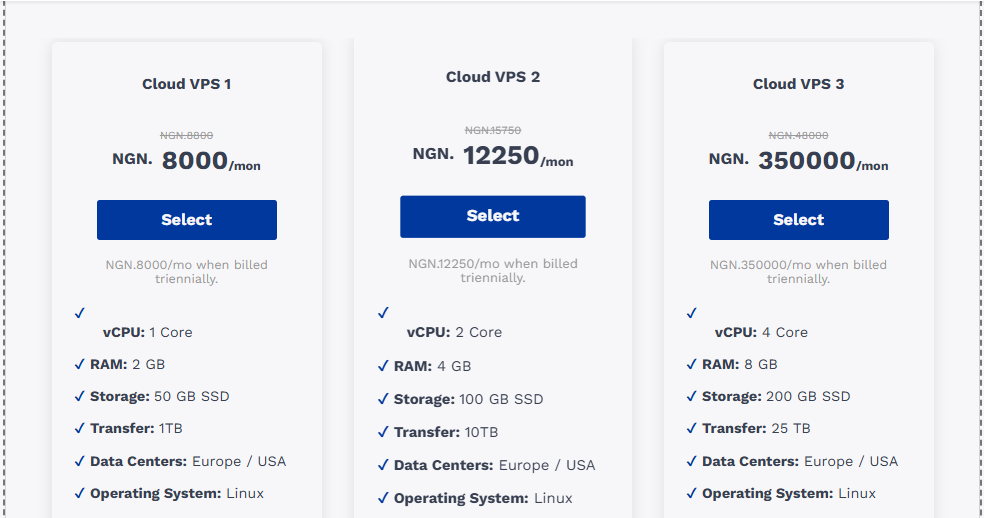
It delivers the speed and reliability modern websites and apps need, without the cost or complexity of enterprise-grade systems.
What You Get at Truehost for Server Storage
At Truehost, we design our hosting with performance that actually matters to Nigerian businesses.
Our shared hosting plans run on fast SSD storage (with up to unlimited storage on higher plans), backed by modern infrastructure that includes NVMe SSDs in our cloud environments for quicker response times.
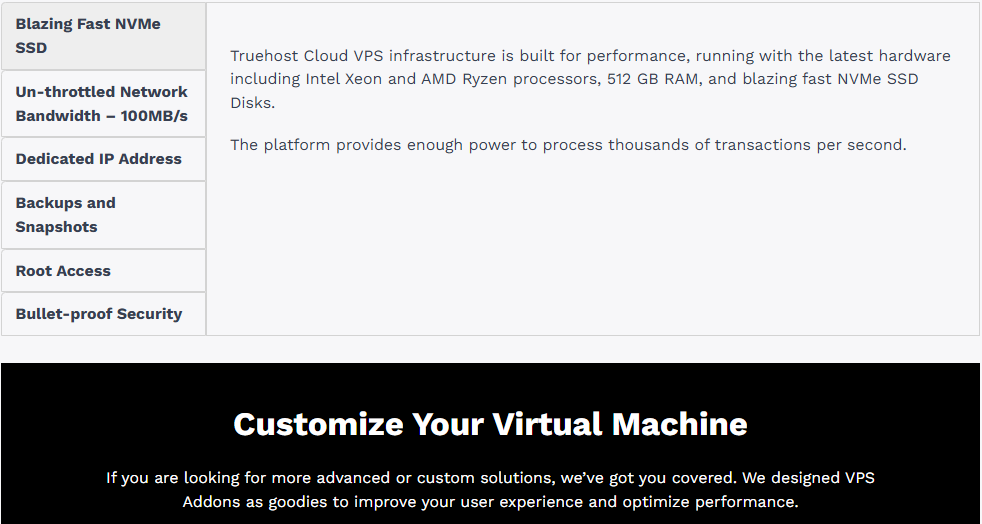
Our VPS hosting goes all-in on blazing-fast NVMe SSD disks, paired with dedicated resources, unthrottled bandwidth, LiteSpeed, HTTP/3, and server locations including Nairobi.
This means low latency for African users, plus additional global options.
For businesses that need maximum control, our dedicated servers come with fast SSD configurations (such as 2×1TB options) and full customization to match your workload.
Across all plans, you get 99.9%+ uptime, free migrations, SSL certificates, daily backups, and 24/7 support via WhatsApp, live chat, and phone, all at pricing designed for local budgets.
Final Thoughts
In 2026, the direction is clear.
NVMe SSDs lead for speed and responsiveness, and SATA SSDs handle everyday workloads well.
Again, HDDs are best kept for cheap archives and backups, and architectures like DAS deliver raw performance while cloud storage adds flexibility.
Choose based on your traffic, your growth plans, and your users.
One thing rarely changes, and faster server storage almost always means a better user experience, higher conversions, and stronger search rankings.
Now, if you’re thinking about upgrading, take a look at our modern server storage options at Truehost and find a plan that helps your site feel faster the moment it goes live.