DomainsFind and register your ideal domain name instantly.
 Web HostingEasy-to-use hosting powered by cPanel — ideal for managing websites in Nigeria.
 Windows HostingRun .NET apps with Windows-optimized hosting
 Affiliate ProgramMake money promoting our services
 Reseller HostingMake money by reselling our hosting products under your own brand
 .COM Domains
 All DomainsExplore all supported tld domains in Nigeria
 WhoisFind out who owns any domain, as well as verify your registration details
 Dedicated ServersReimagine your site speed with your own complete server
 AI Website BuilderDesign your site with drag-and-drop tools
 Online Shop BuilderStart your online shop without code
 Support PortalFind answers or get expert help
 Contact UsReach our team via chat or email
 BlogRead our extensive guides on web hosting and more
From lead management and customer notifications to data synchronization and reporting, n8n automates everyday business processes by connecting the apps and services you already use.
n8n is a workflow tool that connects different apps and databases so they can pass information back and forth automatically. Instead of you logging into five different tools to move data around, n8n does that work for you in the background. Think of it as a digital assistant that never gets tired of repeating the same task.
You build these workflows by visually connecting blocks called nodes on a digital canvas. Each node represents a small task, like sending an email or saving a file, and you link them together like puzzle pieces. This visual approach means you do not need heavy coding skills to get started with n8n automation.
n8n follows what is often called a fair code model, which is a term worth explaining simply. It means the platform is open and inspired by open source software, so businesses can host it themselves for free.
If you prefer not to manage a server, you can also pay for a managed cloud version instead. Either way, n8n stays flexible enough to fit a small business budget.
How n8n Works (The Anatomy)
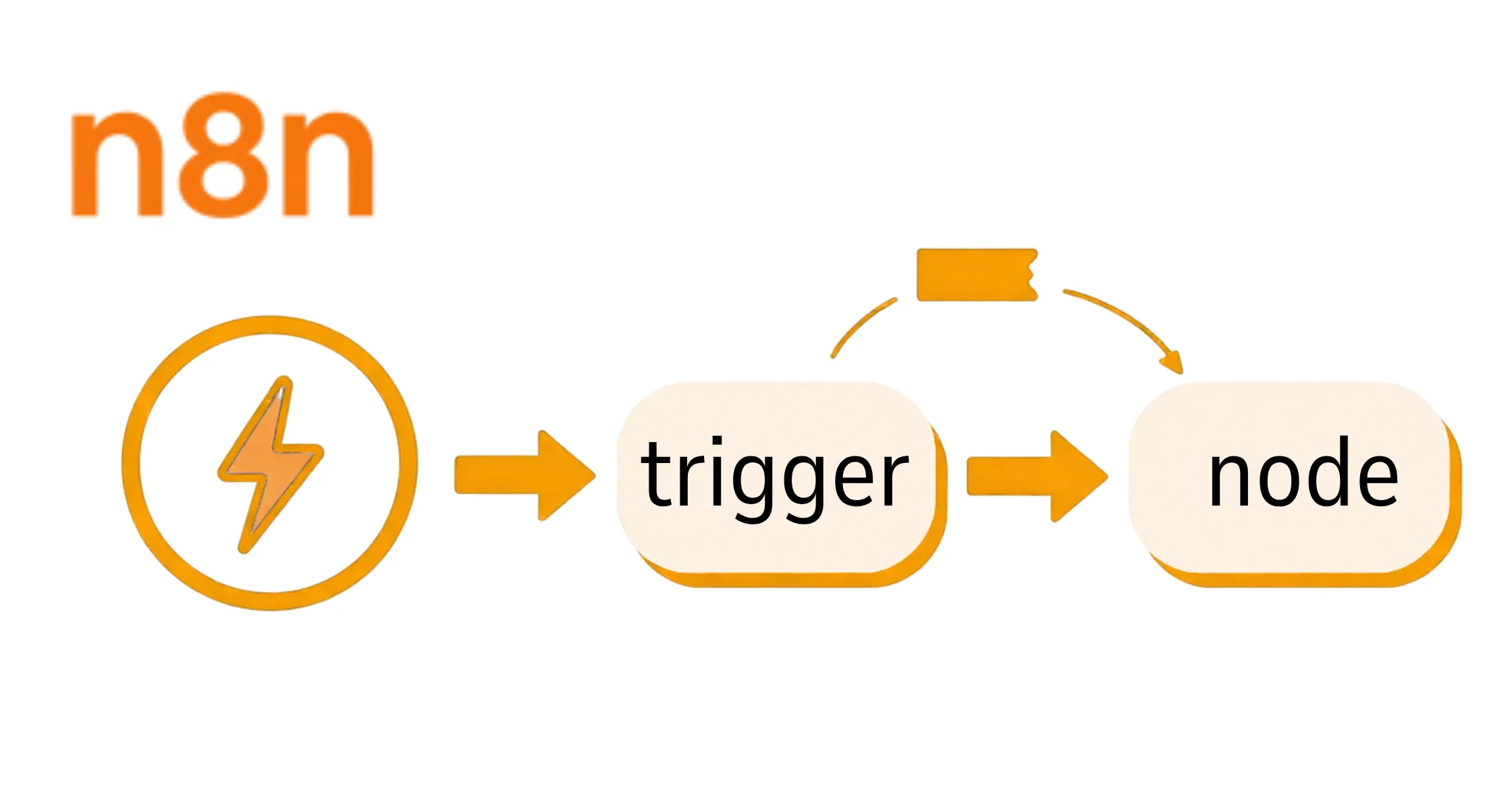
Every workflow in n8n automation is built from three basic parts, and once you know them, the whole system makes sense. These parts work together the same way ingredients work together in a recipe. Learning each one is the fastest way to start building.
a) The first part is a trigger, which is the event that starts a workflow.
A trigger might be receiving an email, getting a new form submission on your website, or reaching a scheduled time of day. Without a trigger, a workflow simply sits idle waiting for something to happen.
b) The second part is a node, which is an individual step that does the actual work.
A node might fetch data from a spreadsheet, send a message to a team chat app, or update a customer record. You can chain many nodes together to build a workflow as simple or as detailed as you need.
c) The third part is data flow, which describes how information moves from one node to the next.
As data passes through each node, it can be changed, filtered, or combined along the way. This is what makes n8n feel less like a single tool and more like a small assembly line for your business tasks.
What Makes n8n Different From Zapier and Make
If you have looked into automation before, you have likely heard of Zapier or Make, two popular automation tools in this space.
n8n stands apart in a few clear ways:
a) First is starting its visual builder that gives you a full canvas view of your entire workflow at once. This makes it easier to see how every step connects rather than scrolling through a long list.
b) Another big difference is the self-hosting option, which most competing tools do not offer in the same way. Since you can run n8n automation on your own VPS, you keep full control over where your business data lives. This is a big deal if you handle sensitive customer information and want it to stay off outside servers.
c) Pricing is another area where n8n pulls ahead for growing businesses.
Many competitors charge based on the number of tasks you run each month, which adds up fast as your business scales. Self-hosted n8n avoids that per-task pricing entirely, giving you far more room to automate without watching your bill climb.
d) Finally, n8n automation offers more flexibility for complex logic than most simple tools.
You can add conditions, loops, and custom code when a workflow needs to make smarter decisions. This makes it a better fit once your business outgrows basic one-step automations.
The Core n8n Benefits (Why Choose It?)
Beyond the technical differences, there are a few core benefits that make business owners choose n8n specifically. These benefits show up most clearly once you start running workflows at scale. Each one solves a real problem that other tools tend to leave unsolved.
a) The first benefit is no per-task billing when you self-host.
Traditional automation tools charge you every time a step runs, which can turn a busy month into a costly one. Self-hosted n8n removes that limit entirely, so high-volume automation stays affordable.
b) The second benefit of n8n automation is total data privacy, since running it on your own server means your data never has to leave your environment.
This is especially important if you handle finance, health, or legal information for your customers. Total control over your data also makes compliance conversations much simpler.
c) The third benefit is flexibility for coders, even though n8n works fine without any code at all.
Advanced users can write JavaScript or Python directly inside a node to handle detailed logic. This means the tool grows with your team, whether you are just starting out or building complex systems.
Built-in AI Capabilities
n8n also comes with strong built-in support for artificial intelligence, which sets it apart from older automation tools. This support comes through LangChain integration, a framework that lets you connect AI models directly into your workflows. In plain terms, this means your workflow can think through a task instead of just following fixed rules.
With this integration, you get native nodes for building AI agents that can use memory, tools, and models like OpenAI or Claude. An AI agent is simply a workflow step that can make a decision based on the information it reads. This lets your n8n automation handle situations that used to require a human to review first.
This support pushes n8n beyond rigid if-this-then-that rules into something far smarter. A smart workflow can reason through messy information, summarize a long document, or sort unstructured data into clear categories. That shift is a major reason businesses are moving toward n8n for tasks that once felt too complex to automate.
Who n8n Is Built For
n8n was not built for one type of user, which is part of why it has grown so popular.
a) Small business owners use it to handle daily tasks like invoicing and customer follow-ups without hiring extra staff.
b) Freelancers use it to manage client work, from onboarding forms to project updates, all without manual effort.
c) Agencies often use n8n automation to run repeatable processes across many clients at once, saving hours every week. A single workflow template can be reused across accounts with small tweaks for each client. This makes it easier to scale a service business without scaling your team at the same pace.
d) Technical teams also rely on n8n when they need deeper control than simpler tools allow. Developers appreciate being able to add custom code, connect internal systems, and self-host on infrastructure they trust. Whatever your role, there is a way to use n8n that fits your daily work.
Getting Started With n8n
Getting started with n8n automation comes down to one early decision, which is choosing between a cloud and a self-hosted setup.
n8n Cloud is a managed version where the company handles the servers, so you can start building right away. This route suits you if you want speed and prefer to skip technical setup work.
Self-hosting on a VPS is the second option, and it gives you full control over your data and costs less over time. A VPS is a virtual private server you rent and manage yourself, and Truehost offers reliable VPS plans built for exactly this kind of setup. Nigerian business owners often choose this route once they are ready to scale their automation.
Once your n8n instance is running, your first steps are simple. Create your first workflow, add a trigger, connect a few nodes, and test it with sample data before turning it on. From there, n8n grows with you one workflow at a time.
n8n works best when hosted on a VPS because it gives you full control over your workflows, reliable performance, enhanced security, and room to scale as your automation grows. If you’re ready to experience these benefits, choosing the right hosting provider is the next step.
Truehost n8n VPS is your best choice. You’ll enjoy the performance, security, and control of a self-hosted environment. Explore Truehost n8n VPS hosting plans today and launch your n8n instance in minutes, so you can build smarter workflows and focus on growing your business.
What is n8n Automation FAQs?
n8n is built with beginners in mind, using a visual canvas instead of lines of code. Most first-time users can build a simple workflow within an hour of exploring the interface. Templates and community guides also make it easier to learn common patterns quickly.
You do not need coding skills to build most workflows, since n8n relies on drag-and-drop nodes. Coding is only useful if you want to handle advanced logic that goes beyond the built-in options. Even then, you only need a small amount of JavaScript for most cases.
n8n offers a free self-hosted option along with paid cloud plans for businesses that prefer a managed setup. If you self-host on a VPS, your only real cost is server hosting rather than a subscription fee. This makes n8n a budget-friendly choice for small businesses.
A trigger is the event that starts your workflow, such as a new form entry or a set time of day. A node is a single step inside the workflow that acts once the trigger fires. Every workflow needs exactly one trigger but can include as many nodes as the task requires.
Yes, n8n includes native support for connecting AI models like OpenAI and Claude directly into your workflows. This lets your workflows read messages, summarize documents, and make decisions based on unstructured data. You can also add human approval steps for anything sensitive before it goes live.
Building a simple n8n automation workflow usually takes less than thirty minutes once you know the basic building blocks. More advanced workflows involving several apps and conditions can take a few hours to design properly. Most beginners feel comfortable building their own workflows within their first week.