Domain NamesFind and register your ideal domain name instantly.
 Web HostingEasy-to-use hosting powered by cPanel — ideal for managing websites in Nigeria.
 Windows HostingRun .NET apps with Windows-optimized hosting
 Affiliate ProgramMake money promoting our services
 Reseller HostingMake money by reselling our hosting products under your own brand
 .COM Domains
 All DomainsExplore all supported tld domains in Nigeria
 WhoisFind out who owns any domain, as well as verify your registration details
 VPS Hosting in Nigeria
 Dedicated ServersReimagine your site speed with your own complete server
 AI Website BuilderDesign your site with drag-and-drop tools
 Online Store BuilderStart your online shop without code
 Support PortalFind answers or get expert help
 Contact UsReach our team via chat or email
 BlogRead our extensive guides on web hosting and more
Running a website these days can feel a lot like juggling on a tightrope.
You want your pages to load in a flash, your visitors to have a smooth experience, and your site to handle sudden bursts of traffic. But at the same time, you’re staring at hosting bills, maintenance costs, and tools that can quickly eat up your budget. The real struggle? Finding that sweet spot where your website is fast and reliable without breaking the bank.
But there’s nothing more frustrating than a slow-loading site or one that crashes when traffic spikes. Visitors bounce, potential customers vanish, and your search rankings take a hit. All of that just because your site couldn’t keep up. It’s stressful and expensive, but it doesn’t have to be.
In this guide, we’re going to break down website performance versus cost in 2026 in a way that actually makes sense. You’ll learn where it’s smart to spend, where you can save, and practical strategies to make your site faster, more reliable, and easier to manage.
By the end, you’ll have a website that works for you, so you can spend your time growing your business.
Why Website Performance Matters
When we talk about website performance, most people immediately think of speed. But it’s much more than just how fast your pages load.
Performance affects almost every part of your online presence, from keeping visitors happy to helping your business grow.
1) User Experience
Imagine clicking on a website, waiting…and waiting…only to give up because it feels like forever. Frustrating, right? That’s exactly what happens to your visitors if your site is slow.
Research shows that 53% of users will leave a site that takes more than 3 seconds to load. And once they leave, they rarely come back.
A fast, smooth website keeps people engaged, encourages them to explore more pages, and gives them a positive impression of your brand.
2) Search Engine Ranking
Performance isn’t just about keeping visitors happy; it also affects how Google sees your site.
Search engines prioritize fast-loading websites because they know users prefer them. A slow website can drag down your rankings, meaning fewer people will even find your site in the first place. In other words, speed directly impacts visibility.
3) Conversion Rates
Every second counts when it comes to turning visitors into customers. Even a small delay can cause people to abandon a purchase, skip a signup, or leave a form incomplete.
Studies have shown that a 1-second delay in page load time can reduce conversions by up to 7%. That’s money left on the table simply because your site didn’t perform well.
The Cost of Website Performance
When it comes to website performance, many people assume that faster automatically means more expensive.
While it’s true that premium hosting plans and advanced tools can cost a bit more, there are plenty of ways to get a high-performing website without blowing your budget. The key is understanding where your money goes and making smart choices.
Key Areas That Affect Cost
- Hosting Plans
Your hosting plan is the foundation of your website’s performance. Options include:
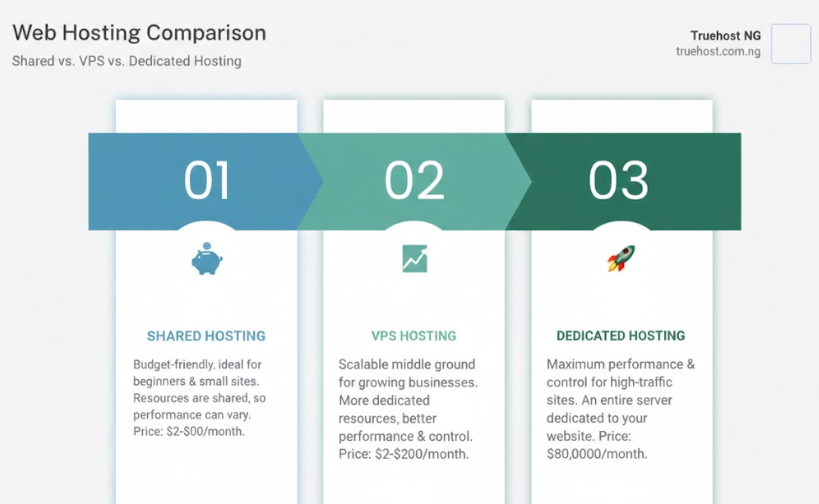
- Shared Hosting:
Cheapest, but resources are shared with other websites. Good for blogs or small sites.
Offers dedicated resources within a shared server. Ideal for growing sites or small e-commerce stores.
- Dedicated Servers:
Full server for your website. Best performance, but comes at a premium price.
- Cloud Hosting:
Flexible, scalable, and you pay for what you use. Great for websites with unpredictable traffic.
- Content Delivery Network (CDN)
A CDN stores copies of your website on servers around the world. This means visitors load your site from a location close to them, improving speed. Some CDNs are free, while others charge a monthly fee depending on traffic.
- Website Optimization Tools
Plugins, caching systems, image compressors, and other optimization tools can make a huge difference in performance.
Many of these have free options, while premium versions come with advanced features.
- Development and Maintenance
Custom coding, updates, security monitoring, and ongoing maintenance all contribute to cost. While not always visible upfront, neglecting these can slow your site and cause bigger expenses later.
How to Measure Website Performance
Before you decide how much to invest in your website, it’s essential to understand how your site is performing right now. Measuring performance helps you pinpoint what’s slowing your site down, where improvements will have the biggest impact, and which investments are truly worth it.
Here are the key metrics you should focus on:
1) Page Load Time
This is the total time it takes for your website to fully display in a visitor’s browser. Ideally, your pages should load in under 3 seconds.
- Why it matters: Slow pages frustrate users and increase bounce rates. Even a one-second delay can reduce conversions.
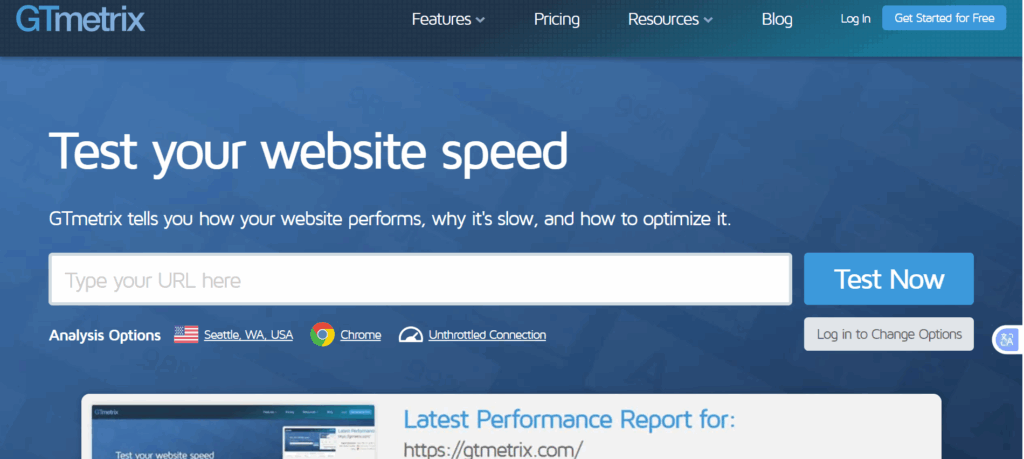
- How to check: Tools like Google PageSpeed Insights, GTMetrix, or Pingdom give detailed insights and improvement suggestions.
2) Time to First Byte (TTFB)
TTFB measures how long your server takes to respond to a visitor’s request. Think of it as the “reaction time” of your website.
- Why it matters: A slow TTFB means your site is already behind before it even starts loading content.
- How to check: Most speed test tools show TTFB. If it’s over 0.5 seconds, your server or hosting plan may need attention.
3) Uptime
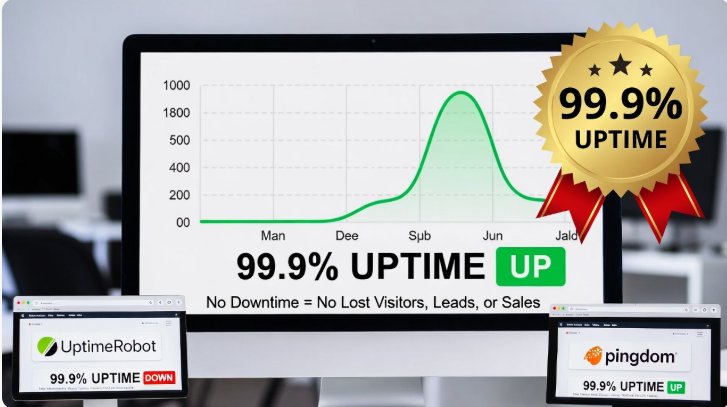
Uptime measures how often your website is accessible. The gold standard is 99.9% uptime or higher.
- Why it matters: Every minute your website is down, you could be losing visitors, leads, or sales.
- How to check: Use uptime monitoring tools like UptimeRobot or Pingdom to track downtime and get alerts.
4) Mobile Performance
With Google using mobile-first indexing, how your site performs on phones and tablets is just as important, if not more than, desktop performance.
- Why it matters: Slow mobile sites frustrate users, hurt rankings, and drive traffic away.
- How to check: Use Google’s Mobile-Friendly Test and PageSpeed Insights to analyze speed and usability on mobile devices.
Balancing Performance and Cost
Many people assume that the fastest websites always come with the highest price tag, but that’s not necessarily true. With the right strategy, you can get great performance without overspending. Here’s how:
a) Know Your Traffic
Your hosting choice should match your website’s current traffic:
- Small blogs or portfolios: Shared hosting is usually enough to handle visitors smoothly.
- Growing e-commerce stores: VPS or cloud hosting provides the extra resources needed for more traffic and transactions.
- Large enterprises: Dedicated servers or high-end cloud solutions make sense to handle heavy traffic and complex applications.
b) Optimize Before You Upgrade
Before jumping to a pricier plan, make sure your website is running efficiently:
- Compress images to reduce load times.
- Enable caching so pages load faster for returning visitors.
- Minify CSS, JavaScript, and HTML to cut down unnecessary code.
- Remove plugins or scripts that aren’t essential.
Often, these simple tweaks deliver a noticeable speed boost without costing a dime.
c) Scale Gradually
Start with what your site needs today, and upgrade only as traffic grows. Most hosting providers allow smooth upgrades, so you can move from shared to VPS, or VPS to cloud hosting, without downtime.
How to Optimize Performance
You don’t need a million-dollar budget to have a fast, reliable website. Small, smart adjustments can significantly boost performance while keeping costs low. Here are six practical ways to optimize your site:
1) Optimize Images
Large images are one of the biggest reasons websites load slowly. Convert heavy JPEGs or PNGs to WebP or other modern formats, and compress them without losing quality. Even small reductions in file size can drastically improve load times.
2) Use a CDN (Content Delivery Network)
A CDN stores copies of your website on multiple servers around the world. When a visitor accesses your site, the content is delivered from the server closest to them. This reduces load time and improves global performance. Services like Cloudflare even offer free plans for small sites.
3) Clean Up Plugins
If you’re using WordPress or another CMS, unused or outdated plugins can slow your site and create security risks. Regularly audit your plugins and remove anything unnecessary. Fewer plugins mean faster pages and less overhead.
4) Enable Caching
Caching allows your site to serve pre-built versions of pages to returning visitors, rather than generating pages from scratch each time. This can dramatically improve speed, especially for content-heavy sites. Popular caching plugins include W3 Total Cache and WP Rocket.
5) Minify Code
Your website’s CSS, JavaScript, and HTML files often contain extra spaces, comments, or unused code. Minifying these files reduces their size and helps pages load faster. Tools and plugins can automate this process so you don’t have to edit code manually.
6) Choose Lightweight Themes and Templates
A visually stunning website is great, but some themes are bloated with unnecessary features that slow things down. Choose a lightweight, well-coded theme that’s optimized for speed. This small decision can have a huge impact on performance without costing extra money.
Hidden Costs to Watch Out For
A cheap hosting plan might look like a great deal at first, but sometimes the real cost isn’t obvious. Before committing, keep an eye on these common hidden expenses:
- Renewal Fees: Many hosting plans are discounted for the first year and can double or triple when it’s time to renew.
- Premium Add-Ons: Backups, SSL certificates, advanced support, or security features may not be included in the base price.
- Traffic Limits: Exceeding bandwidth or storage limits can lead to extra charges or throttled performance.
When Higher Cost Is Worth It
While it’s important to watch your budget, there are situations where spending a little more upfront can save you money and headaches later:
- Downtime and Slow Speed: If your website goes down or loads slowly, you could lose customers, sales, or leads. Upgrading to a higher-tier plan often pays for itself through better reliability.
- Large Media or Complex Applications: Sites with high-resolution images, videos, or custom apps need more server resources than basic hosting can provide.
- Enterprise-Level Features: Advanced analytics, improved security, or premium support are usually only available on higher-tier plans, but they can be crucial for business-critical websites.
Conclusion
Balancing website performance and cost doesn’t have to be stressful. With the right hosting plan, smart optimizations, and a gradual approach to scaling, you can have a website that’s fast, reliable, and cost-effective. Remember: speed impacts everything, from user experience and search rankings to conversions and revenue. Investing wisely in performance is investing in your business’s growth.
At Truehost, we understand that every website is different. That’s why we offer hosting solutions that deliver high performance at prices that make sense, whether you’re running a small blog, a growing online store, or a large enterprise website.
If you’re ready to boost your website’s speed without breaking the bank, explore Truehost Hosting Plans Today and find the perfect plan for your site’s needs.