Domain NamesFind and register your ideal domain name instantly.
 Web HostingEasy-to-use hosting powered by cPanel — ideal for managing websites in Nigeria.
 Windows HostingRun .NET apps with Windows-optimized hosting
 Affiliate ProgramMake money promoting our services
 Reseller HostingMake money by reselling our hosting products under your own brand
 .COM Domains
 All DomainsExplore all supported tld domains in Nigeria
 WhoisFind out who owns any domain, as well as verify your registration details
 VPS Hosting
 Dedicated ServersReimagine your site speed with your own complete server
 AI Website BuilderDesign your site with drag-and-drop tools
 Online Store BuilderStart your online shop without code
 Support PortalFind answers or get expert help
 Contact UsReach our team via chat or email
 BlogRead our extensive guides on web hosting and more
Gaming servers are everywhere in 2026. From Minecraft to Rust raids, these servers are popular among gamers.
Everyone wants a space where they control the rules, the mods, and who gets to play.
If you love gaming, learning how to build your own gaming server is what you need.
In Nigeria, getting a gaming server, especially from local providers, makes a huge difference.
A local server not only runs faster, but it also makes every session more enjoyable for your friends nearby.
By the end of this guide, you’ll know:
- Why a gaming server is more than just a computer
- How to figure out what kind of server you really need
- Whether to build your own server or rent one locally
- Easy setup steps that work in Nigeria
- Tips for popular 2026 games like Minecraft, Rust, and FiveM
- How to keep your server secure and running smoothly
What Is a Gaming Server?
A gaming server is basically your own private space online. Instead of joining someone else’s server, where rules can change or griefers can ruin the fun, your server puts you in charge. You decide the mods, the maps, and who gets in.
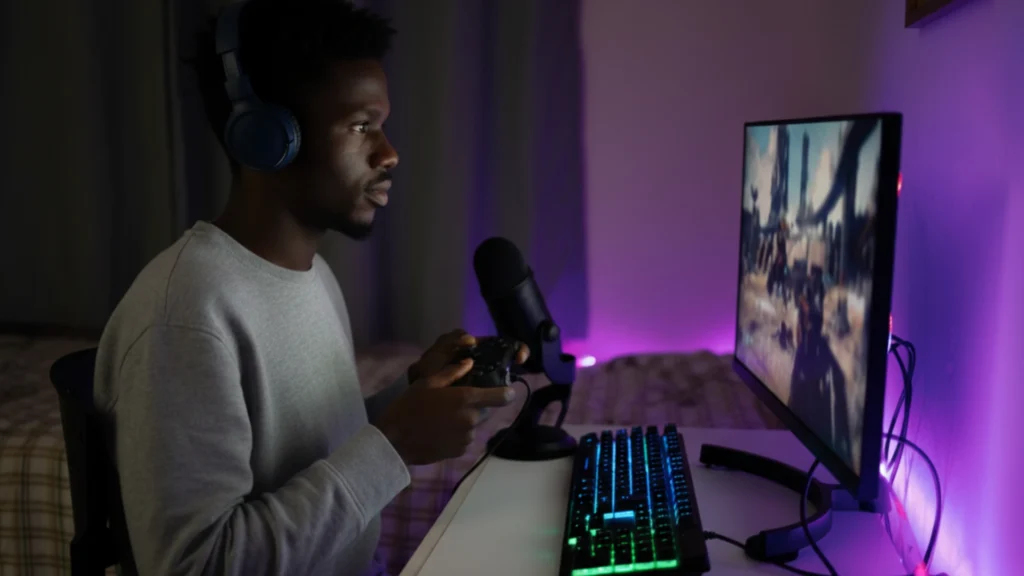
This is like owning a clubhouse in your neighborhood. Everyone has fun there, but you’re the one setting the hours, the rules, and the activities.
Technically, a gaming server is just a computer or a rented machine that runs the game 24/7. Players connect to it, and everything happens there: building, raiding, trading, or roleplaying.
There are two main types:
- Listen servers – Your PC hosts the game while you’re playing. Works fine for small groups, but once you log off, the server goes down.
- Dedicated servers – A machine that’s always on, just for the game. This is what serious gamers go for.
In 2026, games are bigger and hungrier than ever. Modded Minecraft packs or large Rust clans can chew through memory and processing power fast.
A strong gaming server keeps the game smooth, even if your squad is spread across Lagos, Abuja, or even Nairobi.
Owning or renting a gaming server doesn’t just reduce lag, it gives you control. You pick the rules, install the mods, and never worry about random shutdowns from free international hosts.
See also: Online Gaming Web Hosting in Nigeria
Know Your Needs Before You Start
Before you rush into buying hardware or signing up for hosting, it’s important to know what you actually need.
Otherwise, you might waste money on a server that’s too weak or pay too much for one you don’t fully use.
Start by asking yourself a few simple questions:
- How many players will join at the same time? Five friends? Or a community of 50+?
- Which games are you running? Vanilla Minecraft, mod-heavy ARK, Rust, or FiveM RP?
- Do you want lots of mods and plugins, or keep it simple?
- What’s your budget in Naira? Can you handle higher electricity bills at home, or would a fixed monthly fee for hosting be easier?
- How comfortable are you with tech? Do you like tinkering with Linux commands, or would you rather have a simple, click-and-go setup?
In Nigeria, home internet upload speeds can be slow, and power cuts are a reality.
If your connection can’t handle multiple players or NEPA cuts in the middle of a game, your friends will notice the lag or worse, they’ll get kicked.
Figuring out your needs first saves you headaches, time, and money. Once you know what you want, you can choose the right hardware or hosting plan without guessing.
Option 1: Building Your Own Physical Gaming Server
Building a home gaming server is just like putting together a custom PC, but for your friends or community. You own it, you control it, and you can tweak everything the way you want.
It feels rewarding, but let’s be honest: in Nigeria in 2026, it comes with some challenges.
Power bills can spike, heat can get intense, and NEPA outages can suddenly take your server offline. Still, if you love tinkering and want full control, DIY is worth considering.
Hardware That Actually Works in 2026
Here’s what you need for a solid home server that won’t choke on mods or large groups:
- CPU (Processor) – Games love high single-core speed. AMD Ryzen 9 7900X or 7950X3D are excellent, and Intel Core Ultra 9 works too if you find a good deal.
- RAM (Memory) – Start at 32GB DDR5. If you’re running mod-heavy Minecraft or 20+ player Rust, go for 64GB+.
- Storage – NVMe SSDs are essential for fast world loads. 1–2TB Gen4/Gen5 SSD is perfect. Add a bigger HDD for backups.
- Other bits – Reliable PSU (650W+), good motherboard, and proper cooling so the server doesn’t sound like a jet engine.
Quick Pros & Cons
| Aspect | Pros | Cons in Nigeria |
| Performance | Full power, zero sharing | High electricity bills, heat |
| Control | Total freedom (mods, settings) | You fix everything yourself |
| Cost Upfront | One-time purchase | Ongoing power + internet strain |
| Uptime | As good as your setup | NEPA outages = server offline |
Putting it together takes a few hours if you’re careful. You can use Ubuntu Server (lightweight and free) or Windows if you prefer a familiar interface.
DIY gives you full control, but for many Nigerian gamers, the hassle pushes people toward renting a server. You skip power drama, slow uploads, and maintenance headaches.
Option 2: Renting a Gaming Server
For most gamers in Nigeria, renting a gaming server is the easiest and smartest way to go. You skip the headaches of power bills, heat, and slow home internet.
The host takes care of the hardware, electricity, cooling, and 24/7 internet. You just focus on running your game.
Types of Hosting
- Shared hosting – Cheap and simple, but you share resources with others. Can lag if many players join at once.
- VPS (Virtual Private Server) – Your own slice of a bigger server. Faster, scalable, and more reliable.
- Dedicated server – A full machine just for you. Maximum performance, perfect for large communities or mod-heavy games.
Why Local Hosting Wins in Nigeria
International hosts like Shockbyte or Apex might sound good, but ping to Europe or the US kills the gaming experience 200+ ms lag makes Minecraft builds or Rust raids frustrating.
Plus, paying in foreign currency is expensive with Naira fluctuations.
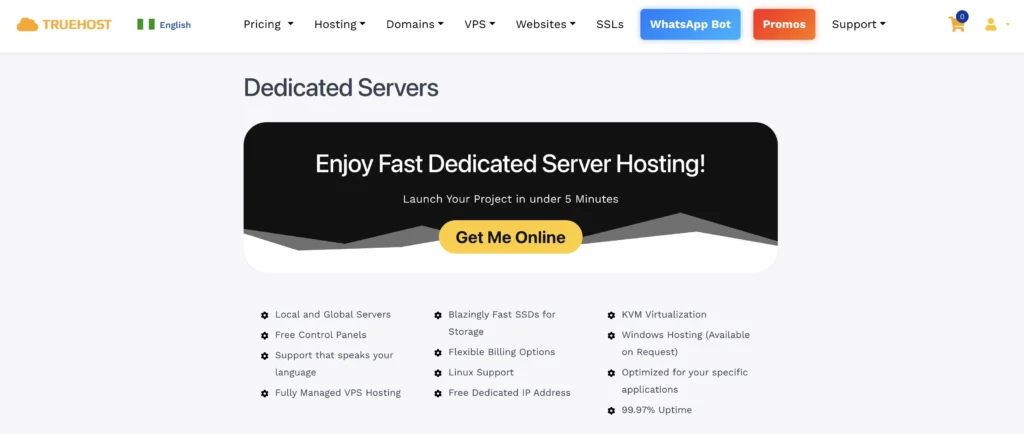
Local hosts like Truehost solve these problems:
- Servers near or in Nigeria → low ping for you and your friends
- Pay in Naira → no forex stress
- Built-in DDoS protection → safer gaming
- One-click installers for Minecraft, ARK, Rust, FiveM → quick setup
- Easy-to-use control panels → manage mods, players, and backups without coding
- Reliable uptime and support that understands Nigerian internet and power realities
Setting up your server is simple: pick a plan that fits your player count and RAM needs, choose the game, pay, and install.
Your gaming server can be live in minutes, lag-free, and ready for friends.
See also: Best Business Servers for Small Businesses in 2026
Server Setup & Configuration Steps
Now that you have your hardware or rented hosting, it’s time to get your gaming server up and running. Don’t worry we’ll keep it simple and straightforward.
1) Pick Your Operating System (OS)
Most gamers go with Ubuntu Server 24.04 LTS. It’s lightweight, secure, and works well with popular game tools. If you prefer Windows, that works too, but it uses more resources.
2) Set Up Your Network
- Hosting provider? No worries they handle ports and connections for you.
- Home server? Assign a static IP or use Dynamic DNS. Forward the necessary game ports (like 25565 for Minecraft).
3) Install a Control Panel
Control panels make managing your server much easier. Popular options:
- Pterodactyl – free, modern, handles backups, mods, and player management
- Or use your host’s built-in panel if they offer one
With a control panel, starting and stopping your server, installing mods, and backing up data is just a few clicks.
4) Lock Down Security
- Turn on your firewall and allow only the ports your game needs
- Use SSH keys instead of passwords
- Keep everything updated weekly
- Use a whitelist or strong passwords to control who joins
5) Test Before Going Live
Invite one friend first. Make sure everything runs smoothly before opening it up to your full squad. This avoids surprise crashes or lag during game time.
Game-Specific Requirements in 2026
Not all games are created equal. Some are light, while others can eat up RAM, CPU, and storage fast.

Here’s a simple guide for popular games in 2026, so you know what your gaming server needs.
| Game | Small Group RAM | Large Group / Modded RAM | Key Notes for Nigerian Players |
| Minecraft | 4–8GB | 16–32GB+ | Use Paper or Purpur for better performance |
| ARK | 8–12GB | 16–32GB | Dinosaurs and mods need strong CPU & fast storage |
| Rust | 8GB | 16–32GB | Server wipes & raids require stable uptime |
| FiveM (GTA RP) | 8–16GB | 32GB+ | Scripts and multiple players need plenty of RAM |
A few tips for smooth gameplay:
- Keep an eye on CPU and RAM usage using your control panel
- Upgrade RAM or server plan as your community grows
- Fast storage (NVMe SSDs) makes chunk loading, mods, and maps quicker
- Local hosting keeps ping low, so Lagos or Abuja players don’t experience delays
Security, Maintenance & Scaling Tips
Running a gaming server isn’t just about speed and mods it’s also about keeping it safe and reliable.
Hackers love targeting game servers, and a crash in the middle of a raid is the fastest way to frustrate your friends.
Security Tips
- DDoS protection – Choose a host like Truehost that includes it. It blocks attacks that try to crash your server.
- Strong passwords & whitelists – Only let approved players join. Avoid “12345” passwords.
- Regular backups – Automate daily backups so you can restore your world if something goes wrong.
- Keep software updated – Update your OS, control panel, and game server files weekly to patch vulnerabilities.
Maintenance Tips
- Monitor CPU, RAM, and storage using your control panel
- Check for lag or crash reports from players and fix small issues before they grow
- Restart the server occasionally to clear memory and keep performance smooth
Scaling Your Server
As your community grows, your server needs grow too:
- Upgrade your RAM or CPU on rented plans
- Move from shared hosting to VPS or dedicated server for more resources
- Add storage if worlds, mods, or backups start filling up
With good security, regular maintenance, and smart scaling, your gaming server will stay stable and fun.
Conclusion
Running your own gaming server in 2026 puts you in control. No more laggy public servers, random crashes, or surprise bans. You set the rules, pick the mods, and enjoy smooth gameplay with your friends.
Truehost is a great option for local gamers. We offer servers in or near Nigeria, accept payments in Naira, include DDoS protection, and make setup simple for games like Minecraft, Rust, ARK, and FiveM.
Go to Truehost page pick a plan that fits your player count and RAM needs, choose your game, and get your gaming server live. Invite your friends, tweak your mods, and enjoy a lag-free, fully controlled gaming world.