Domain NamesFind and register your ideal domain name instantly.
 Web HostingEasy-to-use hosting powered by cPanel — ideal for managing websites in Nigeria.
 Windows HostingRun .NET apps with Windows-optimized hosting
 Affiliate ProgramMake money promoting our services
 Reseller HostingMake money by reselling our hosting products under your own brand
 .COM Domains
 All DomainsExplore all supported tld domains in Nigeria
 WhoisFind out who owns any domain, as well as verify your registration details
 VPS Hosting in Nigeria
 Dedicated ServersReimagine your site speed with your own complete server
 AI Website BuilderDesign your site with drag-and-drop tools
 Online Store BuilderStart your online shop without code
 Support PortalFind answers or get expert help
 Contact UsReach our team via chat or email
 BlogRead our extensive guides on web hosting and more
Minecraft server hosting lets you take full control, which is a big difference from playing on someone else’s server.
I mean, the last thing you want when gaming is lag spikes, sudden crashes, or your friends being kicked off just when the fun is getting started. Right?
Now, unfortunately, shared hosting or a home PC often can’t keep up.
But using dedicated servers can feel a bit like stepping into the Nether for the first time: exciting, but also a little intimidating.
You get all the resources to yourself, steady performance, and complete control, so your world stays up and running around the clock. And the “complete control” is what might scare a little.
Again, in Nigeria and West Africa, it can be somewhat daunting. Players here often deal with high ping from overseas hosts, payment headaches in foreign currencies, or servers going offline during peak hours.
But don’t you worry, I’ve got you covered with a clear guide to help you choose, set up, and get the most out of your dedicated Minecraft server.
In this guide, we’ll cover:
- Why dedicated servers are the go-to choice for serious Minecraft players
- What to look for
- How they compare to other hosting options
- Setup tips
Let’s level the gaming world for you.
Why Go for Dedicated Servers in Minecraft?
Dedicated servers are different because the whole machine is yours; there is no sharing CPU, RAM, or bandwidth with strangers.
In Minecraft, that makes a huge difference for smooth gameplay.
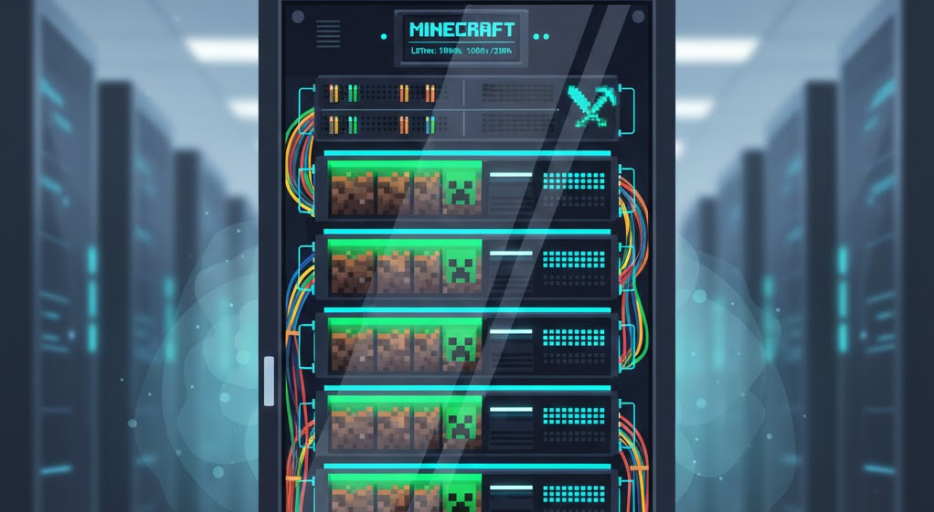
Even vanilla worlds run fine on modest setups, but throw in Forge mods, Fabric plugins, or a large group of players, and things can slow down fast.
With a dedicated server, chunks load quickly, redstone reacts instantly, and tick lag becomes a thing of the past, even with 50+ players exploring at the same time.
Here’s what you get with dedicated Minecraft server hosting:
a. All resources to yourself: Every CPU core, gigabyte of RAM, and bit of SSD speed belongs to your server. No “noisy neighbors” dragging things down.
b. Better support for mods and plugins: Big modpacks, especially 100+ mod setups, need lots of RAM and fast single-thread performance. Dedicated hardware handles it smoothly.
c. Full root access: You can run Paper, Purpur, Sponge, tweak configs, set up backups, or run custom scripts, whatever your world needs.
d. Scalability and security: You get to grow your community without hitting limits, plus protection against attacks that often plague public servers.
e. Lower latency for local players: Hosting closer to home, like in Nairobi or other nearby data centers, drops ping compared to servers in the US or Europe.
If your server is more than a casual hangout for a few friends, dedicated Minecraft server hosting gives the speed, reliability, and control your players will notice and appreciate.
Key Features to Look for in Minecraft Server Hosting
When choosing Minecraft server hosting, the right specs make all the difference. Here’s what you should pay attention to:
1) RAM
This is the heart of your server’s performance.
Small servers with up to 15 players and light plugins run fine on 4–6 GB, but as soon as you add more players or mods, memory needs grow fast.
Medium setups with 20–40 players or moderate modpacks work best with 8–12 GB.
For large servers or heavy modpacks with 40+ players, 16 GB or more keeps everything running smoothly without crashes or lag.
Think of RAM as the space your server has to juggle all the blocks, mobs, and player actions at once; enough memory means your world feels seamless, no matter how many players are exploring or building.
2) CPU
Minecraft depends heavily on single-core performance, more than multi-core.
A modern Intel or AMD processor with high clock speeds ensures actions like redstone circuits, entity movements, and chunk loading happen instantly.
Even if your server has lots of RAM, a slow CPU can bottleneck everything, causing tick lag that players notice immediately.
Choosing a strong CPU is like giving your server a fast brain; it keeps the world responsive and fun.
3) Storage
SSDs are a must for smooth world loading, quick saving, and handling frequent read/write operations that Minecraft generates.
Starting with 240–500 GB is enough for a single world and backups, but multiple worlds, big modpacks, or lots of player data will need more.
Storage affects not just speed but reliability, so having a solid SSD prevents frustrating crashes and long load times.
4) Bandwidth and connection
A fast, reliable connection is crucial for multiplayer fun.
Look for unlimited or high-capacity plans, ideally with 1 Gbps ports, to handle peak traffic.
This ensures players don’t experience lag spikes when everyone logs in at the same time, especially during events or big builds.
Your server can process data quickly without throttling, keeping gameplay smooth.
5) Location
Hosting your server closer to your players drastically reduces ping.
For communities in Nigeria or West Africa, choosing data centers in Nairobi or nearby regions often cuts latency in half compared to US or European servers.
Lower ping also makes gameplay more responsive, fights fairer, and keeps redstone and commands ticking perfectly.
6) DDoS protection
Public servers can attract unwanted attention, and attacks can take your world offline.
Dedicated DDoS protection keeps your server online and safe from interruptions, so players don’t get booted unexpectedly.
It’s like having a security guard that never sleeps, making sure your world stays up no matter what.
7) Support and control panel
Even the best server can run into hiccups.
24/7 support helps solve issues fast, while an intuitive control panel like Pterodactyl makes managing your server simple.
From installing mods to setting up backups or tweaking settings, the right tools and support save hours of frustration.
8) Uptime and extras
A good host guarantees at least 99.9% uptime, so your world is almost always online.
Extras like easy Java installation, mod support, and automatic backups make life easier and let you focus on building, exploring, and enjoying the game rather than troubleshooting.
Pay attention to these features, and your Minecraft server hosting experience will be smooth, reliable, and enjoyable for every player who logs in.
Dedicated Servers vs VPS vs Shared Hosting for Minecraft
When it comes to Minecraft server hosting, the type of hosting you choose can make all the difference.
Let me show you why:
Shared Hosting: This is the cheapest option, but you’re sharing resources with other users. It works for tiny private servers, but add mods or more than 10 players, and lag shows up fast. Plus, no root access means limited control.
VPS (Virtual Private Server): This one offers better isolation and the ability to scale RAM or CPU. It’s a decent middle ground, but the underlying hardware is still shared, so performance can drop if other VPS users push the server too hard.
Dedicated Servers: The whole machine is yours. You get full performance, perfect for large communities or complex modpacks. It costs more, but for reliability and smooth gameplay, it’s worth it.
For Nigerian players, a dedicated server hosted nearby beats all other options, with lower ping, stable connections, and smoother gameplay.
Truehost Dedicated Servers: Best Option for Nigerians
At Truehost, we know how frustrating overseas hosts can be, with high latency, paying in dollars, and slow support.
That’s why we designed our dedicated servers with West Africa in mind.
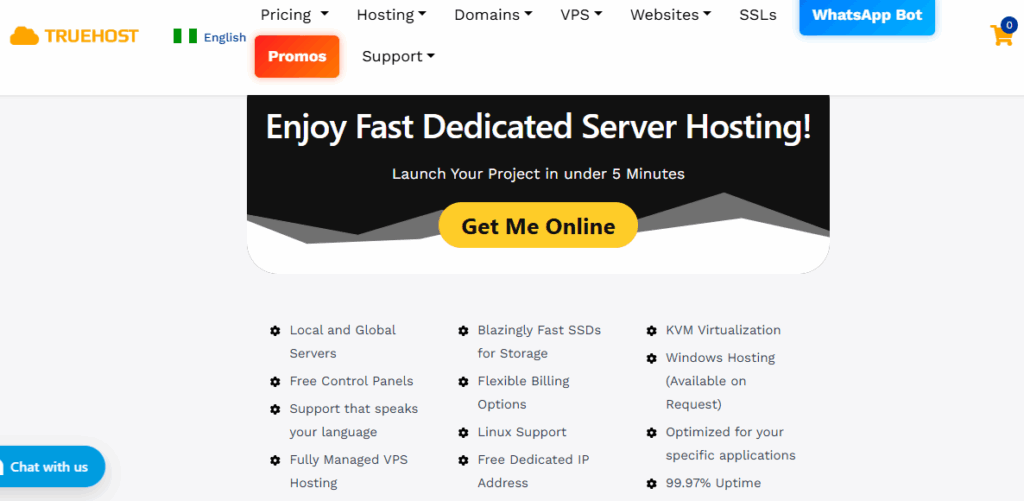
- Hosted from Nairobi data centers for low ping across Nigeria and the region
- Accept payments in Naira, no currency conversion hassle
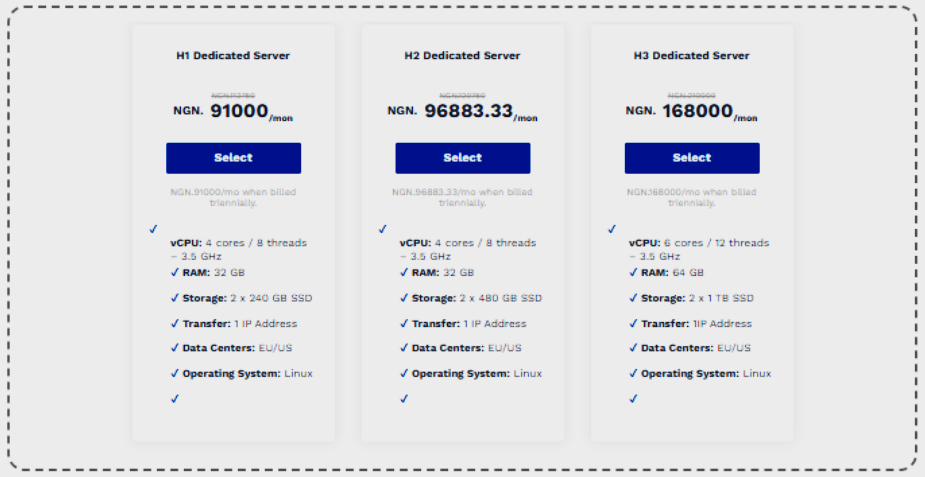
- Powerful specs starting at 32 GB RAM, SSD storage, and 1 Gbps connections
- Full root access to install Minecraft server software easily
- 99.97% uptime guarantee
- 24/7 live chat support
- Lag-free multiplayer ready for any Minecraft setup
For example, our H1 plan comes with 32 GB RAM and 2×240 GB SSD, making it ideal for medium-to-large communities.
Billed triennially, it’s an affordable way to get a solid dedicated server.
We take care of the heavy lifting so you can focus on building your world without interruptions.
How to Set Up Your Minecraft Server on a Dedicated Server
If you’re ready to get your world online, let’s set up your dedicated Minecraft server.
Here’s a step-by-step guide to get you going:
Step 1: Pick your hosting plan
Make sure it has enough RAM for your setup and is located nearby for low ping. Most providers get your server running instantly or very quickly.
Step 2: Access your server
Log in via SSH (Linux) using the root credentials your host provides.
Step 3: Install Java
Minecraft requires the latest Java version (JDK 21 or newer). On Ubuntu/Debian, run:
sudo apt update && sudo apt install openjdk-21-jdkStep 4: Download the server software
Grab the official Minecraft server jar from minecraft.net or an optimized version like Paper for better performance.
Step 5: Set up your directory
Create a folder and upload the jar file:
mkdir minecraft && cd minecraft Use wget or SCP to get the file onto your server.
Step 6: Accept the EULA
Run the server once:
java -Xmx8G -Xms8G -jar server.jar nogui Then open eula.txt and set eula=true.
Step 7: Configure your server
Edit server.properties to set your server name, max players, difficulty, and keep server-port=25565.
Step 8: Start the server
Use a screen session or systemd to keep it running in the background:
screen -S mc java -Xmx8G -Xms8G -jar server.jar noguiStep 9: Open the port
Most providers do this automatically. If not, configure your firewall:
ufw allow 25565Step 10: Connect and test
Add your server IP in Minecraft. Share the IP with friends to let them join.
If Linux is new to you, you can always contact our 24/7 team to guide you every step of the way.
Wrapping Up: Your Next Step for Smooth Minecraft Hosting
Dedicated servers turn Minecraft server hosting from a headache into a smooth experience.
Full control, exclusive resources, and low-lag gameplay make them perfect for growing communities, especially here in Nigeria.
With local options like Truehost, you get fast Nairobi-based servers, payments in Naira, and support that actually understands your needs.
No more high overseas ping or messy currency conversions.
To take your server to the next level, check out our dedicated server plans and get started today.
Your players will notice the difference with smooth, lag-free worlds.