Domain NamesFind and register your ideal domain name instantly.
 Web HostingEasy-to-use hosting powered by cPanel — ideal for managing websites in Nigeria.
 Windows HostingRun .NET apps with Windows-optimized hosting
 Affiliate ProgramMake money promoting our services
 Reseller HostingMake money by reselling our hosting products under your own brand
 .COM Domains
 All DomainsExplore all supported tld domains in Nigeria
 WhoisFind out who owns any domain, as well as verify your registration details
 VPS Hosting
 Dedicated ServersReimagine your site speed with your own complete server
 AI Website BuilderDesign your site with drag-and-drop tools
 Online Store BuilderStart your online shop without code
 Support PortalFind answers or get expert help
 Contact UsReach our team via chat or email
 BlogRead our extensive guides on web hosting and more
It’s time to upgrade hosting, if your website is suddenly slow to a crawl right when you finally start getting traffic.
This happens alot, though it’s one of those decisions most people put off until something breaks.
The truth is, your hosting plan quietly affects everything from site speed and security to how professional your brand looks online.
And you need something stronger as soon as it starts acting up, especially in Nigeria, where speed and reliability can directly affect sales, visibility, and trust.
What worked perfectly at the beginning doesn’t always keep up as your site grows.
In this article, we’ll walk through 5 clear signs that your current hosting may be holding you back, and how to know when an upgrade is due.
We’ll go through:
- The real meaning of hosting upgrade
- What happens for you to need upgrading
- 5 signs that show it’s time to upgrade
- How to go through the actual upgrading process
Let’s get your site upgraded!
What Does it Mean to Upgrade Hosting
Upgrading hosting simply means giving your website more room to grow.
As your site becomes busier, it needs more resources to stay fast, stable, and reliable.
An upgrade moves you from a basic plan with tight limits to one that can comfortably handle higher traffic, heavier pages, and more activity.
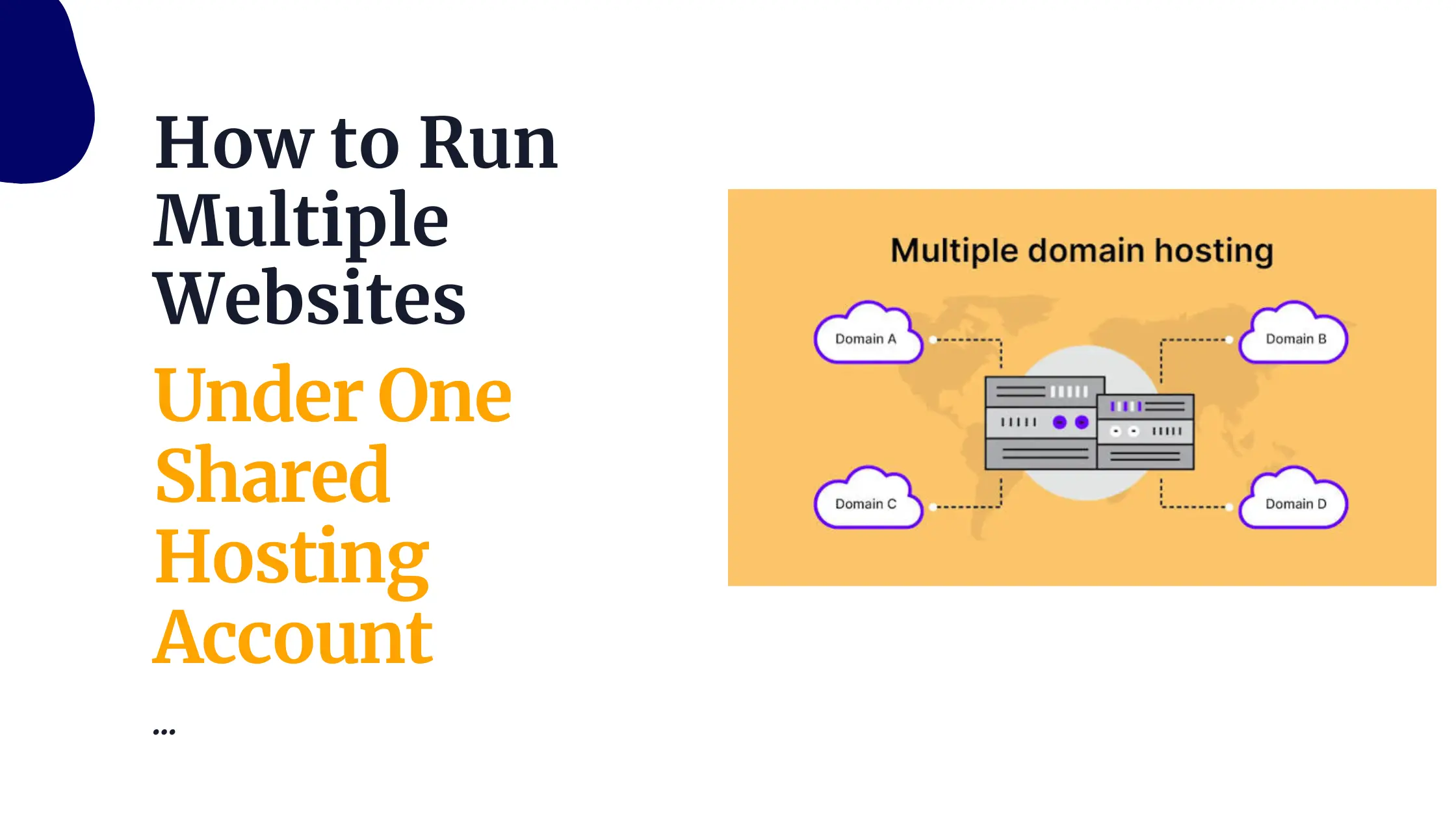
For many website owners, this starts with moving to a higher shared hosting plan.
You’re still on shared hosting, but with more CPU power, RAM, storage, and bandwidth, so your site isn’t struggling during busy periods.
For faster-growing websites, upgrading hosting may also mean switching to a VPS, where your site gets dedicated resources that aren’t affected by other websites on the same server.
And when your website grow even further, you can always go for dedicated servers.
Overall, the goal is performance.
When you upgrade hosting, your pages load faster, errors reduce, and visitors enjoy a smoother experience.
Also, your website also becomes more stable and better prepared for traffic spikes, promotions, or seasonal growth.
In short, upgrading hosting is about making sure your website works well, even as your audience and business continue to grow.
What Happens When Your Hosting Starts Holding You Back
Hosting problems usually show up gradually.
Your site feels slower than usual, errors appear during busy periods, or the dashboard takes longer to respond.
At first, it’s easy to ignore, but over time, these issues become harder to manage.
As your traffic increases, limited resources start to strain.
Pages load slowly, forms fail, and checkouts don’t always go through. Visitors lose patience, and some won’t return.
Search engines also notice frequent slowdowns or downtime, which can affect your rankings.
Behind the scenes, you may hit resource limits in cPanel or find routine updates and backups taking longer than they should.
Instead of focusing on growth, you end up dealing with performance issues.
What are the Signs to Watch Out For
So how do you know it’s really time?
Below are five clear signs we see every day while helping Nigerian bloggers, small businesses, and e-commerce owners decide when to upgrade hosting.
1) Frequent Website Downtime and Errors
Nothing damages trust faster than a website that keeps going offline or flashes errors like “500 Internal Server Error,” “database connection failed,” or “resource limit reached.”
To a visitor, it doesn’t matter why it happened, all they see is a site that doesn’t work.
On entry-level shared hosting, this happens more often than people expect.
Your website shares resources with many others, and when one of them suddenly gets busy, everyone else feels it.
In Nigeria, this becomes a bigger problem during sales periods, holidays, or payday promos, when traffic jumps and every minute of downtime can mean lost orders and missed opportunities.
Upgrading your hosting gives your site more room to operate and better isolation from other users.
At Truehost, our shared hosting plans come with 99.9%+ uptime (up to 99.999% on Unlimited), while our VPS plans deliver 99.97% uptime.
We run isolated environments, monitor servers 24/7, and include daily backups through JetBackup (5-day incremental backups on Unlimited plans), so your site stays live and protected.
If those errors are showing up regularly, log into cPanel and check your usage stats.
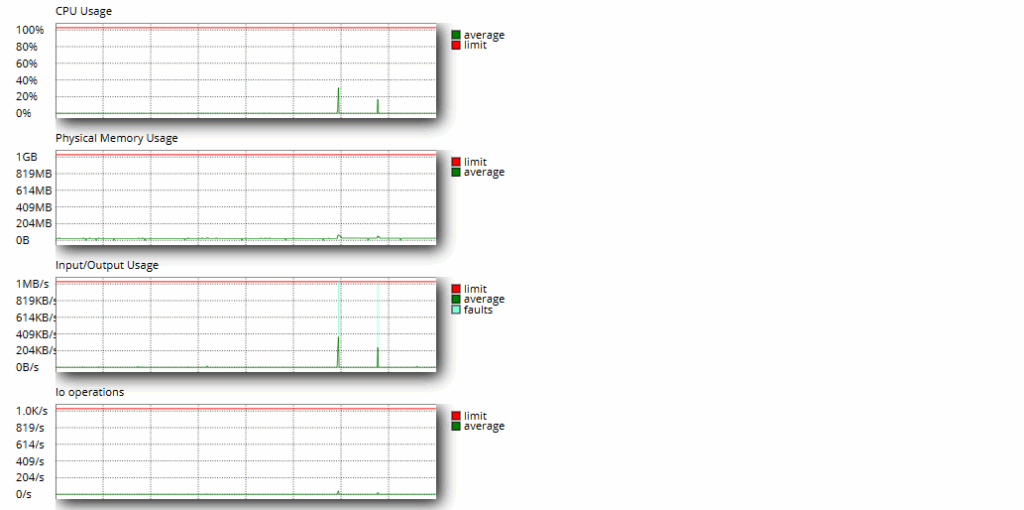
When CPU or entry processes are constantly hitting their limits, that’s your signal.
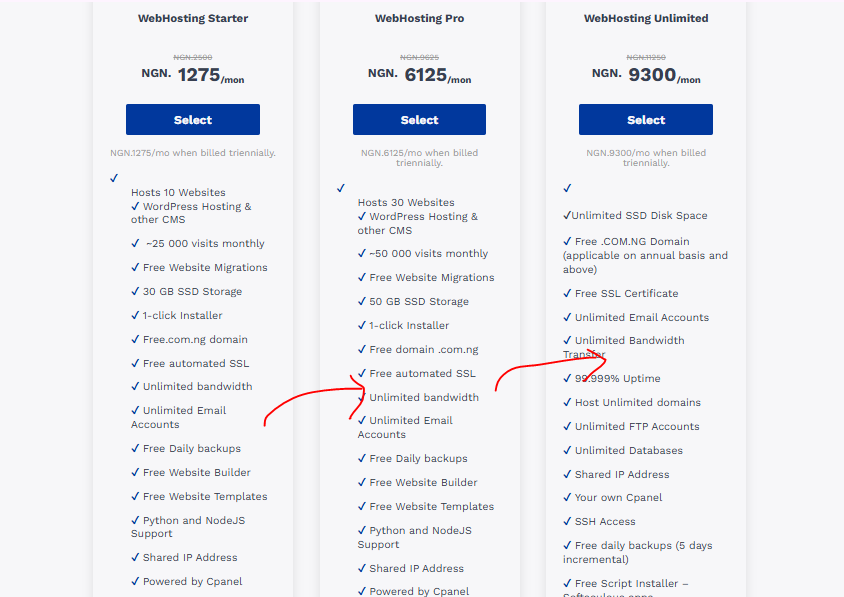
Moving to WebHosting Pro (₦6,125/m, 50GB SSD) or Cloud VPS 1 (₦8,000/m, 2GB RAM, 50GB SSD) or even better, H1 Dedicated Server (₦91,000/m, 32GB RAM, 2 x 240 GB SSD), gives your site the breathing room it needs to stay stable.
2) Slow Loading Speeds and Performance Issues
People expect websites to load fast, usually in under three seconds.
Once pages take longer than that, visitors start leaving, especially on mobile.
Google has shown that over half of mobile users abandon a site that loads too slowly, and that behavior directly affects rankings and conversions.
In Nigeria, slow speeds hurt even more. Mobile data isn’t cheap, network quality varies, and most visitors are browsing on their phones.
If your site performs poorly on Google PageSpeed Insights or GTmetrix, it’s often because shared hosting resources are stretched too thin, with limited CPU, low RAM, or outdated storage instead of SSDs.
Upgrading your hosting fixes this at the foundation level.
You get faster SSD or NVMe storage, more server resources, and better optimization.
At Truehost, we use LiteSpeed servers, which significantly improve caching and performance for WordPress and other CMS platforms.
While our Starter plan offers 30GB SSD, moving up to Pro(50 GB SSD) or Unlimited(unlimited SSD) or often leads to noticeably faster load times, and that boost alone can improve SEO, user experience, and sales.
3) Increased Traffic and Resource Limits
First of all, this is a good problem to have. More people are finding your content, clicking your ads, or buying your products.
But along with that growth often come alerts like “CPU limit exceeded,” “bandwidth overage,” or “entry processes maxed.”
On basic hosting plans, there’s only so much room to grow.
For example, Starter plans typically handle around 25,000 visits per month.
A few viral social media posts, Facebook ads, or seasonal surges like Black Friday or end-of-year sales can push your site past that limit very quickly.
And when that happens, pages slow down or stop loading altogether.
Once your traffic consistently crosses 30,000 visits or you start seeing frequent spikes, it’s time to upgrade hosting so your site can keep up.
Our Pro plan comfortably supports about 50,000 visits, while Unlimited removes caps on bandwidth and storage entirely.
For even bigger jumps, VPS hosting gives you dedicated resources that aren’t affected by other websites.
Plans like Cloud VPS 1 (2GB RAM, 50GB SSD, 1TB transfer), or H1 Dedicated Server (4 cores / 8 threads – 3.5 GHz vCPU, 32GB RAM, 2 x 240GB SSD, 1 IP Address Transfer) are built for steady performance, even during traffic peaks.
4) Security Concerns and Vulnerabilities
If your site has ever been hacked, flagged for malware, or suddenly blocked by a browser warning, you already know how stressful security issues can be.
For websites that collect customer details, run payments, or handle forms, the stakes are even higher.
On shared hosting, your site lives in the same environment as many others.
If one nearby site has weak security, it can create risks for everyone on that server. That’s why security concerns are a strong signal that it’s time to upgrade hosting.
Higher-tier plans come with better isolation, stronger firewalls, Imunify360 protection, and DDoS mitigation.
We also include free SSL certificates with automatic renewal, daily backups, and regular malware scans, so problems are caught early and recovery is fast.
For websites handling sensitive data, VPS hosting offers an extra layer of control.
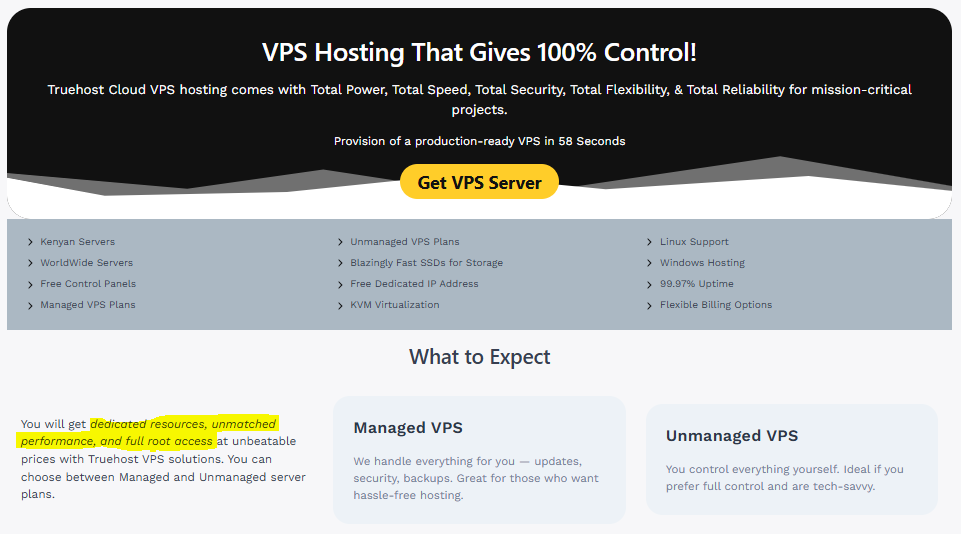
You get root access, configurable firewalls, snapshots for quick restores, and a dedicated IP address. It’s a solid choice for anyone who wants tighter security and peace of mind.
When security starts feeling uncertain, waiting is rarely worth the risk.
Protecting your site also means protecting your reputation and your customers’ trust.
5) Need for More Control and Customization
At some point, your website starts asking for more flexibility.
Maybe you need a specific PHP version, Redis caching, Node.js support, SSH access, or server settings that shared hosting simply won’t allow you to touch.
Basic plans are designed to keep things simple, which also means limits. You can’t install everything you want or fine-tune the server the way your project may now require. Upgrading opens those doors.
Our Unlimited shared hosting adds SSH access and more room to customize, but VPS hosting is where full control really begins.
With VPS plans, you get root access, dedicated resources, custom operating systems like Ubuntu or AlmaLinux, server snapshots, and the freedom to configure things exactly the way you need.
This setup works especially well for developers, advanced WordPress builds, SaaS projects, or sites that rely on specialized tools.
When your hosting starts blocking progress instead of supporting it, that’s a clear sign you’ve outgrown your current plan.
Conclusion: Time to Take Action and Upgrade Hosting
When you choose to upgrade hosting you’re setting your website up for steady growth without the constant worry of slowdowns, errors, or missed opportunities.
Once you move to the right hosting plan, the difference is immediate, with faster load times, stable uptime, happier visitors, stronger search rankings, and better results overall.
There’s no need to wait for a major outage or lost sales to make a move. Just watch out for the first sign and begin your upgrade, before things escalate.
Also to monitor your site’s performance, log into your hosting cPanel, and check your resource usage graphs.
If any of the five signs above sound familiar, it’s time to upgrade hosting.
At Truehost, we’re built for this stage of your journey. We offer affordable upgrades, free migrations, local payment options, a high-performance Lagos data center, and friendly 24/7 support through live chat.
You get better performance without the usual technical stress.