Domain NamesFind and register your ideal domain name instantly.
 Web HostingEasy-to-use hosting powered by cPanel — ideal for managing websites in Nigeria.
 Windows HostingRun .NET apps with Windows-optimized hosting
 Affiliate ProgramMake money promoting our services
 Reseller HostingMake money by reselling our hosting products under your own brand
 .COM Domains
 All DomainsExplore all supported tld domains in Nigeria
 WhoisFind out who owns any domain, as well as verify your registration details
 VPS Hosting
 Dedicated ServersReimagine your site speed with your own complete server
 AI Website BuilderDesign your site with drag-and-drop tools
 Online Store BuilderStart your online shop without code
 Support PortalFind answers or get expert help
 Contact UsReach our team via chat or email
 BlogRead our extensive guides on web hosting and more
Running a small business in 2026 is exciting, but it’s also demanding.
You’re juggling customers, payments, staff, marketing, and growth, all at once. Behind all of that is something most people don’t think about until it breaks: your data.
Every customer record, email conversation, website file, business app, and internal document has to live somewhere. And when that “somewhere” isn’t reliable, you feel it immediately. Pages load slowly. Systems freeze at the worst possible time. Emails don’t send. Orders fail. Customers complain.
If you’ve ever lost files, dealt with unexplained downtime, or worried about security, you already know the pain of using the wrong server.
But here’s the good news.
When your server is right, everything changes. Your systems feel faster. Your team works without friction. Your website stays online. Your data stays safe. You stop reacting to problems and start focusing on growing your business.
That’s exactly what this guide is about.
You’ll learn what small business servers really are (without the technical headache), why they matter more than ever in 2026, and which server options make the most sense for small businesses, especially if you’re operating in Nigeria and need speed, reliability, and local support.
By the end, you’ll know which server setup fits your business today and won’t hold you back tomorrow.
What Is a Small Business Server?
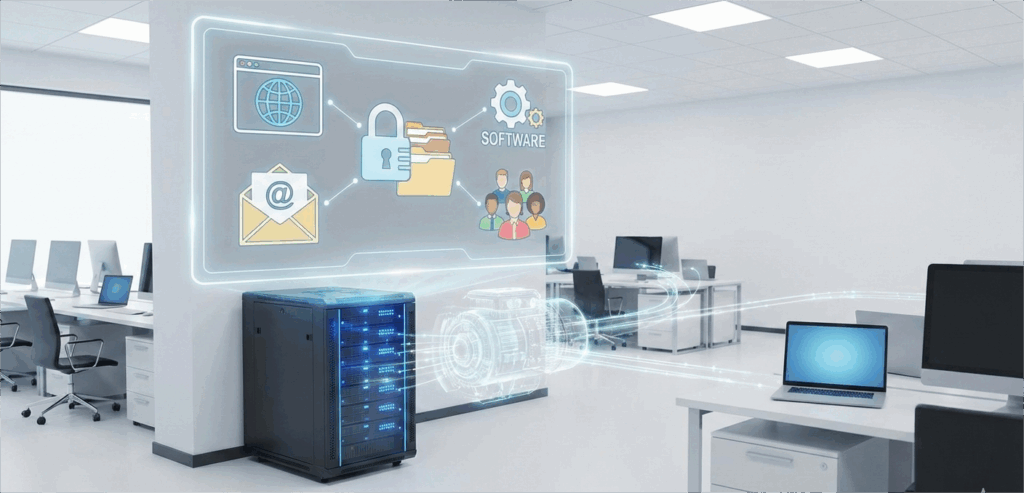
A small business server is a system that stores, manages, and delivers data and services for your business.
Instead of everything running on one laptop or shared computer, a server handles things like:
- Hosting your website
- Storing files securely
- Running business software
- Managing emails
- Supporting multiple users at once
Think of it as the engine behind your digital operations.
Why Small Businesses Need Servers in 2026
At some point, almost every small business asks the same question:
“Do I really need a server, or can I just keep using my laptop or shared hosting?”
In the early days, that setup can work. One laptop, one website, a few tools, and minimal traffic.
But as your business grows, cracks start to show, and they usually appear when you can least afford them.
a) Your Systems Need to Be Fast Always
In 2026, speed isn’t a luxury. It’s an expectation.
When your website loads slowly or your apps lag, customers notice. Staff get frustrated. Simple tasks take longer than they should. A proper server gives you dedicated resources, so your systems stay responsive even during busy hours.
Fast systems keep your business moving forward.
b) Your Data Needs Real Protection
Customer details, payment records, contracts, and emails are sensitive information.
Storing everything on a personal computer or cheap shared hosting puts your business at risk. One hardware failure, hack, or mistake can wipe out years of work. With a proper server, your data is protected with backups, firewalls, and controlled access.
Security stops being a constant worry.
c) Growth Shouldn’t Create Stress
More customers. More staff. More tools.
Without the right server, growth feels chaotic. Systems break. Storage fills up. Performance drops. A good server lets you scale smoothly, add users, increase storage, or upgrade power without rebuilding everything from scratch.
Your infrastructure grows with you, not against you.
d) Your Team Works Better Together
When files are scattered across devices, work slows down.
A server centralizes everything. Your team accesses files, apps, and systems from one secure place. No more “I can’t find it” or “It’s on my laptop at home.”
Work flows better when everyone is connected.
e) Downtime Becomes the Exception, Not the Rule
Few things damage trust like downtime.
When your website goes offline or your systems stop working, customers lose confidence. Orders get delayed. Revenue takes a hit. Proper servers are built for stability, with monitoring and redundancy that keep your business online.
f) Reliability
Customers don’t care about your setup; they care that things work.
Emails should be sent. Websites should load. Data should be safe. A proper server makes all of that happen quietly in the background, so you can focus on running your business.
In 2026, the question isn’t if you need a server. It’s how long you can afford to operate without one.
Types of Small Business Servers
Before we look at specific models, there’s one important decision you need to make first: where your server will actually live.
This choice shapes everything else, cost, security, maintenance, and even how much stress you deal with day to day.
a) On-Premise Servers
An on-premise server is a physical machine that sits inside your business premises.
You can see it. You can touch it. And you’re fully responsible for it.
That means you handle:
- Power supply
- Cooling
- Maintenance
- Hardware upgrades
- Physical security
For some businesses, this feels comforting. But in reality, it also means more costs, more risk, and more responsibility.
One power outage, hardware failure, or accidental damage can bring everything to a stop.
You’re not just running a business, you’re running a mini data center.
b) Cloud Servers
Cloud servers live in secure, professionally managed data centers.
Instead of keeping hardware in your office, you access your server over the internet. Everything runs remotely, but you stay in full control.
Examples include:
- Virtual Private Servers (VPS)
- Dedicated Servers
With cloud servers, the heavy lifting is handled for you:
- Stable power
- High-speed internet
- Physical security
- Regular monitoring
At Truehost, these servers are hosted in high-security environments built specifically for reliability and uptime.
You get the power of enterprise infrastructure without the complexity.
Why This Choice Matters
Where your server lives affects how reliable your business feels.
On-premise servers give control but demand constant attention. Cloud servers reduce risk, cut costs, and make scaling easier, especially for small businesses that don’t want to manage hardware.
For most SMEs in 2026, cloud servers simply make more sense. They let you focus on customers and growth, not cables and cooling fans.
Once you’ve decided where your server should live, choosing the right type becomes much easier.
For many Nigerian SMEs, a Cloud VPS is the most cost-effective way to start. It removes the worry of power outages and expensive hardware repairs.
Check out Truehost VPS Plans here.
1) Dell PowerEdge T160
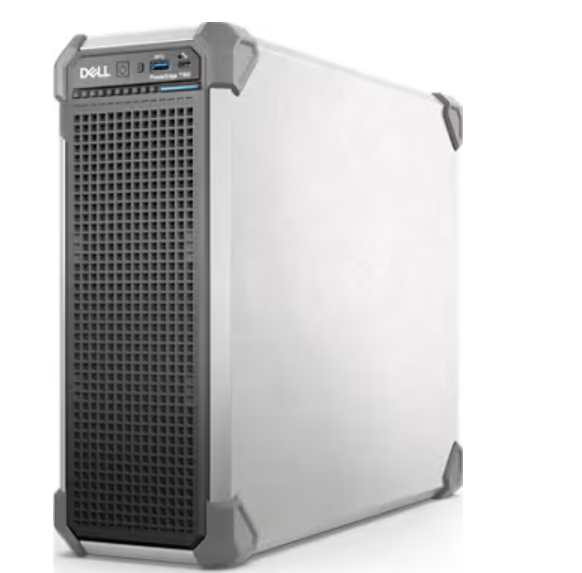
The Dell PowerEdge T160 remains a top pick for 2026. It is a tower server, which means it resembles a standard desktop but packs the power of a professional machine.
This server is perfect for a small office with 5 to 15 employees. It is quiet enough to sit under a desk without bothering anyone with loud fan noises.
Key Specs:
- Processor: Intel Xeon E-2400 series.
- RAM: Up to 128GB DDR5.
- Storage: Support for multiple SSDs for lightning-fast file access.
The T160 is ideal for file sharing and running basic office applications, such as QuickBooks.
2) HPE ProLiant ML30 Gen11
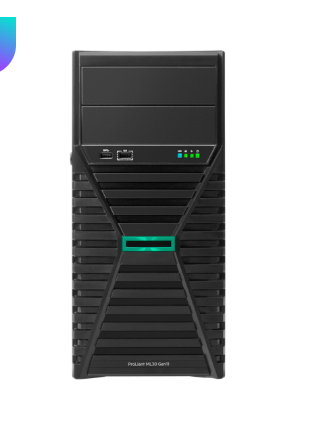
HP has always been a favorite for durability. The ML30 Gen11 is designed specifically for small businesses that plan to grow.
What makes this one of the best small business servers is its security features. It uses “Silicon Root of Trust” technology, which protects the server from the moment it is turned on.
Why you’ll love it:
- It has redundant power supplies (if one fails, the other takes over).
- It is very easy to service and upgrade.
- It handles virtualization well, meaning you can run multiple “virtual” computers on this one physical box.
3) Lenovo ThinkSystem ST250 V3
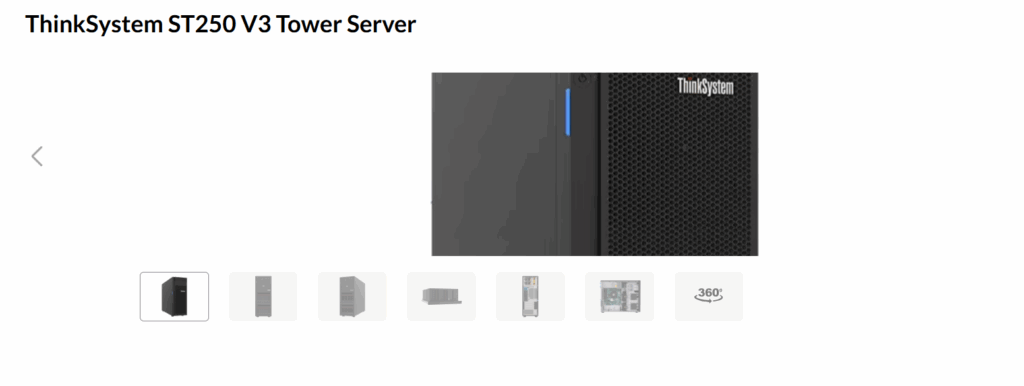
If you have more than 25 employees, you need something with a bit more “muscle.” The Lenovo ST250 V3 is a highly flexible tower server that can be converted into a rack server if you ever move into a dedicated server room.
We often recommend Lenovo for businesses that need high storage capacity. It can hold a large number of hard drives, making it perfect for companies that deal with video files or large databases.
Top Features:
- High memory capacity for smooth multitasking.
- Enterprise-level remote management tools.
- Very energy efficient, which helps keep your power bills low.
4) Synology DiskStation DS925+
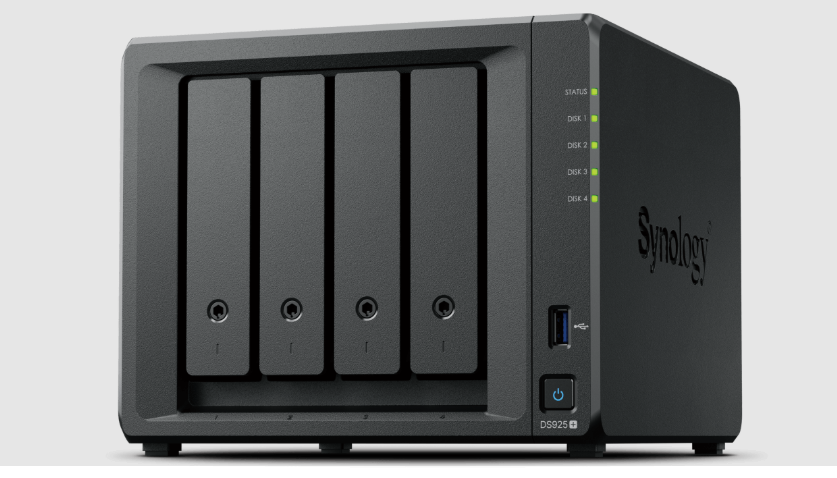
Sometimes, you don’t need a “full” server to run complex apps. You just need a place to store and share files securely. This is where a Network Attached Storage (NAS) device like the Synology DS925+ shines.
It is small, uses very little power, and comes with amazing software that works like your own private Google Drive or Dropbox.
Best Use Cases:
- Centralized office backups.
- Secure remote file access for hybrid teams.
- Hosting a small office surveillance system.
Truehost Dedicated Servers
If you don’t want to worry about hardware, cooling, or the constant hum of a machine in your office, a Dedicated Server from Truehost is your best bet.
We provide you with the entire physical machine located in our secure data centers. You get 100% of the resources without the “noisy neighbor” issues of shared hosting.
Why choose Truehost Dedicated Servers?
- No Upfront Hardware Cost: You don’t need to spend millions of Naira buying a physical box.
- 24/7 Power and Cooling: We ensure your server never goes offline.
- Proactive Support: Our team monitors the infrastructure so you can focus on your business.
Explore our Dedicated Server packages
What to Look for in Small Business Servers
Choosing a server isn’t about ticking technical boxes.
It’s about picking something that supports your business day after day, without slowing you down or creating new problems.
Before you look at specific server options, these are the key things you should pay attention to.
i) Performance:
Slow servers don’t just waste time; they drain energy.
When systems lag, staff wait. Pages load slowly. Tasks that should take seconds stretch into minutes. Over time, that lost time adds up.
A good small business server should feel snappy, even during busy hours.
Look for:
- SSD or NVMe storage for faster data access
- Enough RAM to run your apps smoothly
- Reliable CPU resources that don’t slow down when traffic increases
When performance is right, everything feels easier.
ii) Security:
Your server holds the heart of your business.
Customer details, financial records, internal documents, and login credentials all live there. If that data is exposed or lost, the damage goes beyond money; it affects trust.
A proper server setup puts security in the background, where it belongs.
Make sure your server includes:
- Firewalls to block unwanted access
- Regular backups in case something goes wrong
- DDoS protection to keep your systems online during attacks
Security isn’t about fear. It’s about peace of mind.
iii) Scalability:
Your business won’t look the same six months from now.
You may hire new staff. Launch a new product. Get more website traffic. A good server makes these changes easy, not stressful.
Choose a server that allows you to:
- Upgrade RAM as workloads increase
- Add more storage when data grows
- Create new user accounts without complications
Growth should feel exciting, not like a technical headache.
iv) Local Support:
When something breaks, time matters.
If your business is in Nigeria, relying on overseas support can mean long wait times and slow responses. Local support understands your environment and can act faster.
Faster support means:
- Less downtime
- Quicker fixes
- Fewer interruptions to your business
The right support team can save you hours of stress.
How to set up your first server
Setting up a server might feel scary, but it follows a simple process.
- Identify the goal: Do you need it for files, accounting software, or a website?
- Pick your OS: Windows Server is great if you use Microsoft apps. Ubuntu Linux is perfect for web apps and is free to use.
- Configure RAID: This is a way of using two hard drives to mirror each other. If one breaks, your data stays safe on the second one.
- Set up Backups: Never rely on the server alone. Always have a secondary backup on the cloud.
If this sounds too technical, don’t worry. Our team at Truehost can help you configure your small business servers so you can start working immediately.
Conclusion
At the end of the day, the right server comes down to what your business actually needs, not what sounds impressive on paper.
If you’re set on keeping a physical machine in your office, the Dell PowerEdge T160 is a solid place to start. It’s reliable, well-built, and suitable for small teams. If your priority is easy file sharing and centralized storage, the Synology DS925+ does that job exceptionally well.
But for most small businesses in 2026, owning hardware comes with more stress than value.
If you’d rather avoid upfront hardware costs, power issues, maintenance headaches, and constant upgrades, a Cloud VPS or Dedicated Server from Truehost is the smarter long-term choice. You get enterprise-level performance, strong security, and the flexibility to scale, without managing physical equipment.
Your server should support your business, not become another thing you have to worry about.
Choose the option that keeps you focused on growth, customers, and results. In 2026, that peace of mind is worth more than any box sitting in an office.