Domain NamesFind and register your ideal domain name instantly.
 Web HostingEasy-to-use hosting powered by cPanel — ideal for managing websites in Nigeria.
 Windows HostingRun .NET apps with Windows-optimized hosting
 Affiliate ProgramMake money promoting our services
 Reseller HostingMake money by reselling our hosting products under your own brand
 .COM Domains
 All DomainsExplore all supported tld domains in Nigeria
 WhoisFind out who owns any domain, as well as verify your registration details
 VPS Hosting
 Dedicated ServersReimagine your site speed with your own complete server
 AI Website BuilderDesign your site with drag-and-drop tools
 Online Store BuilderStart your online shop without code
 Support PortalFind answers or get expert help
 Contact UsReach our team via chat or email
 BlogRead our extensive guides on web hosting and more
You make n8n workflows secure by locking down five layers: authentication, data protection, network access, the workflows themselves, and ongoing monitoring.
Skip one, and the rest weaken.
n8n’s Docker image has been pulled millions of times, and that popularity makes it a target.
In December 2025, n8n disclosed CVE-2025-68613, a critical remote code execution flaw (CVSS 9.9), patched across v1.120.4, v1.121.1, and v1.122.0.
Here’s how to cover the five layers on how to make n8n workflows secure
, plus a practical roadmap you can start today.
Nigerian teams self-hosting on a VPS: any workflow touching personal data also needs to meet NDPA 2023 obligations.
1) Authentication and Access Control
Access control is your first line of defense.
Get it wrong, and nothing else you do helps much.
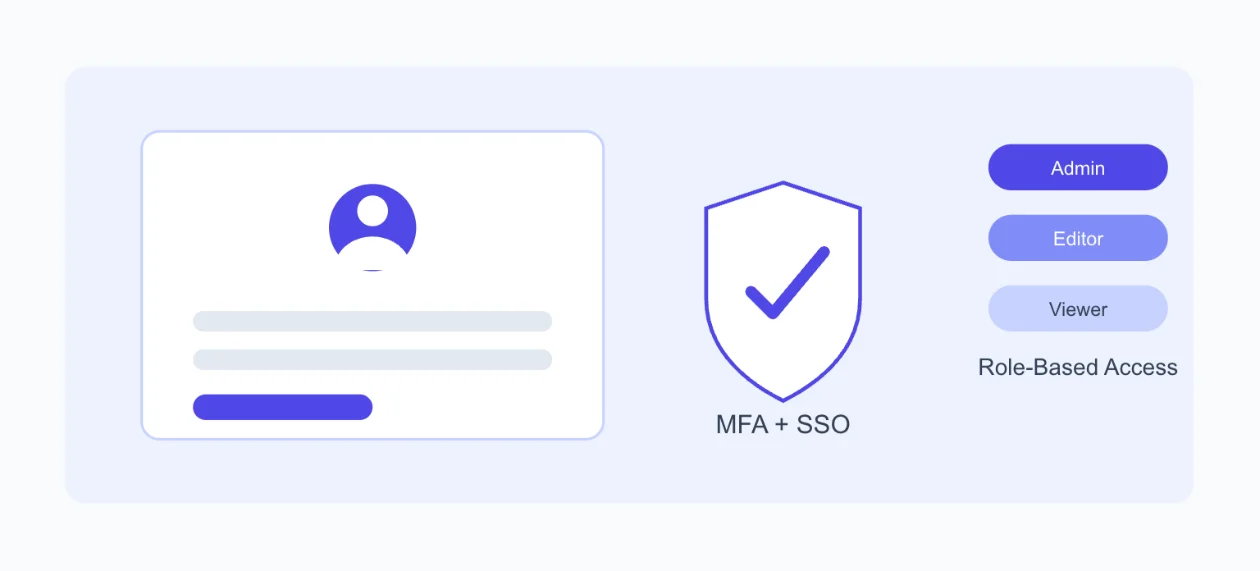
Start with password policy. Require at least 12 characters, with complexity rules. Then layer multi-factor authentication (MFA) on top for every admin and editor account.
Add single sign-on where you can. n8n supports SSO via OIDC and SAML, so you can connect providers like Keycloak, Okta, or Auth0.
This isn’t just convenience.
It’s control. When someone leaves the team, you disable their account in the identity provider. Their n8n access disappears instantly. No forgotten local accounts sitting around for months.
Use role-based access control (RBAC) deliberately. n8n separates Admin, Editor, and Viewer roles. Map these to actual job functions, not convenience.
- A marketing contractor doesn’t need Editor access to your finance workflows.
- Segment access by workflow sensitivity, not by who asks nicely.
Tighten session and token hygiene.
- Set short session timeouts using the
N8N_SESSION_TIMEOUTenvironment variable. - Rotate your JWT secret on container reload.
- Use scoped, short-lived API tokens instead of permanent ones.
A few extra controls go a long way:
- Disable open registration on your instance.
- Use IP allowlisting for admin access.
- Require VPN or bastion access for anyone reaching the editor.
If you’re running n8n on a Truehost VPS, these access controls sit on top of your server-level security firewall rules, SSH keys, and isolated networking all reinforce the same goal.
2) Data Protection and Credential Management
Your encryption key is the foundation everything else stands on.
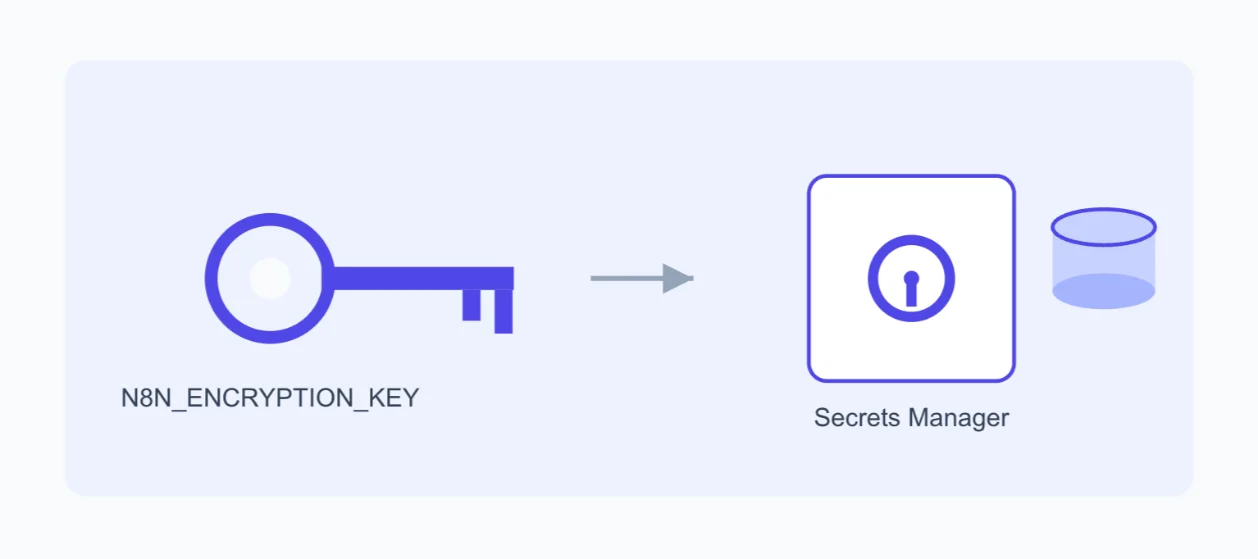
Set it once, and set it right. Generate your N8N_ENCRYPTION_KEY with openssl rand -hex 32 at deployment. Store it in a secrets manager. Never commit it to source control.
Here’s the part people miss.
Warning: Manually changing this key after your first boot makes every existing credential unreadable. n8n cannot recover them. If you need to rotate, use the official encryption key rotation feature and always snapshot your database first.
Follow Credential Manager best practices:
- Never hardcode secrets inside a node.
- Use least-privilege service accounts for every integration.
- Prefer OAuth over long-lived API keys wherever the service supports it.
A hygiene mistake that costs teams dearly: never commit your .n8n folder or exported workflow JSON to a public repository unscrubbed. Automated scanners find exposed keys within minutes of a push. Not hours. Minutes.
Minimize data inside the workflow itself.
- Redact personally identifiable information (PII) using Function nodes before it moves downstream.
- Encrypt sensitive payloads with the Crypto node when they must travel between systems.
Get your database and backups right.
- Use Postgres or MySQL in production. Avoid SQLite once you’re past testing.
- Enforce TLS on every database connection.
- Encrypt your disks and your backups.
- Use customer-managed keys for backups stored in cloud storage.
- Test your restores regularly. A backup you’ve never restored is a guess, not a plan.
This is the kind of groundwork we bake into Truehost’s n8n self-hosting plans: NVMe storage, isolated environments, and automated setup, so you’re not building your database security from zero.
3) Network Security
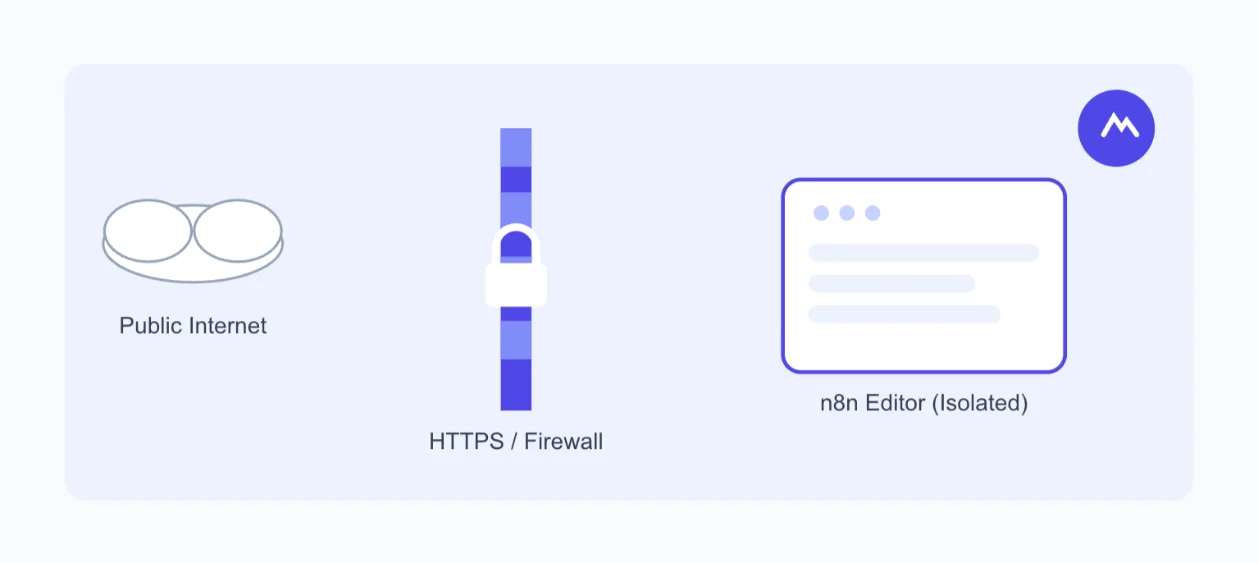
Here’s a rule with no exceptions: never expose the n8n editor directly to the internet.
HTTPS everywhere, no exceptions. Put a reverse proxy in front of n8n; Traefik, Nginx, or Cloudflare all work well.
Restrict and isolate your instance.
- Route admin access through a VPN or Cloudflare Zero Trust.
- Write firewall rules that block everything except what you explicitly need open.
- Bind the editor to localhost and reach it through an SSH tunnel or bastion host.
- Segment your network so a compromised workflow can’t reach your entire infrastructure.
- Keep your database isolated from public-facing services.
Securing webhooks deserves its own checklist.
- Use long, unique, unguessable URLs for every webhook.
- Add HMAC signatures or auth tokens to verify incoming requests.
- Keep webhook endpoints separate from your admin UI.
- Apply aggressive rate-limiting to stop abuse before it scales.
- Rotate webhook URLs periodically. Don’t just generate one and forget it exists.
A worked example: the API-key gatekeeper pattern.
n8n’s own documentation shows a simple, effective pattern. An incoming webhook checks for an x-api-key header. It runs that key against an internal lookup.
If the key matches, the workflow branches to a 200 OK response. If it doesn’t, it returns a 401 Unauthorized.
The demo version often uses a hardcoded lookup list. Replace that with a real database Postgres or Supabase both work before this goes anywhere near production.
Don’t forget SSRF protection. Block outbound access to cloud metadata endpoints, like AWS’s 169.254.169.254. Allowlist which external calls your HTTP Request and Code nodes are permitted to make.
4) Workflow-Level Security Practices
Security doesn’t stop at the network edge. It has to live inside the workflow itself.
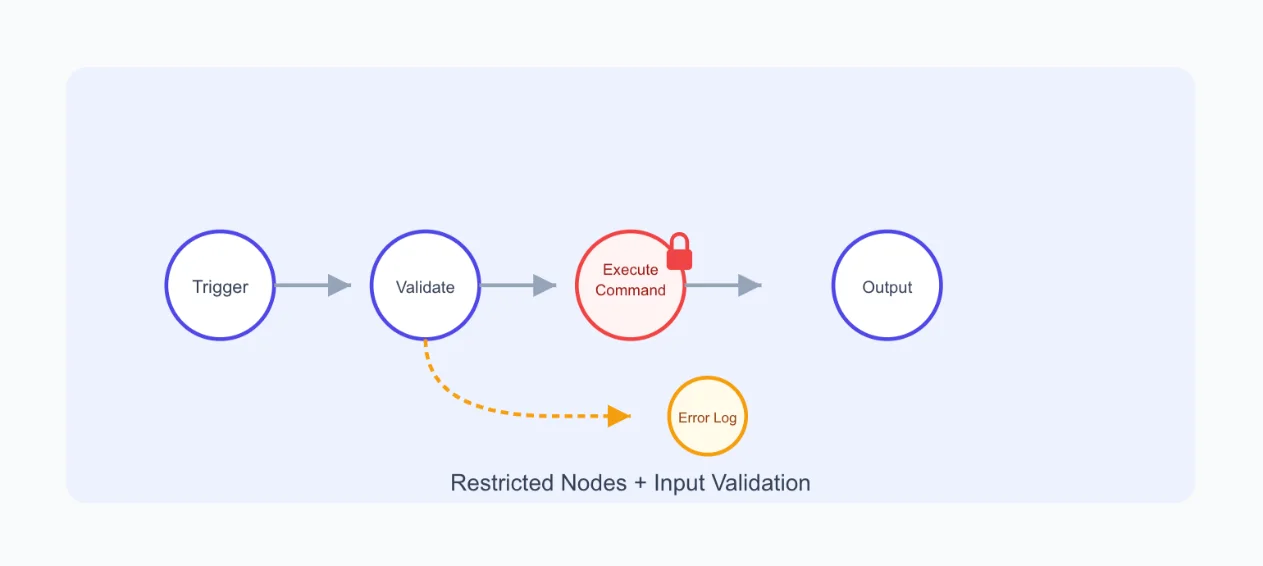
Restrict powerful nodes to trusted users. Code, HTTP Request, and Execute Command nodes can each do real damage in the wrong hands.
n8n has already moved in this direction. As of n8n v2.0, the Execute Command and Local File Trigger nodes are disabled by default. Code nodes can no longer access environment variables out of the box.
Check your setup, though. Older configurations may have re-enabled these nodes through the NODES_EXCLUDE variable. If yours has, ask why, and whether it still needs to.
This connects directly back to CVE-2025-68613. The advisory’s own recommended mitigation was to limit workflow creation and editing to trusted users, and to harden the runtime environment. That’s not a special fix. That’s the same principle applied.
Validate input before it causes damage. Use IF or Switch nodes to catch malformed or unexpected data early. Route validation failures to a logged error branch instead of letting them fail silently a silent failure today is a mystery outage next month.
Handle errors without leaking secrets.
- Use the Error Trigger node for alerting your team.
- Use Continue on Fail for failures you expect to be permanent.
- Never expose sensitive data inside error messages or logs. It’s an easy thing to overlook, and an easy thing for an attacker to find.
Build governance into your workflow habits.
- Disable workflows you’re not actively using.
- Tag each workflow with an owner, a sensitivity level, and a review date.
- Version control your workflows through Git or infrastructure-as-code (IaC).
- Use descriptive naming conventions and sticky-note documentation. It’s low-effort, and it makes audits far faster later.
A few more mitigations worth the five minutes they take:
- Set strict file permissions on config files
0600is a sensible default. - Redact execution data so sensitive payloads don’t linger in your logs.
5) Monitoring, Logging, and Incident Response
You can’t respond to what you can’t see.
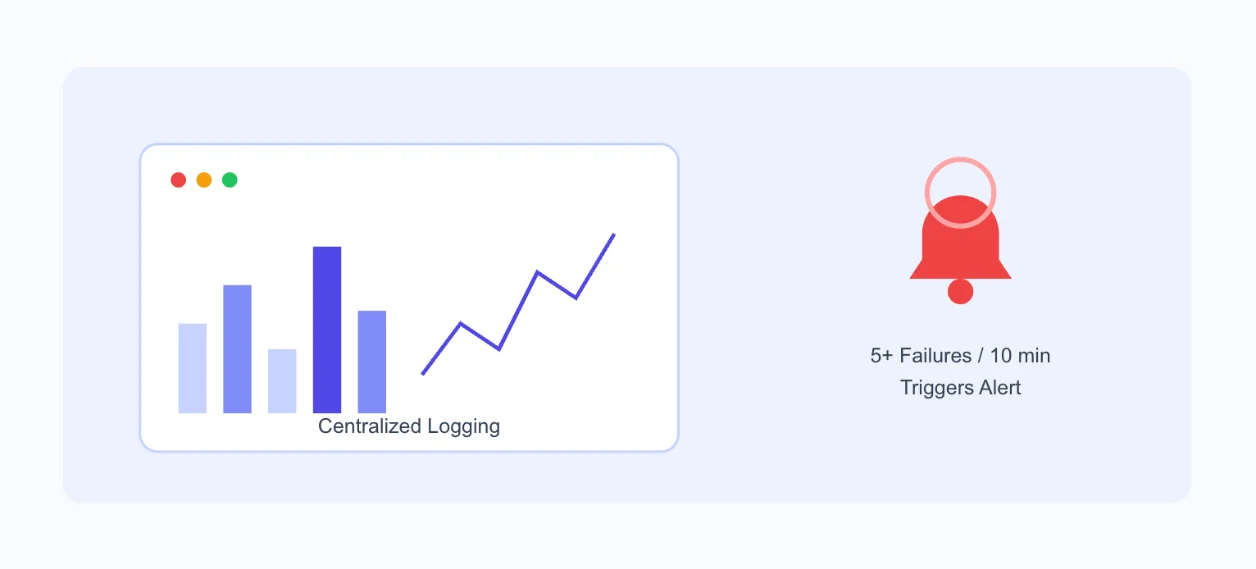
Centralize your logging. Tools like ELK, Loki, or Splunk work well for this. Capture webhook metadata, source IPs, headers, and timestamps for every request.
Set up alerting with clear thresholds. Prometheus and Grafana are a solid combination. A practical example: alert when a workflow sees five or more failed executions within 10 minutes. That’s specific enough to catch real trouble without drowning your team in noise.
Write your incident response playbook before you need it.
- Disable the affected workflow immediately.
- Revoke any credentials that may be exposed.
- Rotate your encryption and API keys.
- Maintain break-glass vault access for emergencies.
- Run tabletop exercises regularly, so the plan isn’t a document nobody’s read.
6) Keeping the Instance Itself Secure
Your workflows can be flawless. Your instance still needs attention.
Update n8n regularly. Vulnerabilities live in n8n itself, but also in its underlying Node.js and npm dependency stack. Both need patching.
Check changelogs before you update. A breaking change you didn’t expect can cause more downtime than the vulnerability you were trying to avoid. A monthly update cadence is a reasonable baseline for most teams.
Set up staging before production. Test changes somewhere safe first. This is a natural fit for running a low-cost staging instance alongside production, something we make simple with a second, smaller Truehost n8n hosting plan running side by side with your live environment.
Version your workflows. Use Git export or n8n’s built-in version history. The first question after anything breaks is always ‘what changed?’ Version history answers that fast, instead of leaving your team guessing.
7) Advanced Considerations for Multi-Team / Shared Instances
Shared instances multiply your risk surface. They need their own checklist.
- Scan regularly for webhooks that are missing authentication entirely.
- Audit OAuth scopes across every connected integration, not just the new ones.
- Detect and flag shared credentials, one login used by five people is five times the risk.
- Maintain an ownership registry with sensitivity tags per workflow.
- Use infrastructure-as-code to deploy, review, and roll back workflow changes, so nothing ships without a second set of eyes.
8) Implementation Checklist and Roadmap
Security work feels endless if you try to do all of it at once. Break it into phases instead.
Quick wins (this week):
- Set and secure your encryption key.
- Enable HTTPS through a reverse proxy.
- Enforce MFA and SSO for every user.
- Migrate secrets into the Credential Manager.
- Lock down editor UI access.
- Scrub any secrets from
.envfiles or exported JSON before committing to a repo.
Medium-term (this month):
- Fine-tune your RBAC roles.
- Add webhook authentication, rate limiting, and URL rotation.
- Set up centralized logging and monitoring.
- Implement node restrictions and SSRF controls.
- Stand up a staging environment.
Ongoing (every quarter):
- Run quarterly workflow audits.
- Schedule key rotation, and test it first.
- Apply monthly instance and dependency updates.
- Monitor n8n’s security advisories as they’re published.
- Run regular team training, because tools change but habits are what hold.
Make n8n Workflows Secure FAQs
Is self-hosted n8n secure by default?
n8n ships with sensible defaults; Execute Command and Local File Trigger are disabled out of the box, for example. But ‘secure by default’ isn’t the same as ‘secure for your setup.’ You still need to configure authentication, network isolation, and credential handling yourself.
What’s the single most critical n8n environment variable for security?
N8N_ENCRYPTION_KEY. It protects every credential stored in your instance. Set it once, back it up safely, and never change it casually.
Can I rotate my encryption key without losing credentials?
Yes, but only through n8n’s official encryption key rotation feature. Manually changing the key after first boot makes existing credentials unreadable. Always take a database snapshot before you rotate.
How do I check if my instance is affected by a known vulnerability?
Check your current n8n version against the official release notes and security advisories on n8n’s GitHub. For CVE-2025-68613, any version from 0.211.0 up to (but not including) 1.120.4, 1.121.1, or 1.122.0 is affected.
Can n8n be made NDPA/GDPR/HIPAA/SOC 2 compliant?
Self-hosted n8n gives you the technical controls, encryption, access logging, and data residency, needed to support these frameworks. Compliance itself depends on how you configure and operate the instance, not on the software alone. Nigerian teams handling personal data specifically need to map their workflows against NDPA 2023 requirements.
Why Choose Truehost n8n Self Hosting
Every layer in this guide works together. Skip encryption, and your access controls carry less weight.
Skip network isolation, and your credential hygiene loses its edge. Security is a system, not a single setting.
We at Truehost built our n8n self-hosting plans with this in mind.
Our N8N Starter plan (NGN 14,000/month) gives you 1 vCPU, 2 GB RAM, and 50 GB NVMe storage, enough for small teams getting started.
N8N Pro (NGN 28,000/month) steps up to 2 vCPU and 4 GB RAM for growing workloads.
N8N Business (NGN 63,000/month) offers 4 vCPU, 8 GB RAM, and 200 GB NVMe storage for teams running production-critical automations.
Every plan includes unlimited workflows and unlimited concurrent executions.
You also get n8n with Queue Mode, automated installation, and dedicated support.
This is the infrastructure foundation this guide has been building toward.
Ready to self-host n8n the secure way? Check Truehost n8n self-hosting plans and open your instance on infrastructure built for this.