DomainsFind and register your ideal domain name instantly.
 Web HostingEasy-to-use hosting powered by cPanel — ideal for managing websites in Nigeria.
 Windows HostingRun .NET apps with Windows-optimized hosting
 Affiliate ProgramMake money promoting our services
 Reseller HostingMake money by reselling our hosting products under your own brand
 .COM Domains
 All DomainsExplore all supported tld domains in Nigeria
 WhoisFind out who owns any domain, as well as verify your registration details
 Dedicated ServersReimagine your site speed with your own complete server
 AI Website BuilderDesign your site with drag-and-drop tools
 Online Shop BuilderStart your online shop without code
 Support PortalFind answers or get expert help
 Contact UsReach our team via chat or email
 BlogRead our extensive guides on web hosting and more
Choosing between OpenClaw and ChatGPT depends on how you want to use AI. Do you want an assistant you talk to, or an AI agent that can work on tasks for you?
ChatGPT is a ready-to-use AI assistant from OpenAI. You simply sign up and start using it for writing, research, coding, and other everyday tasks. There is nothing to install or maintain.
OpenClaw is an open-source tool that you run yourself on a computer, Mac Mini, or VPS. It can connect to apps such as WhatsApp, Telegram, Slack, Discord, Signal, and iMessage. It can also browse the web, run commands, manage files, send emails, and perform scheduled tasks in the background.
If you want AI to automate tasks and keep working across different apps, OpenClaw may be the better choice. If you want a simple, reliable AI assistant for writing, research, and coding, ChatGPT is the easier option.
Head-to-Head Comparison
| Dimension | ChatGPT | OpenClaw |
| What is it? | Ready-to-use AI chat assistant | Self-hosted AI agent, you install and configure |
| Hosting | Cloud (OpenAI’s servers) | Your choice, your PC, a VPS, or a cloud server |
| Cost | Fixed subscription: Free, $8, $20, 100–200/mo | Free software; you pay only for LLM API usage (plus optional hosting) |
| Data privacy | Processed on OpenAI’s servers | Stored locally by default, as long as you don’t connect outside services |
| System access | Limited to its own app and connected tools | Can be granted full access to files, shell commands, and installed apps |
| Integrations | Web tools, connected apps, custom GPTs | WhatsApp, Telegram, Slack, Discord, Signal, iMessage, and 20+ other channels |
| AI models | OpenAI models only | Any provider, OpenAI, Anthropic Claude, Gemini, DeepSeek, or local models |
| Setup | Sign up and go | Requires installation, model configuration, and permission setup |
| Work style | Wait-and-reply | Proactive, runs continuously via a scheduled “heartbeat” |
| Open source | No (closed) | Yes (MIT license) |
| Where you use it | Official website and app | Inside messaging apps or the command line |
| Safety risk | Low; OpenAI manages security | Medium to high, you’re responsible for setting safe permissions |
1) Assistant vs. AI Runtime
The biggest difference is what each tool actually is.
ChatGPT is a finished AI product. You create an account, open the app or website, and start asking questions. OpenAI handles the infrastructure, AI models, updates, security, and most of the technical work behind the service.
OpenClaw is more like an AI runtime that you build around. You install it on a computer or server, connect it to an AI model, link the services you want to use, and decide what the agent can access.
This gives OpenClaw much more flexibility, but it also means you have more responsibility.
With ChatGPT, you mainly decide what you want the AI to do.
With OpenClaw, you decide what the AI can access, which model it uses, where it runs, and what tasks it can perform.
2) Hosting
ChatGPT is fully cloud-based. There’s no server to buy and nothing to install, as long as you have an internet connection, it’s available through the ChatGPT website or app.
OpenClaw needs somewhere to actually live. You can install it on:
- Your laptop or desktop
- A Mac Mini
- A home server
- A VPS
- A cloud server
Running it on your own computer gives you the most direct control, but the agent only works as long as that computer stays on and connected. If your laptop sleeps, loses power, or drops offline, so does your assistant.
For an agent meant to run continuously, checking messages, running scheduled tasks, a VPS is usually the more practical choice, since it stays online even when your personal computer doesn’t. Truehost offers a VPS built for running OpenClaw, so you get an always-on agent without having to manage the server side yourself.
So in short: ChatGPT removes the hosting question entirely, while OpenClaw hands you control over where your AI agent runs, and how reliably it stays running.
3) Cost
The pricing models are also different.
With ChatGPT, you generally choose a subscription plan based on how much access and how many features you need. There is a free option as well as paid plans for individuals and businesses.
OpenClaw itself is open-source software, so there is no monthly subscription simply for installing the software.
However, running OpenClaw is not necessarily free.
You may need to pay for:
- AI model API usage
- VPS or cloud hosting
- Messaging or third-party services
- Storage or other infrastructure
Your AI usage can therefore determine your actual monthly cost. Light use may be relatively inexpensive, while an agent running many automated tasks can consume significantly more API credits.
You can also reduce model costs by using smaller or locally hosted AI models where appropriate.
In simple terms: ChatGPT gives you a predictable subscription, while OpenClaw gives you more control but makes you responsible for the individual costs behind the system.
4) Privacy and Data
Privacy is another important difference.
When you use ChatGPT, your conversations and requests are processed through OpenAI’s infrastructure. How information is stored and used depends on the plan and the settings associated with your account.
OpenClaw can take a more local approach. If you host it yourself, information such as agent memory, files, and session data can be kept on your own machine or server.
However, self-hosting does not automatically mean everything stays private.
If your OpenClaw setup connects to an external AI provider, such as a model API, information may still be sent to that provider. The same applies when you connect external messaging, email, cloud storage, or other services.
Therefore, the real privacy advantage comes from how you configure OpenClaw, not simply from installing it.
5) System Access
This is where OpenClaw becomes much more powerful, and potentially more dangerous.
ChatGPT operates within the tools and permissions provided by its platform. It can perform certain actions through supported features, but you don’t normally give it unrestricted access to your computer.
OpenClaw can be configured to access things such as:
- Files and folders
- Shell commands
- Browsers
- Scripts
- Installed applications
- Email accounts
- Messaging platforms
- Other connected services
That means an OpenClaw agent can potentially do much more than answer a question.
For example, instead of telling you how to rename 100 files, you could configure an agent with the necessary permissions to perform the task itself.
But this flexibility comes with a major responsibility: only give the agent the permissions it actually needs.
Giving an AI broad access to your computer or accounts increases the potential impact of mistakes, bad instructions, or compromised credentials.
6) Integrations
ChatGPT is designed primarily as an AI assistant with supported tools and integrations. You can use it for research, writing, coding, analysis, and other tasks without connecting it to every messaging service you use.
OpenClaw takes a different approach. It can bring an AI agent into the platforms where you already communicate.
Depending on your configuration, this can include platforms such as:
- Telegram
- Slack
- Discord
- Signal
- iMessage
- Other supported channels
This means you could interact with your AI agent through a messaging app instead of opening a separate AI website.
For businesses, this can be particularly useful. An agent could receive a customer question through a connected channel, process the request, check information from another system, and respond without requiring a person to manually move information between different applications.
7) AI Models
ChatGPT is built around OpenAI’s models.
That makes the experience simpler because you don’t have to choose or configure an AI provider. OpenAI handles the model infrastructure for you.
OpenClaw is more flexible because the runtime can be connected to different AI providers and, depending on the setup, local models.
This can include models from providers such as:
- OpenAI
- Anthropic
- DeepSeek
- Local models
The benefit is choice.
You can select a model based on:
- Cost
- Speed
- Reasoning ability
- Coding performance
- Privacy
- Context size
You can even use different models for different tasks where your setup supports it.
The trade-off is that choosing and managing models becomes your responsibility.
8) Setup and Ease of Use
This is one area where ChatGPT clearly wins.
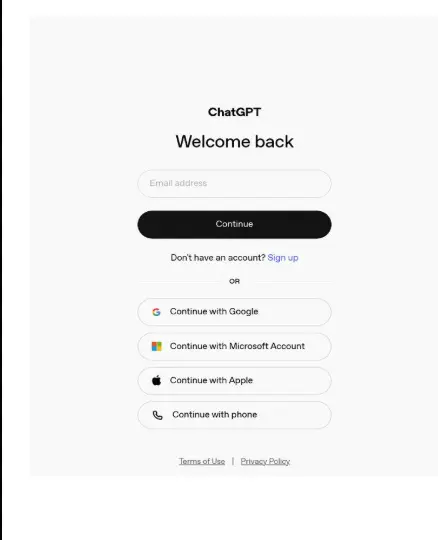
With ChatGPT, the process is simple:
- Create an account.
- Choose a plan if necessary.
- Start chatting.
You don’t need to configure a server, install dependencies, connect an AI API, or manage permissions.
OpenClaw requires more technical work. Depending on your setup, you may need to:
- Choose where to host it.
- Install the software.
- Connect an AI model.
- Configure the agent.
- Connect messaging or other services.
- Set permissions.
- Secure the server.
- Monitor the system.
For someone comfortable with servers, APIs, and command-line tools, this may not be a problem.
For someone who simply wants an AI assistant that works immediately, it can feel like unnecessary complexity.
9) Reactive vs. Proactive Work
This is arguably the biggest difference between the two.
ChatGPT is primarily reactive.
You give it a prompt, and it gives you a response. You can ask it to write an article, explain something, analyze a document, or help with code.
OpenClaw is designed to support a more proactive, agent-like workflow.
Once configured, it can run scheduled tasks or respond to events without you manually starting every task.
For example, you could configure an agent to:
- Check for new messages
- Run a scheduled task
- Monitor information
- Process files
- Send notifications
- Perform routine administrative work
This changes the relationship you have with the AI.
With ChatGPT, you generally go to the AI when you need help.
With an automated OpenClaw setup, the AI can perform tasks in the background based on rules you have configured.
10) Open Source and Security
OpenClaw is open source, which means its code can be inspected, modified, and extended.
This gives developers more control over the software and makes it possible to customize the system for specific needs.
ChatGPT is a closed-source commercial product. You use the software and infrastructure provided by OpenAI rather than managing the underlying system yourself.
However, open source does not automatically mean safer.
In fact, OpenClaw can require more security knowledge because you are responsible for things such as:
- Server security
- Passwords and API keys
- User permissions
- File access
- Connected accounts
- Network configuration
- Software updates
If you give an AI agent access to important files, accounts, or system commands, a configuration mistake can have real consequences.
This is why OpenClaw should be treated more like infrastructure than a normal chatbot.
When to Choose Which
Choose ChatGPT if:
- You want something simple and ready to use immediately
- You mainly need help with writing, research, coding, or brainstorming
- You’d rather not manage servers, permissions, or technical configuration
- You want a vendor handling security and uptime for you
Choose OpenClaw if:
- You want an AI that works in the background, not just when prompted
- You want to automate repetitive tasks across your files, inbox, or calendar
- You want to reach your assistant through WhatsApp, Telegram, or Discord
- You want the freedom to choose which underlying AI model powers it
- You’re comfortable with some technical setup and take ownership of your own security
Or use both. Nothing stops you from running OpenClaw with an OpenAI model behind it, pairing OpenAI’s model quality with OpenClaw’s automation and messaging-first design. Many self-hosters do exactly this, or mix providers depending on the task.
Which One Should You Choose
There’s no single winner here, just the right tool for what you’re trying to do.
Pick ChatGPT if you want an assistant that’s ready in minutes, handles writing, research, and coding well, and doesn’t ask anything of you beyond a subscription. OpenAI manages the servers, the security, and the updates, you just show up and chat.
Pick OpenClaw if you want an AI that does more than talk back, one that lives in WhatsApp or Telegram, works in the background on its own schedule, and can actually touch your files, inbox, and accounts. It takes more setup and more responsibility for keeping it secure, but in exchange you get an agent that keeps working even when you’re not there.
And you don’t have to pick just one, plenty of people run OpenClaw with a GPT or Claude model behind it, getting the automation of OpenClaw with the model of their choice.
If OpenClaw sounds like the fit, the easiest way to get it running reliably is on a VPS rather than your own laptop, so it stays online even when you’re not.
Get a VPS built for OpenClaw →
OpenClaw vs ChatGPT FAQs
Is OpenClaw better than ChatGPT?
Neither is strictly better, they solve different problems. ChatGPT is the stronger choice for conversational help with no setup; OpenClaw is the stronger choice for background automation across messaging apps and your own systems.
Can OpenClaw use ChatGPT’s models?
Yes. OpenClaw is model-agnostic and can be configured to call OpenAI’s models (among others) through its API, so you can pair OpenClaw’s automation layer with GPT-based responses.
Is OpenClaw riskier than ChatGPT?
In terms of what could go wrong, yes. Because OpenClaw can be granted access to your files, shell, and accounts, misconfigured permissions carry more risk than a sandboxed, vendor-managed product like ChatGPT. Starting with limited access and expanding gradually reduces this risk.
Does OpenClaw require coding knowledge?
Not strictly, but it helps. Installation and configuration are more technical than signing up for a hosted app; expect to work with a command line, at least briefly, though managed hosting options and guided setup wizards have made the process more approachable over time.
Which is cheaper for a team?
It depends on usage. ChatGPT Business runs a fixed $20–25 per seat per month. OpenClaw has no software fee, so cost scales with API usage and hosting, potentially cheaper for light or highly automated workflows, potentially more expensive if a team uses premium models heavily without cost controls.
Should beginners start with ChatGPT or OpenClaw?
ChatGPT. It requires no setup, carries much lower risk, and covers the vast majority of everyday AI needs. OpenClaw is worth exploring once you have a concrete automation task in mind and are comfortable managing the permissions it needs.