DomainsFind and register your ideal domain name instantly.
 Web HostingEasy-to-use hosting powered by cPanel — ideal for managing websites in Nigeria.
 Windows HostingRun .NET apps with Windows-optimized hosting
 Affiliate ProgramMake money promoting our services
 Reseller HostingMake money by reselling our hosting products under your own brand
 .COM Domains
 All DomainsExplore all supported tld domains in Nigeria
 WhoisFind out who owns any domain, as well as verify your registration details
 Dedicated ServersReimagine your site speed with your own complete server
 AI Website BuilderDesign your site with drag-and-drop tools
 Online Shop BuilderStart your online shop without code
 Support PortalFind answers or get expert help
 Contact UsReach our team via chat or email
 BlogRead our extensive guides on web hosting and more
Yes. n8n offers a free Community Edition that you can self-host, with unlimited workflows, unlimited users, unlimited executions, and access to virtually every integration in its library. There’s no seat limit, no execution cap, and no expiry date; it’s yours to run for as long as your server stays up.
If you’d rather skip the server management, n8n Cloud is the managed alternative. It’s a paid subscription that handles hosting, updates, and security for you, and unlocks features like higher execution limits, team collaboration tools, and official support. The trade-off is straightforward: self-hosting costs your time and a small server bill; n8n Cloud costs a monthly fee and gives you back that time.
Which one is “free” really depends on what you value more, your hours or your naira.
Here’s how the two options compare, what self-hosting actually costs once you factor in a server, and a full breakdown of n8n Cloud’s 2026 pricing.
n8n: Self-Hosted vs. n8n Cloud
| Feature | Self-Hosted (Community Edition) | n8n Cloud |
| Cost | Free software; you pay only for server infrastructure | Subscription starting at ~$20–24/mo (Starter) |
| Workflow executions | Unlimited | Capped by plan (2,500 on Starter, 10,000 on Pro, 40,000 on Business) |
| Setup effort | Requires Docker/Linux basics, manual install | None, hosted and managed by n8n |
| Maintenance & updates | Your responsibility | Handled automatically by n8n |
| Data control | Full control, data stays on your infrastructure | Hosted on n8n’s servers (EU-based, Frankfurt) |
| Support | Community/forum support only | Official support (Pro and above) |
| Enterprise features (SSO, LDAP, Git, governance) | Not included in Community | Available on Business/Enterprise |
| Best for | Technical users, cost-sensitive setups, data-sensitive use cases | Non-technical users, teams wanting zero-maintenance hosting |
The biggest thing to notice here is that “unlimited executions” only applies to self-hosting. Every n8n Cloud plan, regardless of how much you pay, comes with a monthly execution ceiling. So the real question isn’t just “is n8n free,” it’s “how many workflow runs do I actually need per month,” because that number decides whether the free route or a paid plan makes more sense.
What You’ll Need to Pay For
Self-hosting n8n doesn’t mean automating for nothing; it means shifting the cost from a software subscription to infrastructure and your own time. If you go this route, here’s what actually shows up on your bill:
- A server or VPS. n8n needs somewhere to run 24/7, typically via Docker. A small workflow load can run comfortably on a low-spec VPS; heavier, AI-driven, or high-frequency workflows need more RAM and CPU. If you’re unsure what kind of server you need, this guide to n8n VPS requirements
- Updates and patching. New n8n versions, security patches, and dependency updates are on you to apply.
- Backups. Your workflows, credentials, and execution history live on your server, so you’re responsible for backing them up.
- Basic security hardening. Firewall rules, SSL certificates, and access control aren’t handled automatically the way they are on n8n Cloud.
For anyone in Nigeria who doesn’t want to manage raw server infrastructure themselves, managed n8n hosting is a middle ground: someone else runs and secures the server, but you still get the “unlimited executions” benefit of self-hosted n8n.
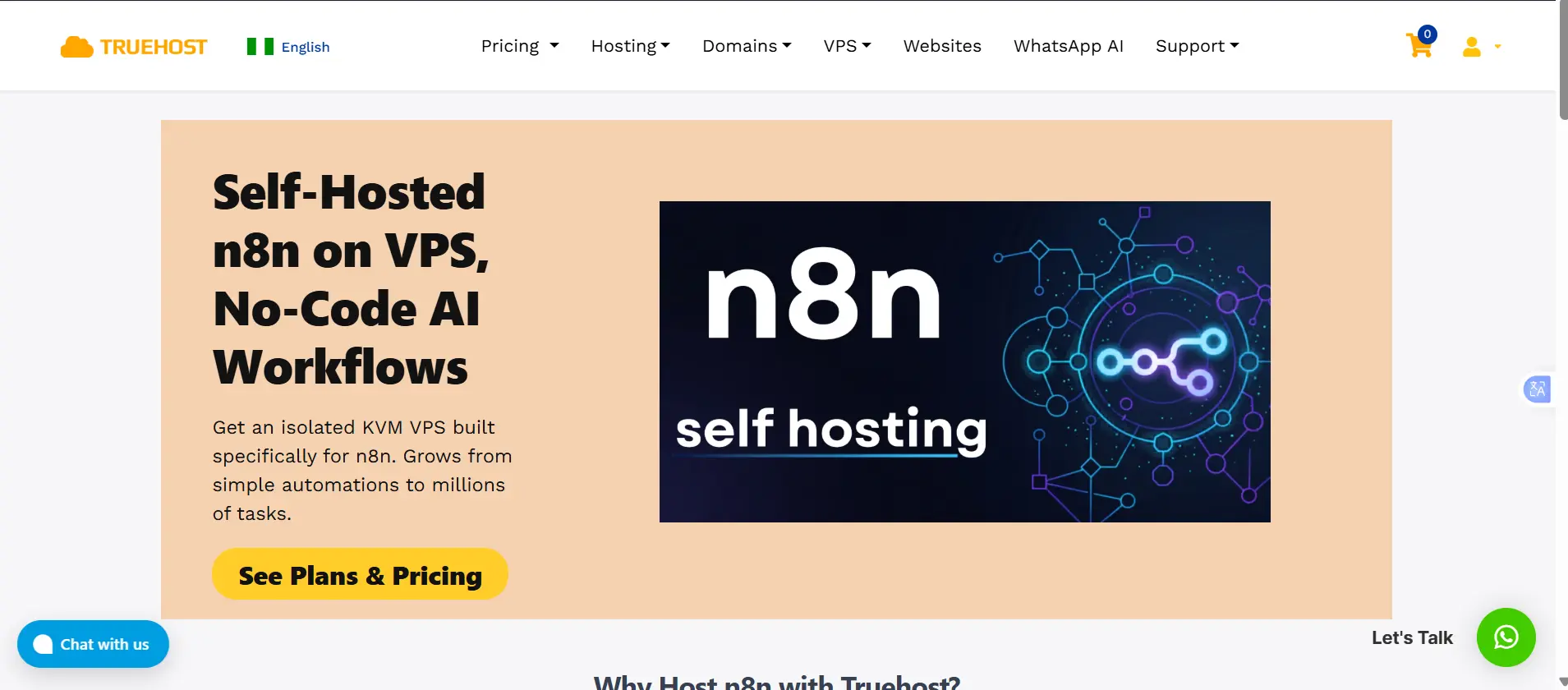
Truehost Nigeria’s managed n8n hosting plans (on 3-year billing) start at:
- Starter: ₦12,250.00; 1 vCPU, 2GB RAM, 50GB NVMe storage, 4TB bandwidth
- Pro: ₦24,500.00; 2 vCPUs, 4GB RAM, 100GB NVMe storage, 6TB bandwidth
- Business: ₦59,500.00; 4 vCPUs, 8GB RAM, 200GB NVMe storage, 8TB bandwidth
At roughly ₦10,500 a month, that’s still considerably cheaper than n8n Cloud’s Starter plan once you convert to naira, and you’re not capped at 2,500 executions.
What Are the Limitations?
The Community Edition is generous, but it isn’t a full replacement for every paid feature. A few trade-offs to know before you commit to self-hosting:
- Fair-code license, not open source. n8n’s code is published under the Sustainable Use License (SUL), which the company describes as “fair-code” rather than open source. You’re free to use, modify, and extend n8n internally for your own business or personal automation. What you can’t do is resell n8n as a hosted product, white-label it, or offer it as a competing SaaS service to your own customers. Building workflows and automations for clients as a consultant or agency is explicitly fine; it’s only reselling n8n itself as a service that’s restricted.
- Enterprise features aren’t included. Official support with SLAs, single sign-on (SSO/SAML/LDAP), advanced role-based access, version control via Git, and audit logging all require a paid Business or Enterprise license, whether you’re self-hosting or on n8n Cloud.
- You carry the operational risk. Uptime, scaling, and disaster recovery are entirely your responsibility on the Community Edition. There’s no SLA to fall back on.
For a solo builder or a small technical team automating internal processes, none of this is usually a dealbreaker. It starts to count once multiple departments depend on the same workflows, or compliance requires SSO and audit trails.
n8n Cloud Pricing (2026)
n8n Cloud bills by monthly workflow executions, not by seat, and not by the number of steps inside a workflow. One execution is one complete run of a workflow, regardless of how many nodes it contains; so a 15-step workflow still counts as a single execution, which makes n8n’s pricing noticeably more predictable than tools that charge per task or per step.
All plans, including Starter, now include unlimited users and unlimited active workflows; the only lever that changes your bill is how many times your workflows actually run each month.
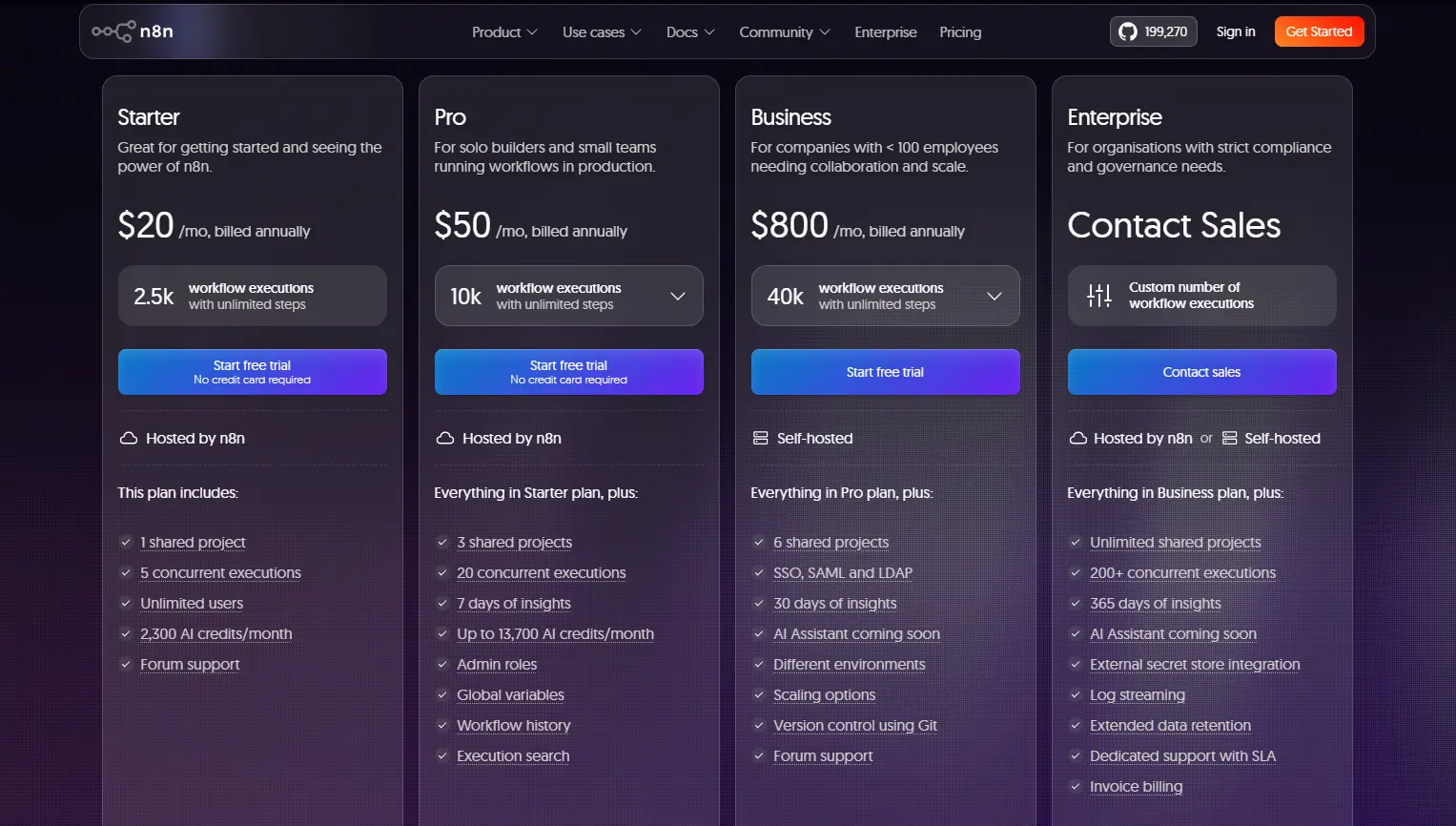
a) Starter
- Around $20/month billed annually (about $24/month billed monthly)
- 2,500 workflow executions per month, with unlimited steps
- 5 concurrent executions
- 1 shared project
- Around 2,300 AI Assistant credits/month
- Forum support only
- Best for individuals, personal projects, and testing n8n before scaling up
b) Pro
- Around $50/month billed annually (about $60/month billed monthly)
- 10,000 workflow executions per month
- 20 concurrent executions
- 3 shared projects, admin roles, global variables, workflow history, and execution search
- 7 days of usage insights
- Up to roughly 13,700 AI Assistant credits/month
- Best for solo builders and small teams running workflows in production
c) Business
- Around $800/month billed annually (roughly €667/month)
- 40,000 workflow executions per month
- Enterprise-grade features: SSO, SAML, and LDAP; version control via Git; multiple environments; 30 days of insights; AI Assistant (preview)
- Important: this is a self-hosted plan running on an enterprise license, not a plan hosted by n8n. You still run the infrastructure; the license key unlocks the enterprise feature set on your own instance.
- Designed for companies under 100 employees that need collaboration and governance features at scale
- Startups under 20 employees may qualify for 50% off through n8n’s Start-up Plan
d) Enterprise
- Custom pricing, quoted directly by n8n’s sales team
- Unlimited shared projects and a custom execution allowance
- 200+ concurrent executions
- 365 days of insights, external secret store integration, log streaming, extended data retention
- Dedicated support with an SLA, invoice billing, and flexible deployment; hosted by n8n or self-hosted
- Aimed at organizations with strict compliance, governance, or scaling requirements
Free Trial
- Starter and Pro both include a 14-day free trial with no credit card required. Trials get full access to Pro-level features (global variables, insights, admin roles) plus around 800 AI Assistant credits, but run within Starter’s usage limits (5 concurrent executions, 2,500 executions).
- A Business plan trial requires a credit card upfront, but also gives full access to Business features for 14 days.
- Paying annually instead of monthly saves roughly 17% across every cloud tier.
The Best Way to Host n8n in Nigeria
If your workflows are simple and low-volume, n8n Cloud’s Starter plan is the least effort; no server to manage, and $20–24/month is a fair price for “it just works.” But the moment you’re running scheduled workflows every few minutes, webhook-heavy integrations, or AI agents that trigger often, that 2,500-execution ceiling disappears fast, and Pro or Business quickly becomes the more expensive option compared to running your own instance.
For most Nigerian businesses and developers, self-hosting on managed infrastructure hits the sweet spot: you keep n8n’s unlimited executions and full data control, without needing to personally patch servers, configure firewalls, or handle backups.
A managed n8n VPS from a local host, like Truehost Nigeria’s plans starting at ₦10,500/month, gives you a production-ready instance with local billing in naira, without the currency-conversion markup that comes with paying a European SaaS company in dollars or euros.
[Explore Truehost Nigeria’s managed n8n hosting plans →]
Is n8n Free for Workflow Automation FAQs
Is n8n completely free?
The self-hosted Community Edition is completely free software with no execution limits, user limits, or expiry date. It isn’t 100% free to run, though; you still need a server, which costs money, time, or both. n8n Cloud is not free long-term; it offers a 14-day trial before billing kicks in.
Can I use n8n commercially for free?
Yes, for internal business automation. The Sustainable Use License lets you self-host and use n8n to automate your own company’s processes at no cost. What you can’t do for free (or at all, without a separate commercial agreement) is resell n8n itself as a hosted product or white-label it as your own SaaS offering.
Is self-hosting n8n legal?
Yes. Self-hosting is explicitly what the Community Edition and its Sustainable Use License are designed for. It’s legal to install, modify, and run n8n on your own or rented infrastructure for personal or internal business use; the license only restricts turning n8n into a competing hosted service.
Do I need a VPS to run n8n?
For anything beyond local testing, yes. n8n needs to run continuously to trigger scheduled workflows and respond to webhooks, so it needs a server that stays online. a VPS, a cloud instance, or a managed hosting plan. Running it only on your personal laptop means workflows stop the moment you close it.
Does self-hosted n8n have execution limits?
No. The Community Edition has no cap on workflow executions, active workflows, or users. Execution limits only apply to n8n Cloud’s Starter, Pro, and Business plans.
What’s the difference between Community Edition and Cloud?
Community Edition is free, self-hosted software with unlimited executions but no managed hosting, no official support, and none of the enterprise features (SSO, Git version control, advanced insights). n8n Cloud is a paid, fully managed service with automatic hosting and updates, official support on higher tiers, and enterprise features available at the Business and Enterprise levels, but capped monthly executions.
Can I migrate from Cloud to self-hosted later?
Yes. n8n workflows are portable; you can export them as JSON from a Cloud instance and import them into a self-hosted instance (or vice versa). Credentials will need to be re-entered on the new instance for security reasons, but the workflow logic itself transfers directly.