Domain NamesFind and register your ideal domain name instantly.
 Web HostingEasy-to-use hosting powered by cPanel — ideal for managing websites in Nigeria.
 Windows HostingRun .NET apps with Windows-optimized hosting
 Affiliate ProgramMake money promoting our services
 Reseller HostingMake money by reselling our hosting products under your own brand
 .COM Domains
 All DomainsExplore all supported tld domains in Nigeria
 WhoisFind out who owns any domain, as well as verify your registration details
 VPS Hosting in Nigeria
 Dedicated ServersReimagine your site speed with your own complete server
 AI Website BuilderDesign your site with drag-and-drop tools
 Online Store BuilderStart your online shop without code
 Support PortalFind answers or get expert help
 Contact UsReach our team via chat or email
 BlogRead our extensive guides on web hosting and more
You’ve got something you want to share with the world: a business idea, a personal blog, or a portfolio of your fantastic work. I get it.
Right now, it might be a folder of files on your computer: text, pictures, layouts. But for people to actually see it, those files need a home on the internet.
This is where knowing how to host a website comes in, and it’s the one step that turns your project from a private file into a place where people can interact with what you want to share.
The process of getting your site online is simpler than it sounds, and you don’t need to be a tech expert to do it. We’ll cover everything from choosing the right service to finally opening your digital doors.
And because we’re based right here, we at Truehost understand what it takes to get a Nigerian website online.
Web Hosting Defined
Your website is like a house, and the house itself is all your files: the design, pictures, and words.
Web hosting is the plot of land you build that house on. Without land, your home has no real-world location. It just sits as a blueprint on your computer.
So, hosting is space on a powerful, always-on computer called a server. This server stores your website’s files. When someone types your web address, the server finds those files and sends them to the visitor’s screen.
Choosing a hosting is like renting a secure, reliable, and accessible location for your website to exist on the internet.
Why You Need Web Hosting
You need a professional hosting service. Here are the main reasons:
a) Your Computer Isn’t Always On
For people to visit your site, it must be available day and night. Your laptop or desktop computer gets turned off, goes to sleep, or loses its internet connection.
A hosting server, on the other hand, is built to run without interruption. It ensures your website’s door is never locked to visitors, no matter the time.
b) Your Internet Connection Can’t Handle Crowds
A home internet plan is made for you to browse and stream. It isn’t strong enough to send your website’s data to dozens or hundreds of people at the same time.
If too many visitors come at once, your site will slow to a crawl or stop working entirely.
Hosting servers use powerful, commercial-grade connections designed to serve many visitors smoothly and without delay.
c) Professional Security is Non-Negotiable
Putting a website on the internet makes it a potential target for hackers, viruses, and other attacks.
Your personal computer lacks the advanced, constantly updated defenses needed to protect a public site and its data.
A hosting provider invests in serious security measures like firewalls, malware scanning, and expert monitoring to shield your website and keep your information safe.
d) You Need Special Management Tools
A real website needs more than web pages. You need to create professional email addresses, set up databases for features like user logins, and install software like WordPress easily.
A hosting service provides a simple, central dashboard like cPanel that lets you manage all these essential tools with just a few clicks, something you cannot do from your own computer.
e) Guaranteed Speed and Reliability Matter
Your visitors expect a website to load quickly. If it’s slow, they will leave. Hosting servers are fine-tuned for speed.
At Truehost, we guarantee 99.9% uptime, meaning your site will rarely suffer unexpected outages.
If there is a problem with the server, our team fixes it immediately, which is far more reliable than depending on your own equipment and internet service.
How to Host a Website Step by Step
Step 1: Select a Web Hosting Provider and Plan
This is a crucial decision. Your provider is the company that owns the servers. Look for a provider with a strong reputation, helpful support, and servers located close to your audience.
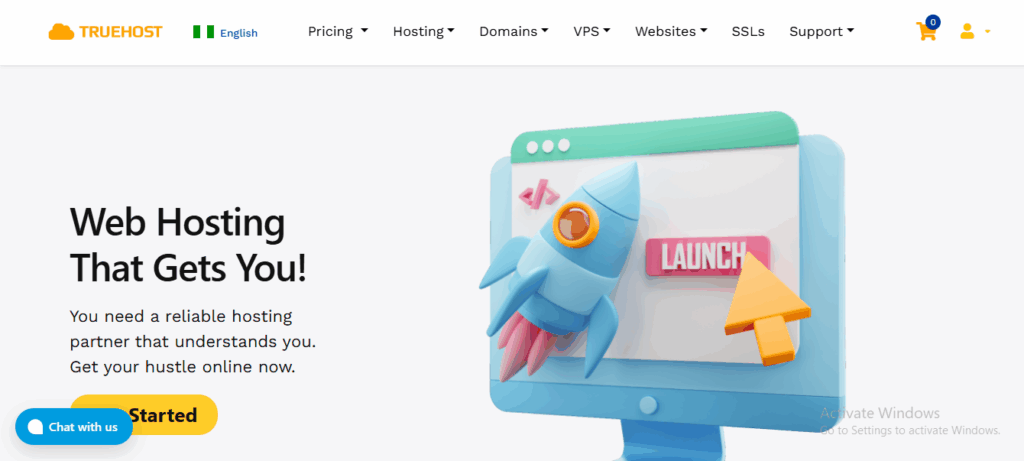
For a site in Nigeria, using a local provider like Truehost can mean faster loading times for your visitors.
If you are feeling stranded about how to choose a good web hosting provider, don’t worry, I’ll guide you on that as you read on.
Step 2: Choose and Register a Domain Name
You need a relevant domain name so that people know how to find you. Pick a name that is short, easy to remember, and related to what you do.
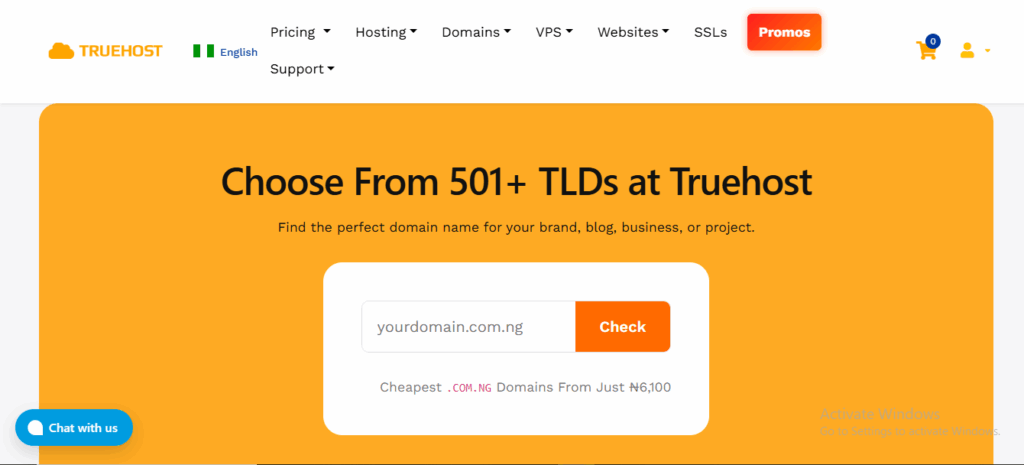
At Truehost, you can register a .com.ng domain now for just NGN 6,100. Use a domain checker on our website to see if your desired domain name is available.
Once you find an available name, you register it for a yearly fee. Many providers, including us at Truehost, offer a free .com.ng domain when you sign up for an annual plan, which is a good way to start.
Step 3: Point Your Domain to Your Hosting
After buying hosting, you’ll get something called nameservers.
These are like address pointers. You need to log into the account where you purchased your domain and replace the default nameservers with the ones from your hosting provider.
This process connects your domain to your hosting. It can take a few hours to work globally. If this sounds technical, our support team can guide you through it.
Step 4: Build and Upload Your Website
Now, it’s time to put your website files on the server.
If you’re using a system like WordPress, most hosts offer a 1-click installer like Softaculous to set it up instantly from your control panel.
If you built a site with HTML files, you would use an FTP program to upload them to a folder called public_html.
Step 5: Install an SSL Certificate
See the https:// and padlock icon in a browser’s address bar? That’s SSL. It encrypts data between your visitor and your site, protecting passwords and personal info.
It’s also important for Google. Look for a hosting provider that offers this for free. We provide free, automated SSL certificates for all our hosting plans, so your site is secure from day one.
Step 6: Test Your Website Thoroughly
Before you announce your site is live, test it:
- Type your domain into different browsers.
- Click every link.
- Fill out your contact form.
- Check how it looks on a phone.
- Make sure images load.
This is the time to find and fix any minor issues.
Step 7: Go Live and Maintain
Once testing is done, your site is officially live. But your job isn’t over. Use the tools in your hosting control panel to check your site’s traffic, keep your software updated, and monitor your storage space.
Also, regular maintenance keeps your site secure and running smoothly.
How to Choose a Web Hosting Provider In Nigeria
I promised to help you choose the best web hosting provider for your site. Here’s how:
1) Reliability (Uptime)
You want a guarantee that your site will be online when people try to visit. Look for a provider that promises at least 99.9% uptime.
For example, at Truehost, our services come with a 99.9% uptime guarantee, because we know downtime is a lost opportunity.
2) Support
What happens when something goes wrong, or you just don’t know how to do something? Good support is your safety net.
The best providers offer 24/7 support through live chat, phone, or tickets. You want real people who can understand your issue and solve it quickly.
That’s a standard we’ve built our service around; our team is here all day, every day, to guide you.
3) Ease of Use
If the hosting dashboard is confusing, you’ll waste time and get frustrated. A clean, standard control panel like cPanel is what to look for.
It lets you manage your files, emails, and databases without needing to be a tech expert. We include cPanel access with all our plans because managing your site should be easy.
4) Security and Backups
Two things you should never compromise on. Free SSL certificates are essential—they secure your site and give your visitors confidence.
Also, ask about backups. Daily automated backups mean that if you make a mistake or something gets corrupted, you can restore your site with one click.
At Truehost, we provide both free SSL and daily backups because your site’s safety isn’t an add-on; it’s a necessity.
5) Value
The cheapest plan can end up costing you more in headaches, slow performance, or hidden fees. Don’t just look at the price tag.
Balance the cost with the features you’re actually getting. A good provider gives you what you need to grow without locking you into paying for things you’ll never use.
From our Starter plan upwards, we focus on providing clear value, like including a free .com.ng domain and unlimited email accounts, so you get a solid foundation without overspending.
How to Choose a Web Hosting Plan
Your plan depends on your website’s size and traffic. Start with what you need now, with room to grow. Here are simple tips:
- For a new blog or business site: A starter plan with enough storage and bandwidth is perfect.
- For an online store or growing business: Look for more resources, priority support, and daily backups.
- For multiple websites or large projects: An unlimited or high-resource plan saves you from constant upgrades.
Truehost offers you options for every possible website need. Here are our plans:
| Feature | Starter Plan | Pro Plan | Unlimited Plan |
| Monthly Cost (Triennial billing) | NGN 1275 | NGN 6125 | NGN 9300 |
| Website Capacity | 10 | 30 | Unlimited |
| Storage space | 30 GB | 50 GB | Unlimited |
| Monthly visitors | 25,000 | 50,000 | High Traffic |
| Ideal for | New blogs, small business sites, and portfolios. | Growing businesses, online stores, and blogs with steady traffic. | Large companies, multiple projects, or sites expecting very high traffic. |
| Features | Free .com.ng domain, Unlimited emails, Free SSL, Daily backups, Website Builder. | Everything in Starter, plus more storage and capacity for more visitors. | Unlimited emails & storage, Free .com.ng domain, SSH access, and top performance. |
Conclusion
Getting your website online isn’t about one big, complicated leap. It’s really a series of small, precise steps.
You find a place for your site to live (that’s hosting), you give it an address (your domain), you build it, and then you open the doors.
Each step is manageable, especially when you have a reliable partner like Truehost.
So, stop thinking about the technical side and start focusing on what your site is meant to do: sharing your ideas, selling your products, or building your community.
Truehost will handle the stability, security, and support in the background, so you don’t have to. It’s the foundation that lets everything else you do stand firm and be seen.