Domain NamesFind and register your ideal domain name instantly.
 Web HostingEasy-to-use hosting powered by cPanel — ideal for managing websites in Nigeria.
 Windows HostingRun .NET apps with Windows-optimized hosting
 Affiliate ProgramMake money promoting our services
 Reseller HostingMake money by reselling our hosting products under your own brand
 .COM Domains
 All DomainsExplore all supported tld domains in Nigeria
 WhoisFind out who owns any domain, as well as verify your registration details
 VPS Hosting
 Dedicated ServersReimagine your site speed with your own complete server
 AI Website BuilderDesign your site with drag-and-drop tools
 Online Store BuilderStart your online shop without code
 Support PortalFind answers or get expert help
 Contact UsReach our team via chat or email
 BlogRead our extensive guides on web hosting and more
If you’ve ever wanted to get your hands dirty with server setups, tinkering, and really understanding how the digital backbone of websites works, then VPS learning is your golden ticket.
It’s literally a playground for aspiring sysadmins, a safe, personal space where you can experiment without breaking the internet.
Gone are times when you went through endless tutorials that never let you actually touch a real server.
In 2026, VPS learning has become the easiest, most practical way to get hands-on experience with server management, without spending a fortune or putting live systems at risk.
In this guide, I’ll walk you through everything you need to know about using a VPS for learning server management, from spinning up your first instance to mastering the tricks that make servers hum smoothly.
We’ll go through:
- Why VPS learning works so well today
- What to look for when setting up your environment
- How to get started fast
By the time you’re done, you’ll know how to turn an affordable VPS into your personal playground for building real server management skills that matter in 2026.
Why VPS is the Best Way to Learn Server Management in 2026
Hands-on practice always beats just watching tutorials.
With a VPS, you get your own dedicated resources, so commands run smoothly and experiments don’t slow down.
Unlike shared hosting, where root access is limited and installing custom software is off-limits, a VPS gives you full control.
You can SSH in, tweak settings, set up firewalls, and even break things, then rebuild them in minutes.
It’s a low-risk space that makes VPS learning ideal, because mistakes barely cost anything.
Opportunities in the Market
Skills like Linux administration, security, and deployment are in high demand in Nigeria right now.
The cloud computing market is booming, projected to jump from $1.03 billion in 2025 to $3.28 billion by 2030.
And employers want people with hands-on experience with real systems.
DevOps and sysadmin roles are especially hot in 2026, with many positions sitting open for months.
Junior DevOps engineers earn around ₦2.9–3 million a year, and having practical VPS experience gets you there faster than certificates alone.
A VPS helps you fast track to real skills and real opportunities.
Key Features to Look for in a VPS for Learning
Before you just go for any, it pays to know what really counts for smooth VPS learning:
- Full root access — You need full control to install software, edit configs, and run services as root.
- Linux OS options — Ubuntu is great for beginners thanks to its docs and community. AlmaLinux or Debian are solid choices too if you want more production-like practice.
- At least 2 GB RAM and 1–2 CPU cores — Enough to run a web server, a database, and a few tools without your system constantly swapping.
- SSD or NVMe storage — Aim for 50 GB minimum. Speed makes a big difference when compiling code or loading databases.
- Decent bandwidth — Around 1 TB/month is plenty for experiments. Unthrottled ports keep everything responsive.
- Snapshots or easy backups — A quick restore after a bad config saves a lot of headaches.
- Local-friendly pricing — Paying in Naira avoids forex issues, and local support keeps help close by.
- Unmanaged options — Avoid VPS locked to managed panels if your goal is raw hands-on learning. You’ll learn much more managing it yourself.
Best VPS Options for Learning in Nigeria (2026)
There are plenty of VPS providers, but local factors really make the difference in Nigeria: Naira billing, fast support, low-latency connections, and beginner-friendly pricing.
Big names like DigitalOcean or Linode are powerful, but currency conversion and slow support can be frustrating.
Free tiers from Oracle Cloud or AWS Lightsail look tempting, but limits appear quickly, and availability isn’t always reliable.
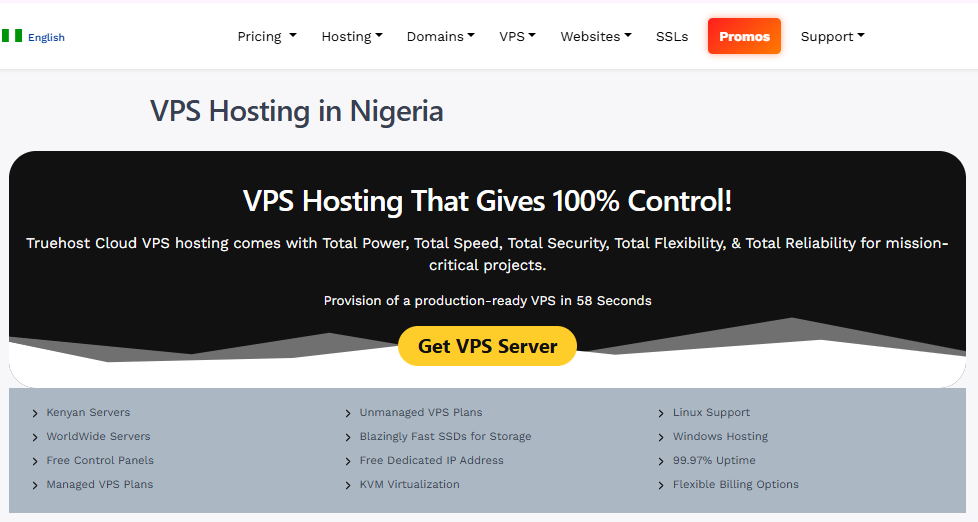
Truehost offers VPS with all this in mind. Our Cloud VPS plans offer full root access, SSD storage, and KVM virtualization, powered by Intel Xeon or AMD Ryzen CPUs.
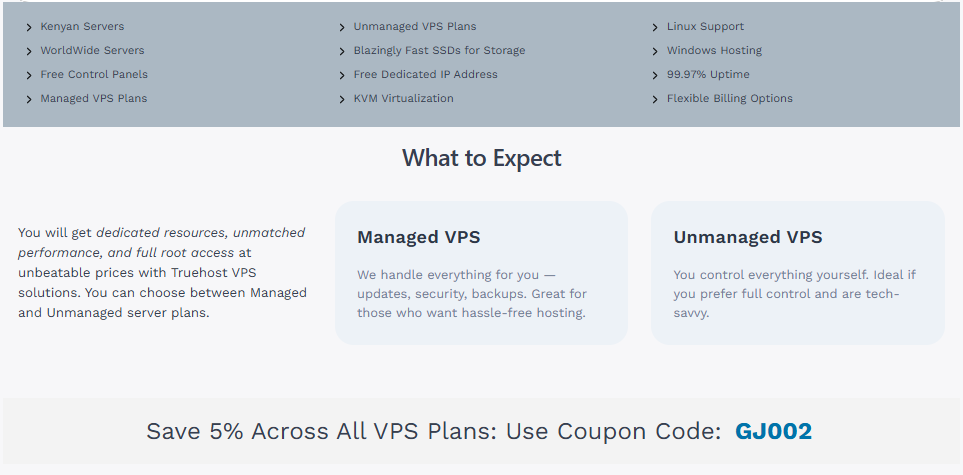
Uptime sits at 99.97%, with AntiDDoS protection and configurable firewalls included.
Our entry-level Cloud VPS 1 costs just ₦8,000/month on a triennial plan (plus 5% off with coupon GJ002).
You get 2 GB RAM, 50 GB SSD, 1 TB transfer, and a free dedicated IP, enough to start learning without overspending.
Higher tiers scale up smoothly: Cloud VPS 2 at ₦12,250/month comes with 4 GB RAM, 100 GB SSD, and 10 TB transfer.
Support is available 24/7 via WhatsApp, live chat, or phone, no waiting across time zones.
Data centers in Europe, the USA, and even Nairobi and Johannesburg keep latency low for African users.
Everything is billed in Naira, so no forex drama.
This makes Truehost VPS an ideal playground for Nigerian learners: affordable, reliable, and designed for hands-on practice.
Step-by-Step: Setting Up Your First VPS with Truehost
This is the fastest way to launch your first VPS and begin learning for real.
Step 1: Start by heading to Truehost and choose Cloud VPS 1. It’s perfect for learning, but you can go higher if you want extra room to experiment.
Select triennial billing to get the best value, choose Ubuntu 22.04 or 24.04 LTS, and complete your payment in Naira.
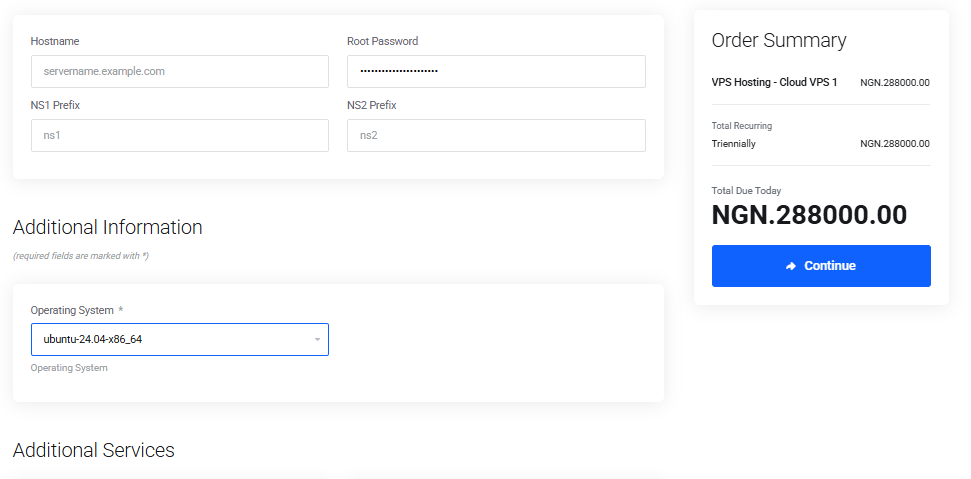
In under a minute, your VPS is ready. Log into your client area to find your server IP, root password, and access details.
Step 2: Open your terminal (or PuTTY if you’re on Windows) and connect to your server:
ssh root@your-vps-ip
Enter the password provided, then change it right away:
passwd
Next, update your system so everything is current:
apt update && apt upgrade -y
Now handle the basics. Create a new user, disable root SSH login, and set up SSH keys (generate them locally with ssh-keygen, then copy the public key to the server). Add a firewall for extra safety:
ufw allow OpenSSH
ufw enable
Once that’s done, install a simple LEMP stack so you can start practicing with real services:
apt install nginx mariadb-server php-fpm php-mysql -y
Secure your database setup:
mysql_secure_installation
That’s it, you’re running a live server. Before experimenting further, take a snapshot from the Truehost control panel. It gives you the freedom to break things, fix them, and roll back instantly.
Essential Skills and Projects to Practice on Your VPS
Start simple and build confidence as you go. These projects turn VPS learning into real, repeatable skills:
- Secure a web server — Host a static site with Nginx and add SSL using Let’s Encrypt.
- Deploy WordPress — Set up a database, configure PHP, and connect a domain.
- Run Docker containers — Launch apps like Nextcloud or a personal blog.
- Automate tasks with cron — Schedule backups or cleanup scripts.
- Monitor your server — Use tools like htop, Netdata, or basic Prometheus setups.
Each project teaches skills employers actually care about: updates, permissions, logs, performance tuning, and troubleshooting.
You can even build your portfolio here.
In 2026, you can also lean on AI tools like GitHub Copilot for config snippets or chat-based debugging, but the real learning still comes from running and fixing your own server.
Common Mistakes to Avoid in Your VPS Learning Journey
A few early missteps can slow you down, but they’re easy to avoid once you know what to watch for.
1. Don’t rush into buying massive resources on day one. Start small, learn how things work, and scale up only when your projects actually need more power.
2. Never rely on weak passwords or leave root login wide open. Automated bots scan servers around the clock, and basic security habits go a long way.
3. Backups are not optional. One careless rm command can erase hours, or days, of work in seconds. Make snapshots part of your routine.
4. Before making big changes, always take a snapshot. It gives you the confidence to experiment freely, knowing you can roll back anytime.
Conclusion and Next Steps
Learning server management through VPS learning in 2026 gives you a real edge in Nigeria’s fast-growing tech space.
This is because you’re building skills employers actually want: SSH access, security hardening, web stack deployment, and real-world troubleshooting.
Getting started is simple.
Visit truehost.com.ng/vps-hosting, pick Cloud VPS 1, and set up your personal learning lab today.
If you get stuck or need advice, our support team is available 24/7.
Your first real server is waiting. The real question is, what will you break and fix first? Let’s get you learning.