Domain NamesFind and register your ideal domain name instantly.
 Web HostingEasy-to-use hosting powered by cPanel — ideal for managing websites in Nigeria.
 Windows HostingRun .NET apps with Windows-optimized hosting
 Affiliate ProgramMake money promoting our services
 Reseller HostingMake money by reselling our hosting products under your own brand
 .COM Domains
 All DomainsExplore all supported tld domains in Nigeria
 WhoisFind out who owns any domain, as well as verify your registration details
 VPS Hosting in Nigeria
 Dedicated ServersReimagine your site speed with your own complete server
 AI Website BuilderDesign your site with drag-and-drop tools
 Online Store BuilderStart your online shop without code
 Support PortalFind answers or get expert help
 Contact UsReach our team via chat or email
 BlogRead our extensive guides on web hosting and more
You may already know what web hosting Docker is.
But let’s start from the basics.
Docker is a tool that packs your website into a container.
This container holds your code, settings, and everything your site needs to run.
Once packed, the site works the same on any server.
Web hosting is where your website lives online. It is the server that stores your files and shows them to visitors when they open your site.
Deployment is how you move your website from your computer to the server. It is the process of making your site live so people can access it.
When these three do not work well together, problems start.
Your site loads slowly.
Updates break things.
Traffic spikes crash the server.
This happens often in Nigeria, especially during peak hours or promotions. A customer in Abuja clicks your store link. The page hangs. They leave. You lose a sale.
Nigeria’s e-commerce market is already worth over $9.35 billion and is growing fast.
In a market this competitive, slow or unstable hosting costs real money.
Docker helps you host your website in a clean, stable way. It makes deployment faster and safer.
It allows your site to scale when traffic increases, without rebuilding everything.
In this guide, you will learn how to use Docker for web hosting and deployment, step by step.
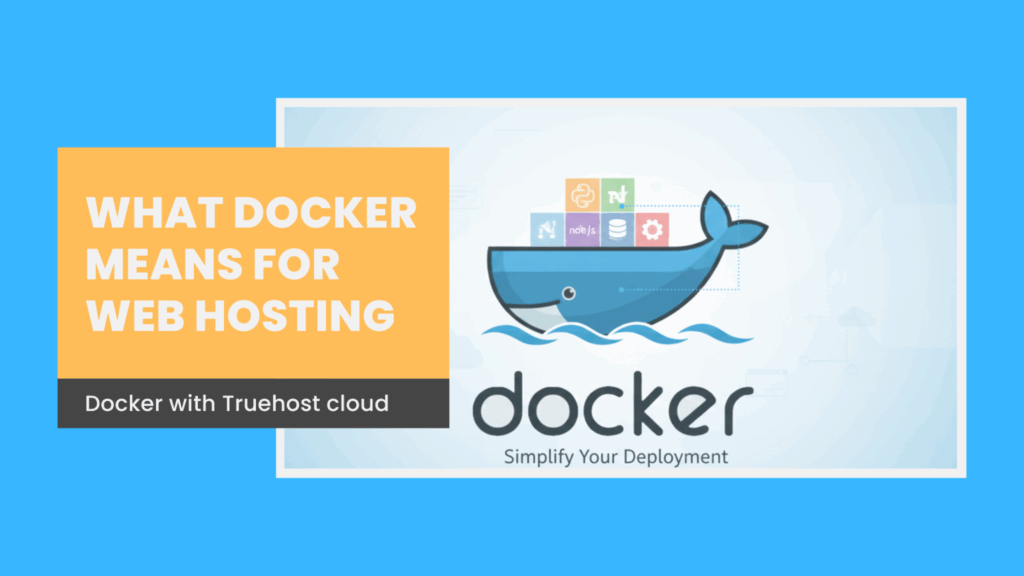
What Docker Means for Web Hosting
Without Docker, web hosting can feel messy.
One update breaks another app.
A setting works on your laptop but fails on the server.
You hear the same excuse every time: “It worked on my system.”
Docker fixes this problem.
Docker lets you package your website into a container. This container includes your code, libraries, and settings.
Once it is built, it runs the same way on any server.
That consistency is the real power.
A Docker container is light.
It starts fast.
It does not carry extra software it does not need.
This Docker makes performance more predictable and easier to optimize.
Internet speed is not always stable in Nigeria. Power can go out without warning. Traditional hosting struggles when this happens.
Docker containers restart quickly and keep your app isolated, so one problem does not bring down everything.
As Nigeria’s online market keeps growing at a strong pace, more people are visiting websites at the same time.
Docker makes it easy to handle this growth. Instead of upgrading a whole server, you simply run more containers.
Docker for web hosting is not just a new technology.
It is a practical solution.
Why Docker Works Well in Nigeria
You are not building websites in perfect conditions.
Common challenges include:
- Power outages at any time
- Internet speed changes during the day
- High data costs
All these affect how your website performs.
Web hosting Docker works well in Nigeria because it is built for unstable environments.
Power and Server Restarts
When power goes out or a server restarts:
- Docker containers come back online fast
- Your website does not need a full rebuild
- The app simply starts again and keeps working
This reduces downtime and lost sales.
Internet and Data Limitations
Docker containers are small in size:
- They download faster
- They use less data
- They work better on slow or unstable connections
This is a big advantage in areas with weak internet.
Handling Traffic Spikes
Traffic spikes are common:
- A promo goes live
- Visitors rush in
- Traditional hosting slows down or crashes
With Docker:
- Multiple containers can run at the same time
- More containers start when traffic increases
- Unused containers stop when traffic drops
- You only pay for what you use
Competing with Bigger Brands
This setup helps small businesses:
- Handle high traffic like larger companies
- Stay online during peak periods
- Grow without expensive infrastructure
Large platforms like Jumia use container technology to reach users across different regions, including areas with weaker infrastructure. The same tools are now available to small businesses.
Docker removes the gap between startups and large companies.
It gives you speed, stability, and room to grow.
Setting Up Your Environment for Docker Web Hosting
Starting with Docker is easier than it sounds.
You do not need an expensive laptop or great technical skills.
A basic system is enough.
A laptop with 4GB RAM works well. Ubuntu Linux is a good choice because it is light and stable.
Windows and Mac also work, but Ubuntu runs Docker more smoothly on most Nigerian setups.
You also need:
- A working internet connection
- Basic command line knowledge
- Willingness to test and learn
If something breaks, you delete the container and start again. No damage done.
What You Need Before You Start
Before installing Docker, make sure your system is ready.
You need:
- An updated operating system
- Enough storage space
- A supported programming language like Node.js, PHP, or Python
If you are building web apps, Node.js and PHP are common choices. Truehost provides simple guides to install them without stress.
Stable internet helps, but it is not a deal breaker. Docker allows you to reuse images, so you do not need to download the same files again and again.
Most important is your mindset.
This is not about perfection.
It is about learning and improving.
Installing Docker
Ubuntu is the easiest option for Docker users in Nigeria. It runs well even on low-power machines and handles restarts cleanly after power issues.
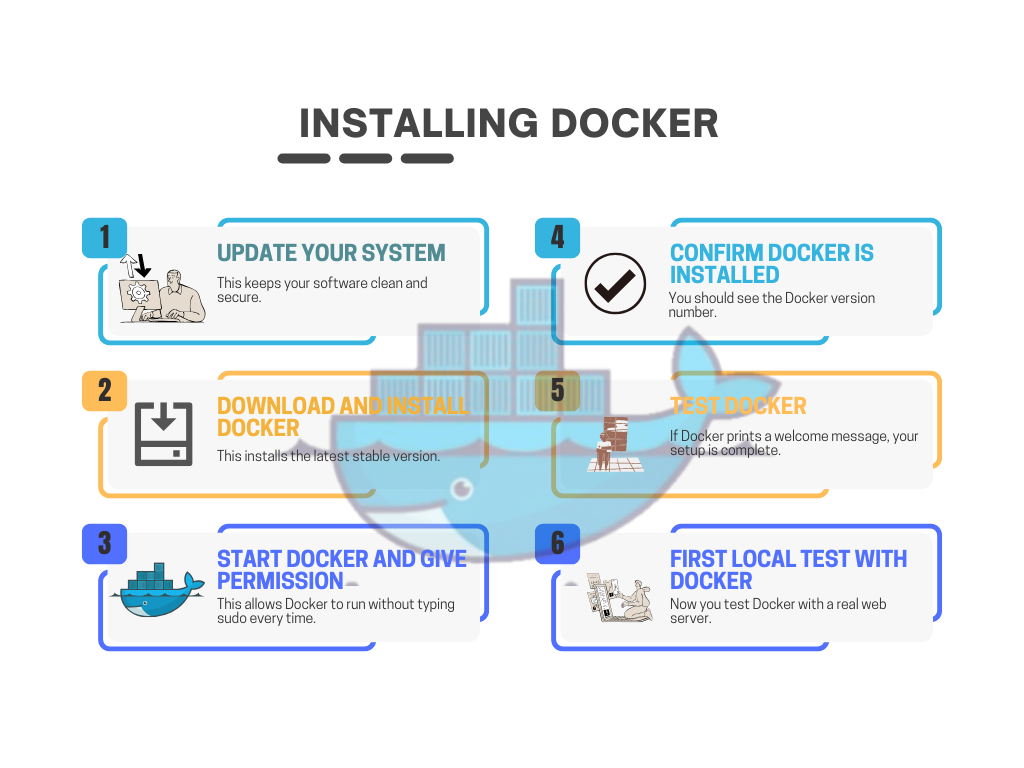
Open your terminal and follow these steps.
- Update your system
This keeps your software clean and secure.
sudo apt update && sudo apt upgrade -y
- Download and install Docker
This installs the latest stable version.
curl -fsSL https://get.docker.com -o get-docker.sh
sudo sh get-docker.sh
- Start Docker and give permission
This allows Docker to run without typing sudo every time.
sudo systemctl start docker
sudo usermod -aG docker $USER
Log out and log back in for the changes to work.
- Confirm Docker is installed
docker –version
You should see the Docker version number.
- Test Docker
docker run hello-world
If Docker prints a welcome message, your setup is complete.
First Local Test with Docker
Now you test Docker with a real web server.
Run this command:
docker run -d -p 80:80 nginx
Open your browser and visit localhost.
You will see a simple welcome page.
This page is running inside a Docker container.
It is isolated.
It is fast.
It is safe.
That is Docker working exactly as it should.
Hosting Shortcut with Truehost
If you do not want to install Docker locally, Truehost makes it easier.
Truehost hosting plans are Docker-ready. You upload your container, click deploy, and your app goes live. No manual setup.
Plans start from about NGN 2,000 per month.
Migration from another host is free.
This saves time and avoids local setup issues.
Containerizing Your Web Application
Containerizing means putting your website inside a Docker container.
Once it is inside, the app becomes portable and easy to run anywhere.
Your code.
Your settings.
Your tools.
All packed together.
This is what makes Docker powerful for web hosting.
Setting Up a Simple Web App
We will start with a basic Node.js app. The same idea works for PHP, Python, or other stacks.
Create a new folder:
mkdir my-nigeria-shop
cd my-nigeria-shop
Initialize the app and install Express:
npm init -y
npm install express
Create a file called app.js:
const express = require(‘express’);
const app = express();
app.get(‘/’, (req, res) => {
res.send(‘Welcome to your Docker-powered Nigerian online store’);
});
app.listen(3000, () => {
console.log(‘App running on port 3000’);
});
Run the app:
node app.js
Open localhost:3000 in your browser.
Your app is working.
Creating the Dockerfile
The Dockerfile tells Docker how to build your container.
Create a file named Dockerfile with this content:
FROM node:20-alpine
WORKDIR /app
COPY package*.json ./
RUN npm ci –only=production
COPY . .
EXPOSE 3000
CMD [“node”, “app.js”]
What this does:
- Uses a small Node.js base image
- Copies only what is needed
- Installs production dependencies
- Starts your app
This keeps your container small and fast.
That matters when internet speed is limited.
Building and Running Your Container
Build the container:
docker build -t nigeria-shop .
Run it:
docker run -p 3000:3000 nigeria-shop
Visit localhost:3000.
Your website is now running inside Docker.
You just containerized your first web app.
Using Docker with Other Languages
Docker works with many web stacks.
PHP apps:
FROM php:8.2-apache
COPY . /var/www/html/
Python apps:
FROM python:3.12-slim
COPY . .
CMD [“python”, “app.py”]
Laravel apps work well with Docker and MySQL add-ons on Truehost.
Best Practices for Docker Web Hosting
To avoid problems later, follow these rules.
| Best Practice | Why It Matters | Result |
| Small base images | Use less data | Faster builds |
| Ignore junk files | Avoid large uploads | Quick deploy |
| Fixed versions | Prevent surprise updates | Stable apps |
A developer reduced his app size from over 800MB to under 60MB by applying these rules. Deployments became faster and cheaper.
Your app is now packaged and ready.
Deploying Docker Containers to a Host
Running your app on your laptop is good.
Running it online is what really matters.
This is where Docker makes deployment easier.
Instead of logging into servers and fixing errors, you deploy the same container you already tested. What works locally works online.
Using Docker Compose for Simple Setups
If your app needs more than one service, like a website and a database, Docker Compose helps you manage them together.
Create a file called docker-compose.yml:
version: ‘3’
services:
web:
build: .
ports:
– “80:3000”
db:
image: postgres:15
environment:
POSTGRES_PASSWORD: yourpassword
Start everything:
docker-compose up -d
Your app and database now run together without conflict.
Pushing Your Image to a Registry
A container registry stores your Docker images. It works like an online warehouse.
Tag your image:
docker tag nigeria-shop truehost-registry/nigeria-shop:v1
Push it:
docker push truehost-registry/nigeria-shop:v1
Truehost provides a private registry that keeps your images close to Nigerian servers. This improves speed and security.
Deploying on Truehost
Truehost supports Docker hosting out of the box.
Steps to deploy:
- Create a hosting account
- Open the dashboard and create a new app
- Upload your Docker image or connect your repository
- Set ports and environment variables
- Click deploy
Your app goes live in minutes.
You can connect your .ng domain and accept payments with Paystack easily.
A startup in Port Harcourt deployed their app this way and reached over 1,000 users in one day without downtime.
Scaling and Managing Docker in Production
Once your website is live, traffic will grow.
Docker makes scaling easy and safe.
You can add more containers to handle traffic spikes or increase resources for heavy loads. This keeps your site fast and responsive.
How to Scale Your Docker App
There are three ways to scale:
- Horizontal scaling – Add more copies of your app to share the load.
docker service scale web=5
Now five instances handle visitors at the same time.
- Automatic scaling – Truehost monitors your app. When CPU usage goes above 70%, extra containers start automatically. No alerts or manual work at 2 AM.
- Vertical scaling – Increase memory or CPU for a container. Useful for payment processing or heavy database queries.
Even small businesses can handle traffic spikes like Jumia using Docker, without spending huge money.
Updating Without Downtime
Updating a live site is risky. Docker makes it safe.
- Pull a new image
- Deploy containers one at a time
- Users do not notice
Your website stays online while updates happen in the background.
Monitoring and Security
Keep an eye on performance:
- Use tools like Prometheus to monitor CPU and memory
- Check logs with
docker logs <container_id>
- Scan for vulnerabilities with Trivy or Docker Scout
This ensures your app stays secure and runs smoothly.
Backups and Cost Management
Data is important. Keep it safe:
docker run -v /host/data:/app/data nigeria-shop
Mounted volumes survive restarts.
Truehost also offers automatic snapshots for extra safety.
Costs are predictable. Most small apps run under NGN 4,000/month.
Pay-as-you-grow means you only pay for what you use.
Docker with monitoring and snapshots protects your app and keeps costs low.
Conclusion
From your first “hello-world” container to a full online store handling hundreds of visitors, Docker gives you control over your website.
It is not just technology. It is freedom.
- Freedom from crashes that kill sales in Nigeria’s $9B+ e-commerce market
- Freedom to grow your website without fear of downtime
- Freedom to update safely while your users browse
With Docker and Truehost, your website can:
- Load fast for local users
- Scale automatically when traffic spikes
- Stay secure and backed up
- Cost less than traditional hosting
You do not need to be a tech expert to start. Small businesses in Lagos, Port Harcourt, Abuja, and beyond are already benefiting.
Don’t let another outage eat your sales. Start your Docker journey today with Truehost hosting.
They offer a 14-day free trial and free migration from your old host.
Your Dockerized website is ready to launch.
What will your first project be?