Domain NamesFind and register your ideal domain name instantly.
 Web HostingEasy-to-use hosting powered by cPanel — ideal for managing websites in Nigeria.
 Windows HostingRun .NET apps with Windows-optimized hosting
 Affiliate ProgramMake money promoting our services
 Reseller HostingMake money by reselling our hosting products under your own brand
 .COM Domains
 All DomainsExplore all supported tld domains in Nigeria
 WhoisFind out who owns any domain, as well as verify your registration details
 VPS Hosting in Nigeria
 Dedicated ServersReimagine your site speed with your own complete server
 AI Website BuilderDesign your site with drag-and-drop tools
 Online Store BuilderStart your online shop without code
 Support PortalFind answers or get expert help
 Contact UsReach our team via chat or email
 BlogRead our extensive guides on web hosting and more
Your website never gives you a heads-up before it goes down.
Everything looks normal, then suddenly, the pages won’t open. Emails stop coming in. Someone messages you to say your site isn’t loading, and before you can even check, customers are already leaving.
In a matter of minutes, your business starts to look unreliable.
That uneasy feeling that follows is familiar. You’re trying to figure out what broke, how serious it is, and how much money you might be losing while your site stays offline.
By 2026, website recovery isn’t something you can push aside or leave to chance. When your site goes down, and you can’t fix it quickly, the damage goes beyond traffic. You lose customer confidence, sales slow down, and Google takes notice, too.
For businesses in Nigeria, downtime cuts even deeper. Payments fail. Leads disappear. People move on to competitors whose websites are still up and running.
What many people don’t realize is this: most website problems can be fixed. Crashes, security issues, bad updates, and server failures- none of these have to be the end of your site if you know what to do and act fast.
In this guide, we’ll walk you through 7 practical website recovery best practices you can depend on when things go wrong, clear steps that help you get your site back online, and keep your business moving.
What Website Recovery Really Means
Website recovery is simply what you do when your website stops working the way it should.
And sooner or later, that moment comes.
Sometimes it’s a server issue that takes your site offline without warning. Other times, it’s a security breach you didn’t see coming. It can even be something as small as a plugin update that breaks everything, or a wrong click that causes more damage than expected.
None of this is unusual. Websites run into problems every day.
What really matters is how you react when it happens. The speed of your response and the steps you take can make the difference between a quick fix and a long, expensive mess.
At the end of the day, website recovery has one simple aim: get your site back online quickly, keep your data safe, and make sure your business doesn’t grind to a halt.
Act fast, and the damage stays minimal. Wait too long, and a small issue can snowball into lost sales, broken trust, and lower search rankings.
Having a recovery plan isn’t overthinking things. It’s just smart preparation.
7 Best Practices for Website Recovery
1) Always Have Recent Backups
This is the rule that everything else depends on.
If your website crashes and you don’t have a backup, there’s nothing to “recover.” You’re starting from scratch.
No backup means no recovery. It’s that simple.
Backups are your safety net. They’re what you fall back on when updates fail, servers crash, or someone breaks into your site.
What a Good Backup Looks Like
A proper backup setup should include:
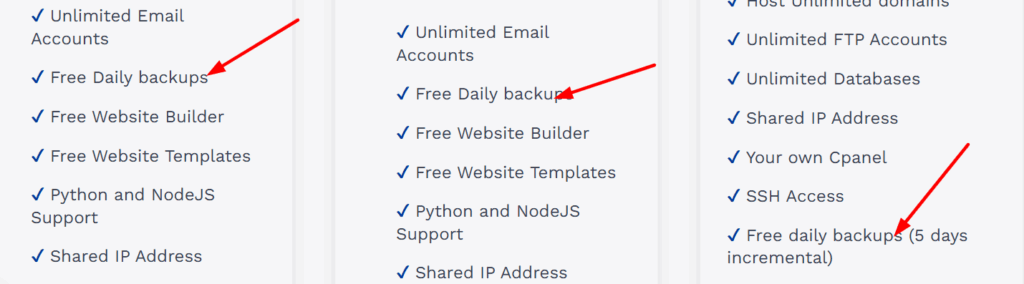
- Daily automatic backups (manual backups are easy to forget)
- Off-server storage, so your backup isn’t lost with your site
- One-click restore, not a long technical process
At Truehost NG, backups come built into many hosting plans, including WordPress Hosting and VPS Hosting. That way, when something breaks, you’re not panicking or Googling “how to restore my website.”
A backup from last month is not a backup. It’s just a memory.
Check your backups. Make sure they’re running. Make sure they’re recent.
2) Use Reliable Hosting Infrastructure
Cheap hosting feels like a win until it’s not.
Everything works fine… until traffic spikes, the server slows down, or your site goes offline with no warning.
In 2026, how fast you recover depends heavily on how solid your hosting infrastructure is.
What to Look For in a Reliable Host
You want hosting that offers:
- SSD or NVMe storage for faster performance
- Isolated resources, especially on VPS hosting
- Quick server response times
- Local support that understands your business environment
Shared hosting can struggle when traffic increases or resources get stretched. That’s why many growing Nigerian businesses move to VPS hosting; it gives you more control and makes recovery faster when things go wrong.
If your host takes hours to respond during downtime, recovery is already failing.
3) Monitor Your Website 24/7
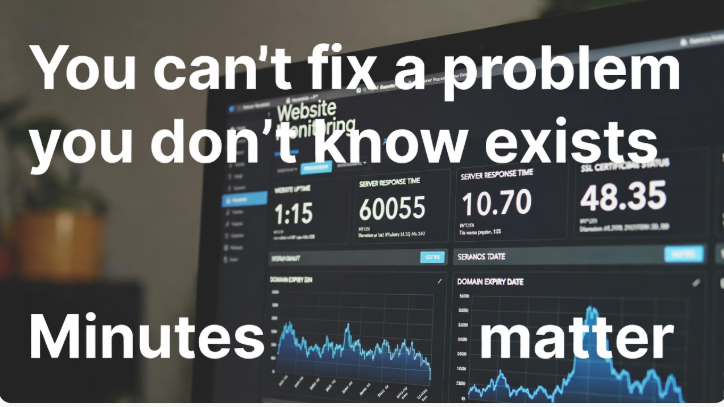
You can’t fix a problem you don’t know exists.
Monitoring tools tell you the moment your website goes down, not after customers start complaining or sales stop coming in.
Minutes matter.
What You Should Be Monitoring
At the very least, keep an eye on:
- Website uptime
- Server response time
- SSL certificate status
- Domain expiry dates
Even simple monitoring can prevent long outages.
The faster you spot the issue, the faster you can recover.
4) Secure Your Website Before You Need Recovery
Most website recoveries begin with one issue:
Security.
Hackers don’t knock. They don’t warn you. They slip in quietly and cause damage before you notice anything is wrong.
Simple Security Steps That Make Recovery Easier
You don’t need to overcomplicate things. Start with the basics:
- Use strong, unique passwords
- Enable two-factor authentication
- Install an SSL certificate
- Keep WordPress themes and plugins updated
At Truehost NG, free and premium SSL certificates help protect your site and your users’ data, and they make recovery less painful if something goes wrong.

Security won’t stop every attack, but it reduces the damage when one happens.
5) Document Your Recovery Process
When your website is down, panic takes over.
And when panic takes over, memory disappears.
That’s why documentation matters more than people think.
What You Should Write Down
Keep a simple, secure document that includes:
- Hosting login details (stored safely)
- Where your backups are located
- Basic restore steps
- Support contact details
This doesn’t have to be fancy. Even a one-page checklist is enough.
When your site goes down at 2 a.m., you’ll be grateful you prepared.
6) Test Your Website Recovery Plan
Many people assume their backups work.
They never actually test them.
That’s risky.
A backup that hasn’t been tested is just hope, not a plan.
How to Test Without Breaking Anything
- Restore a backup on a staging site
- Check that pages load properly
- Test forms, logins, and key features
Testing gives you confidence. It also exposes problems before a real disaster happens.
Recovery plans only work if you’ve tried them at least once.
7) Work With a Support Team That Responds Fast
When your website breaks, speed is everything.
You don’t want automated replies, and you don’t want ticket numbers. You want real people who know what they’re doing.
Why Local Support Makes a Big Difference
- Faster response times
- Better understanding of Nigerian businesses
- Clear, direct communication
At Truehost NG, our support team handles website recovery issues every day, from restoring backups to fixing server-level problems. You’re not left guessing or figuring things out alone.
Good support doesn’t just fix problems. It reduces stress.
Common Website Recovery Mistakes to Avoid
Most website recoveries don’t fail because the problem was too big.
They fail because of small mistakes made at the wrong time.
When your site goes down, panic can push you into poor decisions. Knowing what not to do is just as important as knowing the right steps.
a) Waiting Too Long to Act
Downtime rarely fixes itself.
The longer you wait, the more damage you cause, lost sales, broken trust, and search engine penalties. Even a few hours can turn a minor issue into a serious problem.
When something feels off, act immediately.
b) Relying on Outdated Backups
A backup from weeks ago won’t save you.
Restoring old backups means missing content, lost orders, and outdated data. In some cases, it creates new problems instead of fixing the old ones.
Your backups should be recent, automatic, and easy to restore.
c) Ignoring Security Warnings
Security alerts exist for a reason.
Outdated plugins, expired SSL certificates, or suspicious login attempts are early warning signs. Ignoring them often leads to hacks, defacement, or total site failure.
Fix small security issues early. They’re easier to recover from.
d) Using Too Many Conflicting Plugins
More plugins don’t always mean more features.
Poorly coded or overlapping plugins can clash, slow your site down, or crash it completely, especially after updates.
Keep your setup lean. Remove plugins you no longer use and avoid tools that do the same job.
Conclusion
Website recovery isn’t about expecting the worst.
It’s about being ready when things don’t go as planned.
Websites crash. Updates fail. Security threats happen. What separates businesses that bounce back quickly from those that struggle is preparation.
When you have recent backups, reliable hosting, proper monitoring, and real support, recovery becomes a routine task, not a business emergency.
At Truehost, we understand how costly downtime can be. That’s why our hosting solutions are built with recovery in mind, from automatic backups and secure infrastructure to fast, human support when you need it most.
If you want a hosting partner that helps you stay online and recover fast when things go wrong, Truehost has you covered.