Domain NamesFind and register your ideal domain name instantly.
 Web HostingEasy-to-use hosting powered by cPanel — ideal for managing websites in Nigeria.
 Windows HostingRun .NET apps with Windows-optimized hosting
 Affiliate ProgramMake money promoting our services
 Reseller HostingMake money by reselling our hosting products under your own brand
 .COM Domains
 All DomainsExplore all supported tld domains in Nigeria
 WhoisFind out who owns any domain, as well as verify your registration details
 VPS Hosting in Nigeria
 Dedicated ServersReimagine your site speed with your own complete server
 AI Website BuilderDesign your site with drag-and-drop tools
 Online Store BuilderStart your online shop without code
 Support PortalFind answers or get expert help
 Contact UsReach our team via chat or email
 BlogRead our extensive guides on web hosting and more
A website is more than a link in your bio.
It is your online shop, office, and billboard all in one.
For many people in Nigeria, your website is often the first time they encounter your business. If it’s slow, confusing, or too heavy to load, they leave.
Not because your work is bad, but because the website let you down.
That’s why choosing the right type of website is important. A static website can be what you need.
Some websites are built for big companies with large budgets and strong internet connections.
Others are made for small businesses, freelancers, and creatives who just want their work online without stress.
Picking the wrong one can cost you money, time, and customers.
Before building any website, you need to ask yourself:
- What do I want this website to do?
- How often will I update it?
- Will my visitors be using mobile data?
Your answers should guide your choice.
This article focuses on one option that works well for many people in Nigeria: the static website.
You’ll learn what a static website is, when it makes sense, and how to create one step by step.
The goal is to help you choose wisely and build a website that actually works for your needs.
What Is a Static Website?
A static website is a website that shows the same content to everyone.
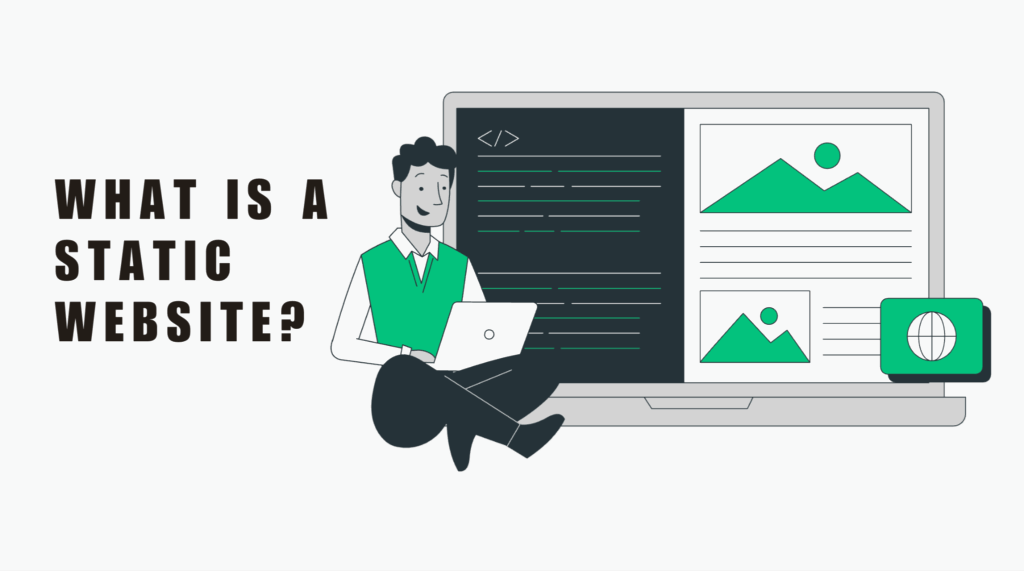
When someone opens the site, the page they see was already built and saved.
The server does not change anything or fetch new information. It simply sends the page as it is.
This is why static websites load fast.
A static website is made using:
- HTML to arrange the text and images
- CSS to control colors, fonts, and layout
- JavaScript for small actions like buttons or sliders
Once these files are ready, they stay the same until you edit them.
How This Works in Real Life
A static website is like a printed flyer.
Everyone who picks it up sees the same message, prices, and photos.
If you make beaded necklaces and list your prices, every visitor sees that same list. Nothing changes unless you decide to update it.
This setup is not new.
Early websites around the world were static. Many Nigerian banks and news sites started this way before moving to complex systems.
Today, static websites are popular again because they work well on slow networks. In places with unstable internet, fewer moving parts mean fewer problems.
Why Static Websites Fit Many Nigerian Businesses
Internet speed is not equal everywhere.
Mobile data is expensive.
Many visitors browse on older phones.
Static websites handle all of that better.
They:
- Load quickly on mobile
- Use less data
- Rarely crash
- Are easier to secure
If your goal is to show your work, share your contact details, or explain what you do, a static website is often enough.
Static Website vs Dynamic Website
Not all websites work the same way.
Some websites change content every time you visit. Others do not.
That’s the main difference between static and dynamic websites.
A static website is fixed.
A dynamic website updates content using a database.
Here is a simple comparison:
| Feature | Static Website | Dynamic Website |
| Content | Same for all visitors | Changes in real time |
| Setup | Simple | More complex |
| Cost | Low | Higher |
When Static Makes Sense
A static website is a good choice if:
- You run a small business
- You are a freelancer or creative
- You need a portfolio or business profile
- You update content once in a while
For example, a photographer in Enugu who wants to show past work does not need daily updates.
When Dynamic Makes Sense
A dynamic website is better if:
- You sell products online
- You need customer accounts
- Content changes often
For example, an online clothing store in Lagos needs real-time stock updates.
Most people start static and grow from there.
You don’t need a complex setup on day one.
Why You Should Build a Static Website
1) It’s Simple to Manage
You don’t need to fight with dashboards or plugins.
You edit simple files and upload them.
That’s it.
This saves time and reduces frustration, especially if you do not have technical skills.
2) It Saves Money
Static websites are affordable.
You don’t need heavy servers or extra software.
Basic hosting is enough.
This is important for small businesses trying to control costs.
3) It Loads Fast
Speed matters.
Many people leave a website if it takes more than a few seconds to load.
Static websites load quickly, even on weak networks.
Fast loading means:
- Visitors stay longer
- More people contact you
- You look more professional
4) It’s More Secure
Static websites have fewer parts to attack.
They don’t rely on databases or user logins.
That reduces risk.
With basic security like SSL, your site feels safe to visitors.
5) It Helps Search Visibility
Search engines prefer fast websites.
Clean code and quick loading help your site rank better.
This means more people can find you online.
Features of a Static Website
A static website focuses on the basics.
Its job is to pass information clearly, quickly, and without confusion.
That’s why many simple and successful websites are static.
1) Simple Navigation
Static websites keep navigation clear.
Menus are short.
Pages are easy to find.
Visitors don’t have to click many times to get answers. This matters because most people online are in a hurry.
Why this helps you
- Visitors find your phone number or WhatsApp link fast
- Less confusion means more trust
- Your site feels clean and professional
What to watch out for
- Large websites can feel limited
- Adding clear links fixes most issues
2) Fixed Content
Content on a static website does not change unless you update it.
Text, images, and videos stay the same for everyone.
This is helpful when you want your message to stay consistent.
Why this helps you
- Your brand looks steady and reliable
- No unexpected changes or errors
- Easy to back up your website
What to watch out for
- Updates must be done manually
- Changes take planning, not quick clicks
3) Limited Interaction
Static websites handle basic interaction well.
They can include:
- Contact forms
- Image galleries
- WhatsApp buttons
- Embedded maps
They do not handle heavy features like:
- Online payments
- User accounts
- Live chat systems
Why this helps you
- The site stays light and fast
- Fewer errors or broken features
What to watch out for
- Not ideal for large online shops
- External tools can fill some gaps
How Static Websites Work
The process behind a static website is direct and clean.
1) A Visitor Opens Your Website
Someone types your web address or clicks a link.
2) The Server Sends Ready Files
The server sends HTML, CSS, and JavaScript files that were already prepared.
3) The Browser Shows the Page
The visitor sees the page instantly, without waiting for extra processing.
Because nothing is created on the spot, the website loads quickly and uses less data.
Tools Used to Build Static Websites
You don’t need expensive tools.
Most static websites are built using:
- VS Code or any text editor
- HTML and CSS for structure and design
- JavaScript for simple actions
For storage and sharing:
- GitHub helps track changes
- Hosting services store the files online
This setup is simple enough for beginners and strong enough for professionals.
How to Create a Static Website Step by Step
You don’t need to be a developer to do this.
Step 1: Get Web Hosting
Choose a hosting plan that supports simple file uploads.
Look for:
- Affordable pricing
- Fast servers close to Nigeria
- Easy control panel access
Good hosting improves loading speed and reliability.
Step 2: Choose a Website Template
Templates help you start fast.
You can get free or low-cost templates made with HTML and CSS.
Edit:
- Text to describe your business
- Images to show your work
- Colors to match your brand
Step 3: Upload Your Files
Log in to your hosting control panel.
Upload your website files into the main folder.
Once uploaded, your website becomes visible online.
Step 4: Test and Go Live
Open your website on:
- Phones
- Tablets
- Laptops
Check links, images, and loading speed.
Fix any small issues, then share your link.
Common Questions About Static Websites
Is a static website good for beginners?
Yes. It’s one of the easiest ways to start.
Can I update it later?
Yes. You edit files and upload again.
Is it good for Nigerian internet users?
Yes. It loads fast and uses less data.
Can I add WhatsApp contact?
Yes. Static sites support simple buttons and links.
Choosing What Works for You
A website should support your work, not slow you down.
If your goal is to show what you do, share your contact details, and look professional online, you don’t need anything complex.
You need something that works well on mobile, loads fast, and doesn’t cost much to run.
That’s where a static website shines.
It is:
- Fast on weak networks
- Friendly to mobile data
- Easy to manage
- Affordable for small budgets
- Secure and reliable
For many Nigerian freelancers, creatives, and small business owners, this is enough to get started and grow.
You can always upgrade later.
What matters now is getting online the right way.
What to Do Next
- Decide what your website should do
Show your work, explain your services, or help people contact you. - Start simple
Use a static website first. Keep it clean and clear. - Grow with time
As your business expands, you can add more features or move to a dynamic setup.
Your website is your digital storefront.
Open it wisely, and let it work for you every day.