Domain NamesFind and register your ideal domain name instantly.
 Web HostingEasy-to-use hosting powered by cPanel — ideal for managing websites in Nigeria.
 Windows HostingRun .NET apps with Windows-optimized hosting
 Affiliate ProgramMake money promoting our services
 Reseller HostingMake money by reselling our hosting products under your own brand
 .COM Domains
 All DomainsExplore all supported tld domains in Nigeria
 WhoisFind out who owns any domain, as well as verify your registration details
 VPS Hosting in Nigeria
 Dedicated ServersReimagine your site speed with your own complete server
 AI Website BuilderDesign your site with drag-and-drop tools
 Online Store BuilderStart your online shop without code
 Support PortalFind answers or get expert help
 Contact UsReach our team via chat or email
 BlogRead our extensive guides on web hosting and more
You notice the lag first.
Your website takes an extra second to load, images appear slowly, or database queries start crawling. That “disk space low” warning? It’s no longer just a minor nuisance; it’s a clear sign that your growth is hitting a bottleneck.
In 2026, data is heavier and more demanding than ever. Between AI-powered applications, high-definition media, and expanding customer databases, older drives can quickly fall behind. When your storage struggles, every second of delay costs you users, sales, and credibility.
Understanding server storage upgrade cost is the first step toward reclaiming your server’s speed and efficiency.
This guide breaks down everything you need to know, from pricing and hardware choices to smart scaling strategies, so you can make informed decisions and keep your systems running smoothly.
Why Server Storage Upgrades Matter
Your server is the engine that powers your online business. When it struggles with limited space or outdated drives, it can slow down your website, make applications lag, or even cause databases to fail.
Upgrading your server storage is essential for keeping your business running smoothly.
Here’s why it’s so important:
- Prevent downtime:
Running out of storage can bring your system to a halt. Every crash or slow response can frustrate users and lead to lost revenue. Regular upgrades ensure your server can handle spikes in traffic without interruption.
- Boost performance:
Newer storage solutions, like SSDs or NVMe drives, read and write data much faster than older drives.
This directly improves website load times, application responsiveness, and database efficiency, giving your users a seamless experience.
- Support business growth:
As your website attracts more visitors or your applications handle larger datasets, storage demands increase.
Upgrading ensures you have enough space to scale operations, add features, or expand services without hitting limits.
- Enhance security and reliability:
Modern storage often comes with built-in redundancy and error-checking.
This reduces the risk of data loss, corruption, or breaches, keeping both your business and your customers’ information safe.
Types of Server Storage and Their 2026 Costs
When upgrading your server storage, the choices you make now will affect performance, reliability, and your budget for years to come.
In 2026, there are three main approaches to consider: traditional HDDs, SSDs (including NVMe), or a hybrid combination.
Each comes with its own advantages, trade-offs, and price points.
1) HDD (Hard Disk Drives)
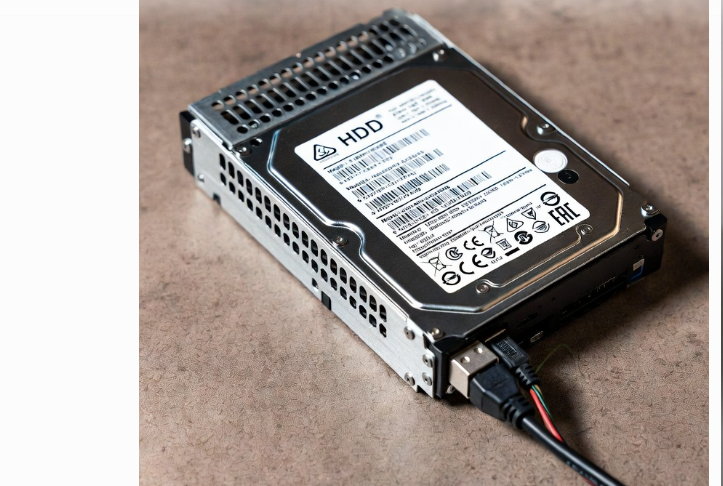
HDDs are the traditional choice for server storage and remain the most cost-effective option for large volumes of data.
They are ideal for backups, archives, and other “cold” data that doesn’t need lightning-fast access.
Pros:
- Low cost per terabyte, early 2026 estimates put HDDs at roughly ₦20,000–₦40,000 per TB.
- High-capacity options, often up to 20TB or more per drive, make it easy to store massive datasets.
Cons:
- Slower speeds compared to SSDs, which can affect database queries and website responsiveness.
- Moving parts make them more prone to mechanical failure.
- Higher power consumption and heat output, which can add to operational costs.
2) SSD (Solid State Drives: SATA or NVMe)
SSDs are faster, more reliable, and increasingly common in modern servers.
They have no moving parts, which reduces the risk of mechanical failure and allows for faster read/write operations, perfect for websites, databases, and applications that require real-time performance.
Pros:
- Significantly faster than HDDs, with NVMe drives offering the highest speeds.
- Durable and reliable, even under heavy server workloads.
- Lower latency improves user experience and server response times.
Cons:
- Higher cost per TB, SATA SSDs can range from ₦80,000–₦120,000 per TB, while NVMe drives can reach ₦100,000–₦200,000+ per TB, especially for enterprise-grade solutions.
- Expanding storage purely with SSDs can become expensive for large datasets.
3) Hybrid Setup (HDD + SSD)
A hybrid approach combines the best of both worlds: fast SSDs for “hot” data that’s accessed frequently, and HDDs for “cold” data, such as archives or backups.
Why it works:
- You get high-speed performance where it matters most without paying the full premium for SSDs across all your storage.
- Over three years, hybrid setups can cost roughly a quarter of what an all-SSD solution would, while still delivering excellent performance.
Server Cost Comparison: Leading Providers in 2026
Choosing the right dedicated server isn’t just about specs. It’s about the full package: pricing, features, reliability, and support. To make a smart choice, you need to compare the total cost of ownership, performance, and long-term value across providers.
Here’s a look at some of the leading dedicated hosting providers and what they offer:
1) Truehost

Truehost is a locally trusted provider offering dedicated server hosting optimized for Nigerian businesses. It combines performance, affordability, and reliable local support, perfect for businesses that want full control without international price premiums.
Pricing:
- Starts at ₦50,000/month (entry-level dedicated servers; check website for latest plans)
- RAM options from 16–128 GB, with SSD or NVMe storage
Key Features:
- SSD storage options for fast performance
- Unmetered bandwidth for growing websites and applications
- Local support via phone, chat, and ticket system
- Optional managed services for hands-off server maintenance
- Flexible configuration options tailored to Nigerian businesses
Pros:
- Competitive local pricing compared to international providers
- Fast support with local understanding of connectivity and performance issues
- Flexible plans that scale with your business growth
Cons:
- Limited advanced global enterprise add-ons compared to some international providers
Some features may require additional configuration or fees
2) HostGator
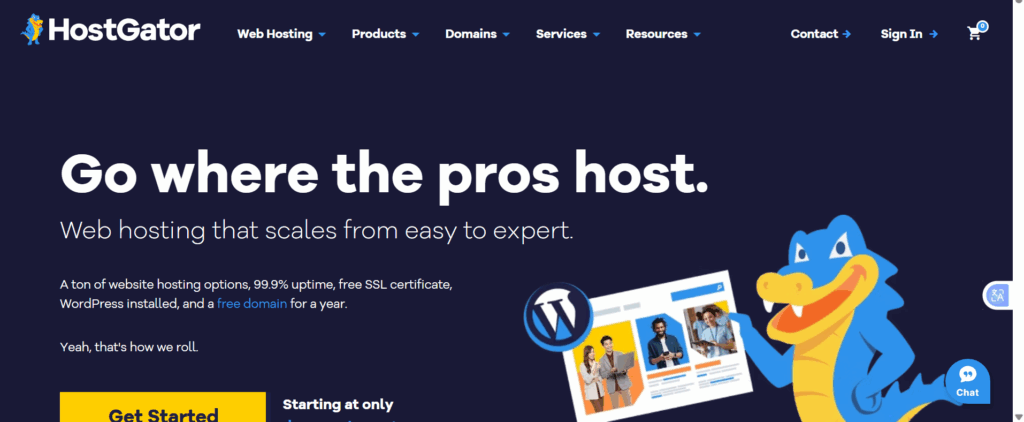
HostGator focuses on affordable, flexible dedicated server hosting. It’s ideal for businesses that need solid resources without paying for premium features they may not use.
Pricing:
- Starts at $141.19/month
- Plans vary by RAM, storage type, and management level
Key Features:
- 8–30 GB RAM
- 1 TB HDD or SSD storage
- Unmetered bandwidth
- DDoS protection and RAID 1 setup
- Optional root access with cPanel
- 24/7 phone and live chat support
Pros:
- Entry-level dedicated hosting at a lower cost
- Unmetered traffic for growing websites
- Managed and semi-managed support options
Cons:
- Basic plans don’t include free backups
- Some features and add-ons are extra
3) Bluehost

Bluehost is a go-to for businesses that need a reliable, fully managed dedicated server with flexibility and 24/7 support. It’s designed for users who want performance without worrying about hidden fees or complicated setups.
Pricing:
- Starts at $141.19/month (as of 2025; check provider for latest updates)
- Tiered plans offer 16–64 GB RAM and dual SSD storage options
Key Features:
- Dual 500 GB SSD storage for fast read/write operations
- 16–64 GB RAM
- Unmetered bandwidth
- Free SSL certificates, backups, and migration support
- Root access with cPanel for advanced control
- 24/7 chat and phone support
- DDoS protection and advanced security tools
Pros:
- Transparent pricing with no hidden charges
- High server reliability and uptime
- Beginner-friendly interface without compromising advanced control
- Essential features like SSL and backups are included
Cons:
- Limited choice of operating systems
- Some add-ons, like additional IPs, may cost extra
Key Factors That Influence Server Storage Upgrade Cost
Not all server storage upgrades come with the same price tag. The final cost depends on several important factors that go beyond just the type of drive you buy.
Understanding these can help you plan smarter and avoid unnecessary expenses.
1) Storage Type
The kind of storage you choose, HDD, SSD, or NVMe, has the biggest impact on cost.
HDDs are the most affordable, offering high capacities at a lower price per terabyte, but they’re slower.
SSDs, especially NVMe drives, are much faster and more reliable, but they come with a higher price.
Essentially, you’re paying for speed, durability, and performance when you choose SSD or NVMe.
2) Capacity
How much storage you need directly affects cost. More terabytes mean higher expenses. But it’s not just about current needs; consider your growth over the next 12–24 months.
Overestimating can waste money, while underestimating could force another upgrade sooner than expected.
3) Redundancy and Backups
If you want to protect your data, you might implement RAID setups or additional backup drives.
Redundancy improves reliability and minimizes the risk of data loss, but it also adds to hardware costs. The more layers of protection you include, the higher the overall price will be.
4) Brand and Warranty
Not all drives are created equal. Premium brands tend to last longer, perform more consistently, and come with stronger warranties.
Choosing a reputable brand may cost more upfront, but it reduces the risk of failure and replacement expenses later.
5) Installation and Management
How you upgrade also matters. If you handle the installation yourself, you might save money, but you take on the risk of errors or downtime.
Managed upgrades, where professionals handle the process, can add to the cost, but they ensure proper setup, configuration, and testing, giving you peace of mind.
Steps to Upgrade Server Storage
Upgrading your server storage may sound intimidating, but breaking it down into clear steps makes the process manageable. Follow this guide to ensure a smooth upgrade that boosts performance and protects your data.
1) Assess Your Storage Needs
Before buying any new drives, take a close look at your current storage usage. Ask yourself: How much space do I actually need today, and how much will I need in the next year or two?
Consider:
- Active data vs. archival data
- Growth trends in traffic or database size
- Backup and redundancy requirements
A clear understanding of your storage needs prevents overspending while ensuring you won’t hit limits too soon.
2) Choose the Right Storage Type
Not all drives are built for the same tasks. Select the type of storage based on your needs:
- HDD: Best for large, inexpensive storage for backups and archives.
- SSD: Ideal for speed and reliability, perfect for websites, applications, and databases.
- NVMe: High-performance drives for demanding workloads or enterprise-level applications.
Matching the right drive to your workload ensures both performance and cost efficiency.
3) Check Hardware Compatibility
Your new drives need to work with your existing server. Verify:
- Drive interfaces and ports are supported
- RAID or virtualization requirements are met
- Firmware and software can handle the new storage
Skipping this step can lead to installation headaches or hardware conflicts.
4) Plan the Upgrade
Decide how the upgrade will be carried out:
- Will you install the drives yourself (DIY) or hire a managed service?
- Do you need to schedule downtime to avoid affecting users or applications?
Proper planning minimizes disruption and ensures the upgrade goes smoothly.
5) Backup Your Data
Never start a storage upgrade without a complete backup. Use cloud storage or external drives to store a copy of critical files and databases.
Backups protect you from accidental data loss during the installation process.
6) Install and Test
Once everything is ready:
- Physically install the new drives according to the manufacturer’s instructions
- Configure RAID or storage pools if needed
- Test speed, performance, and data integrity before going live
Running these tests ensures the new storage is working as expected and prevents future issues.
7) Monitor Performance
After the upgrade, keep an eye on server metrics:
- Storage usage and free space
- Read/write speeds
- System responsiveness
Monitoring helps you spot any performance gaps early and ensures your upgrade delivers the results you need.
Signs You Need a Storage Upgrade
Knowing when to upgrade your server storage can save you from unexpected downtime and lost revenue. Here are the key signs that it’s time to take action:
- Slow website or application performance:
If pages take longer to load or applications respond sluggishly, it’s often a sign that your current storage is struggling to keep up with demand.
- Frequent storage warnings or crashes:
Alerts like “disk space low” or system crashes indicate that your server is running out of space. Ignoring these warnings can lead to bigger problems down the line.
- Growing traffic or expanding databases:
As your audience grows, so does the data your server needs to handle. If your databases or logs are constantly expanding, your existing storage may no longer be sufficient.
- Plans to add new applications or services:
Launching new features, tools, or services increases storage needs. Upgrading beforehand ensures your server can handle the additional load without disruption.
Ignoring these signs can be costly. A delayed upgrade may result in downtime, lost customers, or slow services that harm your business reputation. Upgrading proactively keeps your systems smooth, fast, and ready for growth.
How to Save Money on Your Upgrade
You don’t always need the most expensive gear. Here are three ways to keep your server storage upgrade cost low:
- Tiered Storage:
Use a fast NVMe drive for your operating system and active website files, but keep your old HDDs for backups and archives.
- Compression:
Before buying more space, try using data compression tools. You might find you have 20% more space than you thought.
- Offload Media:
Move large images and videos to an external Content Delivery Network (CDN). This keeps your server “lean.”
Conclusion
Upgrading your server storage in 2026 isn’t just about adding more space; it’s about boosting performance, improving reliability, and future-proofing your business. From understanding costs and storage types to planning, installation, and monitoring, every step matters.
The right storage upgrade ensures your website, applications, and databases run smoothly, even as traffic and data grow. It protects your users’ experience, prevents costly downtime, and gives you the freedom to scale without constant headaches.
If you’re ready to upgrade your server storage the smart way, Truehost offers flexible VPS and dedicated server plans with easy storage upgrades, so you can boost speed, secure your data, and scale smoothly.