DomainsFind and register your ideal domain name instantly.
 Web HostingEasy-to-use hosting powered by cPanel — ideal for managing websites in Nigeria.
 Windows HostingRun .NET apps with Windows-optimized hosting
 Affiliate ProgramMake money promoting our services
 Reseller HostingMake money by reselling our hosting products under your own brand
 .COM Domains
 All DomainsExplore all supported tld domains in Nigeria
 WhoisFind out who owns any domain, as well as verify your registration details
 Dedicated ServersReimagine your site speed with your own complete server
 AI Website BuilderDesign your site with drag-and-drop tools
 Online Shop BuilderStart your online shop without code
 Support PortalFind answers or get expert help
 Contact UsReach our team via chat or email
 BlogRead our extensive guides on web hosting and more
OpenClaw runs AI agents, automates workflows, and performs browser automation.
If you use Arch Linux, it’s a good fit because its rolling-release model gets you the latest Node.js quickly, and OpenClaw needs a modern Node.js version.
Arch is also lightweight, so you don’t waste system resources on unnecessary services.
However, before we start: skip the AUR packages for OpenClaw.
They have stability issues like ENOTEMPTY errors during plugin initialization and broken dependency directories, problems that do not happen with the official install method.
The official installer is more reliable. Use that instead.
You Need This Before You Run
Make sure your system meets these requirements:
- Arch Linux fully updated: run
sudo pacman -Syubefore starting - Node.js 22.19+ or Node.js 24: OpenClaw requires modern Node. Check with
node --version - 10GB SSD free space: the installation, dependencies, and logs add up
- 4GB RAM minimum: more is better, especially if you’re running multiple plugins
- Internet connection: the installer downloads dependencies
- API keys ready: have your LLM provider keys (OpenAI, Anthropic, etc.) and messaging platform credentials on hand
4 Quick Steps to Run OpenClaw on Arch Linux
Step 1: Installation
First, install the prerequisites:
bash
sudo pacman -S --noconfirm tmux curl jq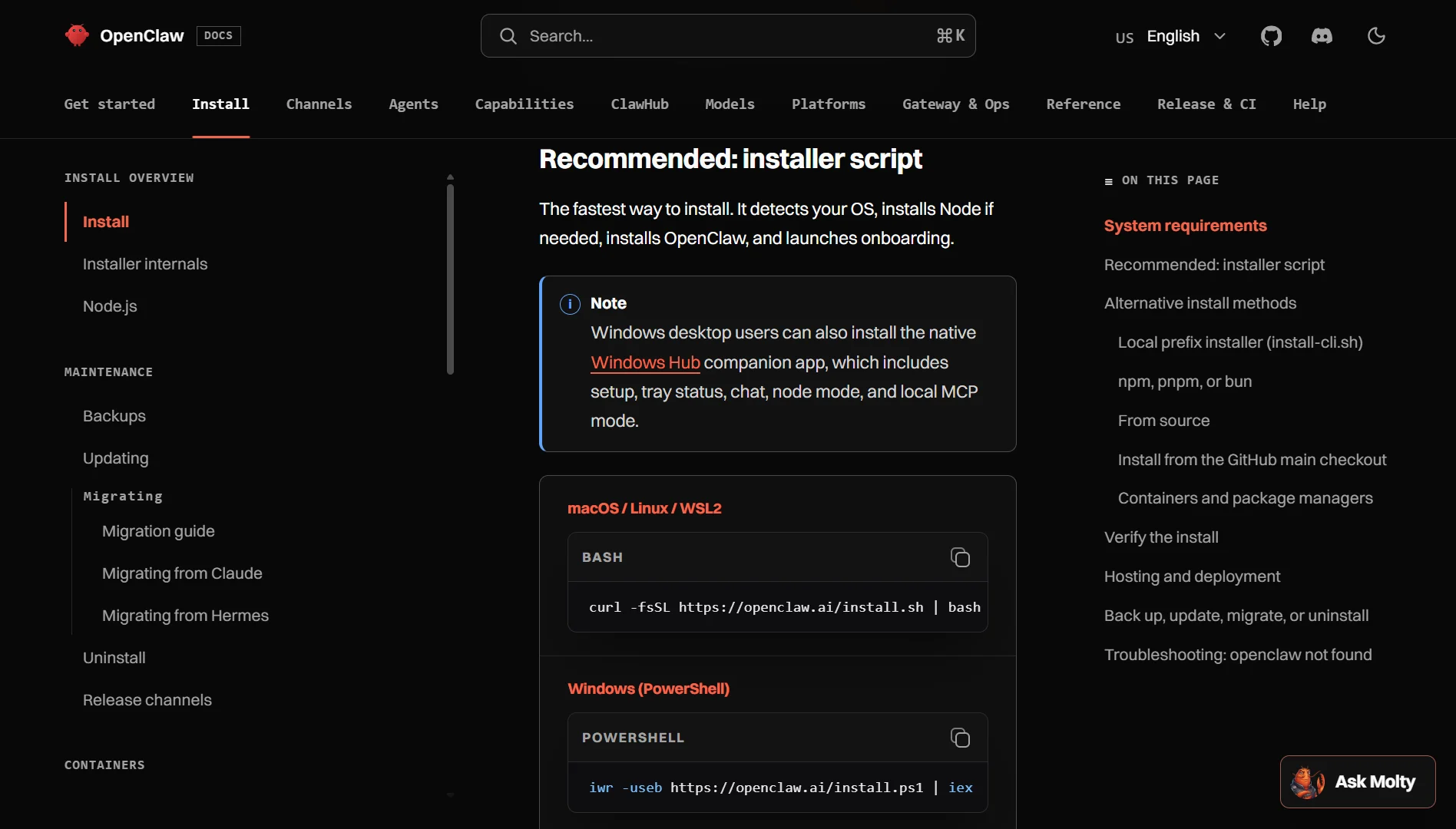
Then install OpenClaw using the official one-click installer:
bash
curl -sSL https://raw.githubusercontent.com/Ramsbaby/openclaw-self-healing/main/install-linux.sh | bash
The installer does the work for you: it detects Arch, checks all prerequisites, downloads scripts, and handles the installation.
If you want a custom workspace location:
bash
curl -sSL https://raw.githubusercontent.com/Ramsbaby/openclaw-self-healing/main/install-linux.sh | bash -s -- --workspace ~/my-openclaw
Step 2: Configuration & Onboarding
Once installed, run the setup wizard:
bash
openclaw setup
Or use the onboard command:
bash
openclaw onboard
The wizard creates ~/.openclaw/config.yaml and your memory directory.
You’ll need to provide your API keys for your chosen LLM provider and connect your messaging platforms (Telegram, WhatsApp, etc.).
Important: Some skill packages may fail installation during onboarding, particularly on certain versions. If you hit dependency issues, run openclaw doctor to review skill status and requirements.
Step 3: Verify Installation
Check that OpenClaw installed correctly:
bash
openclaw --version
Run a test:
bash
openclaw test
If you get command not found errors, the Node.js global binaries might not be in your PATH. Add ~/.npm-global/bin or the npm prefix path to your shell configuration.
Step 4: Systemd Service (Daemon)
OpenClaw runs as a user-level systemd service, so it doesn’t require root privileges. This is how you set it up to run persistently.
Enable lingering first; this lets user services run even when you’re not logged in:
bash
loginctl enable-linger $USER
Without lingering, systemd user services stop when you log out. For a VPS where OpenClaw needs to run 24/7, this step is essential.
The installer already put service files in ~/.config/systemd/user/. If you need to create them manually, here’s a minimal service unit:
bash
mkdir -p ~/.config/systemd/user
nano ~/.config/systemd/user/openclaw-gateway.service
Contents:
text
[Unit]
Description=OpenClaw Gateway
After=network-online.target
Wants=network-online.target

[Service]
ExecStart=/usr/bin/openclaw gateway --port 18789
Restart=always
RestartSec=5

[Install]
WantedBy=default.target
Reload systemd, enable, and start:
bash
systemctl --user daemon-reload
systemctl --user enable openclaw-gateway.service
systemctl --user start openclaw-gateway.service
Check status:
bash
systemctl --user status openclaw-gateway
View logs:
bash
journalctl --user -u openclaw-gateway -f
Troubleshooting Common Issues
How to Run Openclaw on Arch Linux FAQs
Is Arch Linux recommended for production use, or just local/dev testing?
Arch can work for production if you’re comfortable with rolling releases and handle updates carefully. But most production OpenClaw deployments run on Ubuntu or Debian servers because they offer stable LTS releases and broader community support. For serious production work, a stable LTS distribution is usually the safer bet.
How do I check if OpenClaw is running correctly?
Run systemctl --user status openclaw-gateway to see the service state. Check the logs with journalctl --user -u openclaw-gateway -n 50. Send a test message through your connected channel to confirm the agent responds. The dashboard also shows active agent status and resource usage.
What should I do after updating OpenClaw?
After an update, restart the gateway: systemctl --user restart openclaw-gateway. Check that all plugins loaded correctly by looking at the logs. If you see ENOTEMPTY errors or plugins failing to initialize, stop the gateway, wipe the plugin runtime deps directory for the new version, and start again.
What happens after an Arch system update breaks something?
Arch updates can occasionally introduce breaking changes, new glibc versions, kernel updates, or Node.js changes. If OpenClaw stops working after a system update, first check Node.js: node --version. You might need to reinstall Node or switch to a different version. The OpenClaw self-healing system has an emergency recovery service that can help (openclaw-emergency-recovery.service) but manual intervention is sometimes required.
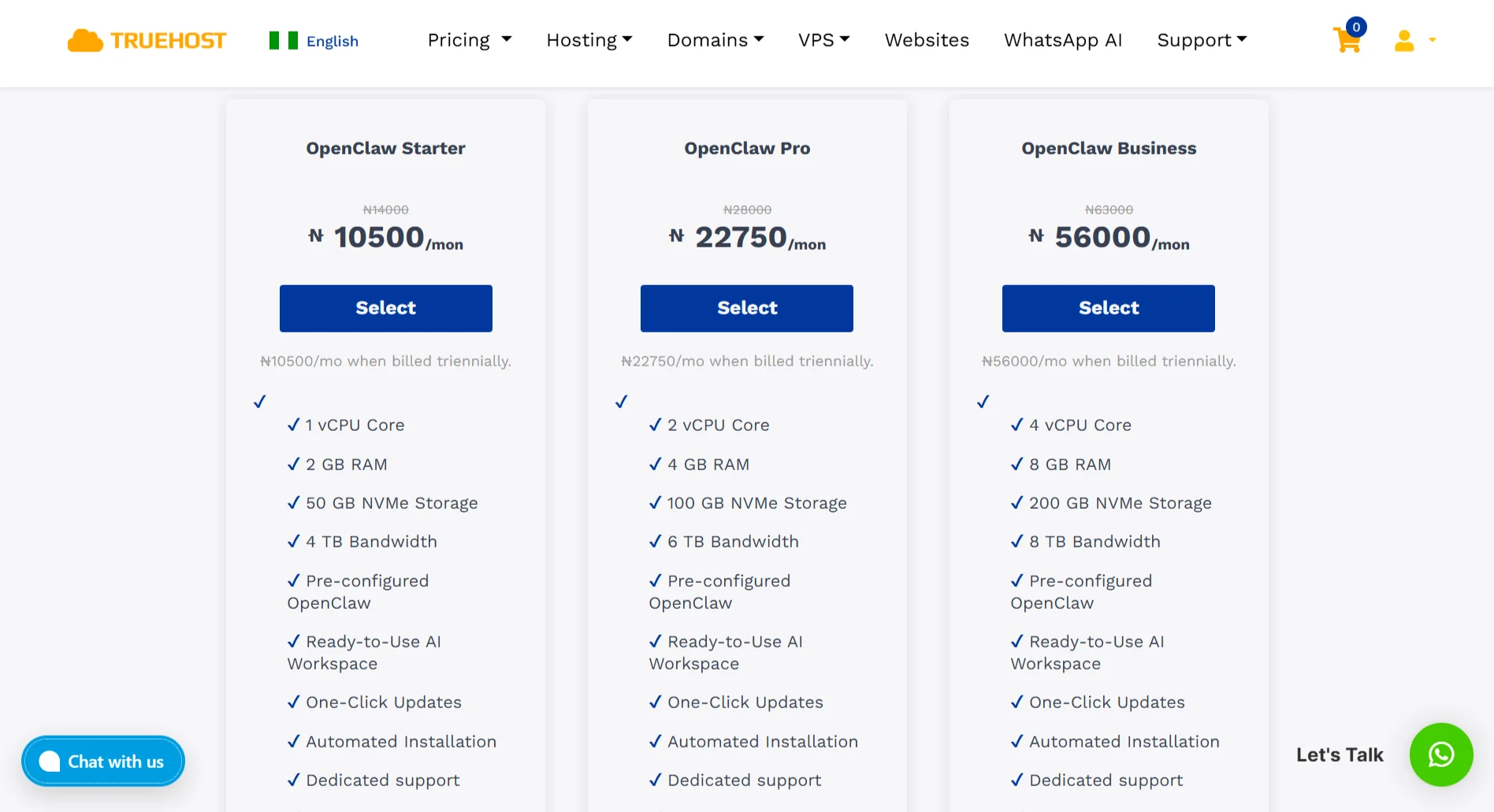
Take Your OpenClaw Agent Live with Truehost VPS Hosting
Running OpenClaw locally works for testing, but if you want it running 24/7, you need a server.
At Truehost, we deploy OpenClaw environments fast. We take care of the whole setup: Node runtime, OpenClaw core, LLM gateway, plugin registry, and SSL on your domain.
Plus, you get dedicated AMD-powered resources with guaranteed CPU time and isolated RAM.
Our plans:
- Starter: 1 vCPU, 2GB RAM, 50GB NVMe – for basic workflows
- Pro: 2 vCPUs, 4GB RAM, 100GB NVMe – recommended for serious use
- Business: 4 vCPUs, 8GB RAM, 200GB NVMe – for heavy automation
All plans include OpenClaw pre-configured, Playwright pre-installed, daily backups, DDoS protection, and root SSH access.
It’s simple:
- Pick your plan
- We auto-deploy everything in under 45 seconds
- Connect via SSH, paste your API keys, and start running
We offer friendly support, flexible payment, built-in security, fast infrastructure, one-click installs, and maximum uptime.