Domain NamesFind and register your ideal domain name instantly.
 Web HostingEasy-to-use hosting powered by cPanel — ideal for managing websites in Nigeria.
 Windows HostingRun .NET apps with Windows-optimized hosting
 Affiliate ProgramMake money promoting our services
 Reseller HostingMake money by reselling our hosting products under your own brand
 .COM Domains
 All DomainsExplore all supported tld domains in Nigeria
 WhoisFind out who owns any domain, as well as verify your registration details
 VPS Hosting
 Dedicated ServersReimagine your site speed with your own complete server
 AI Website BuilderDesign your site with drag-and-drop tools
 Online Store BuilderStart your online shop without code
 Support PortalFind answers or get expert help
 Contact UsReach our team via chat or email
 BlogRead our extensive guides on web hosting and more
OpenClaw is one of the most talked-about open-source projects of 2026. It is a self-hosted AI agent that runs on your own computer or private server and connects to apps you already use, including WhatsApp, Telegram, Slack, and Discord. Unlike chatbots that only answer questions, OpenClaw can take action, such as managing emails and files, controlling a browser, running scheduled tasks, and remembering your workflows.
However, OpenClaw does not do all of this automatically. A new installation is mostly a blank starting point. Its real capabilities come from skills: folders that teach OpenClaw how to perform specific tasks. Skills work like extensions or plugins that add new abilities to the AI agent.
With thousands of community-created skills available, choosing the right ones and checking them for safety is important. This guide covers the main skill categories, useful options to consider, and how to install OpenClaw skills safely.
Quick Reference
| Category | Skill | Purpose | Best For |
| Productivity | GOG | Connects to Gmail, Calendar, Drive, Docs, and Sheets | Email, files, and schedules |
| Productivity | Calendar & Tasks | Manages events, tasks, and reminders | Daily planning |
| Productivity | Summarize | Summarizes long content | Research and notes |
| Research & Web | Tavily Search | Searches the web for current information | Research |
| Research & Web | Agent Browser | Automates website tasks | Browsing and data collection |
| Research & Web | Firecrawl CLI | Extracts content from websites | Web scraping |
| Development | GitHub Integration | Connects to GitHub projects | Code and project management |
| Development | Code Review & Documentation | Reviews code and creates tests and documentation | Software development |
| Development | Coding Sub-Agent | Writes and fixes code | Coding and debugging |
| Communication | WhatsApp CLI | Manages WhatsApp messages and chats | Support and notifications |
| Memory & Intelligence | Skill Vetter | Checks skills for safety and compatibility | Skill management |
| Memory & Intelligence | Self-Improving Agent | Records errors and lessons for future improvements | Improving workflows |
Productivity & Personal Operations
1) GOG (Google Workspace CLI)
GOG is one of the most commonly recommended starting skills in the OpenClaw community, and for good reason: most people’s daily work already lives in Gmail, Calendar, Drive, Docs, and Sheets.
Once connected, GOG lets the agent read and draft email, create and move calendar events, open and edit Drive files, and pull data out of spreadsheets; all from a chat message.
This is the skill that turns OpenClaw from “an assistant you talk to” into “an assistant that can actually touch your Google account,” so it’s worth pairing with tight permission scoping (see the vetting checklist below) since it touches sensitive personal data by design.
2) Calendar Manager / Task Tracker
Where GOG handles the Google-specific plumbing, a dedicated calendar-and-task skill focuses on the planning layer: creating events, tracking deadlines, maintaining a running to-do list, and pushing reminders or a daily task summary to whatever channel you message the agent on.
Combined with OpenClaw’s scheduled “heartbeat” jobs, this is the skill that enables a genuine morning briefing; a message that shows up in WhatsApp or Telegram each morning summarizing what’s on your plate, without you having to ask.
3) Summarize
Long documents, meeting transcripts, research papers, and sprawling email threads are exactly the kind of input that benefits from a dedicated summarization skill rather than relying on the agent’s general-purpose reasoning each time.
A good Summarize skill also functions as a fallback for other tasks; several community skills use it to condense a podcast transcript or long YouTube caption file down to a few usable paragraphs before further processing.
Research & Web Access
4) Tavily Search
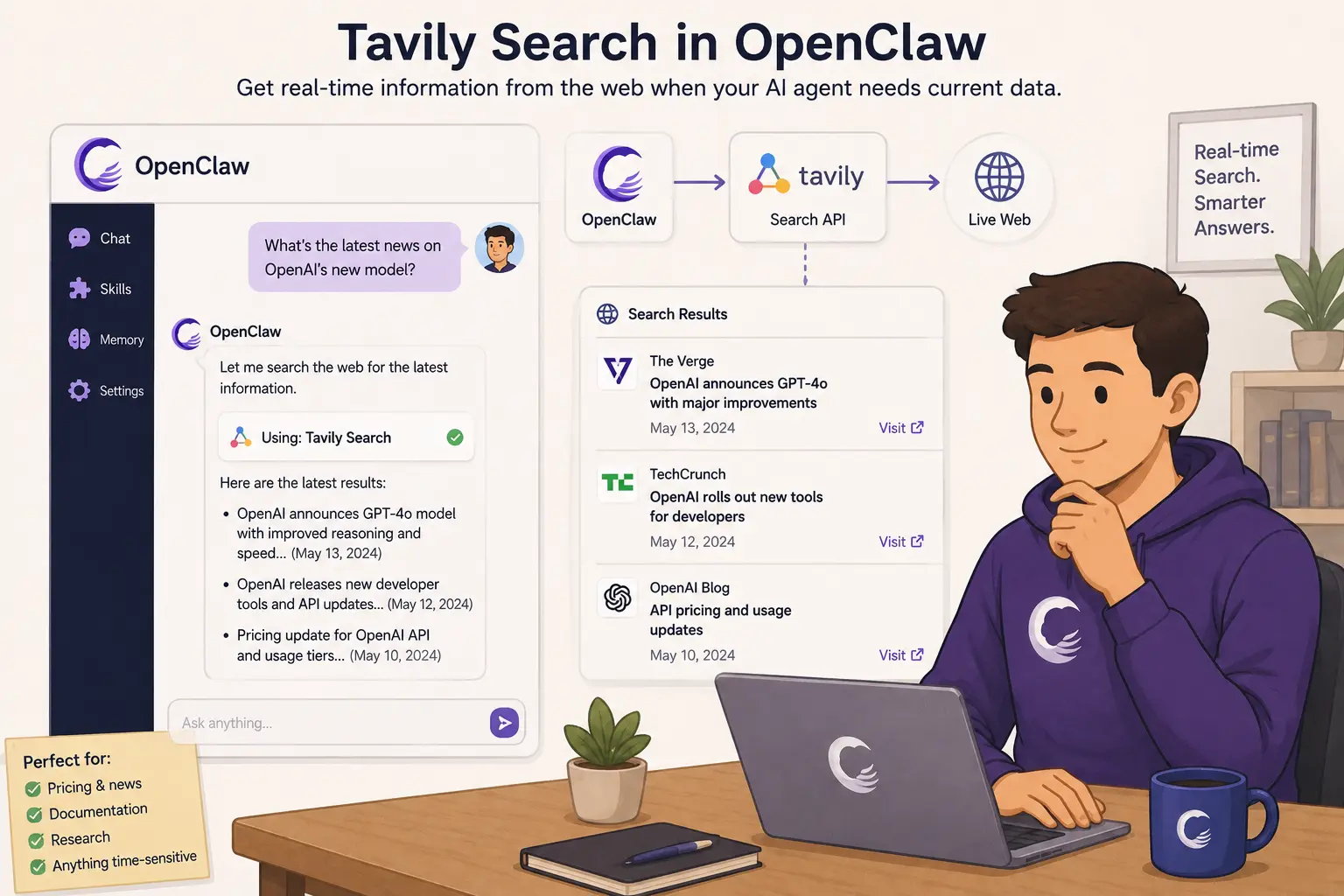
Tavily is a search API purpose-built for AI agents, and it’s a natural fit for OpenClaw when you need current information the underlying model doesn’t have: pricing, news, documentation, or anything time-sensitive.
A search skill like this is usually one of the first things people add after the productivity basics, since so many other tasks (“research this company,” “find me a flight,” “what changed in this library’s latest release”) depend on live web access.
5) Agent Browser
Browser automation skills let OpenClaw open real websites, click through UI flows, fill out forms, take screenshots, and extract data from pages that don’t have a clean API.
This is the skill behind some of the more eye-catching OpenClaw demos; things like checking a shipment status, comparing prices across retailer sites, or even submitting a job application; but it’s also one of the riskier categories to grant broad permissions to, since it can take real-world actions (submitting forms, making purchases) on your behalf.
6) Firecrawl CLI
Where Agent Browser is about interacting with a page, Firecrawl-style skills are about extracting from one: turning a web page or an entire site into clean, structured Markdown or JSON that the agent can reason over.
This is the workhorse behind research and content-monitoring workflows, for example, watching a competitor’s changelog page or pulling structured product data from a catalog site.
Development & Engineering
7) GitHub Integration
A GitHub-connected skill is standard equipment for any OpenClaw instance used for software work.
It lets the agent track issues, summarize pull request activity, and act on repository events. A common pattern is having OpenClaw watch for new PR comments and draft a response or flag anything that needs human attention, similar to the kind of overnight “here’s what happened on your PR” summary that shows up in several OpenClaw case studies.
8) Code Review, Test Generation & Documentation Skills
This is less a single skill than a cluster of related ones covering code review, automated test generation, documentation writing, and commit-message drafting.
Together they cover the unglamorous parts of a development workflow that are easy to defer: writing the missing docstring, adding a test for an edge case, or drafting a clear commit message, and they pair naturally with the GitHub Integration skill above.
9) Coding Sub-Agent
Rather than having your main OpenClaw agent write and debug code directly, a coding sub-agent skill delegates that work to a specialized agent session.
OpenClaw is, at its core, built on top of coding-agent technology, so this kind of delegation tends to produce cleaner, more focused results than asking a general-purpose conversational session to also manage a codebase.
Communication
10) WhatsApp CLI (wacli)
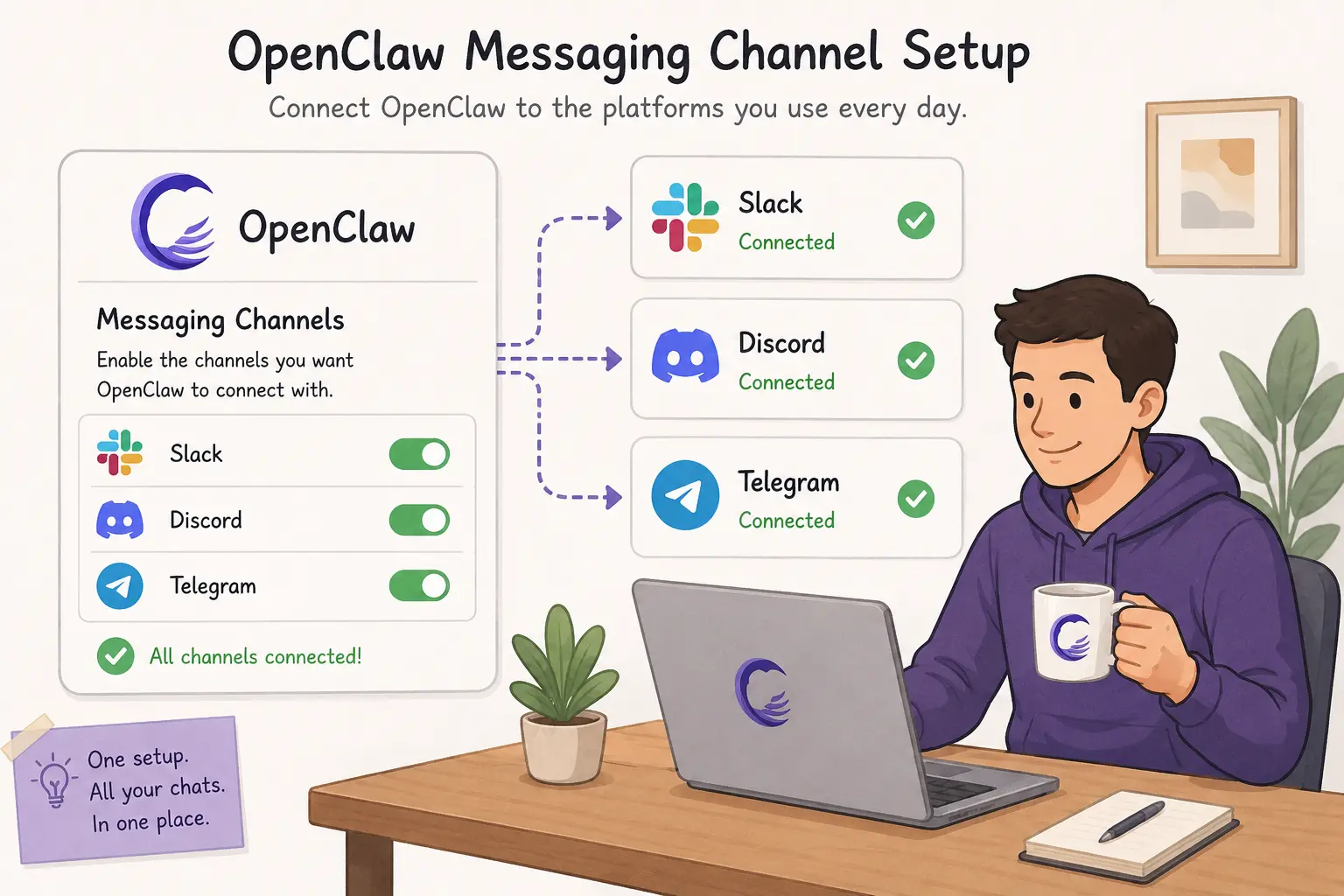
Because OpenClaw is designed to be reached through the messaging apps people already have open, a WhatsApp integration skill is often one of the very first things installed; it’s what lets the agent send messages, search chat history, and surface notifications directly in WhatsApp rather than a separate dashboard.
Note that WhatsApp integrations typically require Meta Business verification, so this is usually one of the slower pieces to set up compared to the rest of the stack.
Memory & Intelligent Skills
11) Skill Vetter
As the skill ecosystem has grown into the thousands, a dedicated vetting skill has become a genuinely useful addition rather than a nice-to-have: it checks other installed (or about-to-be-installed) skills for excessive permissions, suspicious behavior, or compatibility issues before they’re allowed to run.
Community skill directories have had real incidents of malicious or over-permissioned skills slipping into registries, which is exactly the kind of problem a Skill Vetter is meant to catch early.
12) Self-Improving Agent
Rather than silently rewriting its own behavior, a well-designed self-improving skill captures learnings, mistakes, and user corrections into structured log files; commonly something like LEARNINGS.md, ERRORS.md, and FEATURE_REQUESTS.md.
High-value entries can later be promoted into the agent’s longer-term memory files, but that promotion is a deliberate, reviewable step rather than something the agent does on its own.
This distinction counts: it gives you a record of what the agent has learned without ceding control over what actually changes its behavior.
How to Vet an OpenClaw Skill Before Installing
Given how easy it is to publish to community registries, a quick review before installing anything will save you real headaches. Use this checklist:
- Check popularity. Favor skills with high download counts, active maintenance, and positive community feedback over obscure, unmaintained ones.
- Verify the skill name. Confirm you’re installing the official skill rather than a lookalike with a similar name; registries have seen impersonation attempts.
- Review permissions. Make sure requested permissions match the skill’s stated purpose. A calendar skill asking for terminal or shell access is a red flag, not a formality.
- Start with official or built-in skills. These tend to be better tested and reviewed than long-tail community submissions.
- Use trusted sources. Install from reputable registries and curated directories rather than random links or gists.
- Read before installing. Look at the skill’s description, source, and requested permissions, and install only if it genuinely fits what you need.
This counts more with OpenClaw than with a typical app store, because skills often run with real access to your files, accounts, and browser, not a sandboxed permission model you can casually approve without thinking.
Create a Secure OpenClaw Setup
Installing the right skills is only half the job; where you run OpenClaw counts just as much. Many skills need standing access to external services, APIs, files, and browser automation, and a personal laptop is rarely the right environment for that: it’s on an inconsistent network, it sleeps, and any account credentials the agent touches sit alongside your everyday personal files.
A dedicated server changes that. Your automations keep running whether or not your laptop is open, and sensitive data and credentials stay inside an environment you control end to end. It’s far easier to apply the basics of good security hygiene, regular backups, firewall rules, HTTPS, and tightly scoped access around a single, purpose-built deployment than around a shared personal machine.
Paired with careful skill vetting, that combination is what takes OpenClaw from a weekend experiment to something you can rely on day-to-day.
Deploy OpenClaw on a managed VPS from Truehost to get a stable, always-on environment built for OpenClaw, so your skills and automations run securely without tying up your own computer.
OpenClaw Skills to Install FAQs
How many OpenClaw skills should I install?
Start small: a search skill, a productivity skill like GOG or Calendar Manager, and Skill Vetter cover most people’s first week. Add category-specific skills (development, communication) as real workflows demand them, rather than installing broadly up front.
Are community skill registries safe?
Registries generally have moderation, scanning, and reporting mechanisms, and most listed skills are safe when they come from established, high-download publishers. That said, open publishing models mean not everything is vetted before it appears; treat the checklist above as mandatory, not optional, especially for anything requesting file, shell, or credential access.
Can I create my own skill?
Yes, a skill is typically just a folder with a SKILL.md file describing what it does, plus any supporting scripts. Many people start by asking OpenClaw itself to save a workflow as a new skill.
Can multiple skills work together?
Yes, and this is where a lot of the value shows up, for example, Tavily Search feeding research into a GitHub Integration skill that opens a pull request, or Firecrawl CLI feeding a Summarize skill that produces a daily digest.
Where are skills stored?
Skills are typically stored as plain files under your OpenClaw workspace directory on the machine or server you’re running it on.
How do I update installed skills?
Most skill registries support versioned updates through a CLI command, similar to updating an npm or pip package.
Can I disable a skill without uninstalling it?
Yes, most OpenClaw setups support disabling a skill so it stays installed but isn’t available for the agent to use, which is useful for troubleshooting or temporarily limiting scope.