Domain NamesFind and register your ideal domain name instantly.
 Web HostingEasy-to-use hosting powered by cPanel — ideal for managing websites in Nigeria.
 Windows HostingRun .NET apps with Windows-optimized hosting
 Affiliate ProgramMake money promoting our services
 Reseller HostingMake money by reselling our hosting products under your own brand
 .COM Domains
 All DomainsExplore all supported tld domains in Nigeria
 WhoisFind out who owns any domain, as well as verify your registration details
 VPS Hosting
 Dedicated ServersReimagine your site speed with your own complete server
 AI Website BuilderDesign your site with drag-and-drop tools
 Online Store BuilderStart your online shop without code
 Support PortalFind answers or get expert help
 Contact UsReach our team via chat or email
 BlogRead our extensive guides on web hosting and more
OpenClaw is a self-hosted AI agent platform that connects a large language model to your development environment, giving it access to your files, terminal, Git repositories, browser, and other tools.
Rather than generating code on its own, OpenClaw provides the runtime, permissions, memory, and integrations that allow the connected model to write, debug, test, refactor, and automate software projects through a chat interface.
The quality of the coding assistance depends on the language model you connect to, not on OpenClaw itself. It works with virtually any programming language supported by modern LLMs, including JavaScript, TypeScript, Python, Go, Rust, Java, C#, Swift, Kotlin, PHP, and Ruby.
Below are the practical steps developers follow to use OpenClaw effectively as a coding assistant.
Step 1: Set Up OpenClaw for Coding
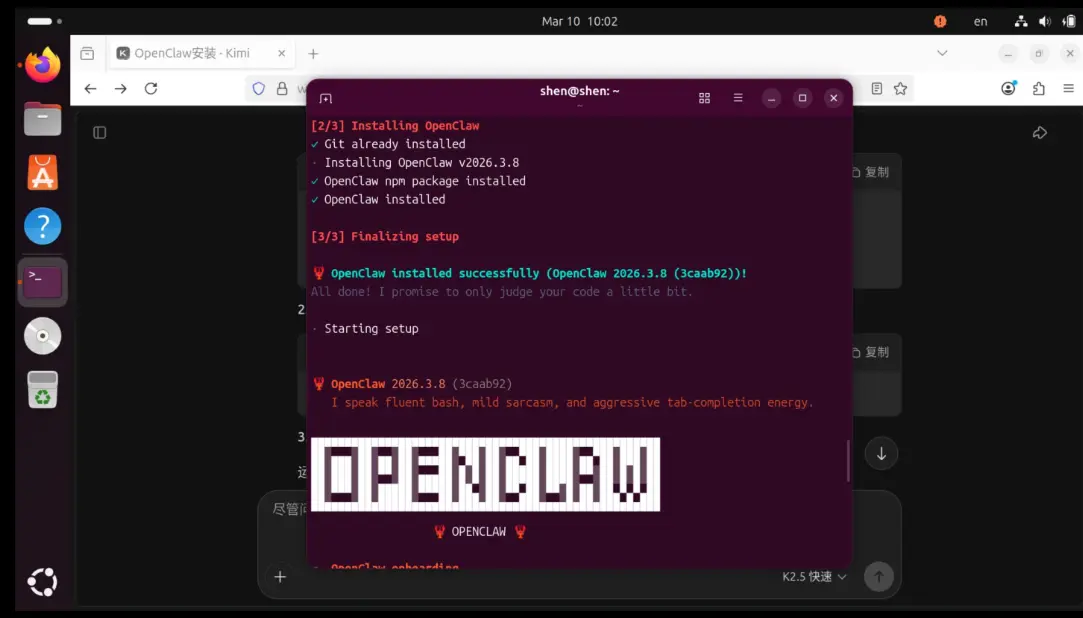
- Install OpenClaw: Use the one-liner installer (macOS, Linux, and Windows are supported), or run it in Docker or on a VPS for 24/7 operation. Node.js 22 or newer is required if you’re installing from source.
- Connect an AI model: Run the onboarding wizard and add an API key for the model you want to use. OpenClaw is model-agnostic; you can connect Anthropic, OpenAI, Google, DeepSeek, Zhipu’s GLM, xAI’s Grok, or a local model through Ollama, and switch between them at any time without reinstalling.
- Configure coding tools and permissions: Enable file system, shell execution, and Git skills. Run in sandbox mode with least privilege, and never grant the agent root or admin access; isolate it in a dedicated container or VPS. Set up a coding standards file (an agents.md or SOUL.md style workspace file) in memory.
- Prepare your project: Point OpenClaw at your repo directory. There’s no need to “open” it like an IDE; reference files and folders directly in prompts.
Step 2: Choose the Right Model for Coding
Because OpenClaw’s coding quality is entirely a function of the model behind it, model choice is the single biggest lever you have. As of mid-2026, the landscape breaks down roughly like this:
- Best all-around for coding agents: Claude Sonnet is the most common daily driver, with strong tool-calling reliability, good cost-to-quality ratio, and consistent behavior across long autonomous loops.
- Best for complex, high-stakes work: Claude Opus and OpenAI’s Codex-oriented GPT-5 models are the choices developers reach for on large refactors, production-critical changes, or long unsupervised agent runs, where deeper reasoning and persistence justify the higher cost.
- Best budget option: DeepSeek’s V3 line and Claude Haiku deliver a large share of frontier-model quality at a fraction of the price, which is useful for routine tasks like documentation, lint fixes, or dependency bumps.
- Local models via Ollama (Llama, Mistral, Qwen, etc.) run at zero API cost and preserve privacy, but they still struggle with the multi-step reasoning that autonomous coding agents rely on, so treat them as a fallback rather than a primary driver.
A practical pattern many teams use is model routing: assign a stronger, more expensive model to the coding agent and a cheaper model to lower-stakes agents (email triage, scheduling, simple automation) within the same OpenClaw instance. Because the model connection is just a config entry, you’re not locked into one vendor, and it’s worth revisiting this choice periodically; the ranking of “best” model shifts every few months as providers ship new releases.
Step 3: Give OpenClaw Context About Your Project
- Explain the project’s architecture, tech stack, and goals.
- Point it to relevant files and folders (e.g., “Use the codebase in ~/projects/my-app”).
- Share your coding standards, style guide, or an existing agents.md / SOUL.md file.
- Define success criteria and constraints (e.g., “Use TypeScript, follow existing patterns, no new dependencies unless necessary”).
Step 4: Ask OpenClaw to Write Code
- Generate new features: “Add user authentication with JWT and email verification.”
- Create APIs: “Build a REST endpoint for habits with CRUD operations using Express.”
- Scaffold projects: “Initialize a new Next.js 15 app with Tailwind and Supabase.”
- Build UI components: “Create a responsive streak counter component in React.”
Example prompt: “In the file src/features/habits.ts, implement a streak calculation function based on the daily check-ins table. Follow existing patterns and add tests.”
Step 5: Use OpenClaw to Debug Code
- Paste or reference error messages and stack traces directly.
- Ask it to analyze logs, locate the root cause, and propose or apply fixes.
- Example: “Debug the 500 error in the login route. Here’s the stack trace and relevant files.”
- The agent can run commands, read output, iterate, and verify fixes on its own; the quality of that iteration depends heavily on the connected model’s reasoning strength, which is why debugging-heavy workflows tend to benefit from a stronger model tier.
Step 6: Refactor and Improve Existing Code
- “Refactor the user service to reduce duplication and improve error handling.”
- “Modernize this legacy Python module to use async/await and type hints.”
- “Optimize this React component for performance and accessibility.”
Step 7: Generate Tests and Documentation
- Tests: “Write unit and integration tests for the new auth module using Jest.”
- Documentation: “Generate JSDoc for all functions in src/utils/ and update the README with usage examples.”
- The agent can run the tests it writes, fix failures, and iterate automatically.
Step 8: Review Changes Before Applying Them
Always review before merging:
- Ask for a summary of changes.
- Have it show Git diffs.
- Run the full test suite and review results.
- Use feature branches and open PRs for final human approval; don’t let autonomous agents merge directly to your main branch.
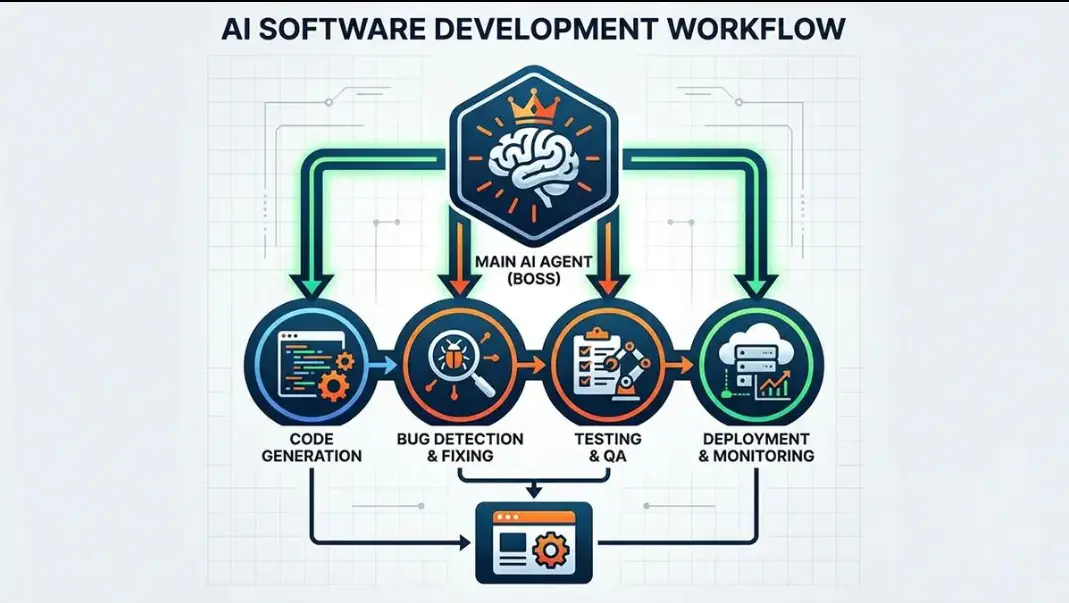
Step 9: Automate Repetitive Development Tasks
- Dependency updates: A scheduled heartbeat to audit and update packages safely.
- Code reviews: Monitor the repo for new PRs and post initial reviews.
- CI/CD support: Diagnose build failures and suggest fixes.
- Scheduled tasks: “Every night, check for lint issues and open a PR with fixes.”
Troubleshooting Common Issues
| Problem | Likely Cause | Solution |
| OpenClaw isn’t responding | Gateway service isn’t running | Restart OpenClaw (openclaw status) and check the logs under /tmp/openclaw/. |
| AI model won’t connect | Invalid API key or incorrect model settings | Verify your API key, model name, and provider configuration in ~/.openclaw/openclaw.json. |
| OpenClaw can’t access project files | Wrong folder or missing permissions | Confirm the correct project path is referenced and that file-system access is granted. |
| Code doesn’t work as expected | Prompt lacks enough context | Provide more detail about your project structure, conventions, and requirements. |
| Responses are slow | Underpowered model for the task, or limited system resources | Switch to a faster model tier, narrow the task scope, or allocate more compute. |
| Tests or builds fail | Code errors or dependency issues | Review the error messages, fix the underlying issue, and rerun the suite. |
| Git commands fail | Repository or authentication problem | Check your Git configuration, credentials, and repository permissions. |
Get More Done with OpenClaw as Your Coding Assistant
OpenClaw doesn’t replace developer judgment, but it does take care of the repetitive work. It can scaffold new features, help track down bugs, keep tests and documentation up to date, and handle routine maintenance tasks so you can focus on building and reviewing your code. Use it with the right language model, limit its permissions to only what it needs, and always review its changes before merging them.
Ready to set it up on infrastructure that stays online while your agents work? Get started with OpenClaw hosting on Truehost.
OpenClaw as Your Coding Assistant: FAQs
Can OpenClaw write an entire application by itself?
It can scaffold a project, generate most of the code, write tests, and iterate on failures with limited supervision. Left fully unsupervised on a large, novel application, it will still make architectural mistakes a human should catch; treat it as an autonomous contributor whose PRs need review, not a replacement for one.
Which AI model works best with OpenClaw for coding?
There’s no single universal answer, since new models ship every few months. As a rule of thumb: a mid-tier model (currently Claude Sonnet) for day-to-day coding, and a top-tier model (currently Claude Opus or a Codex-class GPT-5 model) for complex refactors or unsupervised runs. Check current benchmarks before committing, since rankings shift quickly.
Can OpenClaw debug existing codebases?
Yes. Point it at the relevant files and error output, and it can trace the root cause, propose a fix, and verify it by running your test suite again; this depends on the reasoning quality of whichever model you’ve connected.
Can OpenClaw generate unit and integration tests?
Yes, including running them and fixing failures automatically, for frameworks like Jest, pytest, and Go’s built-in testing package.
How much RAM do I need to use OpenClaw for coding?
OpenClaw itself is lightweight, since the heavy computation happens on the model provider’s servers for cloud models. If you plan to run local models via Ollama, you’ll need enough RAM/VRAM for that model specifically; small local models run on modest consumer hardware, while larger ones need substantially more.
Is OpenClaw suitable for professional software development?
It’s used for real production workflows, but treat it like any junior engineer with shell access: sandbox it, review its diffs, gate merges behind human approval, and never grant it destructive permissions by default.
Can OpenClaw help with DevOps and infrastructure code?
Yes, diagnosing CI/CD failures, writing deployment scripts, and managing cron-based automation are common use cases.
Is it safe to let OpenClaw modify project files automatically?
Only within a sandbox, on a feature branch, with least-privilege permissions and human review before merge. Full autonomous write access to a production repository without those guardrails is not recommended.