Domain NamesFind and register your ideal domain name instantly.
 Web HostingEasy-to-use hosting powered by cPanel — ideal for managing websites in Nigeria.
 Windows HostingRun .NET apps with Windows-optimized hosting
 Affiliate ProgramMake money promoting our services
 Reseller HostingMake money by reselling our hosting products under your own brand
 .COM Domains
 All DomainsExplore all supported tld domains in Nigeria
 WhoisFind out who owns any domain, as well as verify your registration details
 VPS Hosting
 Dedicated ServersReimagine your site speed with your own complete server
 AI Website BuilderDesign your site with drag-and-drop tools
 Online Store BuilderStart your online shop without code
 Support PortalFind answers or get expert help
 Contact UsReach our team via chat or email
 BlogRead our extensive guides on web hosting and more
Let’s talk about your email. If you’re running a small business, a project, or just trying to look more professional, using a free email address can hold you back.
It’s like having a shop in a busy market but wearing someone else’s uniform; it just doesn’t build the right kind of trust.
Getting a custom email address with your own domain is much simpler than it sounds. This guide will walk you through the email hosting setup in clear, simple steps.
By the end of this, you’ll know exactly what to do to get an email like [email protected] up and running. We’ll cover what you need, how to connect the pieces, and what to do after.
What is Email Hosting?
If you have a website, it lives on a special computer called a web server that you rent from a hosting company. Email hosting is very similar, but instead of storing your website files, it stores your emails.
When you use a free email service, Google is providing you with free email hosting. They give you the inbox, handle the sending and receiving, and you use their domain.
Email hosting is when you rent that same service, but for your own domain name. So instead of [email protected], you can have [email protected].
Simply put:
Your Domain: This is your address on the internet, like ankarabusiness.com.
The Hosting Service: This is the rented space and software that creates mailboxes (hello@, sales@, support@) under your domain.
The Result: You get a professional email address that builds trust, is controlled by you, and is tied directly to your brand.
It’s more secure and reliable than free options for serious work, and it comes with tools designed for managing team communication.
What You Need to Get Started with Email Hosting
You don’t need much. Just two main things:
I) A Domain Name
Your domain name is the foundation; you can’t have [email protected] without first owning yourbusiness.com.
If you don’t have a domain yet, you’ll need to register one. A simple approach is to do this, where you also plan to get your email hosting.
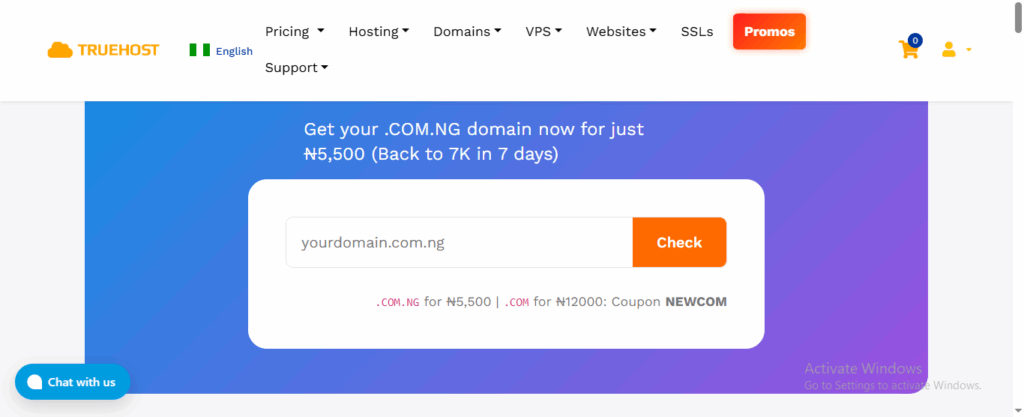
For instance, at Truehost, you can register a domain and get email hosting from the same dashboard.
This makes the process smoother because everything is connected from the start, and you won’t have to manage logins across different companies. It keeps things in one place.
II) An Email Hosting Plan
This is the service you subscribe to that powers your custom email addresses. It is like renting a secure, private post office for your domain.
Plans vary, so you’ll want to choose one based on your team size, how much email storage you’ll need, and the features like security tools, collaboration apps, or the ability to create aliases.
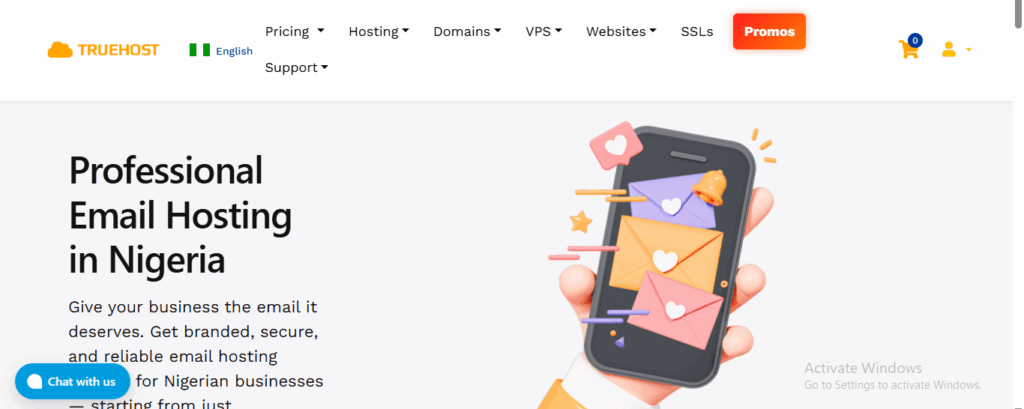
We offer several plans at Truehost to match different needs. For a solo professional or a brand-new startup, our Workplace Starter plan gives you everything you need to begin with one professional mailbox.
If you have a small team, a plan like Workplace Business provides multiple mailboxes with room to grow.
The main idea is to pick a plan that fits your current situation, knowing you can easily upgrade later as your business expands.
That’s really all there is to it. With a domain and the right hosting plan, you’re ready to move on to the simple setup process.
How to Set Up Email Hosting In 4 Steps
Setting up email hosting involves a few key steps that work the same way with most providers.
Step 1: Choose and Purchase a Plan
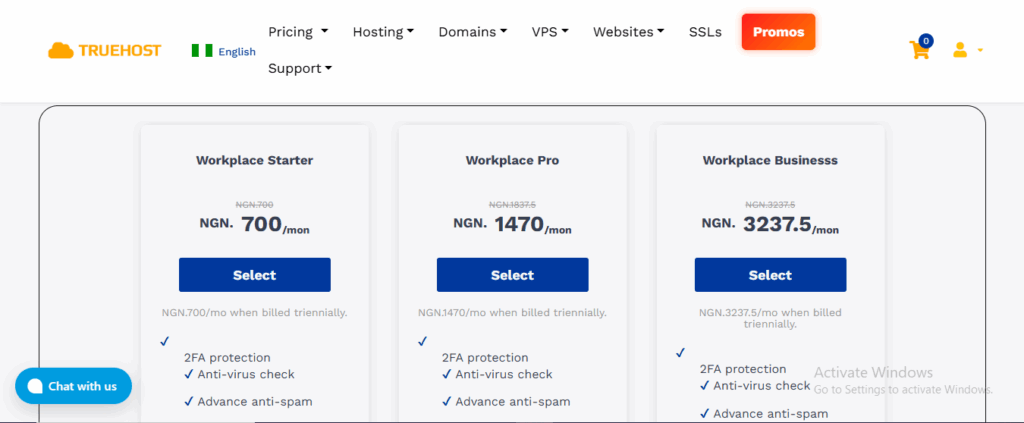
Look at your needs. How many people need an email address, e.g., you, a partner, a support person? Start with a plan that covers that number of mailboxes. You can usually upgrade later.
Step 2: Connect Your Domain
This is the most technical-sounding part, but it’s often simple. The email hosting company will give you specific server addresses called MX Records.
If you bought your domain and email hosting from the same company, like Truehost, this connection is frequently done automatically.
If your domain is registered elsewhere, you’ll log in to your domain registrar’s website and update the MX records with the details your email host provided. They’ll give you clear instructions.
Step 3: Create Your Email Accounts
Once your domain is connected, you log into your email hosting control panel. Here, you’ll create your actual mailboxes: [email protected], [email protected].
Then, you’ll set a password for each one.
Step 4: Start Using Your Email
You can access your new email in two ways:
Webmail: Every host provides a website like webmail.yourdomain.com, where you can log in and check your email from any browser. It looks and feels like Gmail or Outlook.com.
Email Client: You can also set up your email on your favourite apps like Microsoft Outlook, Apple Mail, or on your phone’s mail app.
You’ll need the incoming and outgoing server settings (IMAP/POP3 and SMTP) from your host, which are easy to find in your control panel.
Quick Start with Truehost Email Hosting
If you choose to set up your professional email with us at Truehost, here’s the easiest path to get running.
First, confirm the domain you want to use for email. For the smoothest setup, it’s easiest if your domain is already using Truehost’s nameservers, where your domain’s DNS is managed.
Next, pick an email hosting plan that fits. We have options for different needs and budgets.
For example, our Workplace Starter plan is great for a solo entrepreneur, while Workplace Business is perfect for a small team.
You can see the features and pricing clearly on our website.
Place your order from the Truehost Client Area. Once your plan is active, go to the Email > Email Accounts section in your dashboard.
Here, you can create your first mailbox, like [email protected]. The system will show you the SMTP/IMAP settings for setting up phone or desktop apps right away.
We’ll handle the technical bits. If your domain’s DNS is with us, we often configure the necessary MX records for you.
If not, we can provide the exact records you need to update or guide you on how to point your domain to our mail servers.
Finally, test it. Log in to webmail at the address we give you, or add your new email account to your phone using the settings from your dashboard.
Send a test email to yourself and to a free account like Gmail to make sure sending and receiving work perfectly.
Why a Professional Email is Important for Your Business
Using an email with your own domain name is a practical business tool.
- It Builds Trust: An address like [email protected] looks legitimate and established. Customers and clients are more likely to engage.
- It’s a Key Part of Your Brand: Every email you send reinforces your business name. Free email services advertise someone else’s brand.
- You Have Control: You own the mailbox. If an employee leaves, you can securely reassign or deactivate their business email without losing history or access.
- Better Security and Support: Reputable hosts like Truehost build in protection against spam, viruses, and phishing attempts. You also get dedicated support if something isn’t working.
For any Nigerian business, freelancer, church, or organisation, this step is a move from looking like a side hustle to operating like a professional entity.
It’s one of the most cost-effective upgrades you can make for your professional image and day-to-day operations.
Wrapping It Up
So, that’s the full picture. Moving to a professional email isn’t a huge technical project.
The steps are simple: get a domain, pick a hosting plan, connect them, and create your mailboxes. It might sound technical when you read it, but in practice, it’s just a few clicks.
The best part is, you don’t have to figure it out alone or manage pieces in different places. When you keep your domain and email hosting under one roof, the setup becomes almost automatic.
That’s why we’ve built our Truehost service the way we have. You can get your domain, choose an email plan like Workplace Starter or Workplace Business, and have your professional inbox ready in very little time.
We handle the technical connections for you, and our team is here to help if you have any questions.
Why not take the first step today? You can start by searching for your perfect domain name and choosing your email hosting plan at Truehost. We’ll help you get set up, so you can start seeing the difference a professional email makes.