Domain NamesFind and register your ideal domain name instantly.
 Web HostingEasy-to-use hosting powered by cPanel — ideal for managing websites in Nigeria.
 Windows HostingRun .NET apps with Windows-optimized hosting
 Affiliate ProgramMake money promoting our services
 Reseller HostingMake money by reselling our hosting products under your own brand
 .COM Domains
 All DomainsExplore all supported tld domains in Nigeria
 WhoisFind out who owns any domain, as well as verify your registration details
 VPS Hosting
 Dedicated ServersReimagine your site speed with your own complete server
 AI Website BuilderDesign your site with drag-and-drop tools
 Online Store BuilderStart your online shop without code
 Support PortalFind answers or get expert help
 Contact UsReach our team via chat or email
 BlogRead our extensive guides on web hosting and more
Have you ever imagined waking up one morning to find your website hacked, your files gone, and your visitors locked out? It’s every website owner’s nightmare. A single security breach can cost you hours of work, thousands of naira, and worst of all, your hard-earned reputation.
The truth is, most website owners don’t think about security until it’s too late. You might be focusing on content, traffic, or sales, but if your site isn’t protected, all that effort could vanish in an instant.
So, how do you make sure your website is truly safe? How can you prevent hackers from sneaking in, stealing data, or even taking your site offline?
That’s exactly why secure web hosting matters. It’s not just about keeping hackers out; it’s about giving you peace of mind and letting your website grow without fear.
In this guide, we’ll show you 10 practical, easy-to-follow ways to secure your website. Even if you’re not a tech expert, these tips are simple, actionable, and designed to keep your site and your business safe.
Why You Need to Secure Web Hosting in 2026
Have you noticed how cyber threats are evolving faster than ever? In 2026, running a website without proper security is like leaving your front door wide open in the middle of a busy city. Hackers aren’t just looking for big targets anymore; they’re after anyone who has a website, from small blogs to growing online stores.
Here’s why securing your web hosting is no longer optional:
1) Hackers Are Smarter and More Persistent

In 2026, cybercriminals have tools that can probe websites automatically, looking for weaknesses in software, plugins, and even hosting servers.
A tiny vulnerability could give them access to your files, customer data, or admin accounts. Without proper security, your website is essentially a sitting target.
2) Protecting Your Business Reputation
Imagine a visitor landing on your website only to see it’s hacked or filled with malware.
The trust you’ve built over months, or even years, can vanish in seconds. Customers are less forgiving today; even a single security incident can push them to your competitors.
3) Financial Risks Are Higher
Websites are money-making machines. A hack can lead to stolen customer information, lost sales, or expensive downtime.
In 2026, cybercrime costs are expected to grow even more, meaning unprotected websites can face serious financial losses, sometimes more than the cost of premium hosting.
4) Data Privacy Laws Are Stricter
Governments are tightening data protection rules worldwide. If a breach occurs and customer data is compromised, you could face hefty fines in addition to reputational damage.
Secure web hosting helps you comply with these regulations by providing tools like SSL, backups, and server-level security.
5) Peace of Mind for You
Beyond all the risks, securing your web hosting gives you the freedom to focus on your website’s growth.
You won’t constantly worry about malware, hacking attempts, or server failures. Instead, you can concentrate on creating content, attracting visitors, and growing your business.
How to Keep Your Web Hosting Safe
Securing your web hosting doesn’t have to be complicated. With the right approach, you can protect your site, your visitors, and your hard-earned reputation.
Running a blog, an online store, or a business website? Taking proactive steps now can spare you hours of stress and even prevent costly losses down the line. Think of it as installing locks, alarms, and security cameras for your digital property.
Here are ten ways to keep your web hosting safe and give your website the protection it deserves:
1) Choose a Reputable Hosting Provider
Everything starts with your hosting provider. Think of it like picking a home for your website. You wouldn’t want to leave your house in a dangerous neighborhood, right? A good hosting provider not only keeps your site online but also shields it from hackers, malware, and other online threats.
When picking a host, pay attention to:
- Security Features: Look for automatic malware scans, DDoS protection, and built-in backups. These tools catch problems before they become disasters.
- SSL Certificates: Sites with SSL encrypt visitor data, keeping logins, payments, and personal info safe. Many providers include free SSL in their plans.
- Uptime & Support: Your website should always be accessible. A reliable host keeps your site online and offers fast support if something goes wrong.
At Truehost, we combine robust security tools, free SSL certificates, and 24/7 expert support so your website stays safe around the clock.
2) Use Strong Passwords
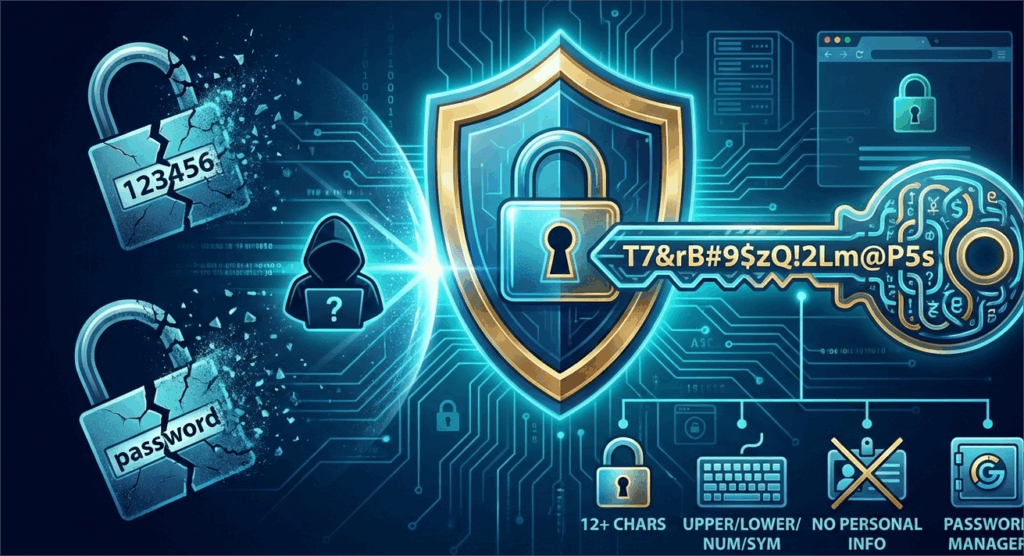
Passwords are your first line of defense. Weak passwords like “123456” or “password” are like leaving the front door unlocked. Hackers know exactly where to start.
Here’s how to make your passwords stronger:
- At least 12 characters long
- Mix uppercase, lowercase, numbers, and symbols
- Avoid personal info like your name or birthday
- Use a password manager to generate and store complex passwords
Remember: Every account connected to your website, FTP, admin, or database needs its own strong password. Don’t reuse passwords across accounts.
3) Enable Two-Factor Authentication (2FA)
Think of Two-Factor Authentication (2FA) as adding a second lock to your front door. Even if a hacker somehow gets hold of your password, they still won’t be able to access your website without that second layer of verification. It’s a simple step that makes a huge difference in keeping your site safe.
Here are the common ways to use 2FA:
- Authenticator apps: Tools like Google Authenticator or Authy generate unique, time-sensitive codes for login.
- SMS codes: Receive a one-time code on your phone each time you log in.
- Email verification: Get a confirmation link or code sent to your registered email.
Enabling 2FA can block up to 99% of automated attacks, dramatically reducing the chances of unauthorized access. In short, it’s one of the easiest and most effective ways to keep hackers at bay.
4) Keep Software and Plugins Updated
Outdated software is hacker bait. Every update fixes vulnerabilities that cybercriminals can exploit.
| Software/Plugin | Risk if Not Updated |
| WordPress Core | Full site compromise |
| Themes | Malicious code injection |
| Plugins | Data breaches or broken features |
Turn on automatic updates when possible and always check plugin reviews before installing them. It’s a small step that saves you a lot of trouble.
5) Secure Your Admin Area
The admin area is the brain of your website, and hackers know it. Protecting this area can prevent most brute-force attacks.
Here’s how to do it:
- Change the default login URL (e.g., avoid /wp-admin)
- Limit login attempts per IP address
- Block suspicious IPs automatically
- Use strong admin usernames (avoid “admin” or your real name)
Even small tweaks here make a big difference in keeping hackers out.
6) Use SSL Certificates
SSL (Secure Sockets Layer) encrypts the data exchanged between your site and your visitors. This keeps passwords, payments, and other sensitive info safe.
Benefits of SSL:
- Protects data with encryption
- Improves Google search rankings
- Builds trust (visitors see the padlock symbol in their browser)
At Truehost, free SSL certificates are included in all hosting plans, making it simple to secure your website without extra costs.
7) Regular Backups
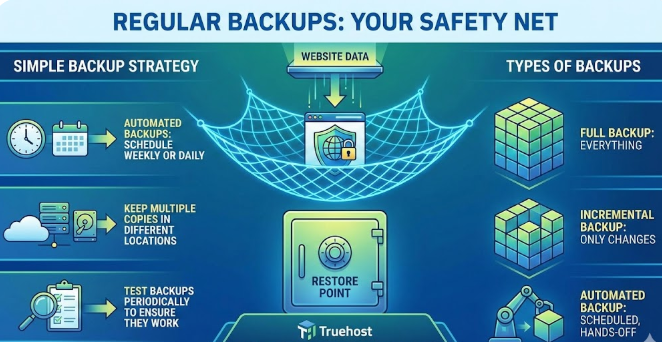
Backups are your safety net. If anything goes wrong, a hack, a server crash, or a broken update, you can restore your website quickly.
Here’s a simple backup strategy:
- Schedule automated backups weekly or daily for high-traffic sites
- Keep multiple copies in different locations
- Test backups periodically to ensure they work
Types of backups:
- Full backup: Everything on your website
- Incremental backup: Only changes since the last backup
- Automated backup: Scheduled, hands-off solution
With backups, even a serious breach won’t destroy your site.
We understand that you’re busy running a business. That’s why our shared hosting packages include automated daily backups.
8) Monitor Website Activity
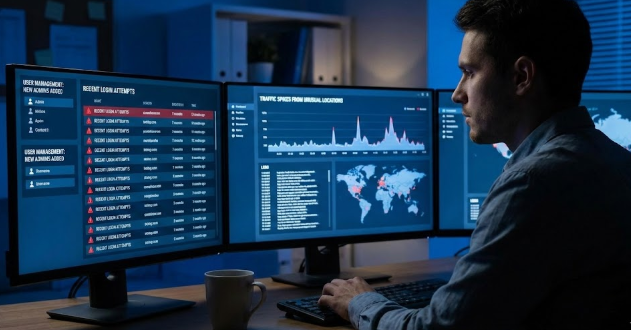
You can’t fix what you don’t see. Monitoring your website helps you spot suspicious activity before it becomes a problem.
Watch for:
- Unexpected login attempts
- New admin users added without your knowledge
- Large spikes in traffic from unusual locations
Security plugins can alert you in real-time. Check your logs regularly, even if no alerts are triggered, to stay ahead of potential threats.
If you are using a VPS hosting plan, you have even more control over these scans. High-quality hosting includes automated scanning that alerts you the moment a suspicious file is detected.
9) Limit File Uploads and Permissions
File uploads are convenient for users, but they can be a hacker’s backdoor.
To stay safe:
- Only allow safe file types (e.g., images)
- Set folder permissions carefully (e.g., 755 instead of 777)
- Scan uploaded files for malware before they go live
These precautions reduce the risk of someone exploiting your site through uploads.
10) Use a Web Application Firewall (WAF)
A WAF acts like a security guard for your website. It filters malicious traffic before it reaches your server.
Benefits of a WAF:
- Blocks attacks like SQL injections and cross-site scripting
- Protects against DDoS attacks
- Works smoothly with your hosting provider
Many hosts, including Truehost, offer WAF integration so you can block threats automatically.
Conclusion
Website security isn’t something you set once and forget, it’s an ongoing habit. By taking these 10 steps, you’re already ahead of most websites online, protecting your site, your visitors, and your reputation.
Start with the essentials: a strong password and an SSL certificate. Once those are in place, add the advanced layers, like a Web Application Firewall (WAF) and regular security monitoring, to make your site even more resilient.
And remember, you don’t have to do this alone. Partnering with a reliable host like Truehost gives you a team of experts who are always looking out for your digital home, so you can focus on growing your website with confidence.