Domain NamesFind and register your ideal domain name instantly.
 Web HostingEasy-to-use hosting powered by cPanel — ideal for managing websites in Nigeria.
 Windows HostingRun .NET apps with Windows-optimized hosting
 Affiliate ProgramMake money promoting our services
 Reseller HostingMake money by reselling our hosting products under your own brand
 .COM Domains
 All DomainsExplore all supported tld domains in Nigeria
 WhoisFind out who owns any domain, as well as verify your registration details
 VPS Hosting
 Dedicated ServersReimagine your site speed with your own complete server
 AI Website BuilderDesign your site with drag-and-drop tools
 Online Store BuilderStart your online shop without code
 Support PortalFind answers or get expert help
 Contact UsReach our team via chat or email
 BlogRead our extensive guides on web hosting and more
During Nigeria’s 2021 Twitter ban, the country lost ₦90.7 million per hour of shutdown.
For an e‑commerce business, downtime costs scale with revenue, a store earning ₦500,000 daily loses over ₦20,000 every hour it is offline.
A full day of downtime?
That is nearly half a million in lost sales, before counting the long-term damage to customer trust.
And it is not just about revenue, 47% of visitors expect a website to load in under two seconds.
And if it doesn’t, they will tell others about their bad experience.
A single slow day can snowball into a reputation crisis.
Downtime is lost revenue, broken trust, and wasted marketing spend.
Yet many business owners treat it as an unavoidable act of nature.
The reality? Most downtime is preventable.
This guide covers the two faces of downtime, what actually causes it, and practical prevention strategies you can use starting today.
By the end, you will have a clear plan to keep your site up, and your business running.
The Two Faces of Website Downtime
Not all website downtime looks the same.
When people hear downtime, they picture a 404 error or a white screen.
But there is another, more insidious type that is just as damaging, and harder to detect.
Hard Downtime: Site Unreachable
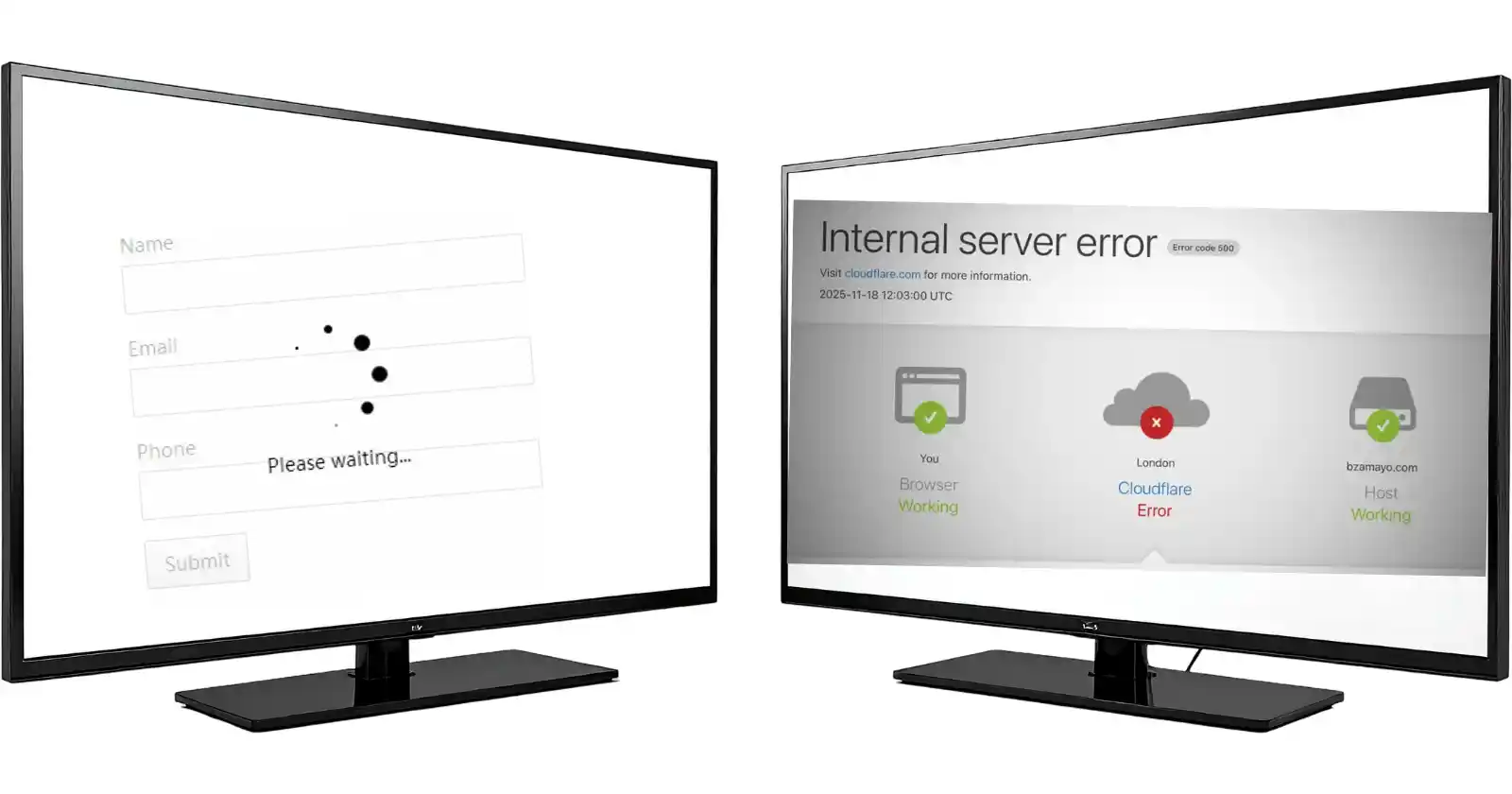
This is the obvious one. A visitor types your domain and gets nothing, no connection, a 500 error, or a DNS failure.
The server might be offline, the network routing broken, or your domain configuration misaligned.
Hard downtime is easy to spot with basic uptime monitors, but it is often the result of underlying issues that could have been caught earlier.
- Server crashes: Hardware or software failure
- 500 errors: Often from misconfigurations or corrupted files
- DNS failures: Nameserver or record misconfiguration
When hard downtime strikes, every single visitor is blocked. Your site simply does not exist for them.
Soft Downtime: Site Up But Unusable
This is the silent killer. Your site appears to load, but:
- Pages take 10+ seconds to render
- Checkout times out after adding items to cart
- Forms submit endlessly without confirmation
- Images fail to load, making the site look broken
Soft downtime often goes unnoticed in standard uptime reports because the server responds with a 200 OK.
But from a user perspective, the site is effectively dead.
A 3‑second delay can reduce conversions by 4.5%; a 10‑second delay pushes that to 30% or more.
In e‑commerce, a 1‑second improvement can boost conversion by 2% on average.
You see, hard downtime wakes you up with alerts.
Soft downtime quietly drains revenue, and by the time you notice, customers have already left.
Worse, they may not return.
What Causes Website Downtime
Understanding the root causes is the first step to prevention. Here are the most common culprits, ranked by frequency and impact.
1) Hardware Failures
Servers are physical machines, and physical machines fail.
A hard drive crashes, a power supply dies, a cooling fan stops, one component can take your entire site offline.
Even in data centres with redundancy, hardware accounts for about 15% of unplanned downtime.
The best hosts use RAID arrays, redundant power supplies, and proactive monitoring to minimise this risk, but no hardware is immune.
2) Software Issues & Updates
This is the biggest category, and the most preventable.
A WordPress plugin update introduces a fatal error.
A theme update breaks the CSS. A PHP version upgrade makes your custom code obsolete.
Industry data shows that 70% of website failures are caused by changes, updates, new code, or configuration tweaks, rather than infrastructure.
Every time you click update on a live site, you roll the dice.
3) Network Outages
Your hosting provider might be fine, but the upstream network provider suffers a fibre cut, or a DNS provider goes down.
These are harder to prevent because they happen outside your direct control, but good hosting providers have redundant network paths and multiple upstream carriers.
In Nigeria, where internet infrastructure is still evolving, choosing a host with local data centres and diverse connectivity is crucial.
4) Cyber Attacks
Distributed denial of service (DDoS) attacks flood your server with traffic until it collapses.
Malware infections can corrupt files or lock you out.
Small businesses are targeted in 43% of all data breaches because they are seen as easy prey.
Attackers often exploit outdated software, weak passwords, or insecure plugins.
A successful attack can mean hours or days of recovery.
5) Human Error
This is often the most preventable cause, and the most common.
A developer accidentally deletes the wrong folder. A sysadmin misconfigures a firewall.
A domain owner lets the SSL certificate expire.
Human error is involved in up to 60% of downtime incidents, according to incident post‑mortems.
The irony? These are the same people who can prevent downtime if given the right tools and processes.
6) Traffic Spikes
Success can be dangerous.
A viral social media post, a flash sale, or a seasonal surge can overwhelm your server.
Shared hosting environments are especially vulnerable because resources are shared among hundreds of sites.
One sudden spike can bring down your neighbours’ sites, and yours.
Without auto‑scaling or isolated resources, a spike that should be a celebration becomes a crisis.
Prevention Strategies
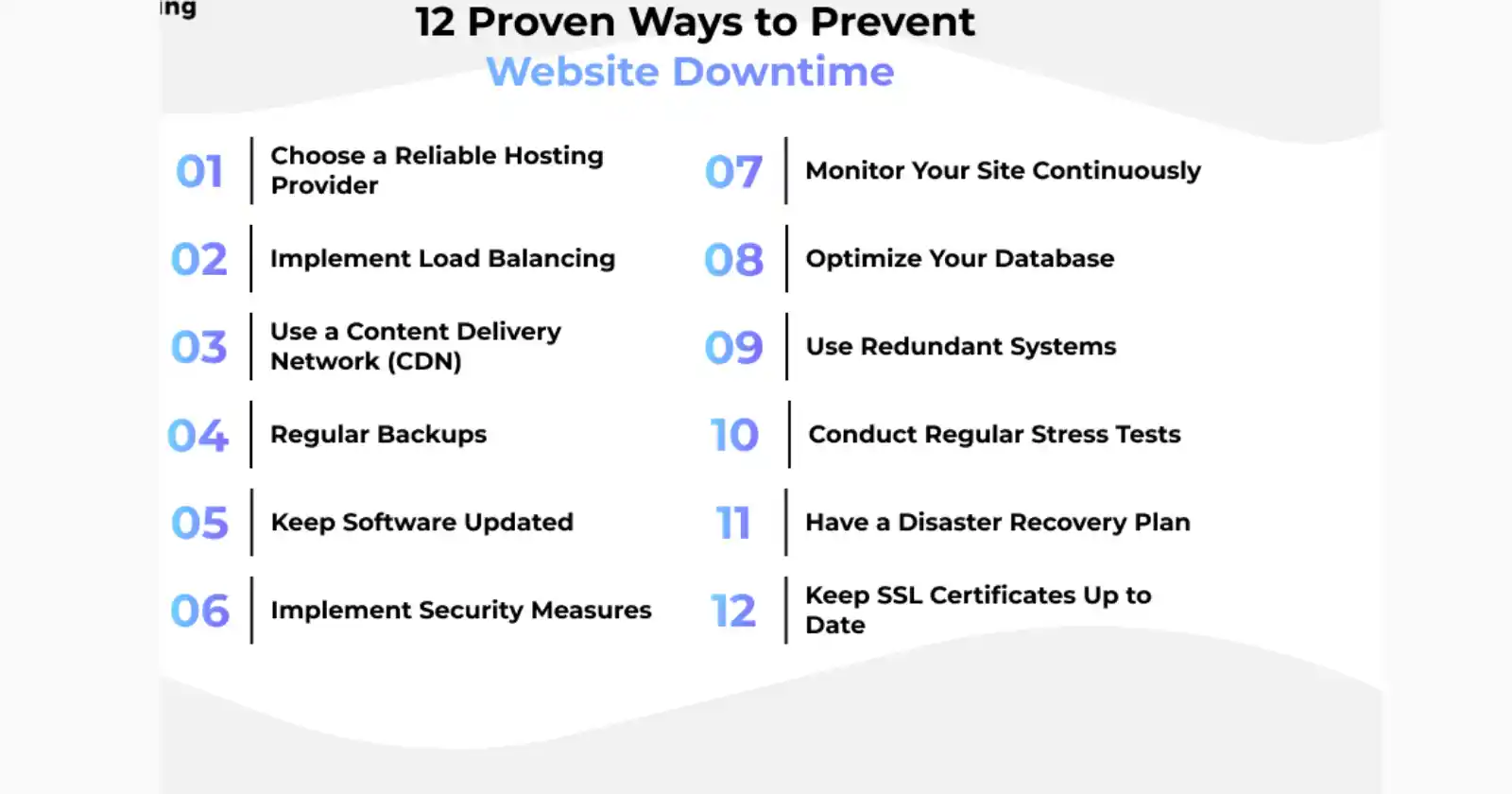
This is where you move from reacting to downtime to preventing it. These strategies form a layered defence.
- Robust Backups
A backup is your last line of defence.
When everything else fails, a recent, clean backup lets you restore within minutes instead of days.
- Daily database backups
Your database contains posts, orders, and user data. Losing it is catastrophic.
Use tools like cPanel’s Backup Wizard or plugins like UpdraftPlus to automate this.
- Weekly full site backups
Include files and database in one package. A full backup means you can rebuild your site from scratch.
- Store backups offsite
Never keep your only backup on the same server as your live site.
Use Google Drive, AWS S3, or a separate cloud storage. If your server is compromised, on‑server backups go with it.
- Test restoration quarterly
A backup is useless if you can’t restore it.
Set a calendar reminder to restore your site to a staging environment every three months. Verify that everything works.
- Proactive Monitoring
You can’t fix what you don’t know is broken.
Monitoring tools alert you the moment something goes wrong, sometimes even before your visitors notice.
- Uptime checks from multiple global locations
A site might be down in Lagos but fine in London.
Tools like UptimeRobot (free tier), Better Stack, or StatusGator ping your site from dozens of locations every minute.
Configure alerts for downtime and slow response times.
- Performance monitoring
Tools like Pingdom or GTmetrix track page load times and alert you if they cross a threshold.
A gradual slowdown often signals a resource issue that could lead to outage.
- Error log monitoring
Set up alerts for critical PHP errors or 500 status codes in your server logs.
Catching a recurring error early can prevent a full crash.
- Update Discipline
Updates are essential for security, but they are also a leading cause of downtime. A disciplined update process minimises risk.
- Never update directly on the live site
Always test in a staging environment first. Even a minor plugin update can introduce incompatibilities.
- Test in staging
Apply updates there, run functional tests, and check for errors before deploying.
If you don’t have a staging environment, ask your host, many, including Truehost, offer one‑click staging.
Update order: plugins → themes → core
This sequence reduces compatibility conflicts. Plugins often need updates to work with newer core versions.
- Read changelogs before major updates
Look for breaking changes, new minimum PHP requirements, or deprecated functions. If a major update is risky, wait a week for others to test it first.
Routine Maintenance
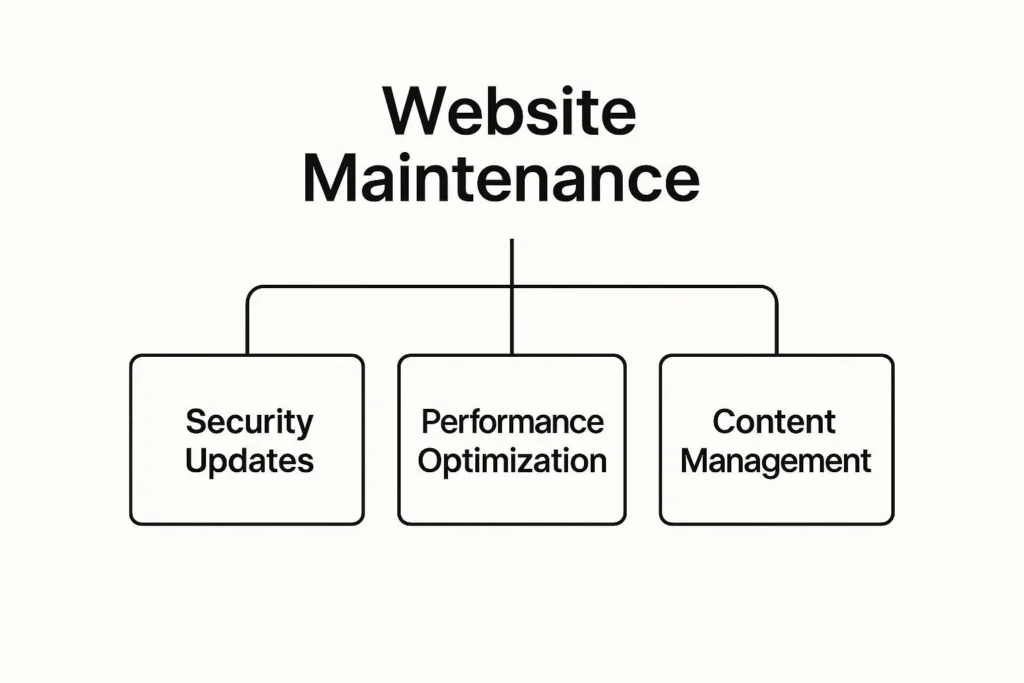
Prevention is a habit, not a one‑off task. A site that runs flawlessly today can fall apart tomorrow if maintenance is neglected.
The key is consistency, building small, regular actions into your calendar so they happen whether you are busy or not.
a) Weekly:
Start with the low‑hanging fruit.
- Log into your WordPress or CMS dashboard and check for pending updates.
- Apply them only after verifying compatibility, or better, push them to staging first.
- Run a security scan using a plugin like Wordfence or Sucuri; these scans catch malware, suspicious files, and unauthorised changes before they become breaches.
- Then review your error logs.
- Look for patterns: repeated 500 errors, failed login attempts, or database timeouts.
b) Monthly:
Turn your attention to the database.
WordPress and WooCommerce sites accumulate clutter fast, post revisions, spam comments, orphaned metadata, and expired transients.
- Use a tool like WP‑Optimize to clean these out. A lean database is faster, easier to back up, and less likely to hit storage limits.
- Next, review user accounts. Remove any that belong to former team members or contractors. Every active account is a potential entry point for attackers.
- Finally, prune your backups. If you keep seven daily backups, you are storing seven copies of your entire site. Move older backups off‑server and keep only the most recent 1-2 on the server.
c) Quarterly:
Test your backup restoration.
A backup is useless if you can’t restore it.
- Restore your site to a staging environment, verify that everything works, and time how long it takes. If restoration takes hours, your process needs refinement.
- Then review your disaster recovery plan. Who handles what? Who do you call if the server goes down at 2am? Ensure contact details are current.
- Finally, audit user permissions. In your hosting control panel and CMS, check who has admin access. Remove unnecessary privileges. The principle of least privilege, giving people only the access they absolutely need, reduces the damage from compromised accounts.
Quick Recovery When Downtime Hits
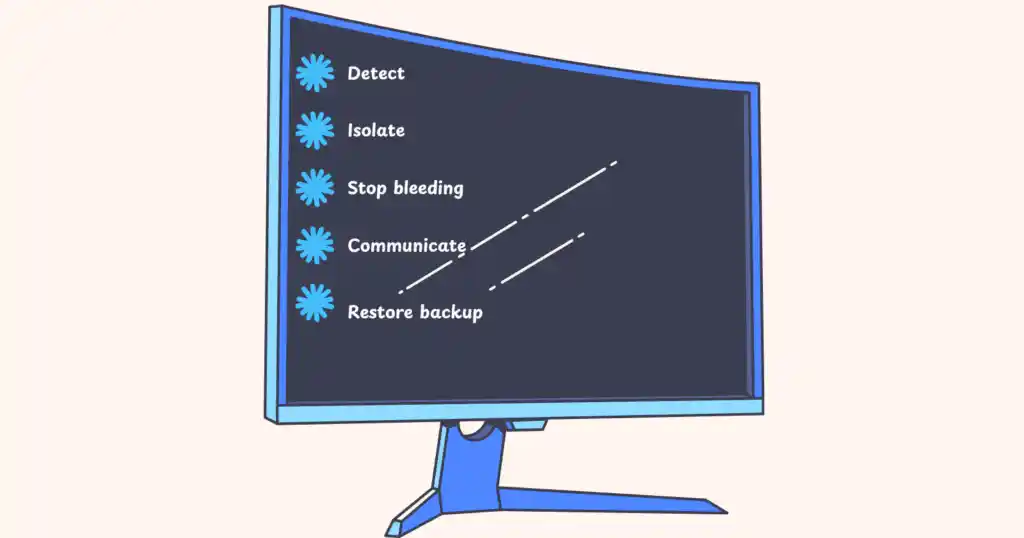
Even with the best prevention, downtime can happen.
The goal is to recover fast, and to recover without panic.
A clear, rehearsed protocol turns chaos into a checklist.
- Detect early.
Your monitoring tools alert you. Don’t wait for a customer to email.
The moment you get a downtime alert, stop what you are doing and investigate. Every minute of delay compounds the damage.
- Isolate.
Determine where the problem lies.
Is it network (DNS, connectivity), server (hardware, software), or application (plugin, custom code)?
Use ping to check basic reachability. Use traceroute to see where packets drop.
Log into your hosting control panel to check server status.
Test from multiple locations to see if the issue is widespread or localised to your connection.
- Stop the bleeding.
If the downtime followed a recent change, an update, a new plugin, a configuration tweak, roll it back immediately.
If it is a traffic spike, scale up if your hosting allows, or enable a maintenance page to preserve resources.
In shared hosting, contact support and ask to be moved to a less crowded server.
- Communicate.
If downtime extends beyond five minutes, post a status update on social media or your site’s front page.
Use simple language like: “We’re experiencing technical difficulties and working to restore service. Thank you for your patience.”
Transparency builds trust. Customers are far more forgiving when they know you are aware and actively fixing the issue.
- Restore from backup.
If the root cause isn’t obvious and you are past 30 minutes, stop troubleshooting and restore your last good backup.
Being up with slightly old data is always better than being down for hours. You can restore missing orders or comments manually later.
- Post‑incident review.
After recovery, document what failed, what worked, and what you will change to prevent a repeat.
Hold a brief team meeting to review the timeline.
A good post‑mortem is about turning failure into a stronger defence for next time.
Wrapping Up
Downtime is inevitable, but extended downtime isn’t.
Most failures come from changes made without testing, a lack of proactive monitoring, or a weak hosting foundation.
By implementing strategies like backups, monitoring, disciplined updates, and a solid hosting partner, you can reduce both the frequency and duration of downtime.
And when you host with Truehost, you are not just buying server space, you are buying a partner that keeps your site up.
With cPanel’s Backup Wizard, you can schedule and test backups in minutes.
With 24/7 local support, someone who understands your market is always ready to help.
And with plans that scale from shared hosting to VPS to dedicated, you never outgrow your infrastructure.
Ready to stop worrying about downtime?
Explore our reliable hosting plans today and build the uptime your business deserves.