Domain NamesFind and register your ideal domain name instantly.
 Web HostingEasy-to-use hosting powered by cPanel — ideal for managing websites in Nigeria.
 Windows HostingRun .NET apps with Windows-optimized hosting
 Affiliate ProgramMake money promoting our services
 Reseller HostingMake money by reselling our hosting products under your own brand
 .COM Domains
 All DomainsExplore all supported tld domains in Nigeria
 WhoisFind out who owns any domain, as well as verify your registration details
 VPS Hosting
 Dedicated ServersReimagine your site speed with your own complete server
 AI Website BuilderDesign your site with drag-and-drop tools
 Online Store BuilderStart your online shop without code
 Support PortalFind answers or get expert help
 Contact UsReach our team via chat or email
 BlogRead our extensive guides on web hosting and more
If you are running a business in Nigeria, one of the smartest investments you can make early on is a professional email address.
Something like [email protected] or [email protected] carries far more weight than a free Gmail or Yahoo address when you are pitching clients, sending invoices, or responding to inquiries.
This guide walks you through exactly how to set up Outlook email, Microsoft’s business email platform, with your own custom domain, step by step.
What You Will Need Before Starting
Gather these four things before you begin:
1) A registered custom domain.
If you do not already have one, Nigerian registrars like Truehost offer affordable .com.ng and .ng domains.
2) An active Microsoft 365 subscription.
The most suitable plans for Nigerian businesses are:
- Business Basic: email, Teams, and web apps only (most affordable)
- Business Standard: includes desktop Office apps (Word, Excel, Outlook)
- Exchange Online Plan 1: email-only plan if you do not need other Microsoft apps
Prices are billed in USD but can be paid with a Nigerian debit card, international card, or PayPal.
3) Access to your domain’s DNS management panel.
This is where you will add MX, TXT, and CNAME records. If your domain is hosted with us, you access this through their cPanel. For other registrars, it is the Advanced DNS tab in your account.
4) A valid payment method.
Nigerian Naira debit cards (Visa or Mastercard) typically work for Microsoft 365 subscriptions, though some banks may flag the international transaction.
Have a backup card or PayPal account ready just in case.
How to Set Up Outlook Email with Your Custom Domain
Step 1: Sign Up for Microsoft 365
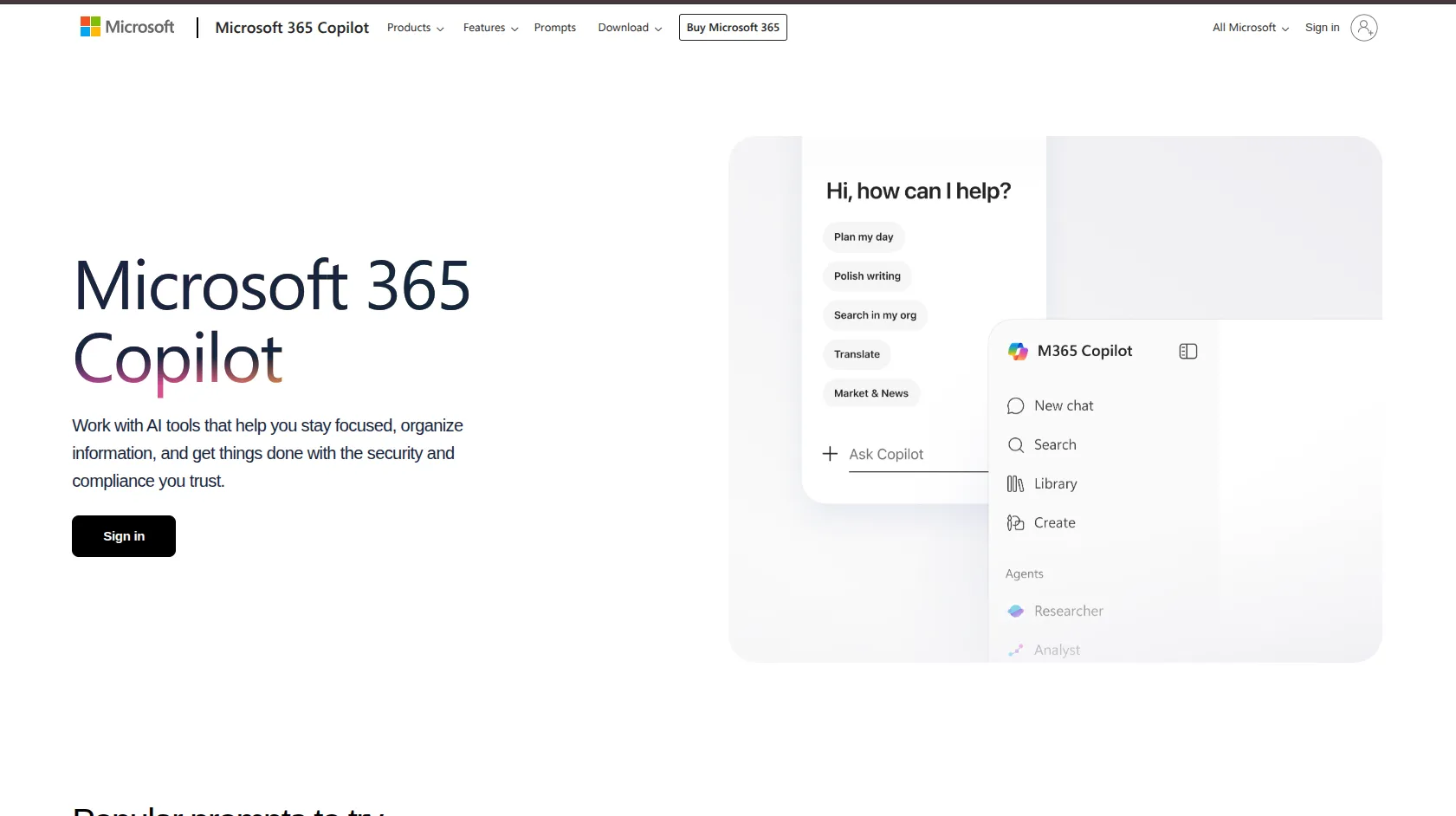
Visit microsoft365.com and select your preferred plan.
When creating your account, Microsoft will first assign you a temporary address ending in @yourbusiness.onmicrosoft.com, do not worry, this is just a placeholder. You will replace it with your custom domain shortly.
Enter your billing details and complete payment.
If your Nigerian card declines, try enabling international transactions through your bank’s app (GTBank, Access Bank, Zenith, and UBA all allow this), or use PayPal.
Once payment is confirmed, you will land in the Microsoft 365 Admin Center, your control room for everything going forward.
Step 2: Add Your Custom Domain
In the Admin Center:
Go to Settings → Domains → Add domain
Type in your domain name (e.g., yourbusiness.com or yourbusiness.com.ng)
Click Use this domain
Microsoft will now ask you to prove that you actually own this domain, that is the next step.
Step 3: Verify Domain Ownership (TXT Record)
Microsoft will generate a unique TXT record value that looks something like:
MS=ms12345678Log into your domain registrar’s DNS panel and add a new TXT record with:
Host/Name: @ (or leave blank, depending on your registrar)Value: the MS= code Microsoft providedTTL: 3600 (or default)Save the record, return to the Microsoft Admin Center, and click Verify.
It may take a few minutes for the TXT record to propagate before Microsoft detects it.
Be patient, refresh after 5-10 minutes if it does not verify immediately.
Step 4: Set Up Email Routing (MX Record)
Once your domain is verified, Microsoft will provide you with an MX record, this tells the internet where to deliver emails sent to your domain.
It will look something like: yourdomain-com.mail.protection.outlook.com
In your DNS panel:
Delete or disable any existing MX records pointing to your old email provider
Add a new MX record with:
Mail server/Value: the address Microsoft providedPriority: 0 (highest priority)TTL: 3600This is the most critical step. Without the MX record, emails sent to your custom domain will never reach Outlook.
Step 5: Add SPF, DKIM, and DMARC Records (Strongly Recommended)
These three records are especially important for Nigerian businesses, because .ng domains and many Nigerian-hosted domains have historically suffered from spam folder issues.
Configuring these records properly tells receiving mail servers: “Yes, this email legitimately came from our Outlook account.”
SPF Record (Sender Policy Framework)
Add a TXT record:
Host: @Value: v=spf1 include:spf.protection.outlook.com -allDKIM (DomainKeys Identified Mail)In the Microsoft Admin Center, go to Security → Email Authentication → DKIM and enable signing for your domain.
Microsoft will give you two CNAME records to add to your DNS panel. Add both, then toggle DKIM on.
DMARC
Add another TXT record:
Host: _dmarcValue: v=DMARC1; p=none; rua=mailto:[email protected]Start with p=none (monitoring mode) before switching to p=reject once you confirm everything is working correctly.
Step 6: Create User Mailboxes
Now the fun part, creating actual email addresses.
In the Admin Center:
Go to Users → Active Users → Add a user
Fill in the name and set the email alias (e.g., info@, sales@, ceo@)
Assign the appropriate Microsoft 365 license
Set a temporary password, the user will be prompted to change it on first login
You can create as many mailboxes as your subscription allows.
Start lean, one or two addresses, and add more as your team grows.
Step 7: Wait for DNS Propagation
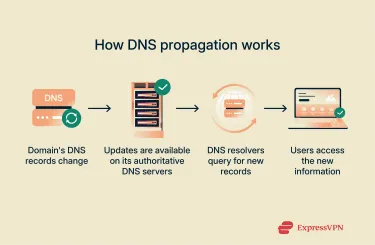
DNS changes do not take effect instantly.
In Nigeria, propagation can take anywhere from a few minutes to 48 hours, depending on your ISP.
Mobile data users on MTN, Glo, or Airtel may experience longer delays due to DNS caching at the carrier level.
Spectranet and home fibre connections (like IPNX or Smile) tend to propagate faster.
To test if your email is working: Send a test message from a Gmail or Yahoo account to your new custom domain address.
If it arrives in your Outlook inbox, you are live.
Accessing Your New Custom Email
On the web: Go to outlook.com and sign in using your new custom email address and Microsoft 365 password.
On mobile (Android or iOS): Download the Microsoft Outlook app from the Google Play Store or App Store. Tap Add Account, enter your email and password, and the app will configure everything automatically.
On desktop: If you have Microsoft 365 Business Standard, install the Outlook desktop app. On Windows, it may already be installed. On Mac, download it from the Mac App Store or the Microsoft website. Sign in with your custom domain email and your mailbox will sync within minutes.
Getting the Most Out of Your Business Email
Once you are up and running, a few extra configurations will make your setup more robust:
- Set up a catch-all address. In the Exchange Admin Center, you can configure a catch-all mailbox that receives any email sent to any address at your domain, even ones you have not created. This prevents you from missing emails due to typos or informal aliases.
- Configure automatic replies for Nigerian public holidays. Let clients know when you are unavailable during Independence Day, Eid, Christmas, or other public holidays. In Outlook, go to Settings → Automatic Replies and schedule your out-of-office messages in advance.
- Enable Online Archive. For compliance and storage management, enable Microsoft’s Online Archive feature, which automatically moves older emails to an archive mailbox. This keeps your main inbox clean and ensures you never lose important correspondence.
- Train your team. Make sure everyone knows to use the custom domain address, not the
@onmicrosoft.com address, for all external communication. Theonmicrosoft.comaddress should never appear in email signatures, invoices, or client correspondence.
Knowing how to set up Outlook email with a custom domain is a practical skill every Nigerian business owner or admin should have.
It is not complicated once you understand the moving parts, the DNS records, the Admin Center, the license assignment.
Professional email is one of the lowest-cost, highest-impact investments a Nigerian startup, consultant, or SME can make.
It builds trust before you even say a word, and in a competitive market, first impressions still count for everything.
And if you don’t have a custom domain, be sure to get one from us today!