DomainsFind and register your ideal domain name instantly.
 Web HostingEasy-to-use hosting powered by cPanel — ideal for managing websites in Nigeria.
 Windows HostingRun .NET apps with Windows-optimized hosting
 Affiliate ProgramMake money promoting our services
 Reseller HostingMake money by reselling our hosting products under your own brand
 .COM Domains
 All DomainsExplore all supported tld domains in Nigeria
 WhoisFind out who owns any domain, as well as verify your registration details
 Dedicated ServersReimagine your site speed with your own complete server
 AI Website BuilderDesign your site with drag-and-drop tools
 Online Shop BuilderStart your online shop without code
 Support PortalFind answers or get expert help
 Contact UsReach our team via chat or email
 BlogRead our extensive guides on web hosting and more
To buy a domain in Nigeria, choose the complete address you want, search it through our domain search, select the exact result, configure the term and nameservers, enter the owner’s details, review the order, and pay. Then open the confirmation email and finish any contact-verification step.
I tested our route from the public search page to Review & Checkout using an available .xyz address. The flow exposed the registration term, optional services, nameservers, account details, registrant contact, renewal line and payment choices. I stopped before payment, so no order went through.
This guide applies to any extension we support, not only Nigerian domains. Our current catalogue contains more than 530 choices, from .com, .ng and .com.ng to options such as .org, .shop, .tech and .xyz.
Some extensions remain open to most buyers; others require evidence from a qualifying institution.
1) Decide what the domain needs to do
A domain can carry your website, branded email addresses or both. It does not include a finished website by itself.
For example, buying yourbrand.ng gives you control of that address for the registration term. You still need hosting or a website platform if you want pages to load there. You also need an email service if you want addresses such as [email protected].
That separation affects the order:
Buy only the domain if you want to reserve the name now.
Add hosting if you plan to publish a website immediately.
Add business email if you need branded inboxes.
Keep the domain with us and point it to another host if your website already runs elsewhere.
A registrar, such as Truehost, maintains your domain registration for a fixed term. You renew that registration to keep control.
ICANN describes the registrant as the person or entity that enters the registration agreement and manages the domain through the registrar. So, in this case, you.
Our hosting comparison explains the service split in more detail.
Before searching, decide who should own the domain. If it belongs to a company, school or association, use an account and contact details the organisation controls.
You want to avoid placing a business domain solely under an employee, developer or agency account.
2) Build a short list before you search
Prepare one preferred address and two sensible alternatives. A short list gives you room to respond if another registrant already holds your first choice.
a) Test the name
A strong domain does not need a keyword formula. It needs to work when somebody hears, types and remembers it.
Run this three-part test:
Say the address once without spelling it. Ask whether another person can repeat it.
Type it on a phone. Notice any easy typo, missing letter or awkward switch between words and numbers.
Read the complete address, including the extension. Check whether the words create an unintended phrase across the dot.
Prefer a concise brand name that can survive beyond one product or location or era. Hyphens and numbers can work when they form part of the brand, but they make an address harder to dictate.
Adding online, hq, app or a location may rescue a taken name, yet the addition should still sound deliberate.
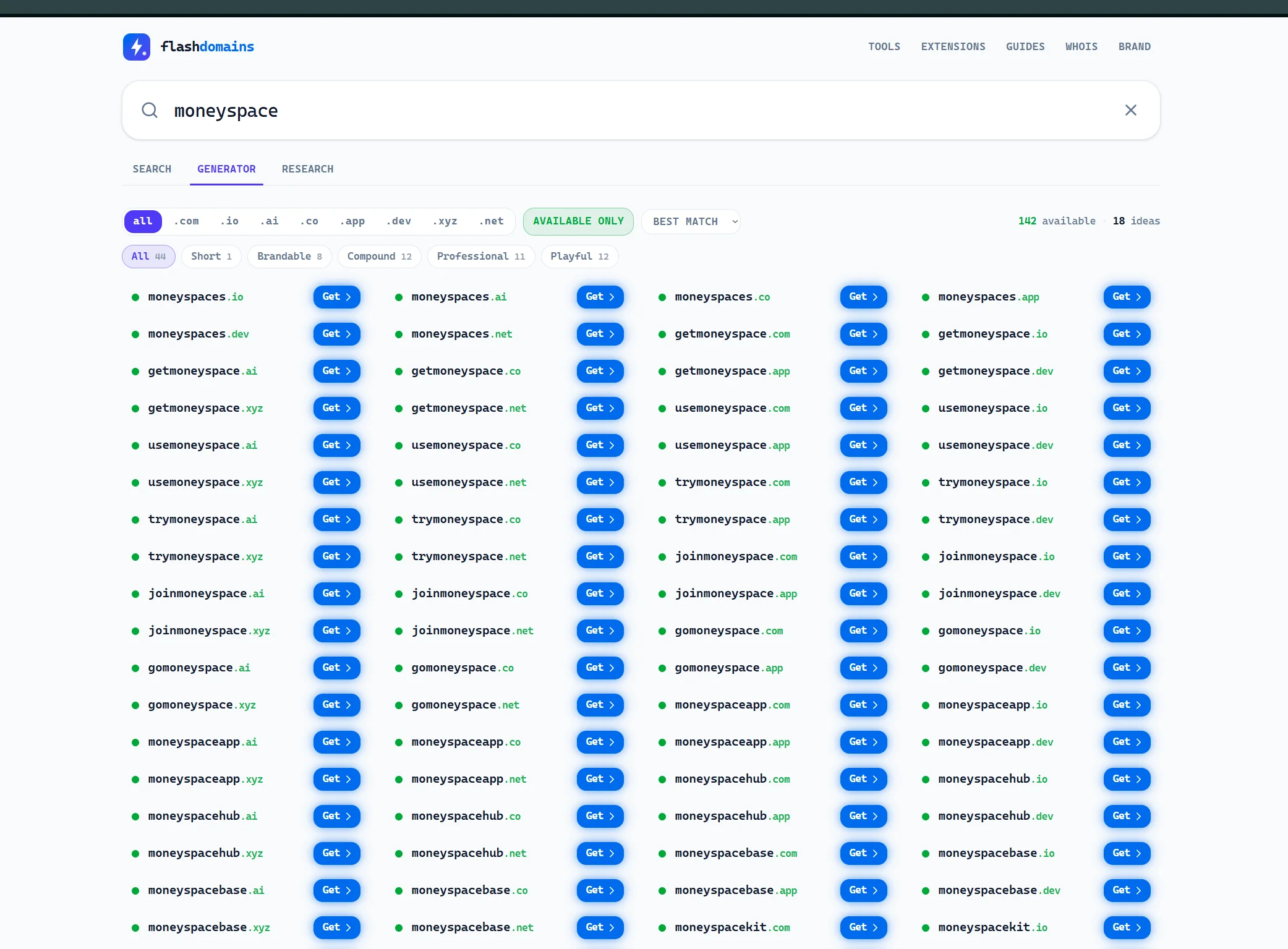
Check existing company names, trademarks and prominent web uses before you pay.
ICANN’s dispute policy makes the applicant responsible for avoiding another party’s rights.
b) Match the extension to the audience
The extension sits after the last dot. It can signal a market, an organisation type or a subject, but it cannot repair a weak name.
Use a global extension such as
.comwhen you want a familiar address for a broad audience.Use
.ngor.com.ngwhen a Nigerian identity supports the brand.A descriptive choice such as
.shop,.appor.techcan create a clear, memorable address when it fits the name.
Google says a generic top-level domain does not receive an automatic ranking advantage.
Choose the extension for clarity, audience and brand fit, not because someone promises that one ending will rank by itself. You can read Google’s guidance on that point.
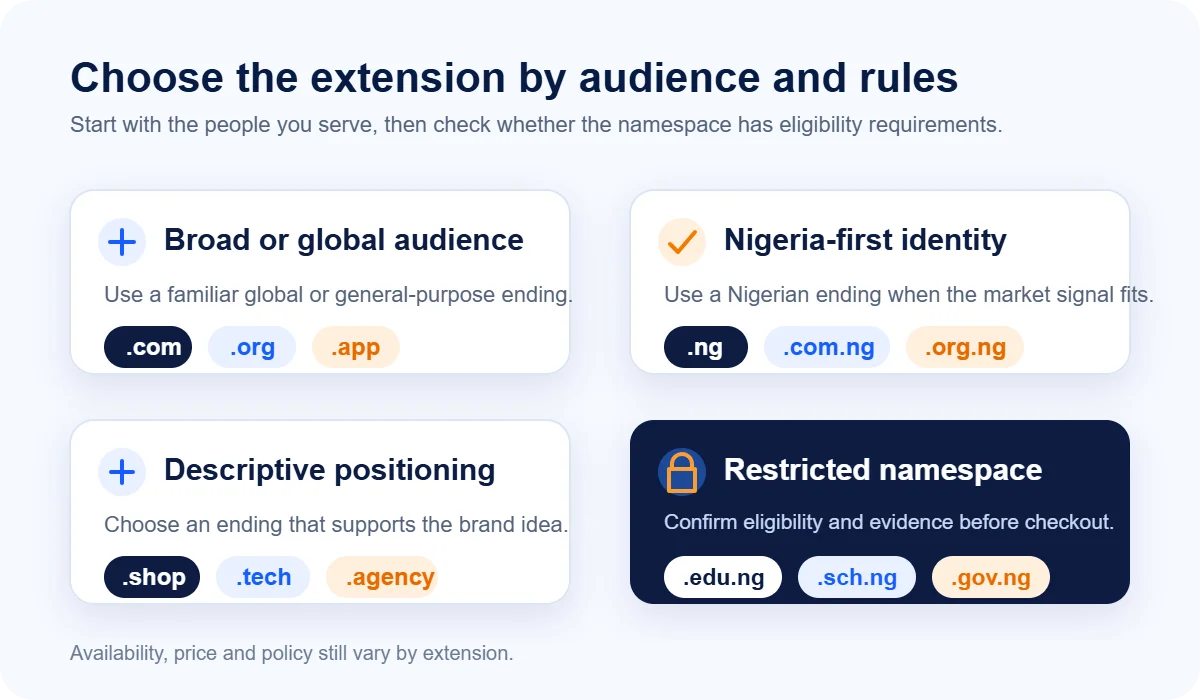
Some Nigerian namespaces have rules that change the purchase process.
NiRA reserves .edu.ng for qualifying tertiary institutions, .sch.ng for approved non-degree schools and .gov.ng for government bodies. These applications need relevant evidence and review.
If one of those addresses fits your organisation, check our requirements guide before checkout.
For extension-specific instructions, use the .com guide, .ng guide or .com.ng guide.
You can browse our all extensions catalogue when your first idea does not fit the common choices.
3) Compare the cost you pay now with the cost later
The first-year figure answers only one question: what will this registration cost today?
The renewal line tells you what it may cost to keep the address after the initial term.
Here are live examples for four different extensions:
Extension | Register | Renew |
|---|---|---|
| 8192.00 NGN | ₦20,000.00 |
| 5500.00 NGN | ₦7,000.00 |
| 14000.00 NGN | ₦15,000.00 |
| 3652.00 NGN | ₦32,879.00 |
Your chosen term and optional services can change the total.
The configuration screen may offer privacy, forwarding, extra security, hosting or email. Select an add-on because it solves a specific need, not because it appears beside the domain.
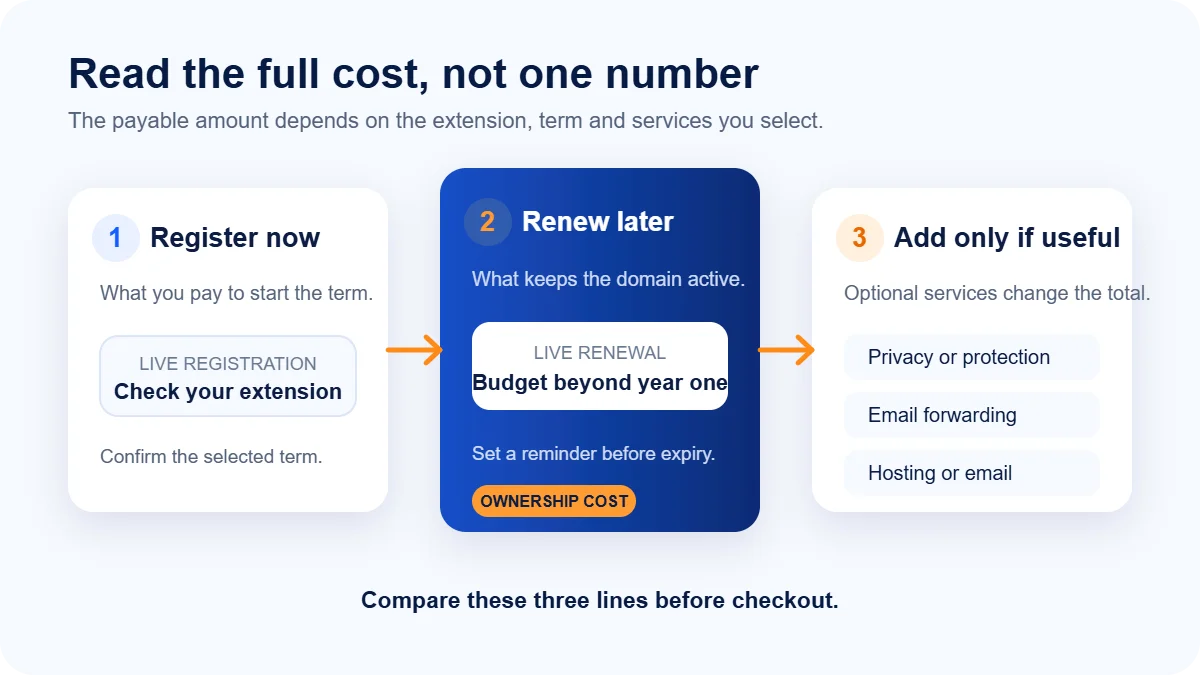
For a business-critical name, budget at least two renewal cycles rather than judging the choice on a launch promotion.
If you need a detailed Nigerian namespace comparison, use our price guide.
4) Search the complete domain address
Open our domain search and enter the complete address, including the extension.
For example, search yourbrand.shop, not only yourbrand.
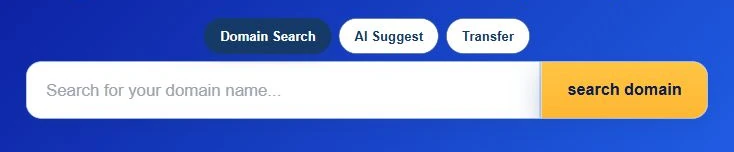
Click on search domain and wait for the result cards to load. The complete address keeps the search focused on the extension you intend to buy.
If another registrant holds that address, change one part at a time:
a) Try a shorter or more distinctive brand variation.
b) Keep the name and test a suitable extension.
c) Add a useful location or service word.
d) Return to your prepared alternatives.
Avoid adding several filler words merely to find an unused string. northstarstudio.ng can remain credible; best-north-star-studio-online-247.ng becomes hard to say and trust.
Our results may also show AI suggestions. Treat them as prompts, then run the same pronunciation, typing and rights checks before choosing one.
5) Select the exact single-domain result
An available results page can show three different offers:
the exact domain you searched;
a bundle that combines matching extensions; and
related alternatives under other extensions.
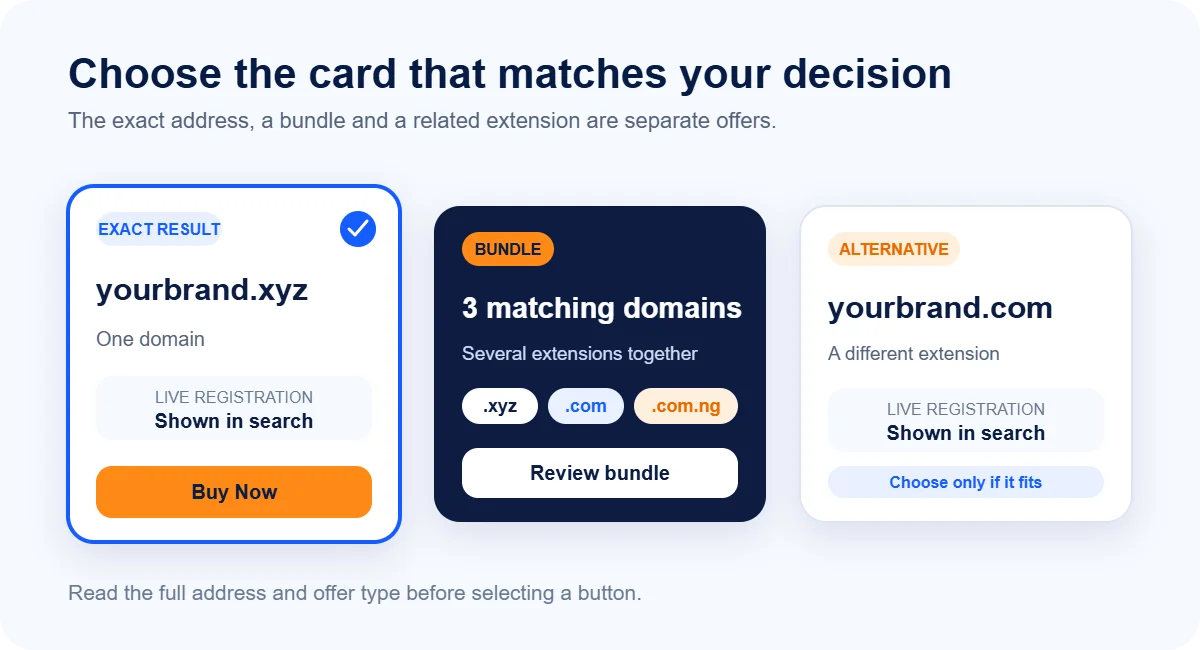
Find the card whose full address matches your decision. Then select its Buy Now button.
A bundle can make sense when you want to protect a brand across several common endings, but you do not need a bundle to register one domain.
Read the complete address again before moving forward. The test search showed an available .xyz result alongside a three-domain bundle and separate .com and .com.ng alternatives.
Similar names and shared stems make the extension easy to miss when you move quickly.
6) Configure the registration
The next screen groups the choices that affect the registration and where the address points.
a) Choose the registration term
Open the term selector and choose the period you want. A longer term reduces the chance that an annual task catches you by surprise, but it also raises the amount due now.
Review the selected term together with the renewal line at checkout.
b) Decide on optional services
Read each optional service on its own.
Whois Privacy can reduce public exposure of eligible contact data.
Email Forwarding can redirect messages to your gmail.
A security service (domain vault) may suit a high-value business domain.
Choose only the service whose function and price you have reviewed.
Registry rules also affect privacy. Some extensions restrict what a registrar can hide or require an organisation’s details during review.
c) Confirm the nameservers
Nameservers tell the internet where to find the DNS records for your website and email.
Keep our default nameservers when you plan to use our hosting or manage DNS through us.
If another company hosts your website or DNS, copy the exact nameservers that company supplied.
Do not replace the defaults with a website URL or an IP address; those belong in DNS records, not nameserver fields.
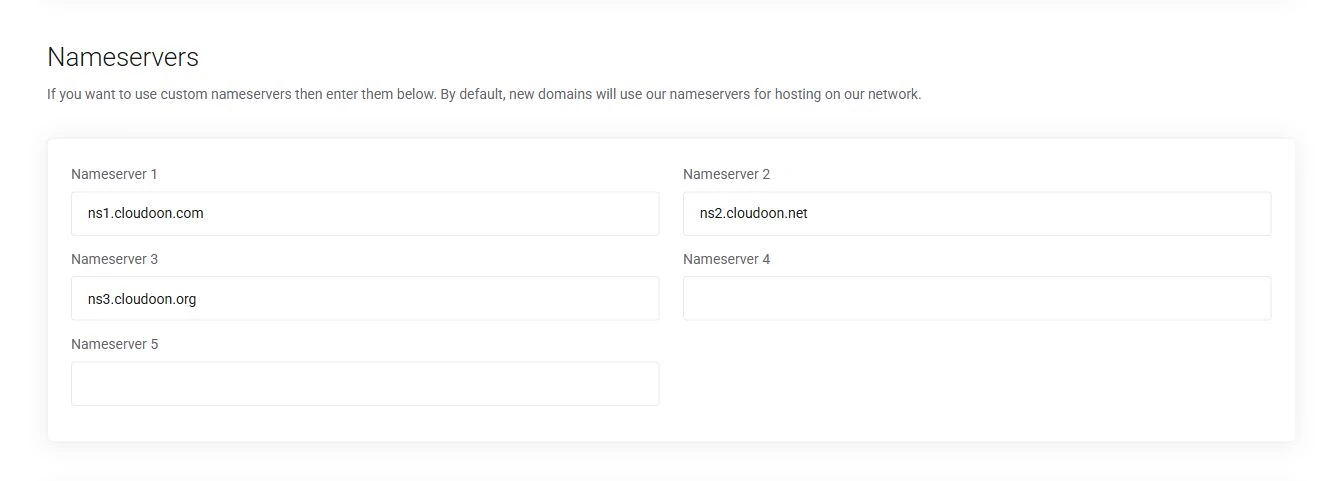
You can change nameservers later, so an unfinished website should not stop you from securing a good name today.
Keep the defaults until your host gives you the correct values.
Select Continue after reviewing the term, services and nameservers.
7) Enter the real owner’s details
Checkout asks for account and billing information. New customers can create an account in the order flow; existing customers can sign in.
Use an email address you can open immediately. We and the registry may send confirmation, verification, renewal and security notices there. A neglected inbox can turn a simple administrative task into a suspended domain or a missed renewal.
Enter an accurate name, phone number and postal address. ICANN’s data guidance requires registrants to maintain reliable contact details for generic domains. The registrar may suspend a domain when the holder provides false information or ignores an accuracy inquiry.
The registrant contact identifies the domain holder. When you register for yourself, the default account contact may fit. When you order for a client or organisation, choose or add the contact that should legally control the domain.
Restricted extensions add another branch. NiRA’s domain policy defines which institutions qualify for closed Nigerian namespaces. Keep the legal name on the order consistent with the evidence, and supply the documents our team requests. Approval may take longer than an open-domain order.
8) Review the order and choose payment
The Review & Checkout page brings the commercial and ownership decisions together. Read it in this order:
Confirm the complete domain and extension.
Confirm the registration term and amount due today.
Read the renewal line separately.
Remove any optional service you did not choose deliberately.
Confirm the account and registrant contacts.
Choose an available payment method.
Read the applicable terms before submitting the order.
During my test our checkout presented Paystack card payments and PayPal.
Payment options can change by account, currency or checkout configuration, so use the methods visible on your order.
I reached the final Checkout control but did not enter personal information or submit payment. A completed purchase should produce an order confirmation and a confirmation email.
If either signal fails to appear after your payment provider confirms the charge, do not place a duplicate order immediately. Check your account and contact our support team with the payment reference.
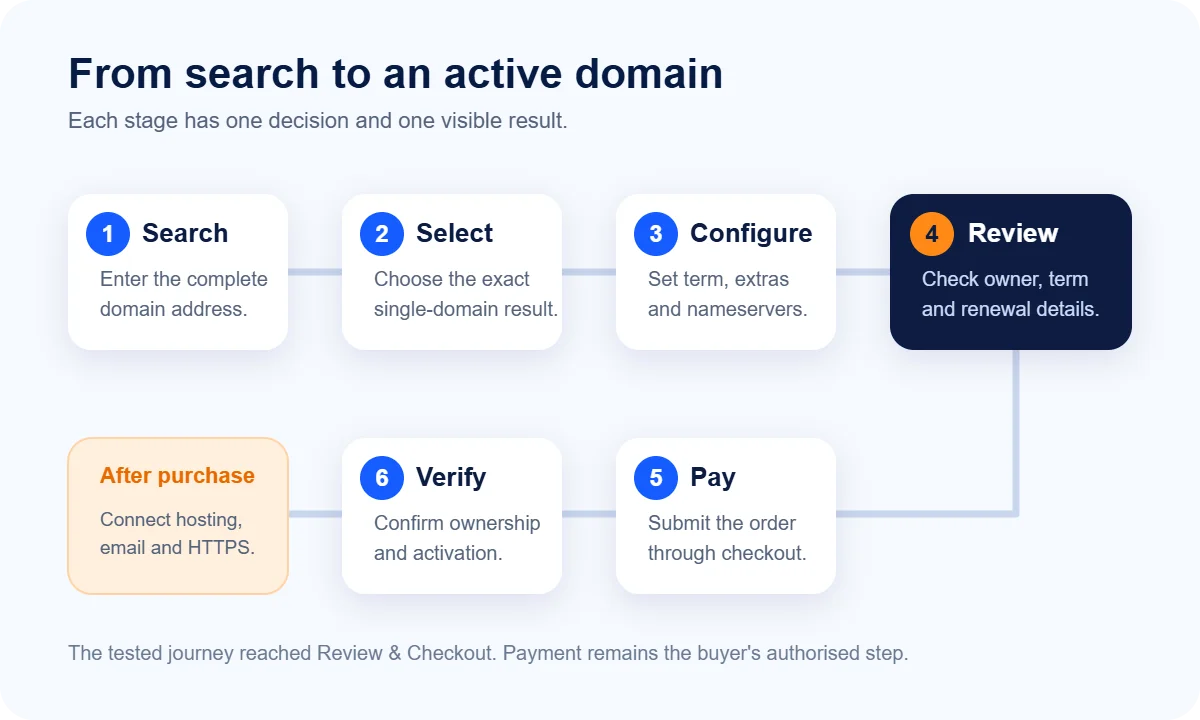
9) Verify, secure and connect the domain
Payment finishes the order, but you still have a few ownership and setup tasks.
Open the confirmation email and follow any contact-verification request. Then sign in to your account and confirm that the domain appears under your services with the expected term and registrant contact.
Protect the account with a unique password and multi-factor authentication when available. Record the renewal date in a calendar that the organisation controls.
Auto-renewal can help, but it still depends on a working payment method and reachable contact email.
Next, connect the domain to its services:
For a website on our hosting, keep or apply our nameservers and add the domain in the hosting panel when necessary.
For external hosting, use the host’s nameservers or DNS records.
For business email, add the provider’s MX and authentication records exactly as supplied.
For a public website, enable HTTPS after the domain resolves to the server.
DNS changes do not reach every network at the same time. Test the domain from more than one connection and allow caches to refresh.
A new domain that shows a parking page may already exist correctly; it simply does not point to a finished website yet.
Domain propagation may take upto 72 hours for it to be fully accessible across the world.
10) Fix four common purchase blockers
a) The exact name has another owner
Return to your short list. Change the name or extension deliberately rather than stacking filler words. If the address belongs to an established brand, do not imitate it.
b) The extension asks for evidence
Check that the extension matches your organisation type. For .edu.ng, .sch.ng and .gov.ng, gather the relevant accreditation, registration or authorisation evidence. Our support team can tell you what the current application needs, but the registry or approving authority controls eligibility.
c) The domain exists but the website does not load
Check the nameservers first. Then check the DNS records at the active DNS provider. Registration creates the address; hosting and DNS make the website reachable.
d) The order or verification email does not arrive
Check spam, confirm the account email and inspect the order inside your client area.
Contact us before paying again. Share the domain and payment reference, but never send a password or full card details.
For a deeper ownership and seller check, read our fraud guide.
Your next useful action is simple: prepare one complete address and two alternatives, then run them through our domain search. The search result will show what you can register, while the steps above help you choose and configure it without losing sight of renewal, ownership or DNS.